Open the BP_MasterPowerComponent and create a new variable called Fuel set its type to Float and set its Replication to Replicated and tick on Instance Editable.
Create another variable called MaxFuel and set its type to Float and tick on Instance Editable, set the default value to the max fuel value you want for example 200.
Create another variable called UseFuel and set its type to Boolean and tick on Instance Editable.
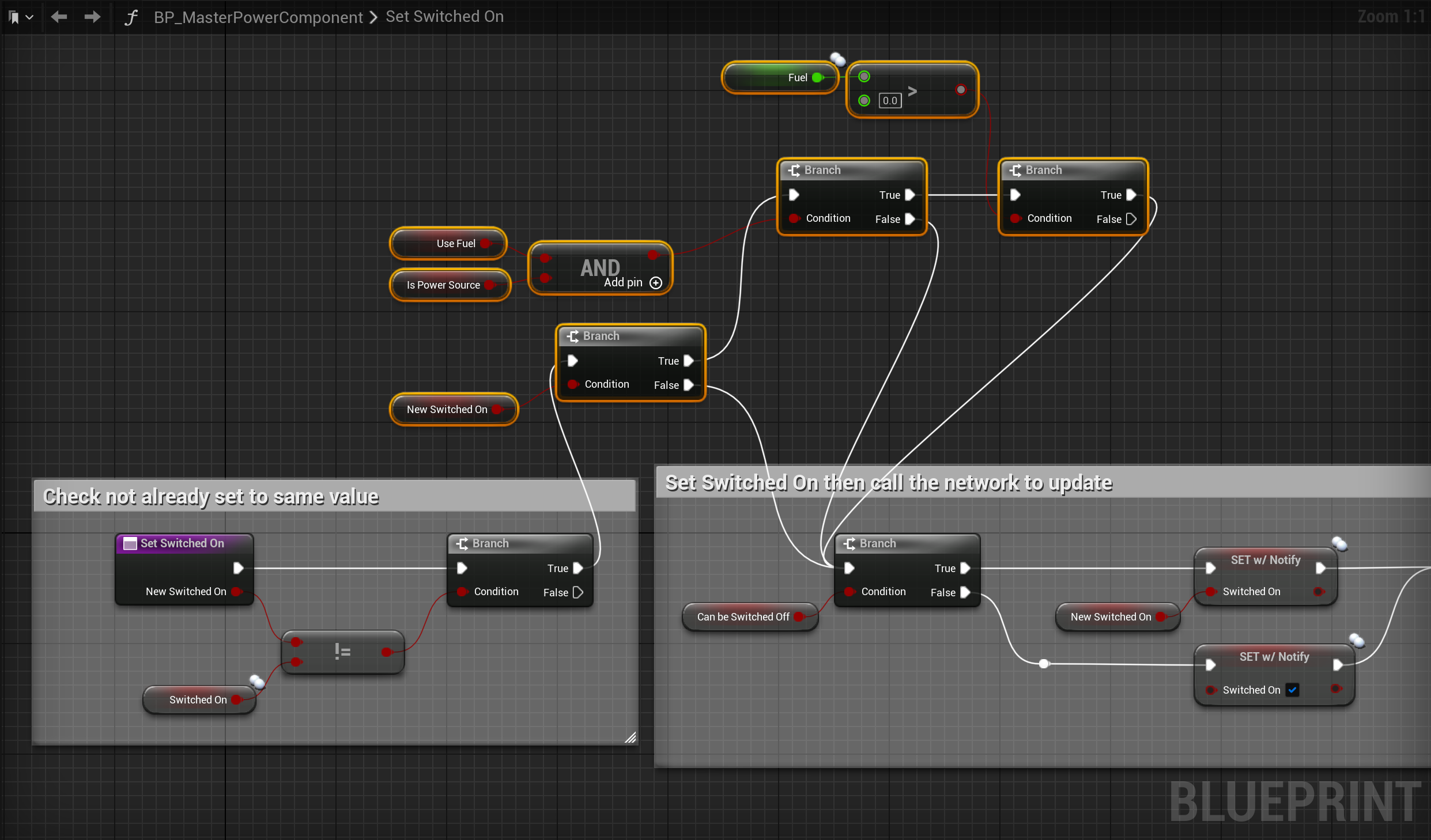
Open the SetSwitchedOn function and add the nodes shown in the image below.
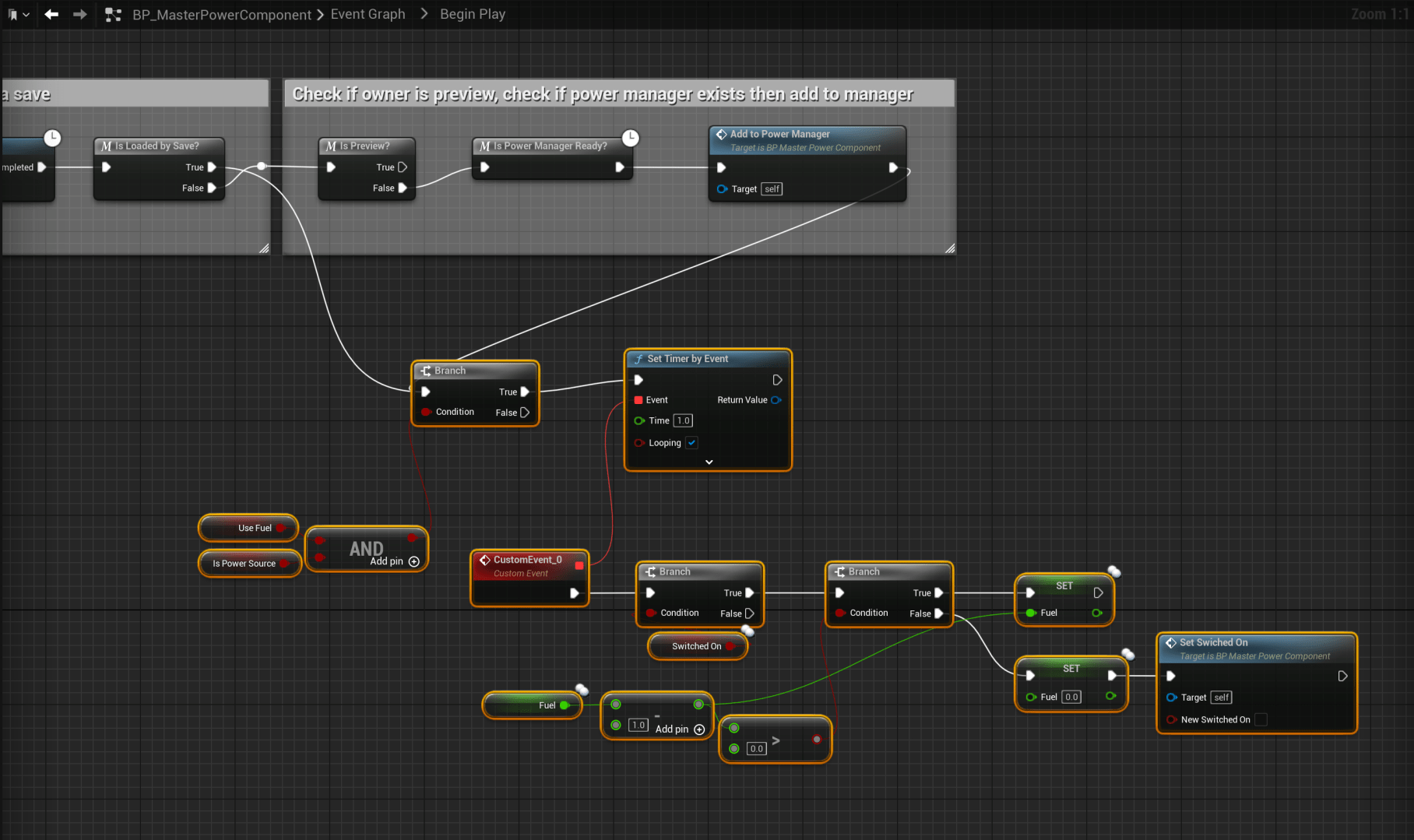
Then go to the BeginPlay collapsed node and add the nodes shown in the image below.
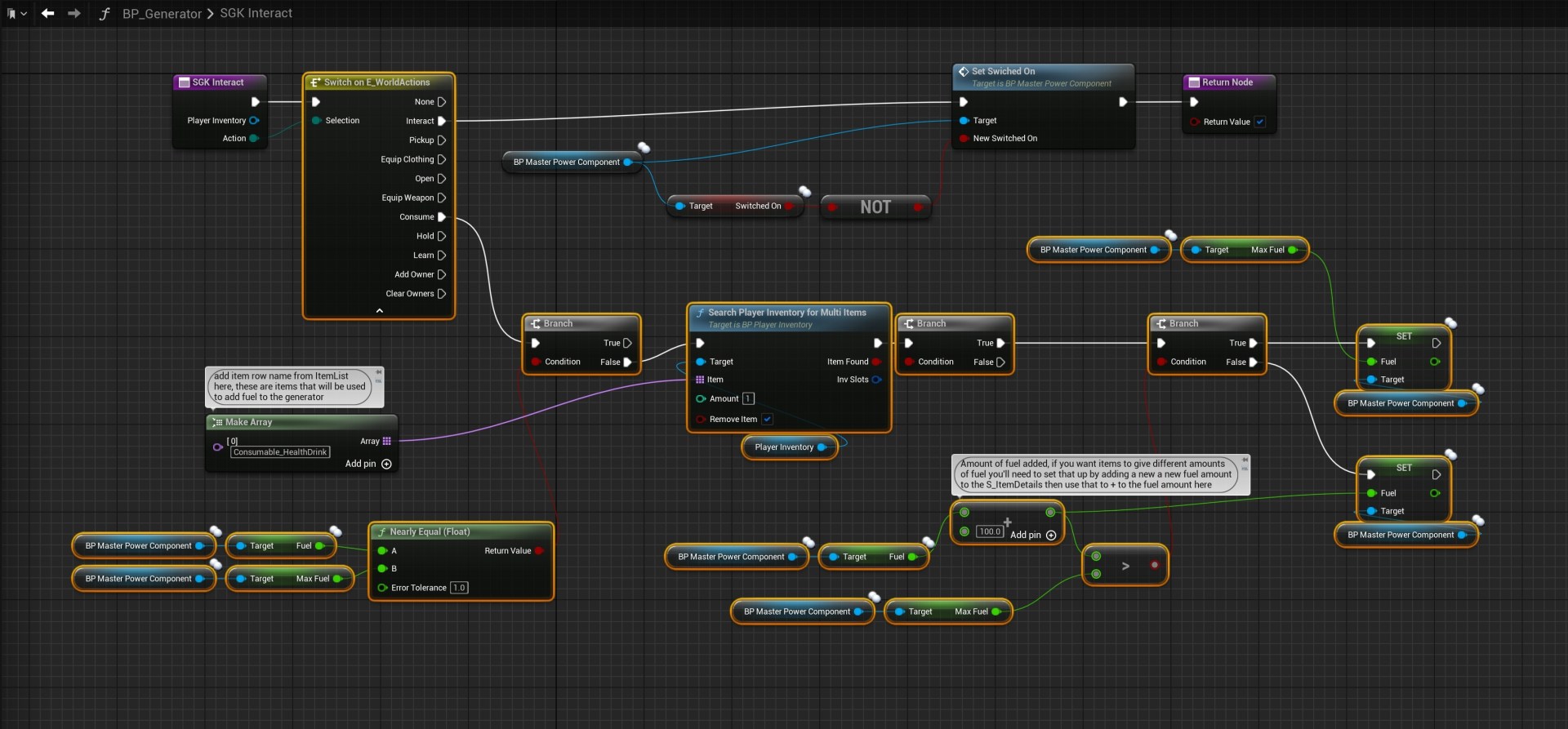
Then go to the generator blueprint and copy the images below, locations are at the tops of the images. If you’ve added your own generators you will need to repeat the steps shown below in the BP_Generator in their blueprints as well.

Next play in editor, once the character loads in exit play in editor, then click save all in the content browser and close your project and make a backup of it! (The next step edits a struct thats in use and this can sometime break things) once you’ve made a backup of your project you can then reopen your project.
Next open the S_DeviceSaveData and copy the steps shown in the video below exactly. If you get different errored blueprint open then and compile them to get rid of the errors.
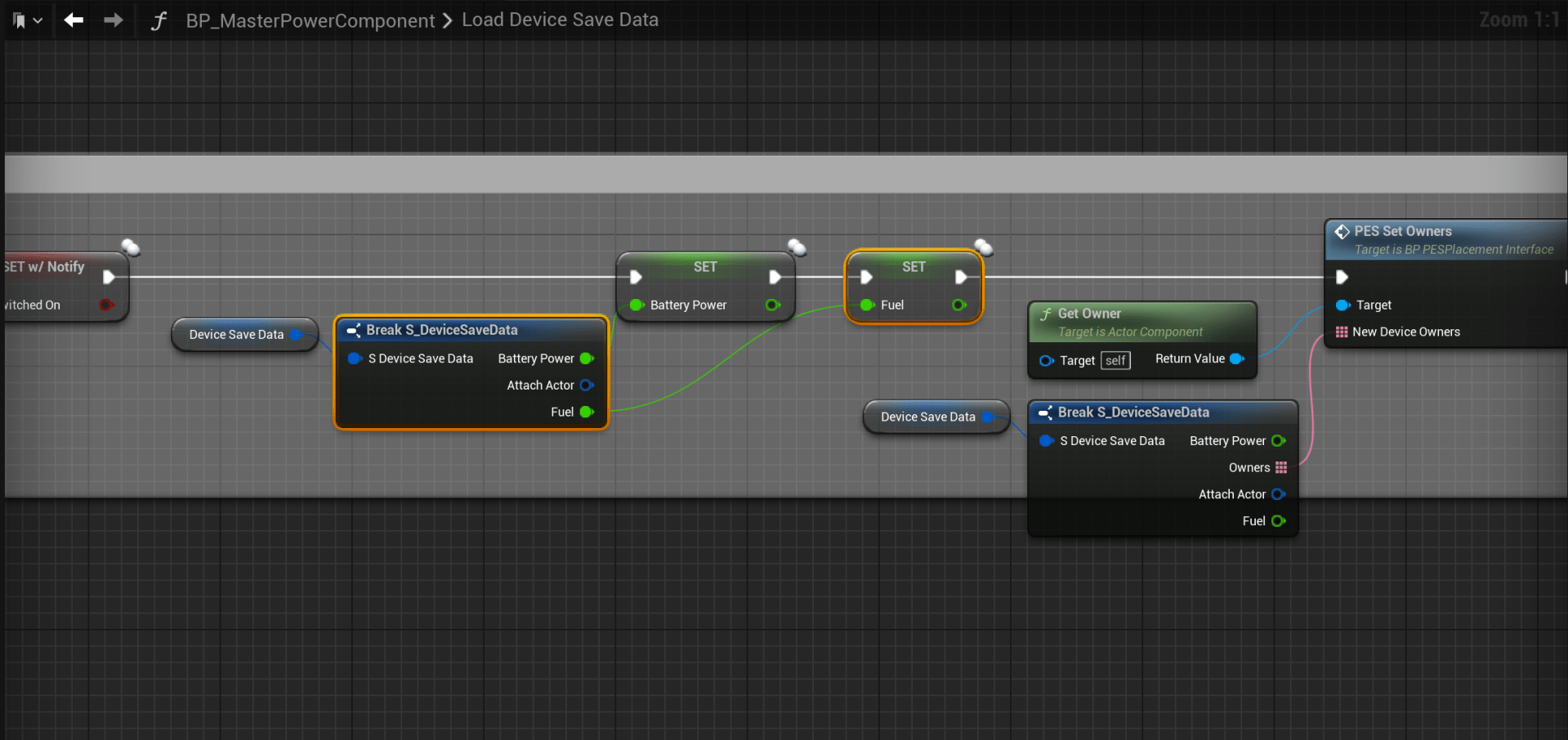
Next go back to the BP_MasterPowerComponent and open the LoadDeviceSaveData function and add the node shown below.
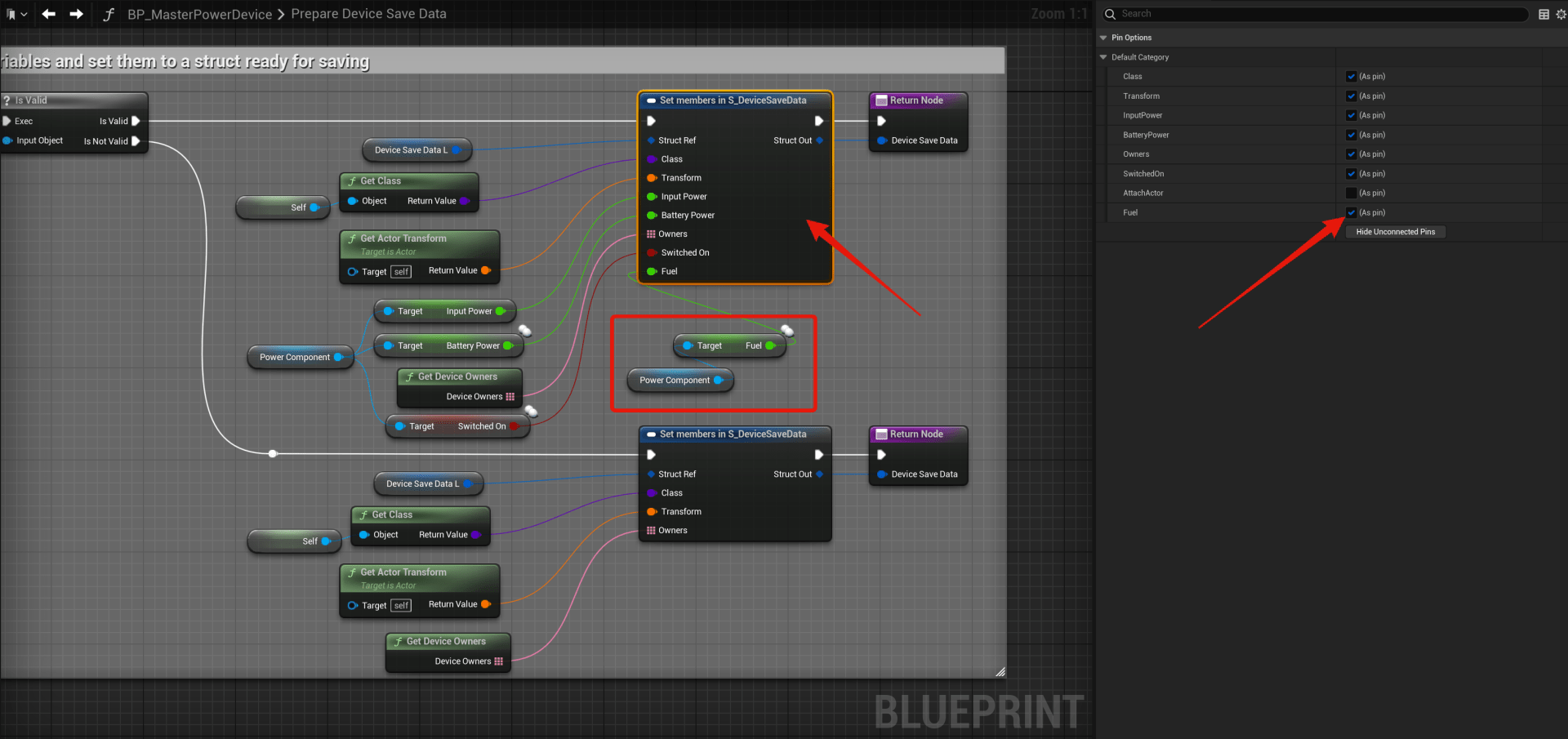
Next go to the BP_MasterPowerDevice and open the PrepareDeviceSaveData function and copy the image below, select the Set members in S_DeviceSaveData node and in the Details panel tick on the Fuel option to add the pin, then add the nodes shown in the image.
If you want to add a fuel progress bar to the device info panel you can copy the steps in the video below.
Then add the node shown in the image below in the UpdateWidget function.

Now you can go to your generator device blueprints and in the Class Defaults tick on UseFuel and set the MaxFuel to what you want, use the Fuel setting to set the starting amount the device will have when placed.
 Defuse Studios