This is a guide for adding power to the cooking component build parts like the furnace and campfire blueprints in Survival Game Kit V2.
Before following this guide you must of first followed the integration guide linked below to integrate Player Electricity System with Survival Game Kit V2
Start by going to the cooking build part, for this guide I will be using the BP_CraftingBench. Then in the component panel click the Add button and add the BP_MasterPowerComponent.
Next in the Class Settings in the Interfaces panel add the interfaces shown below.

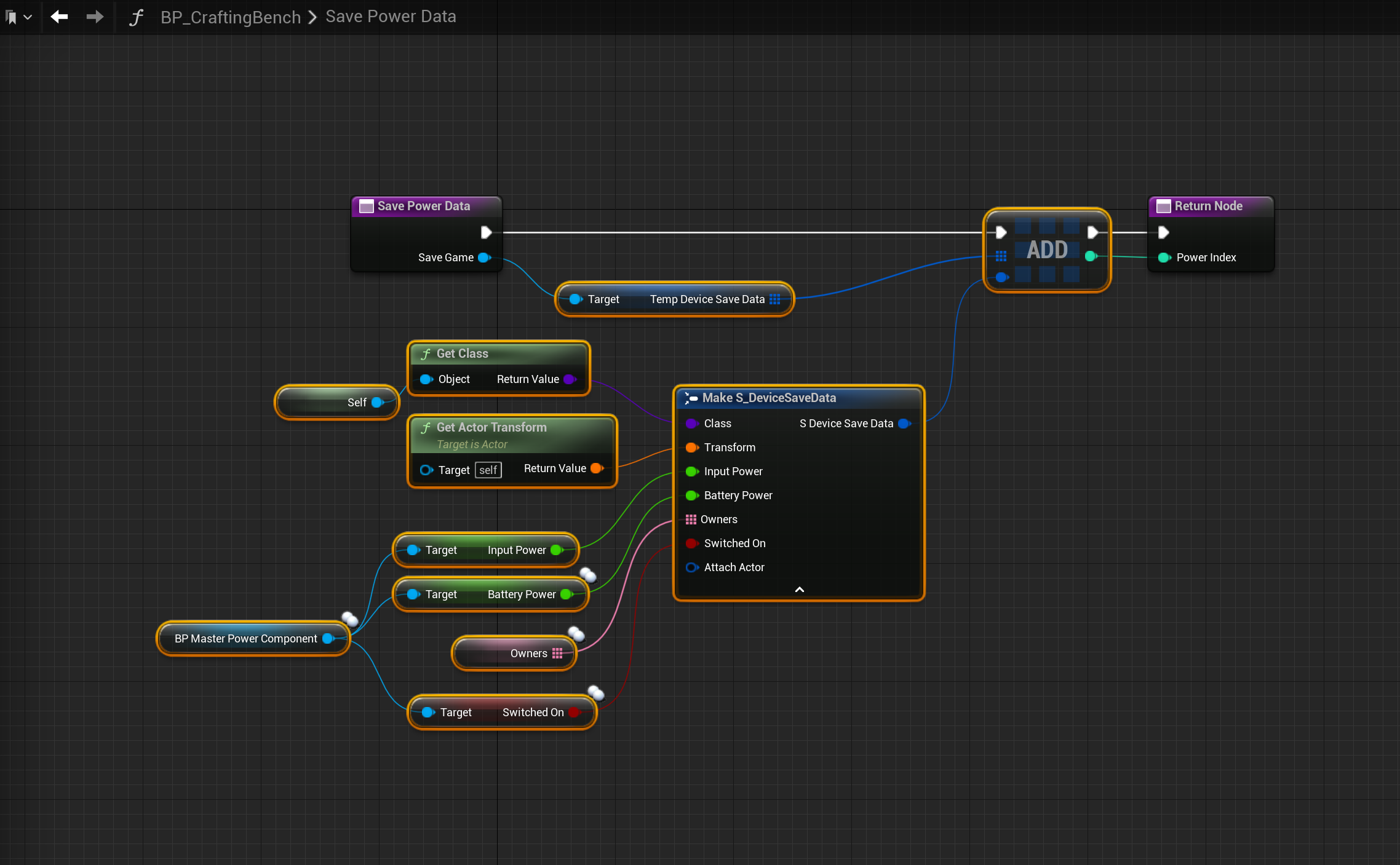
Next in the functions panel Override the Save Power Data function like shown in the video below.
Then in that function copy the image below.
Next in the Event Graph create the SGK Load Power event and copy the image below.

Next add the nodes shown in the images below.

Next copy the image below, right click the BeginPlay node and click the Add Call to Parent function to create the Parent:Begin Play.

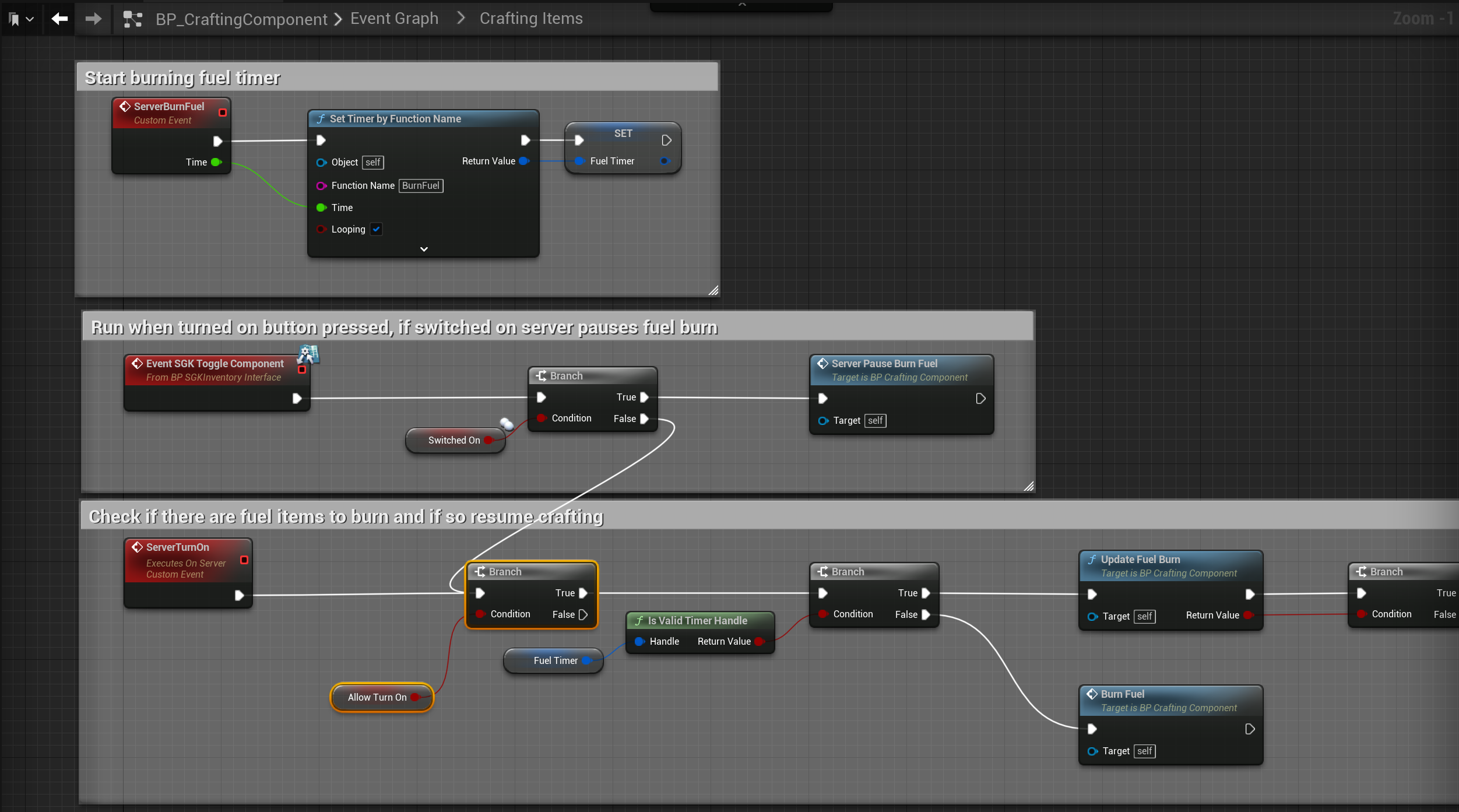
Next go to the BP_CraftingComponent and create a new variable called AllowTurnOn and set its type to Boolean, then compile. Make sure you tick off the Default Value.
Then copy the image below.
Next go back to the BP_CraftingBench blueprint and create a new variable called ResumeCrafting and set its type to Boolean, then copy the image below.

Next in the Event Graph create the Event Destroyed node, then right click it and select the Add Call to Parent function, then copy the image below.

Next you can go to the Viewport and add the BP_CableConnectionPointComponents, these are used to connect cables to the blueprint and either input power or output it. Below is a video for adding both an input and an output component but you may want to only have an input or have multiple outputs.
Next go to the functions shown below and copy the code.


Next you can select the BP_MasterPowerComponent and set a Required Power amount, for this guide I set mine to 5, I also disabled Can be switched off as the crafting UI has its own on/off button. You can also select the BP_CraftingComponent and set its Require Fuel to false, you may also want to set the number of fuel slots to 0.
Your Crafting Bench should now only be able to craft items when it has its required power, you should be able to still turn it on and off using the button in the cooking UI, but if power is lost to the crafting bench it will be turned off, once power is restored it should automaticly turn back on if it was on when it lost power.
 Defuse Studios