This is a guide for changing melee weapon’s melee attack animations.
You can change and add new melee animations in the weapon holdable blueprint’s in the Class Defaults using the Melee Attack Animations setting. You can find all the weapon holdable blueprints in the Blueprints/Holdables folder in the Content Browser.
Here you can change, remove or add new melee attack montages, if you add more then one melee animation the weapon will randomly use one of the animation for each attack.

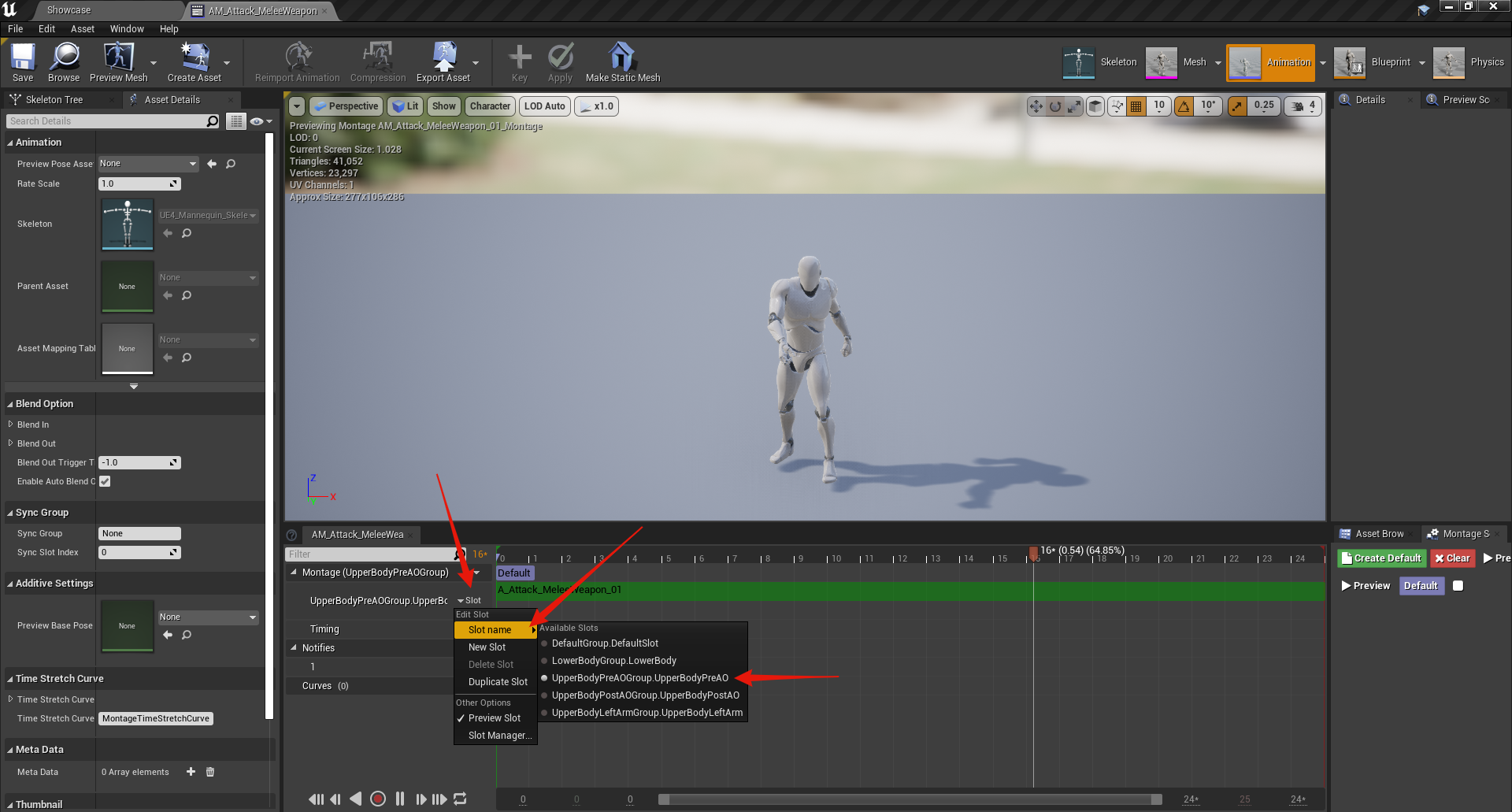
Your melee attack montages must have the montage slot set to UpperBodyPreAO like the images below.
Next your animations must have the animation notifies shown in the images below. These must be added to your melee animation and not the animation montage.

 Defuse Studios

