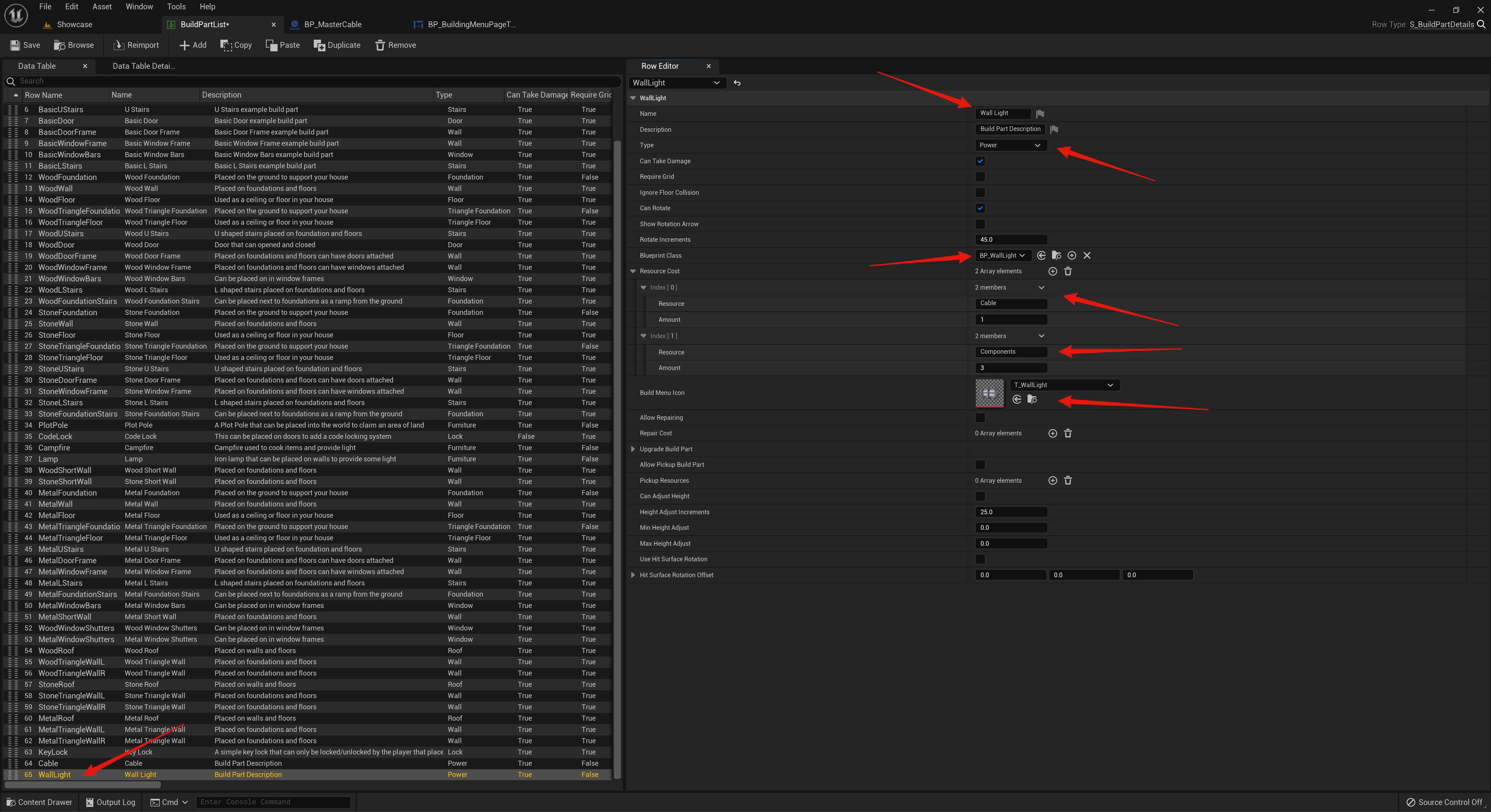
Click the Add button to add a new row to the BuildPartList, then double click the row name in the bottom left corner and set the device row name. Then go though and set the build part details, make sure you set the Type to Power and make sure you set the Blueprint Class to the devices blueprint.
Here you can also set the resource cost to place the build part and the Icon.
Next go to the BP_WallLight and in the Class Defaults find the Build Part setting and set its row name to the WallLight row name like the image below.

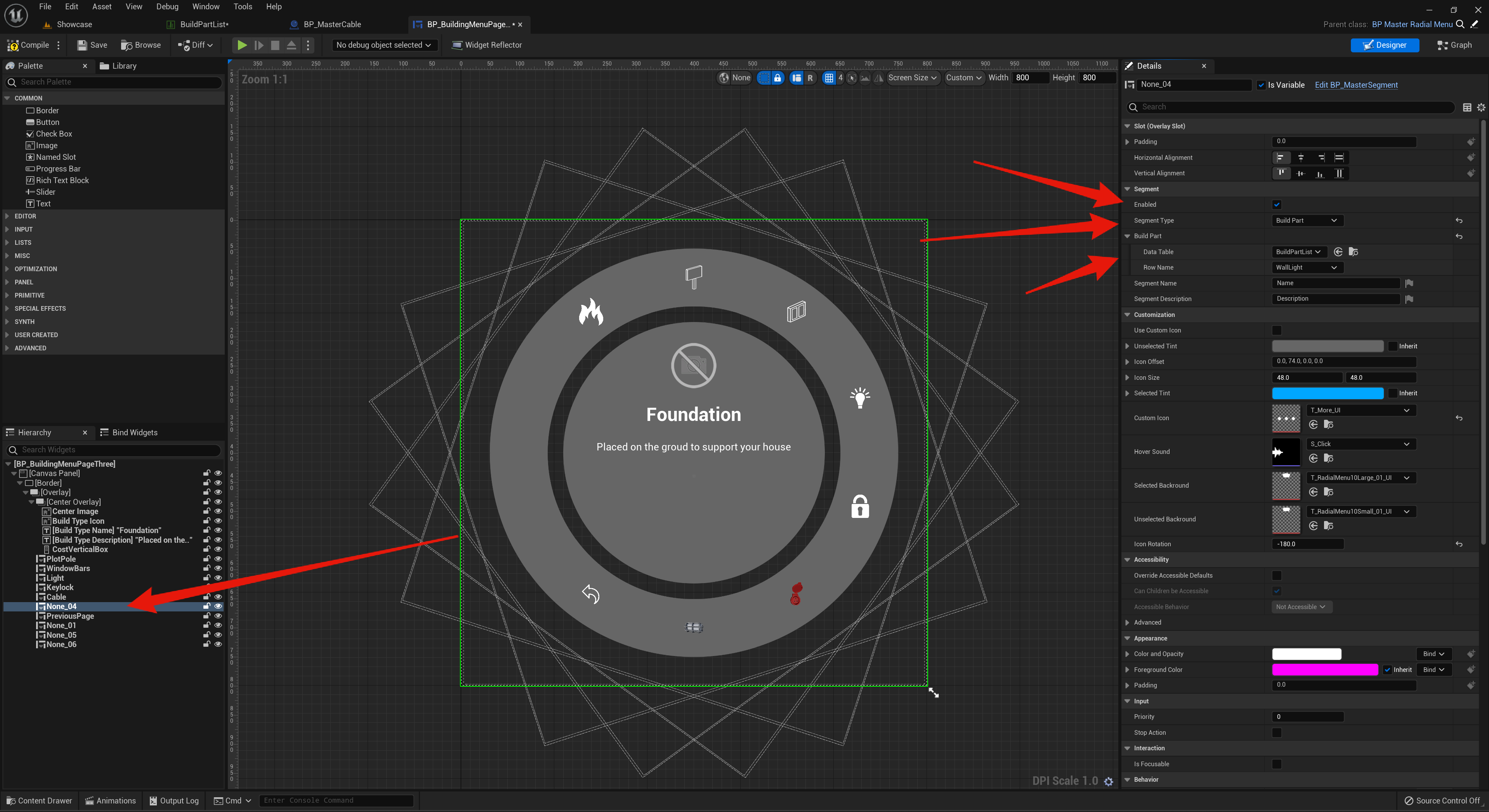
Next go to the BP_BuildingMenuPageThree and select one of the None widgets and copy the settings in the Details panel.
 Defuse Studios