Player Building System V2 has some key functions you may wish to modify when adding it to your own project, these function handle removing and checking if the player has the required resources to place an object. When an object is picked up and how to select which object is selected for preview placement.
Remove/Check Resources
Pickup
Select Placement Object
Resource Collection
Remove/Check Resources
Below is the ItemCostCheck function found in the BP_PlayerBuildingComponent, this is the code used to check if the player has the required resource for placing the current preview build part, if this function is called with its Remove Item input pin ticked on the function will first check the player has the resource and if they do it will remove those resource.

If your using your own inventory to manage resources/items you’ll need to modify this code to check if your player has the required items, and if Remove Item is true also remove those items from your inventory. This code will be spacific to your inventory so you’ll need to write that code.
You can get a reference to your player using the Owning Player variable, if you need a reference to your players controller you can use the Owning Player variable, drag out from it and add the GetController node then drag out from that and cast to your controller.
Pickup
The function below is the Pickup function found in the BP_PlayerBuildingComponent, it is used to add resources to the players resources when an object is picked up.

If your using your own inventory to manage resources/items you’ll need to modify this code add the resources/items to your inventory. This code will be spacific to your inventory so you’ll need to write that code. This will invole replacing the Change Resources Amounts function with code from your own inventory to add the items of the picked up build part.
You can get a reference to your player using the Owning Player variable, if you need a reference to your players controller you can use the Owning Player variable, drag out from it and add the GetController node then drag out from that and cast to your controller.
Selecting Placement Object
The event below is an example of using the ClientSelectBuildPart event, it is used to tell the player building system which object the player is selecting to preview.
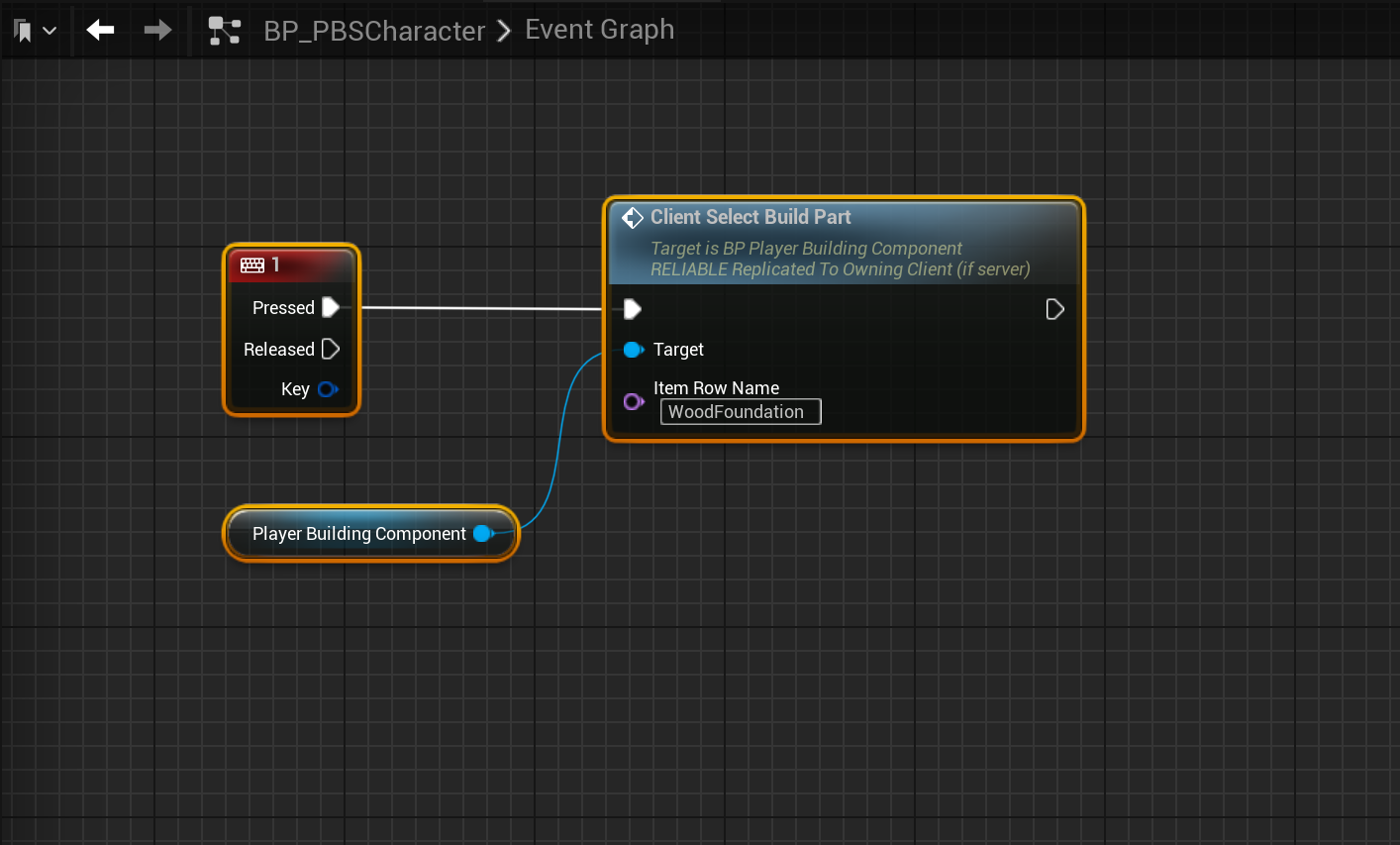
To call it you will need a valid reference of the Player Building Component like in the BP_PBSCharacter. You set the Row Name to the Row Name from the data table BuildPartList like shown in the image below.

You may what to call the ClientSelectBuildPart event from a widget to select a new build part, this can be done in the same way by calling the ClientSelectBuildPart event from the Player Building Component but you widget will need a reference to the Player Building Component, below is an example of how you can get a reference to this and set it to a variable.
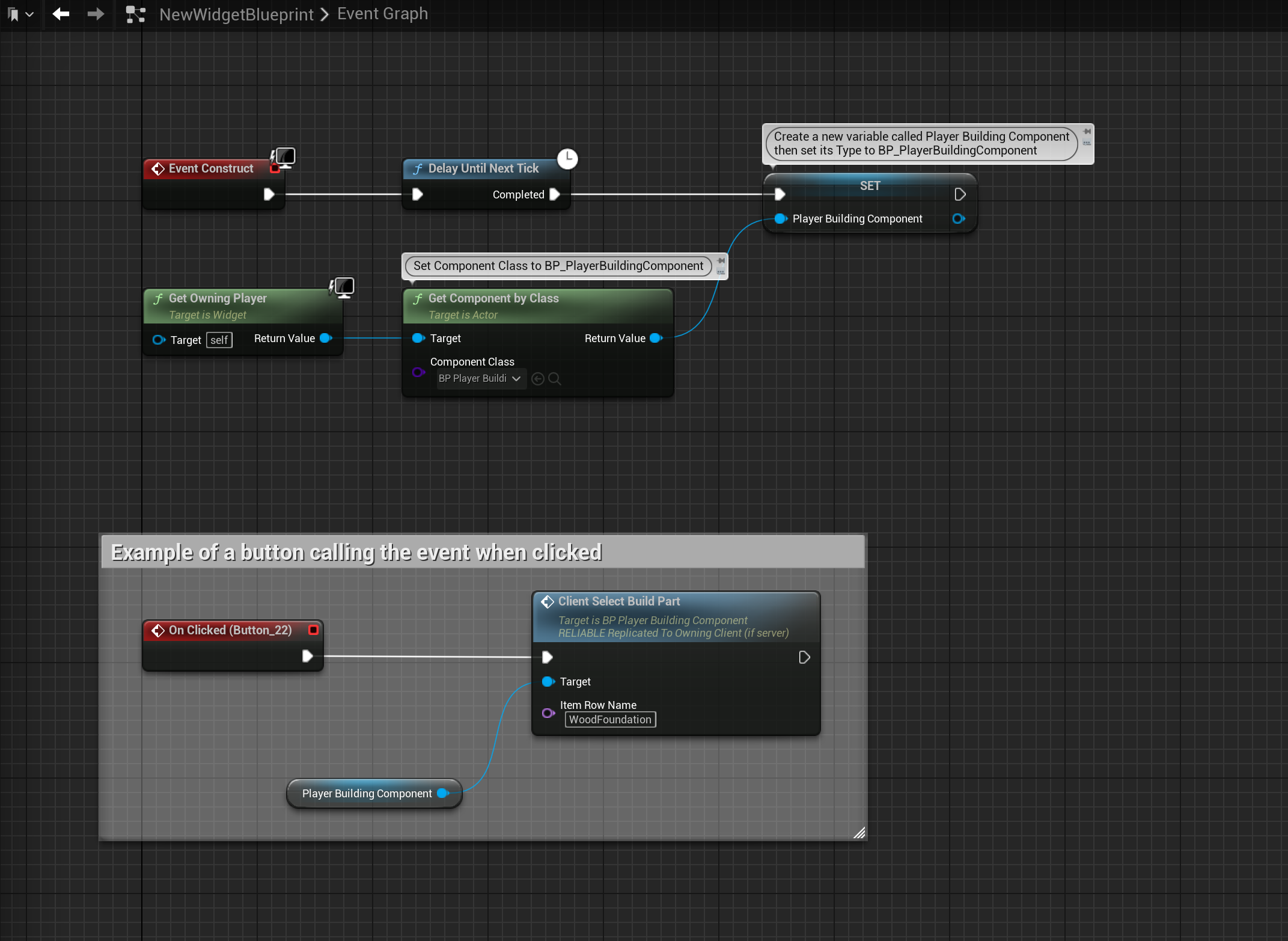
Resource Collection
The function below is the Collect Resource function in the BP_MasterResource blueprint, its where the code is that increase the player resources when they interact with a resource.
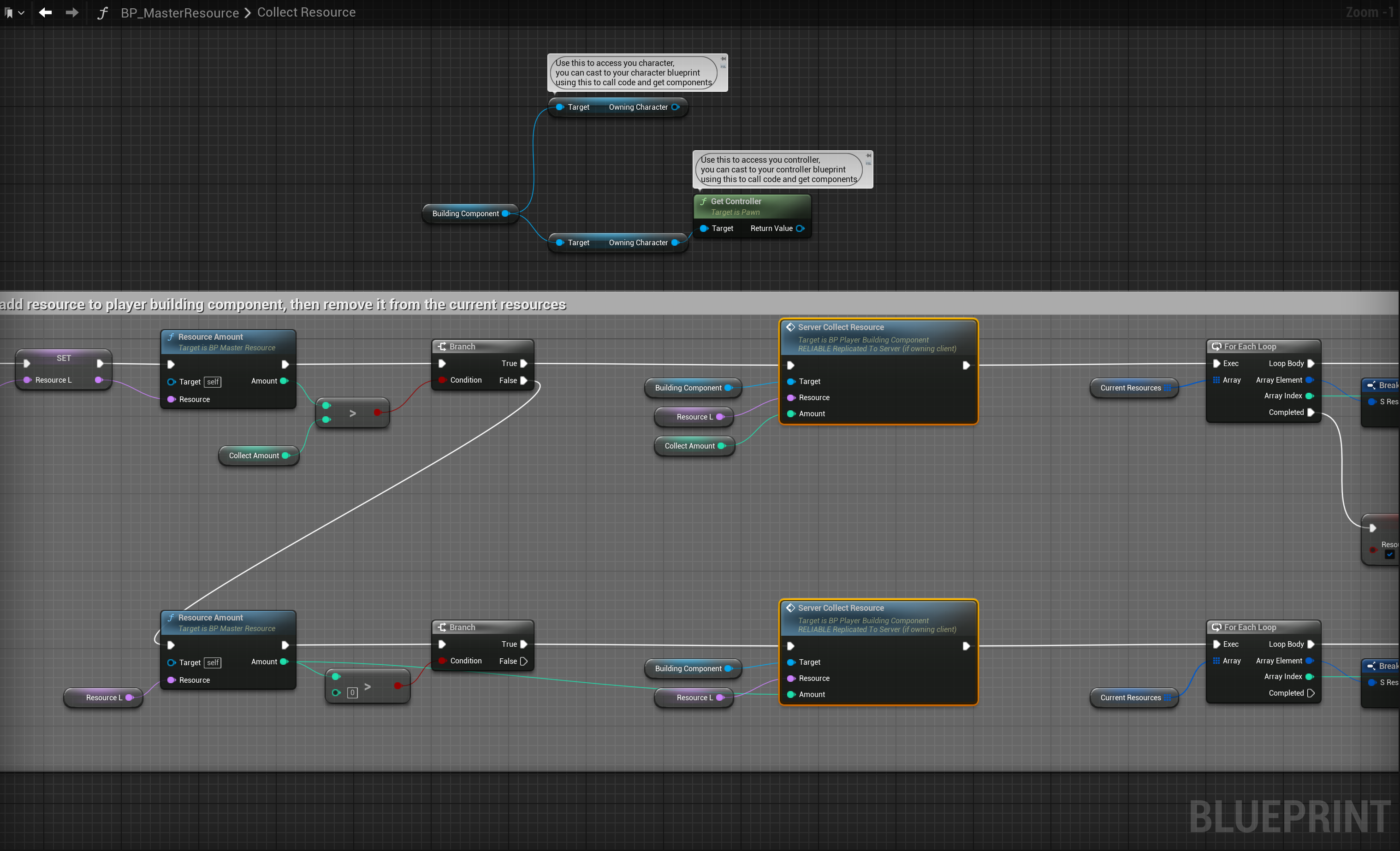
If your using your own inventory to manage resources/items you’ll need to modify this code add the resources/items to your inventory. This code will be spacific to your inventory so you’ll need to write that code. This will invole replacing the Server Collect Resource event nodes with code from your own inventory to add the resources items.
You can use the functions BuildingComponent variable to access the Owning Character or use that to get that characters component, you can then use those to cast to your character or controller to access your inventories code and call the functions you need to add the items.
 Defuse Studios