To change a device’s settings go to the device blueprint so for example the BP_CarBattery and select the BP_MasterPowerComponent in the Components panel, then in the Details panel find the Power Settings category and in that category you will find the Battery Power settings.
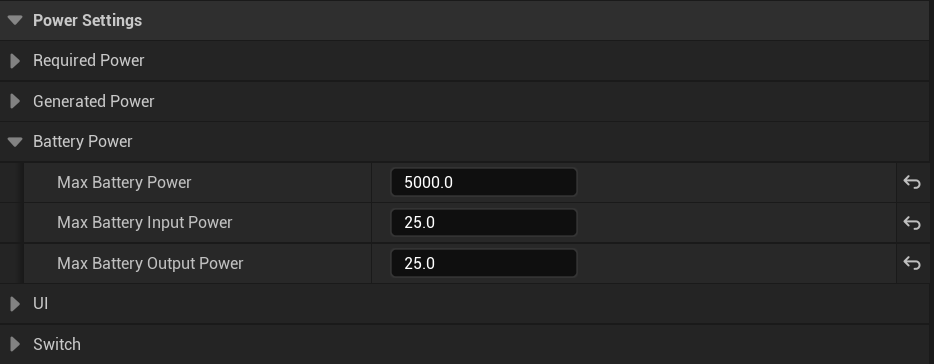
Here you can change this device’s battery settings, you can hover your mouse over each settings name to get a tooltip with more info about each setting.
Max battery Power – This is the maximum amount of power the battery can store
Max Battery Input Power – This is the maximum amount of power the battery can charge by per network update, this doesn’t effect how much power can pass though the battery from other power sources to power other devices. This only effects how much power the battery can charge.
Max Battery Output Power – This is the maximum amount of power the battery can discharge power from its stored power, this doesn’t effect how much power can pass though the battery from other power sources to power other devices. This only effects how much power the battery can discharge to power other devices.
 Defuse Studios