Go to the device’s blueprint like for example the BP_SolarPanel, these are found in the Content/PlayerElectricitySystem/Blueprints/Devices folder.
Once you open the device blueprint open go to the Viewport in the blueprint and select the StaticMesh component in the Components panel.
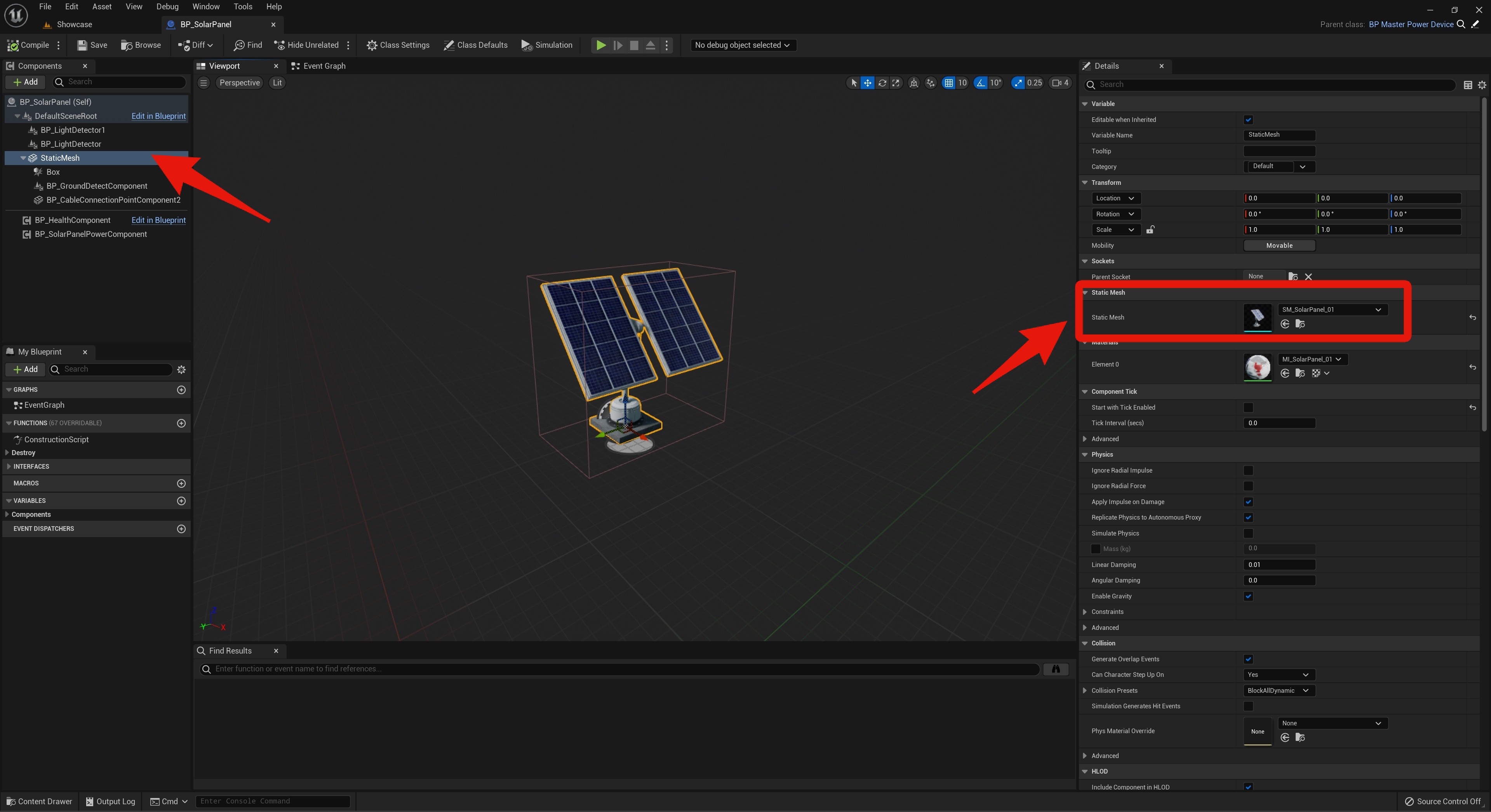
You can now set the Static Mesh in the Details panel. After changing the Static Mesh you may need to change the size of the placement collision box component. There is more info about this in the guide below.
 Defuse Studios