Below are important collision settings you need for Player Electricity System to work correctly, if you migrated the it to another project or have made modifications to the collision settings you may be missing or have an incorrect setting. You may already have some settings set correctly but other might not be so its worth quickly going though and checking all these settings if you are having issues with the placement.
Below is the Collision category in the Project Settings, you must have all the settings shown in the image below, if you are missing any then you can click the Create Object Channel button or the New Trace Channel option to add them depending on which category the setting is missing from. You can also see the default collision response in the image below as well.
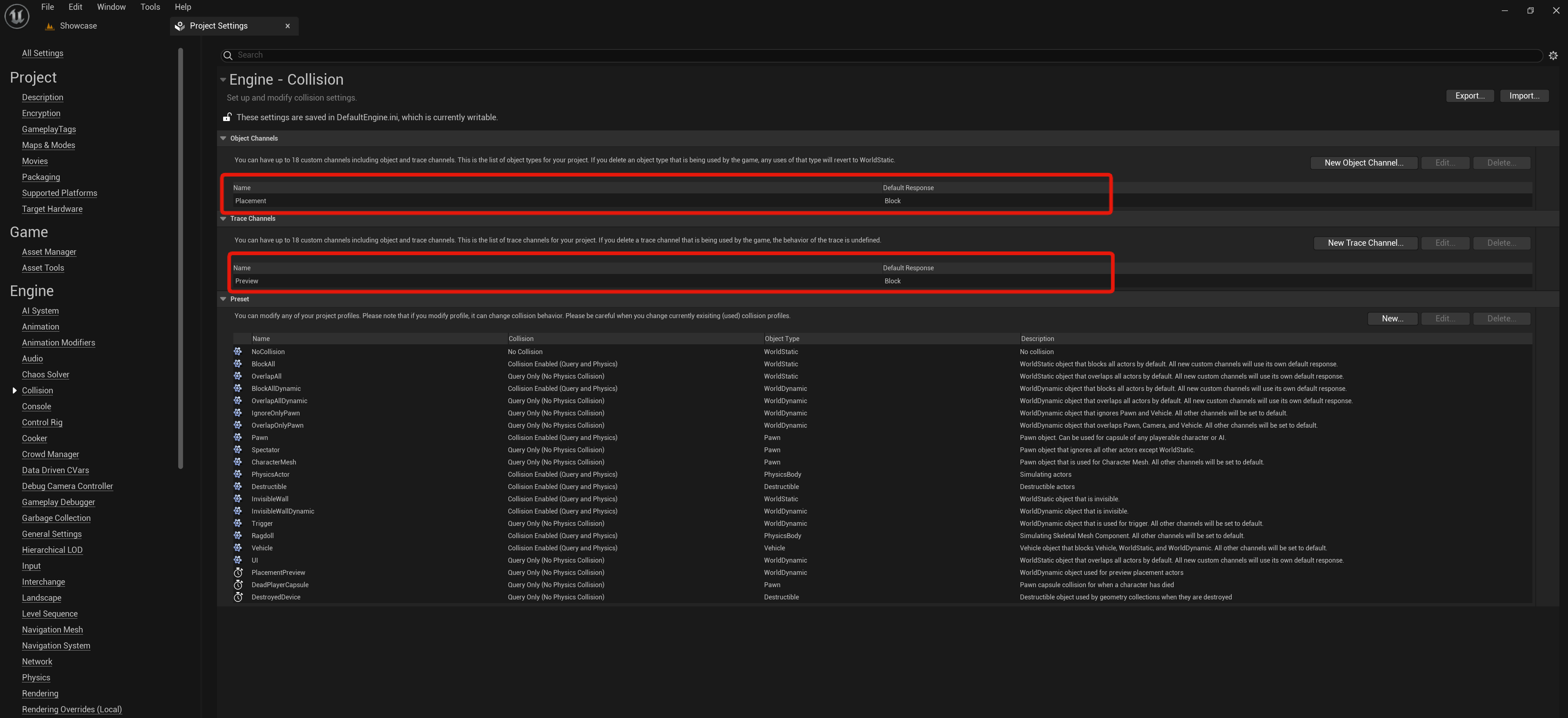
Below are the settings for the Player Electricity System’s collision presets.
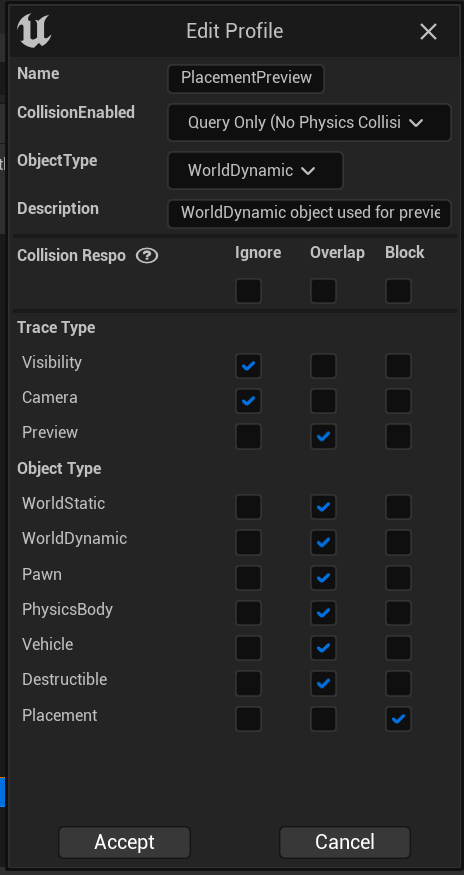


Next go to the BP_PlayerPowerComponent then go to the Class Defaults and find the settings shown in the image below, make sure these settings are the same in your project.

Next go to the BP_LightDetector then go to the Class Defaults and find the settings shown in the image below, make sure these settings are the same in your project.

Next go to the BP_CableConnectionPointComponent and go to the Class Defaults and make sure the Preview Collision Channel is set to the Preview option.

 Defuse Studios