Player Electricity System has some key functions you may wish to modify when adding it to your own project, these function handle removing and checking if the player has the required resources to place an object. When an object is picked up and how to select which object is selected for preview placement.
Remove/Check Resources
Below is the DeductPlacementCost function found in the BP_PlayerPowerComponent, this is the code used to remove resources from the player.

It includes some example variables that you can use to for example access your own inventory to remove items from it when the object is placed.
Below is the CheckPlacementCost function found in the BP_PlayerPowerComponent, this checks the player has the required resource to place the object.
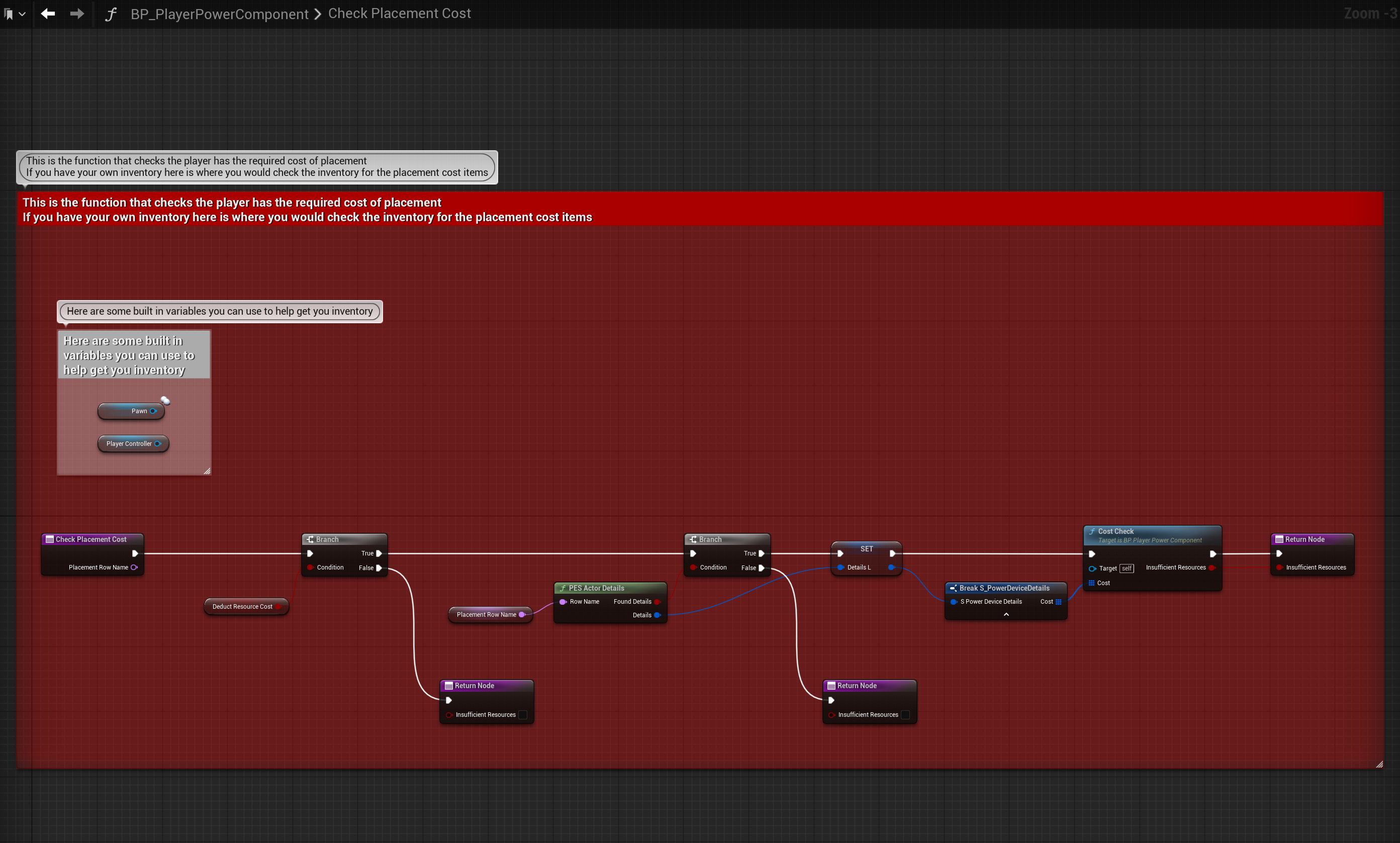
It includes some example variables that you can use to for example access your own inventory to check if it has the items required to place the object.
The Cost struct is an array of the S_Resource structure which contains a Name variable for the resource it should use and an Integer variable which is the amount of that resource that should be used, you can use this array to specify which item from your inventory should be removed or checked for.
Pickup
The function below is the Pickup function found in the BP_PlayerPowerComponent, it is used to add resource to the players resource when an object is picked up.

Here like previous function there is a Pickup Resource output from the PES Pickup function, it uses the same S_Resources struct as an array to provide the name and amount of a resource that should be added to the player resources, you can use this to specify to your inventory which items it should add.
Selecting Placement Object
The event below is the ClientSelectPlacementActor event, it is used to tell the player power system which object the player is selecting to preview.

To call it you will need a valid reference of the Player Power Component like in the BP_PESCharacter. You set the Row Name to the Row Name from the data table DeviceList like shown in the image below.

This function can also be called from a widget like in the BP_SelectionMenuPanel like shown below.

For this code to work in the widget the Player Power Component variable must be valid, this can be done like in the image below and can be done in any widget blueprint.

 Defuse Studios