When placing a device the system checks for object that block the placement of that device, this uses the box collision components you can find in any of the included device blueprints like the BP_CarBattery.
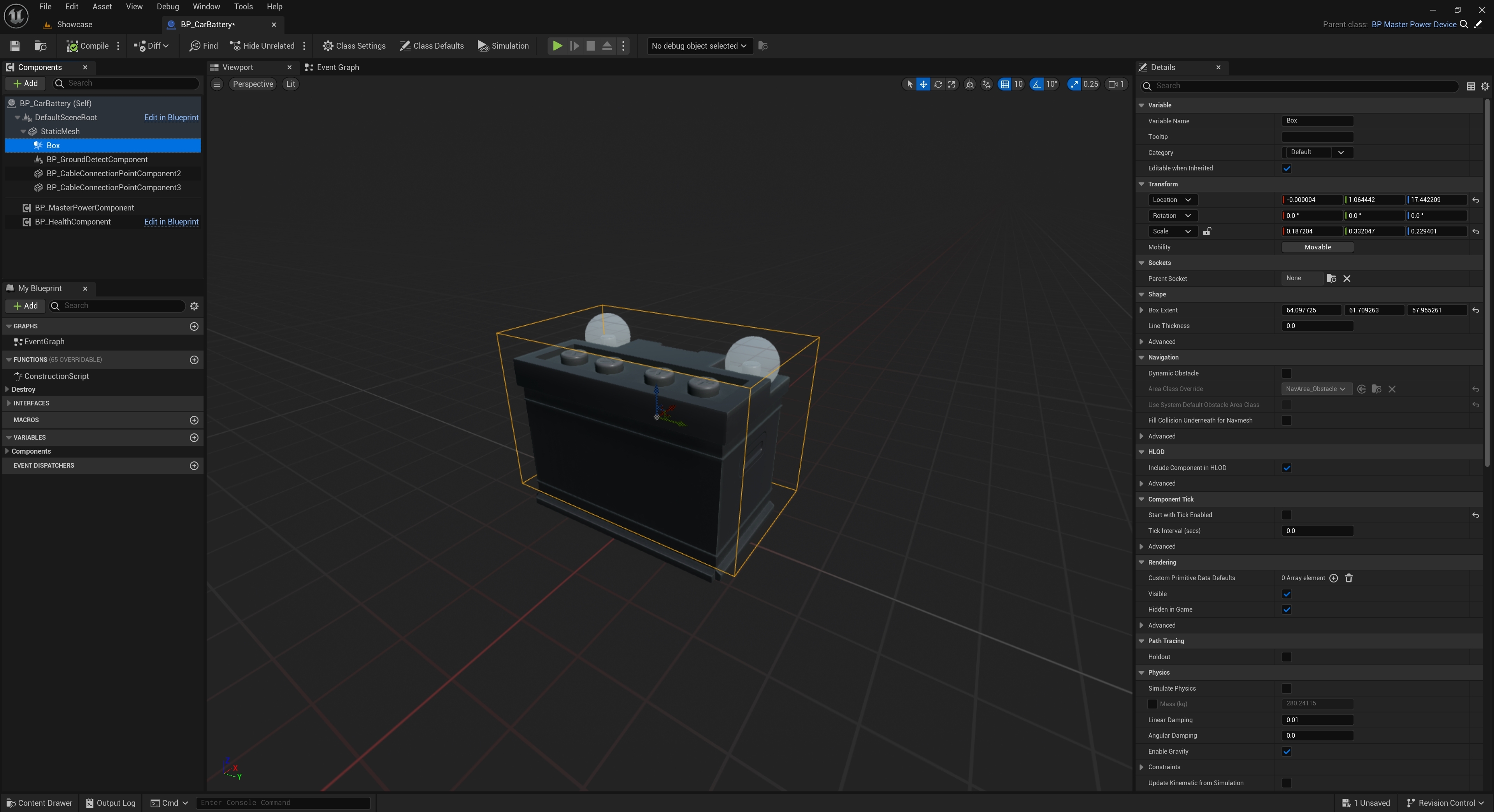
You can move, scale and rotate these component as needed for your device, you can also have multiple collision components.
Adding Collision Components
To add new collision components click the Add button in the Components panel and search for Collision, you can use the Collision Box, Sphere and Capsule.
When adding new collision component for them to be used for placement collision you must select the new collision component and in the Details panel search for Tags then add a new entry to the Component Tags array by click the + button and add a new tag called Collision. Its also recommend you set its Collision Presets setting to the OverlapAllDynamic

When setting the location of your collision components you should have them be a little above the bottom of your mesh, like the included box component in the BP_CarBattery, this can stop the ground interfering with placement of the device.
 Defuse Studios