To change the resources the player starts with navigate to the BP_PlayerPowerComponent then open the Class Defaults and search for Resource and you’ll see the settings shown below.
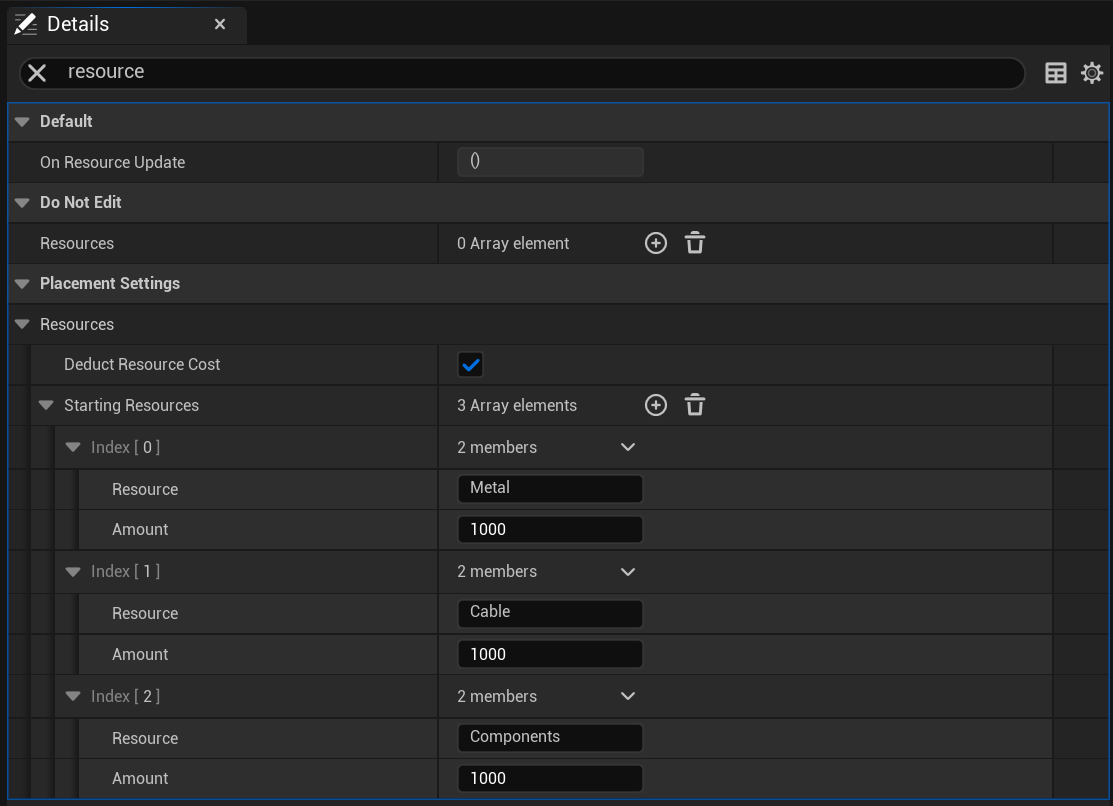
Here you can set the starting amount of each resource such as Metal, Cable and Components. You can also create new resources by clicking the + button next to the Starting Resources drop down, once you add a new resource you can set a resource name and resource amount. You can remove resources by clicking the down arrow next to its index drop down and selecting Delete.
Here you can also tick on or off the Deduct Resource Cost which if false wont remove any resources when placing devices.
 Defuse Studios