This guide shows how to setup battery items with PES, this is so when you pickup a battery pes device its battery power will be stored in the item, and when the item is placed the battery device will have the same amount of battery as it did when picked up.
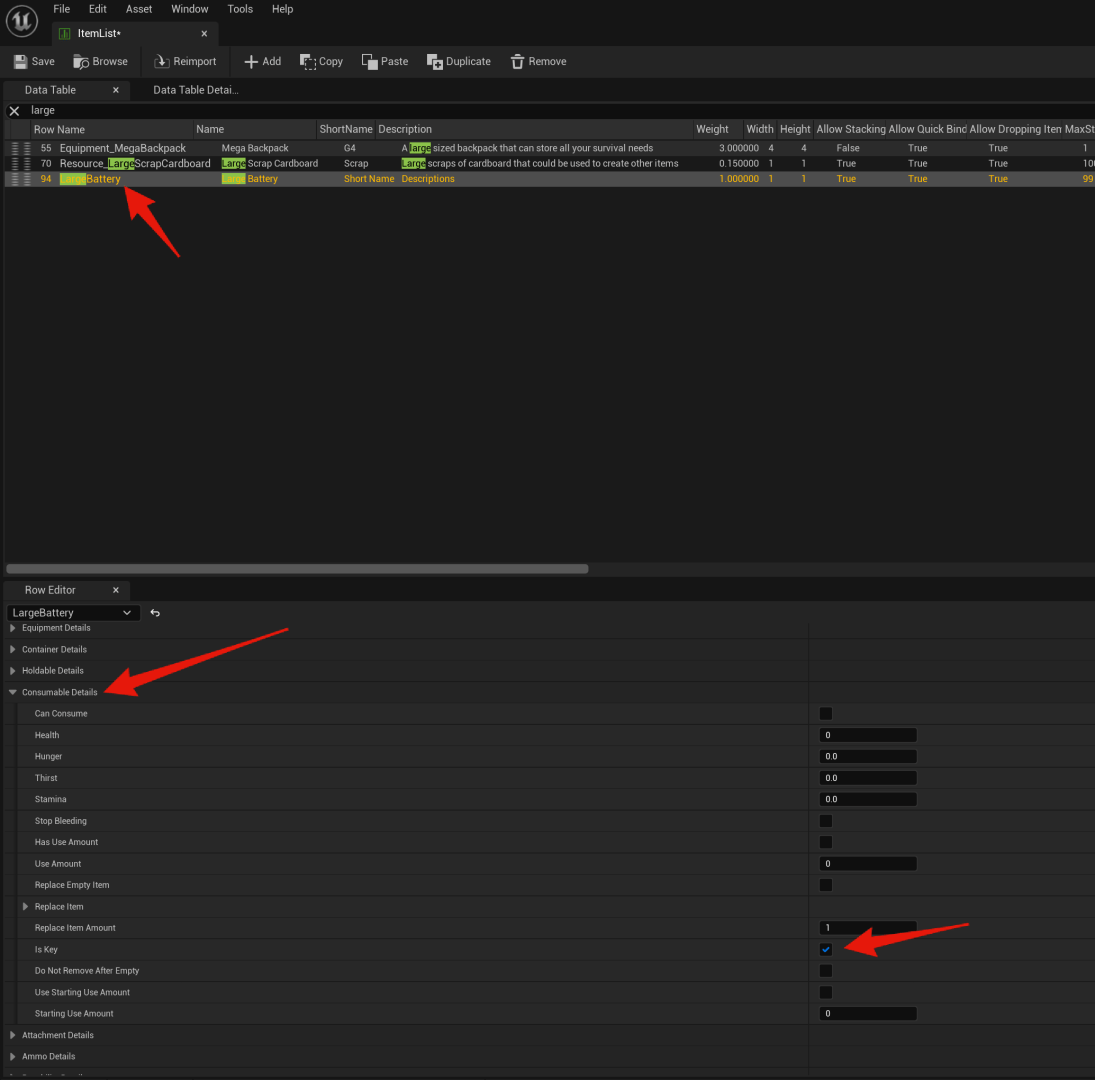
First you need to set the Is Key option in the Consumable Details in the ItemList for your battery item to ticked on.
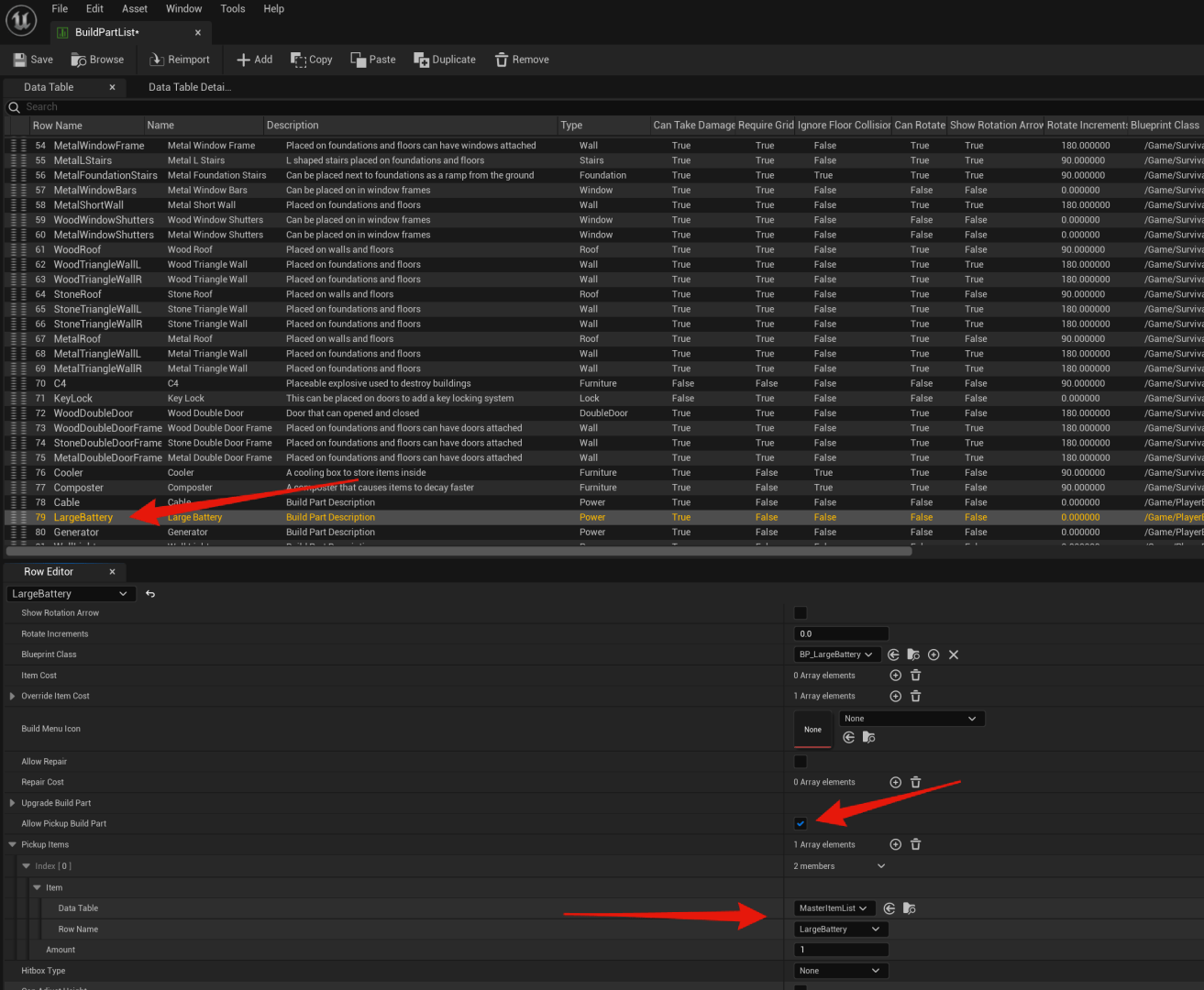
Then in the build part list you need to make sure you set the same item as the pickup item in for your battery build part and tick on Allow Pickup build Part.
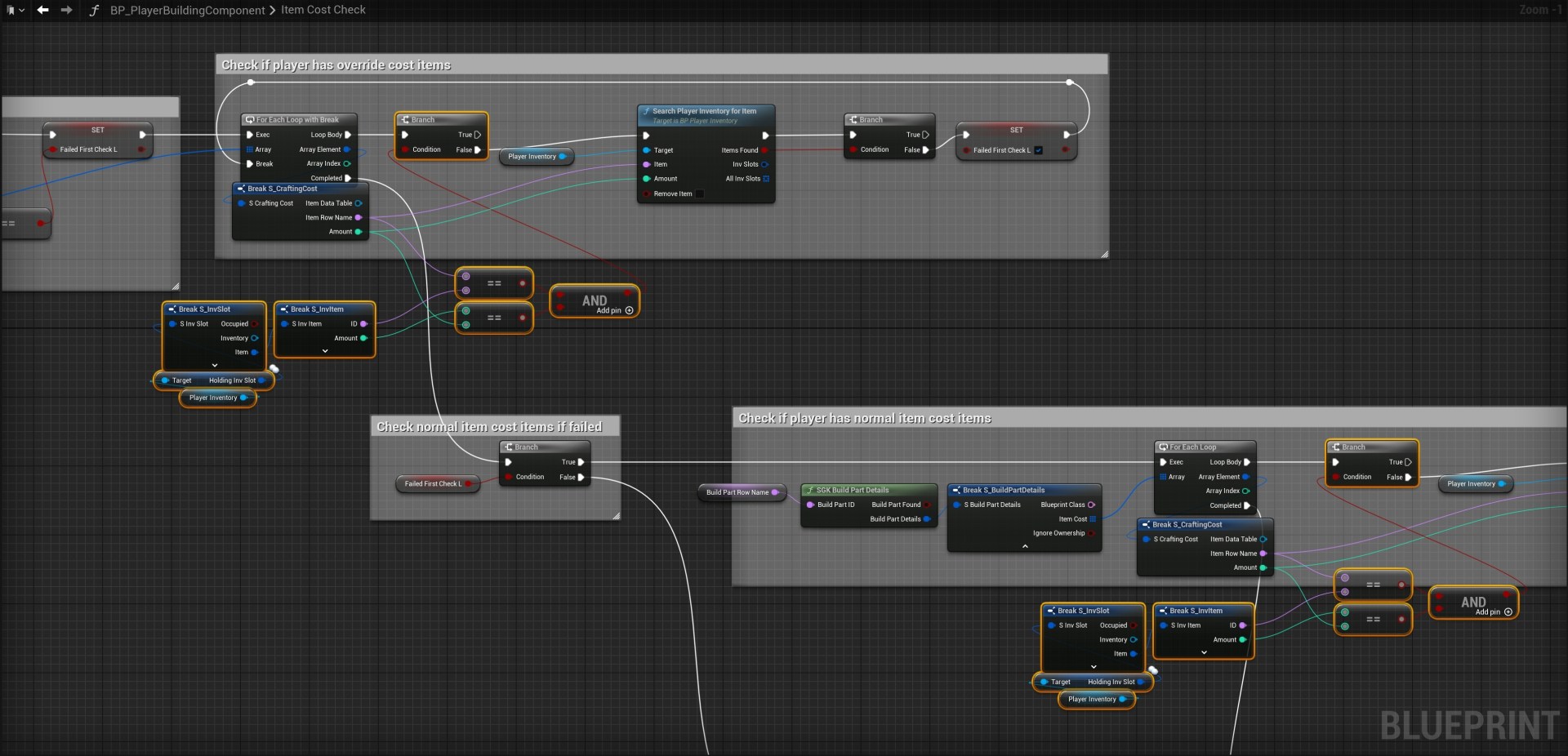
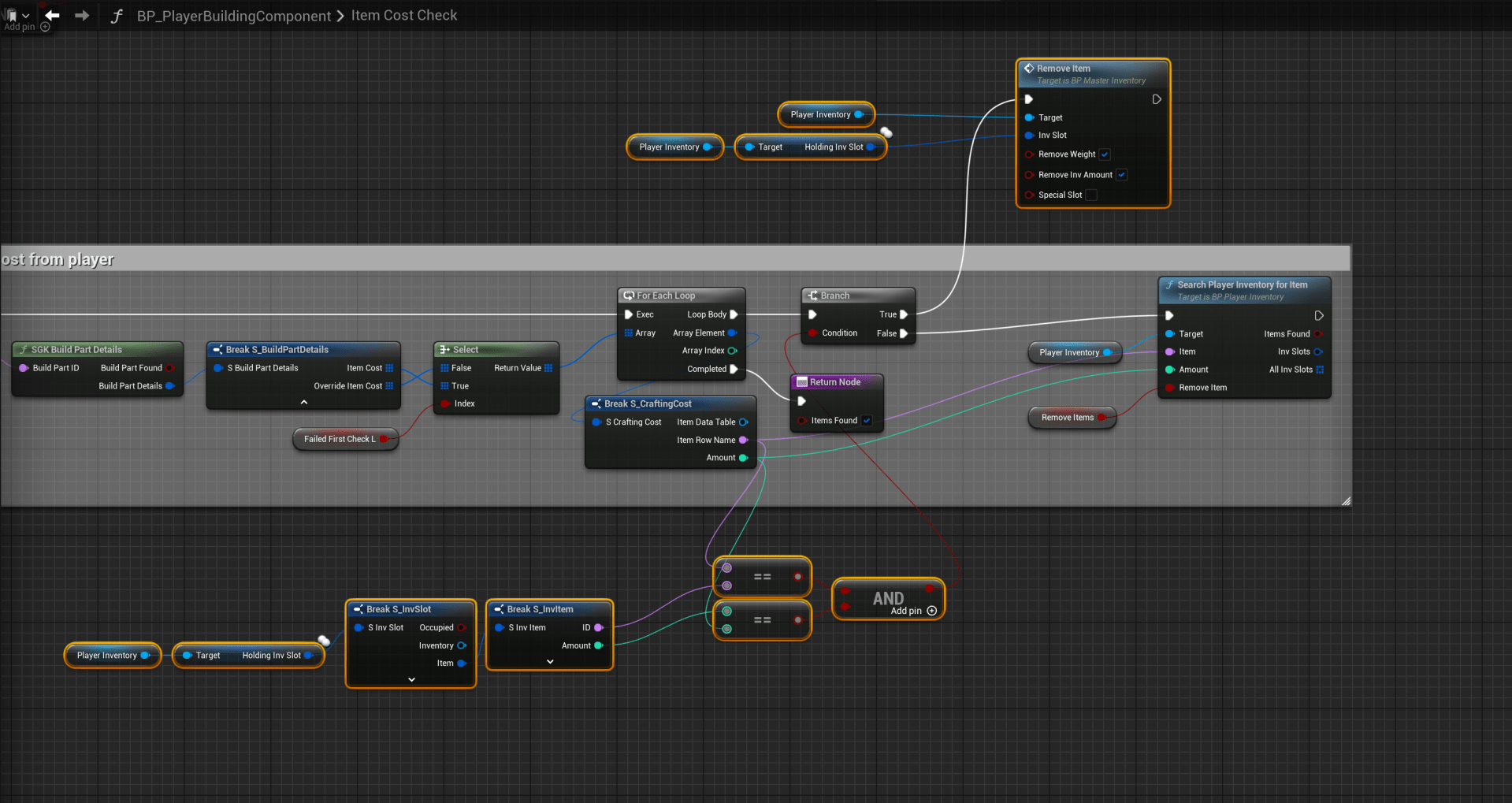
Next add the highlighted nodes in the image below, the locations are at the tops of the screenshots.


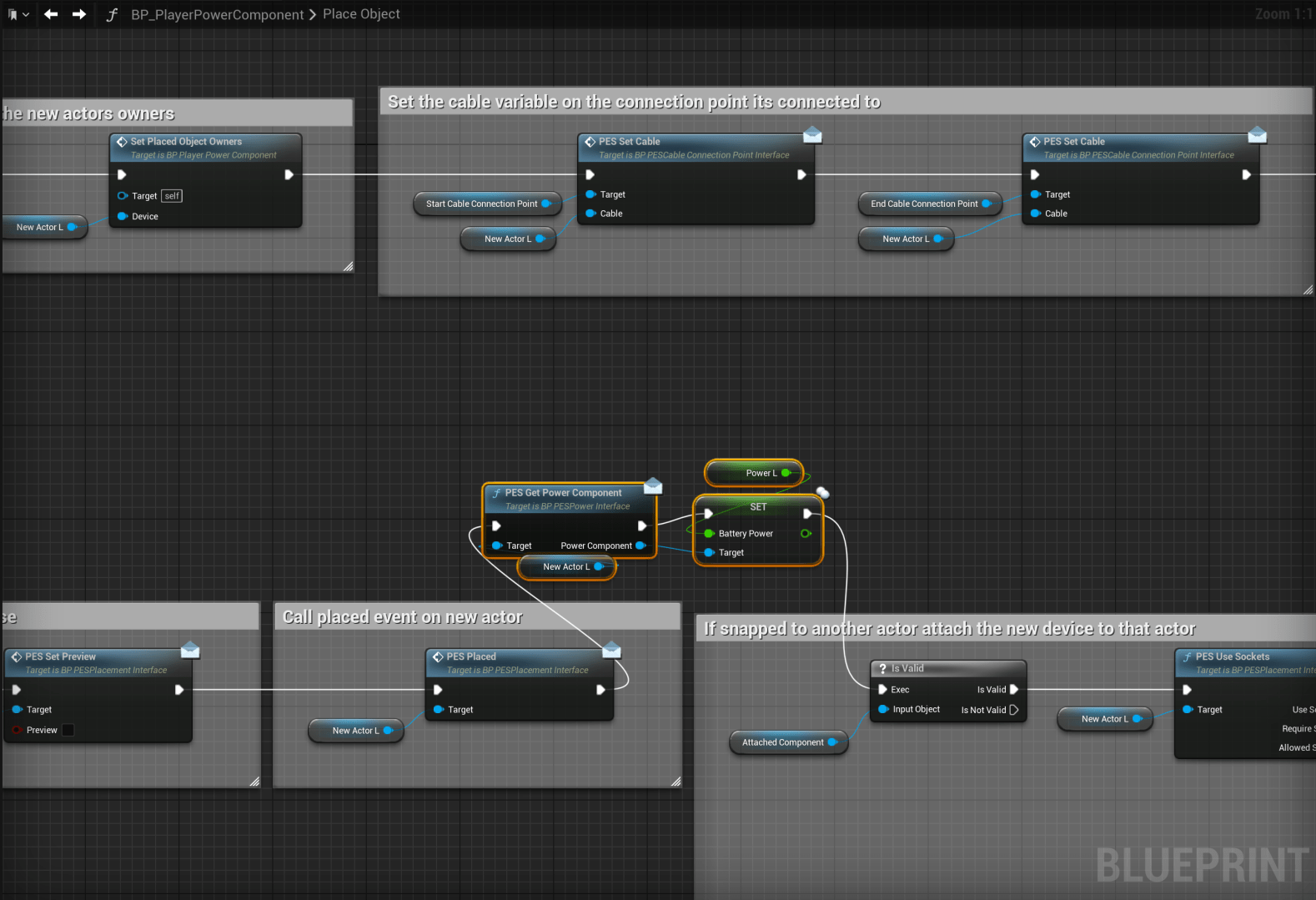
You can now hold a hammer, look at the battery device and hold right mouse button and select pickup, this will add your battery item into your inventory, you can then place it again and it will have the same amount of battery as it did you picked it up.
You’ll need to repeat the ItemList and BuildPartList steps for any other battery items that you want to store their battery power when picked up.
 Defuse Studios