The main HUD widget for the farming system is the BP_FarmingHUD found in the widgets folder. Here you can change the location of UI elements, resize and customize how the UI looks.
To edit individual widget select the widget in the designer view and select the Edit “Widget name” button shown in the image below.
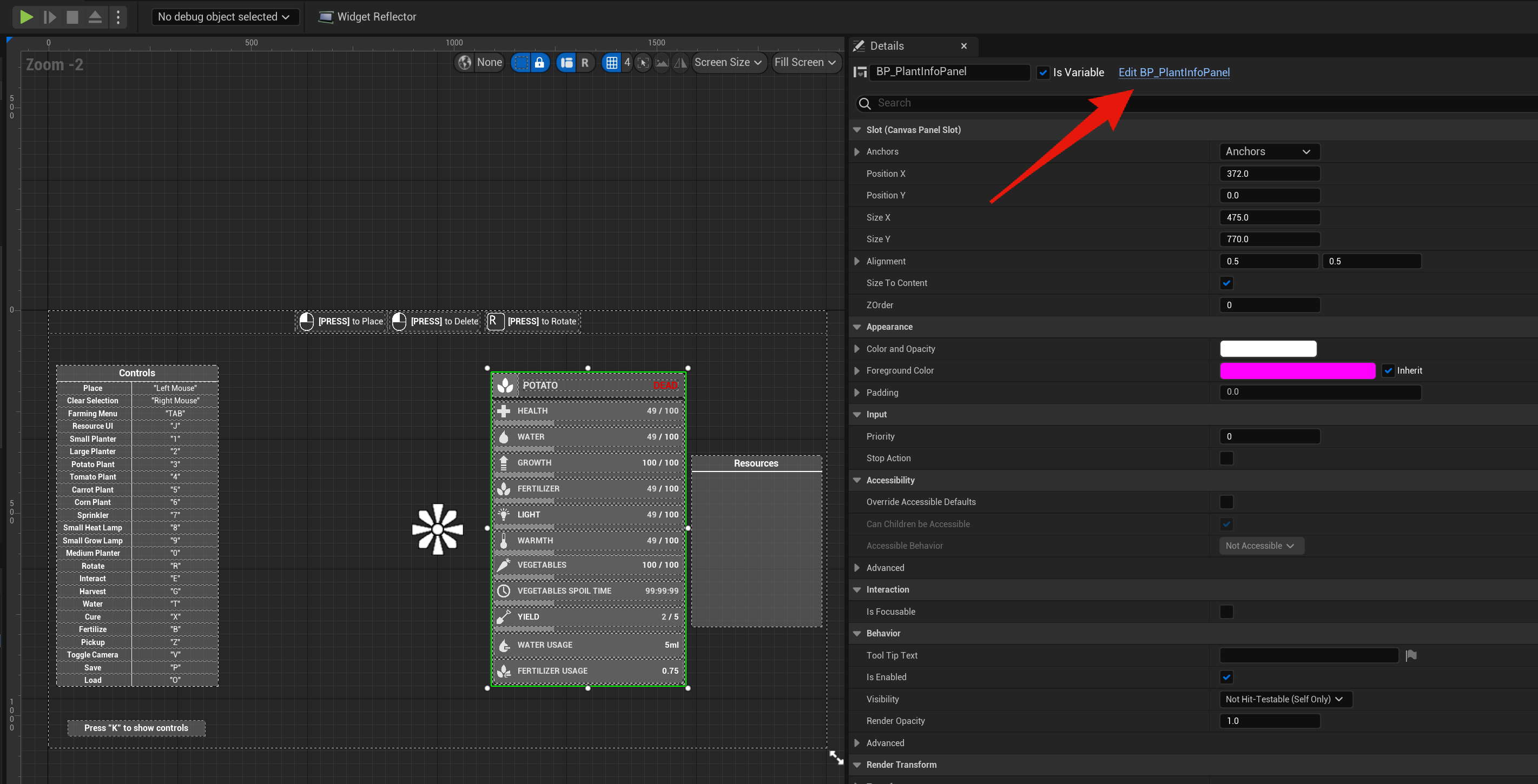
In here you can move widget around to display in different locations on the screen.
Please note if you do not know how widgets work then I strongly suggest watching the videos on it and making backups before making changes as you can break you project.
Removing Widgets
You may wish to remove some widgets such as the crosshair, controls and resources panel. To do this just select the widget in the designer view and hit the delete key. Note if you remove the resource or controls widgets you may get some errors. To remove these errors enter the Graph view and delete either the Toggle Resource and/or the Toggle Controls functions from the functions panel. Like shown in the video below.
After remove one or both of these functions you may get errors in your character or in the BP_FarmingCharacter, just go to that blueprint, select the nodes that have errors and delete them.
 Defuse Studios