This guide is for UE5 engine versions only this wont work in UE4.
Download the files linked below and unzip them, place the Controls folder from the downloaded files in to the RealisticHouseKit/Blueprints folder in your projects files in windows file explorer.
If you are using unreal engine version 5.0 and not a newer version you will need to go to the engines Plugins menu and enable the Enhcanced Inputs plug in then restart the engine, then go to the Project settings and find the settings shown below and copy the images settings.

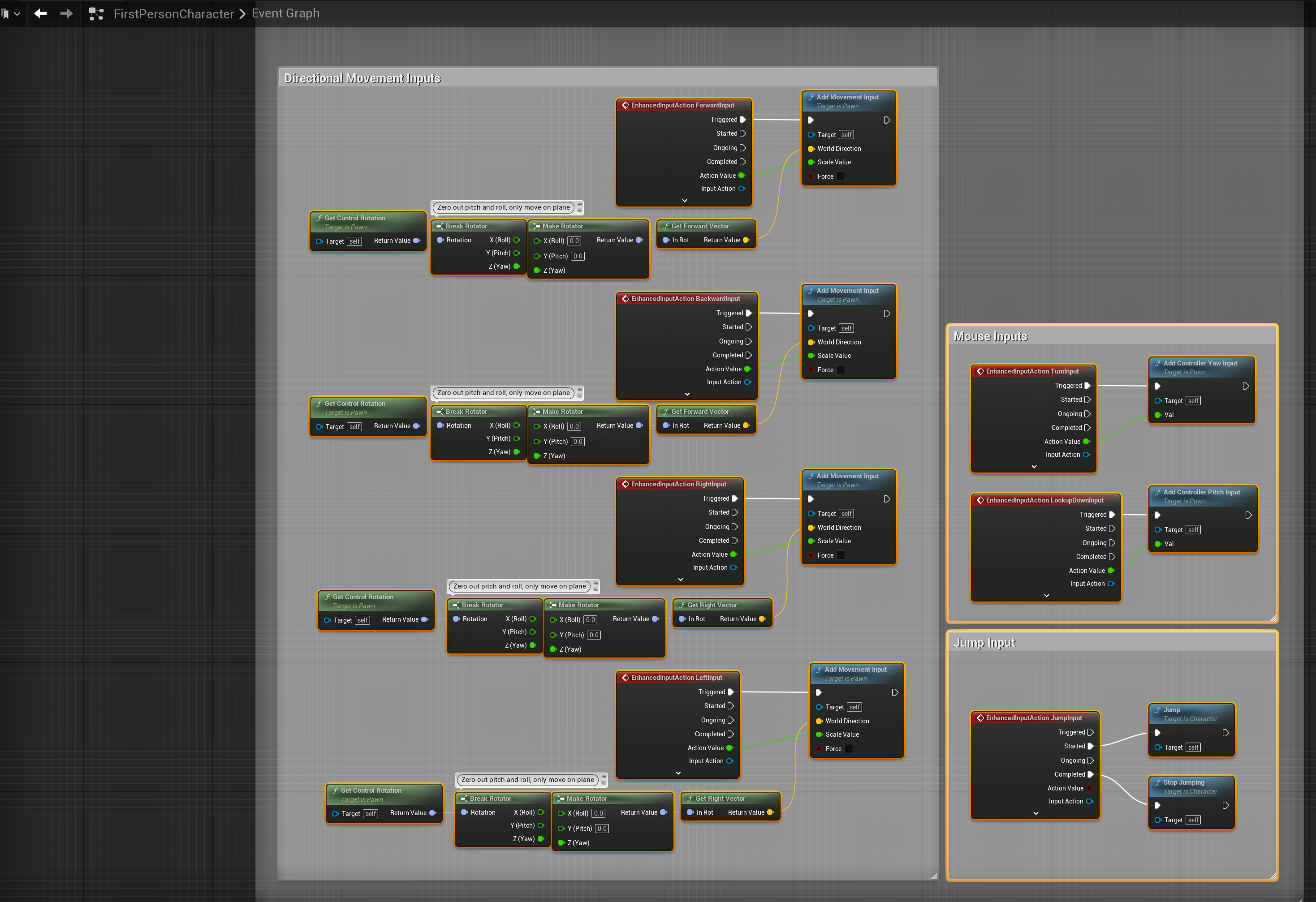
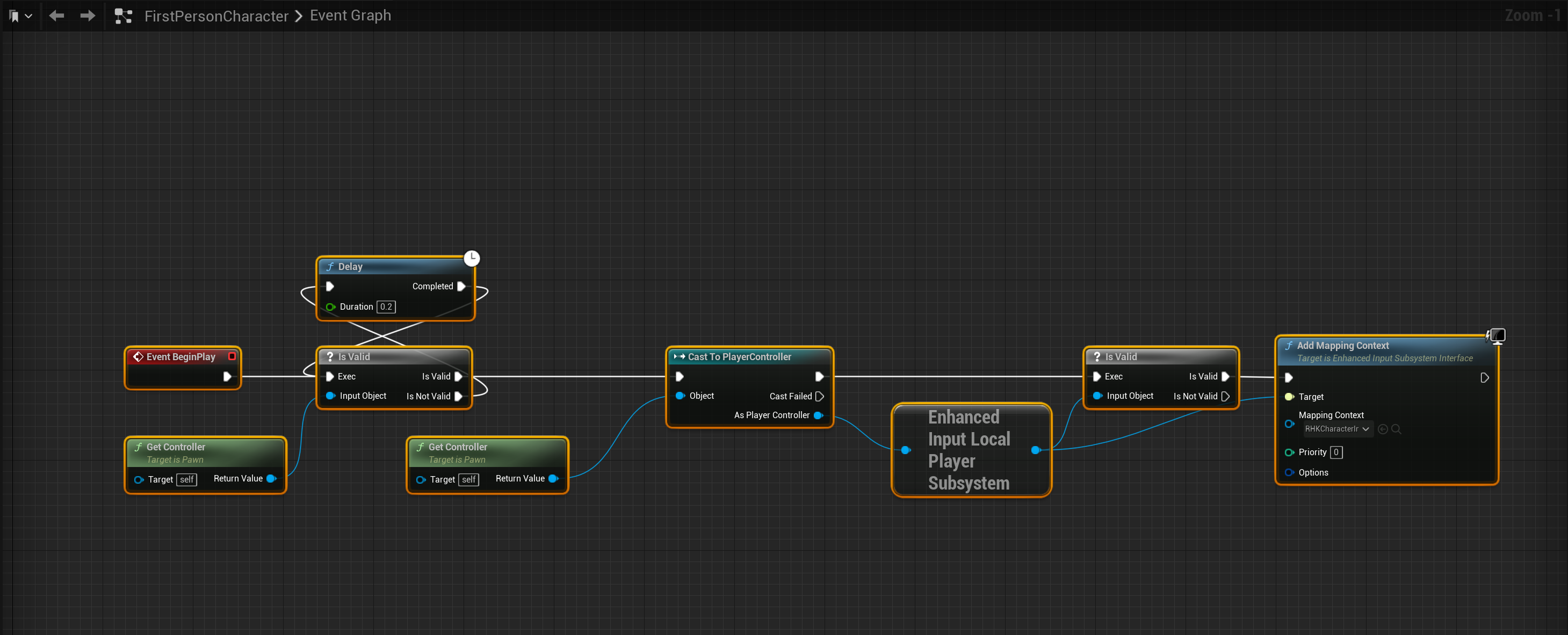
Then open the project and navigate to the FirstPersonCharacter that comes with the Realistic House Kit and copy the images below.
 Defuse Studios