Open the ThirdPerson_AnimBP and then open the Anim Graph and copy the video below.
Next open the BP_MasterUnit and create a new variable called AttackAnimations and set its type to AnimMontage, then tick on Instance Editable and set the variable to an Array. Then go to the Attack function and copy the image below by adding the highlighted nodes.
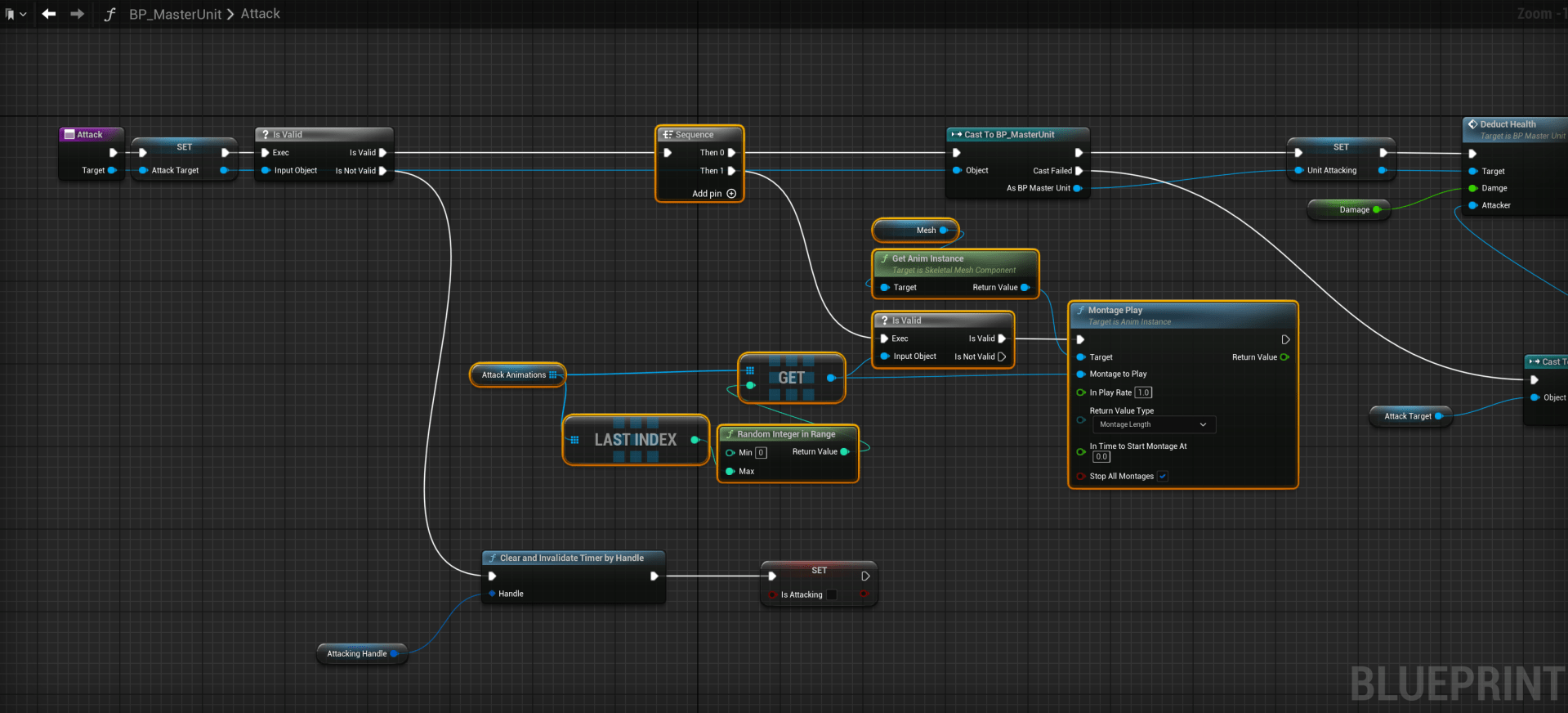
You can now add multiple attack animation montages to the Attack Animations setting in the Class Defaults of your unit’s blueprints. Make sure the Montage slot in those montage animation is set to the DefaultSlot.
 Defuse Studios