To change the construction, upgrade or unit upgrade resource cost of a building go to the buildings blueprint like for example the BP_Tower, then open the Class Default and in the Details panel search for Resource Cost like shown in the image below.
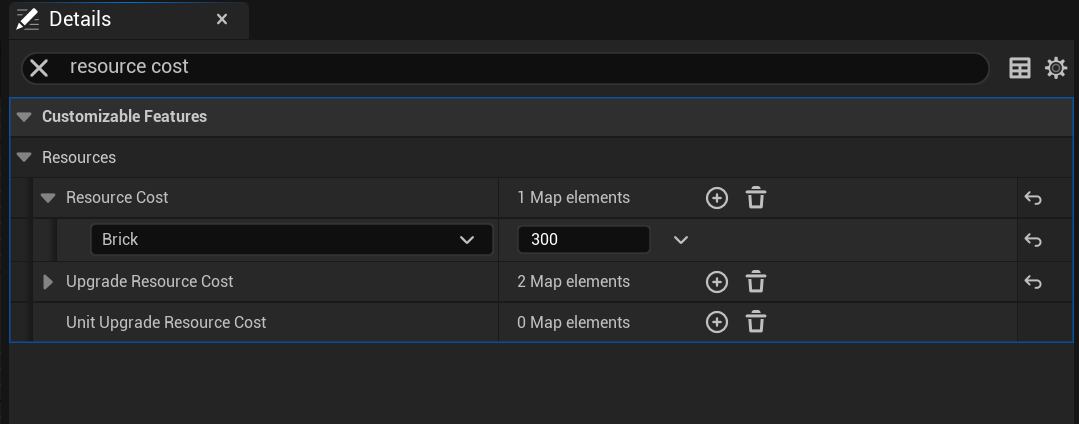
The Resource Cost setting controls the required resources to place the building. The Upgrade Resource Cost setting controls the required resource to upgrade the building and the Unit Upgrade Resource Cost controls the required resources to upgrade the unit if the building can upgrade a unit such as the barracks.
You can edit the existing resources amounts or add/remove a resources to the Resource Cost setting. To add new options click the + button on the Resource Cost section, to remove resources click the down arraw and select delete.
Once you’ve add a new entry set the drop down menu to the resource you want and set the value required.
 Defuse Studios