Projects older then version 1.3 follow the guide linked below
https://defusestudios.com/rts-template-creating-new-buildings/
Start by copying the video below, in this example I duplicate the BP_Barracks but you can duplicate the building thats most like the new building you want to create, for example if you want a building that generates resource you may want to duplicate the BP_Farm.
Then select the Class Defaults button and in the Details panel search for Resource Cost, like shown in the image below, here you can set the Resource Cost of placing and upgrading the building as well as the cost of upgrading the unit the building can recruit.
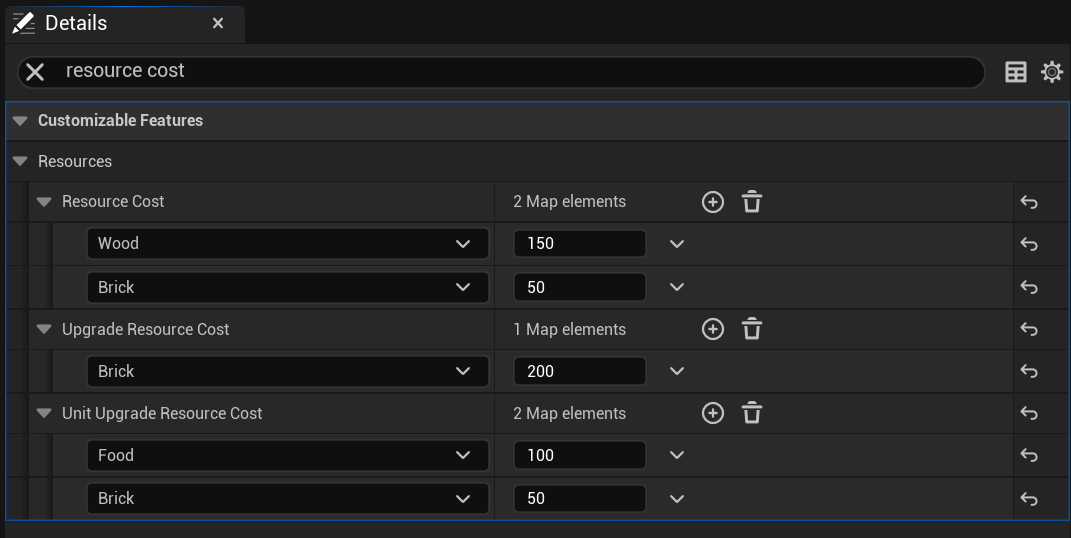
In the Class Defaults you can find other building settings in the Customizable Features category, for example if you duplicated the BP_Farm in the Class Defaults of your new building you can change the Resource to Generate setting and the amount and speed settings.
If you duplicated the barraks you can edit the Recruitment Unit and set the unit you want your new building to recruit.
Next open the BP_HUDBuilding and copy the video below to add a new button to the UI for selecting your new building.
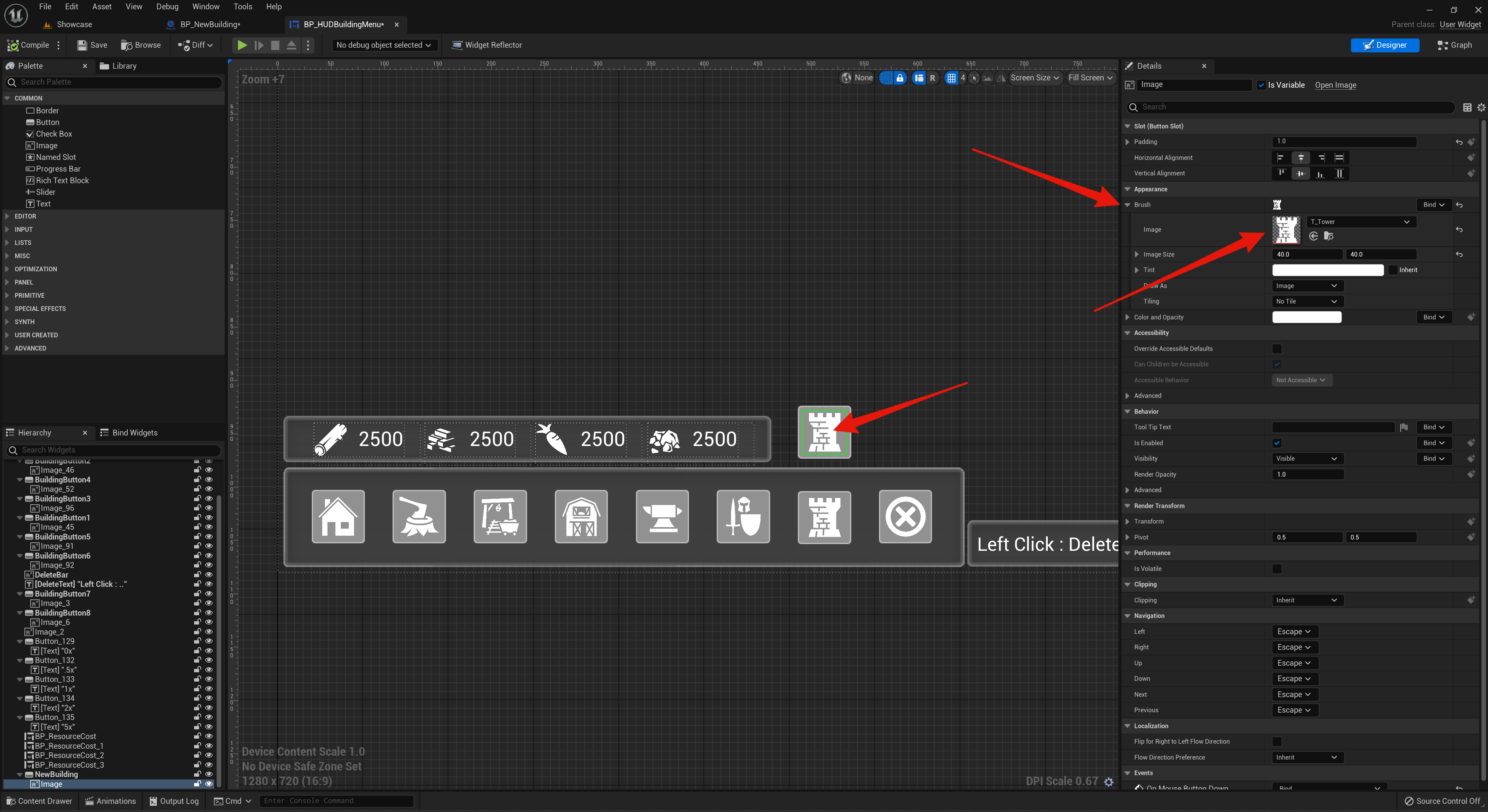
If you want to change the icon for your buildings button you can select its image and in the Details panel inside the Brush setting there you can set an new image like the screenshot below.
 Defuse Studios