RTS Building Template is a great starting point for any RTS game, using an easy to modify system and all based in blueprints with full commenting it is designed to give you a kick start to your project.
Here is an image of the basic starting point of the pack.

Highlighted in red is the build bar, this will be visible when no unit, resource or building is selected and this is how you place building types. The building types from left to right are Residence, Lumberjacks Hut, Miner Hut, Farm and Refinery, the cross button activates delete mode.
Highlighted in the blue is the resource bar this displays the players total collected resources. From left to right the resources are Stone, Food, Wood, bricks and total units compared to max units.

In the image above highlighted in blue, is the resource requirements bar this will be displayed when you hover your mouse over a building type, in the build bar displaying the required amount of resource to build that building, as well as once the build type has been selected and is in place mode like in the image above.
Highlighted in red is the building type preview that will follow your mouse to place the building in the world, if green the building is placeable if red then its colliding with something or the play does not have the resources to build it. The building can be placed by clicking left mouse button and placement can be cancelled by clicking right mouse button, the building can also be rotated by pressing the R button in 90 degrees incriminates.
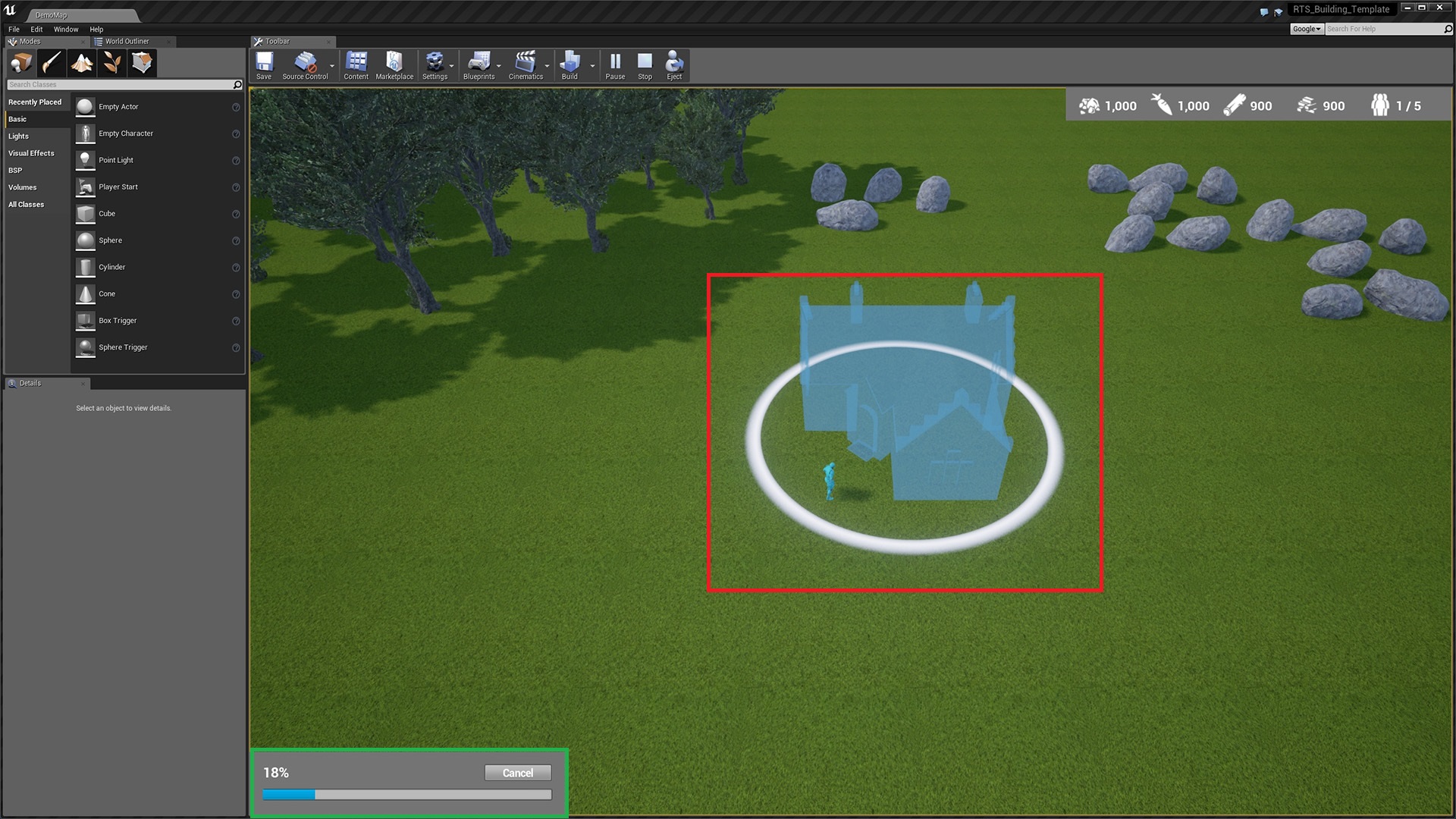
Highlighted in green is the construction bar, this will be visible when the player clicks on a building that has been placed but the construction has not finished (Highlighted in red). players start construction by selecting a builder unit (The blue unit) and right clicking on a building that has been placed. The builder unit will then start construction of that building, and the percent of construction will begin to go up.
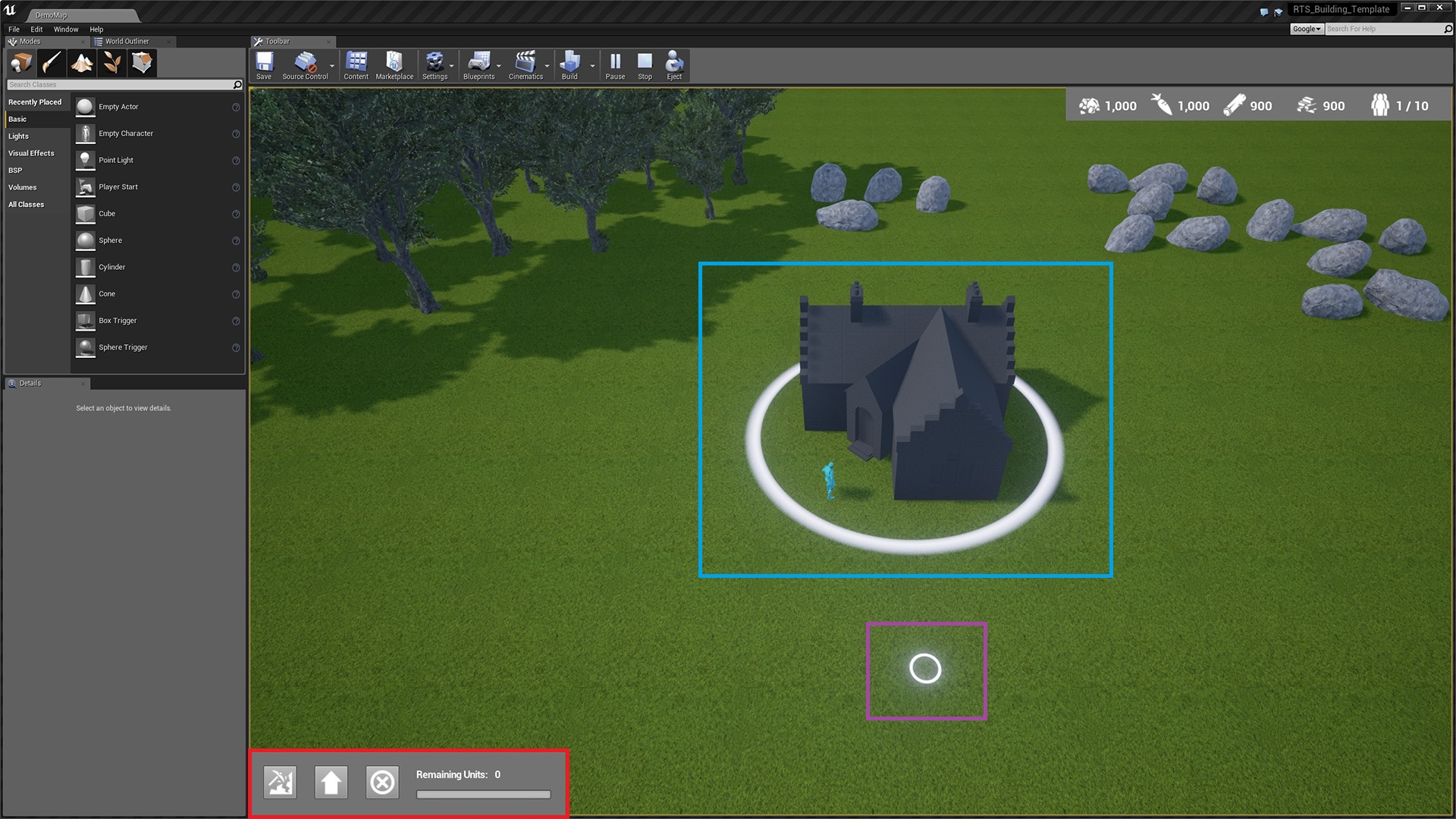
In the image above highlighted in red is the recruitment bar, this will be visible when the player selected a constructed recruitment building. From left to right the first button is the recruit button and will start constructing a unit, the next button is the upgrade button and can upgrade all the units in the world and new units spawned of any type. This can upgrade them in 3 ways by default max carrying amount, collection speed and movement speed, these can all be change easily and can be different for every building. and the last button is the cancel recruit button and will clear the queue of units waiting to be spawned. units can be queued by clicking the recruit button multiple times while a recruitment is in progress.
Highlighted in blue is a fully constructed residence building (Please note the building may be updated and not look like this in future updates).
Highlighted in purple is the rally point once units are spawned from this selected building the units will move to this rally point. Can be set by right clicking while a constructed building is selected.
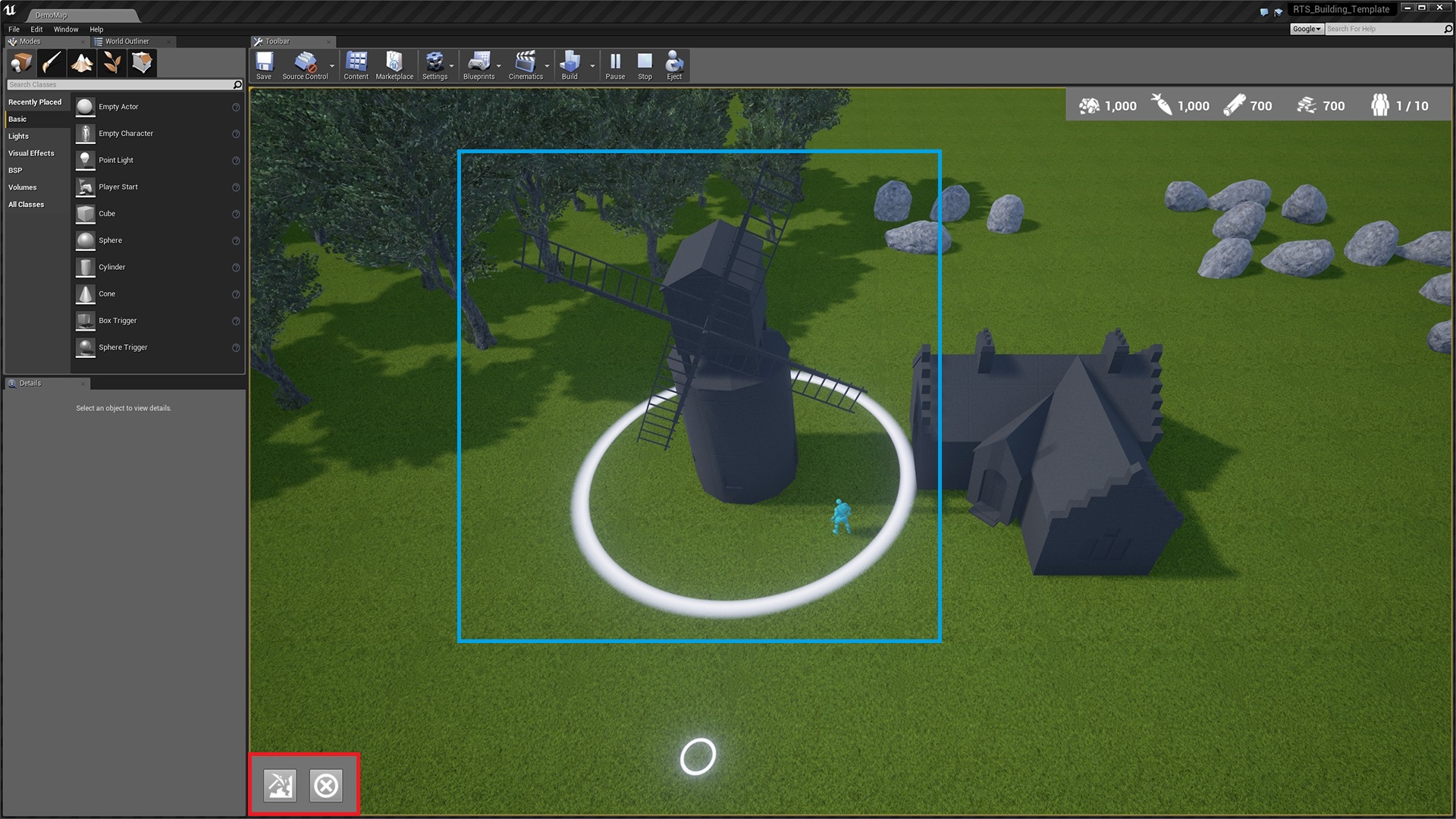
Highlighted in red above is a resource generation bar, the button on the right is the start generation button this means the building will start creating resource over time, the amount, type and speed can all be customized. The button on the left is the stop generation button.
Highlighted in blue is the farm building this does not require works or another resource to consume it will only create new resources.
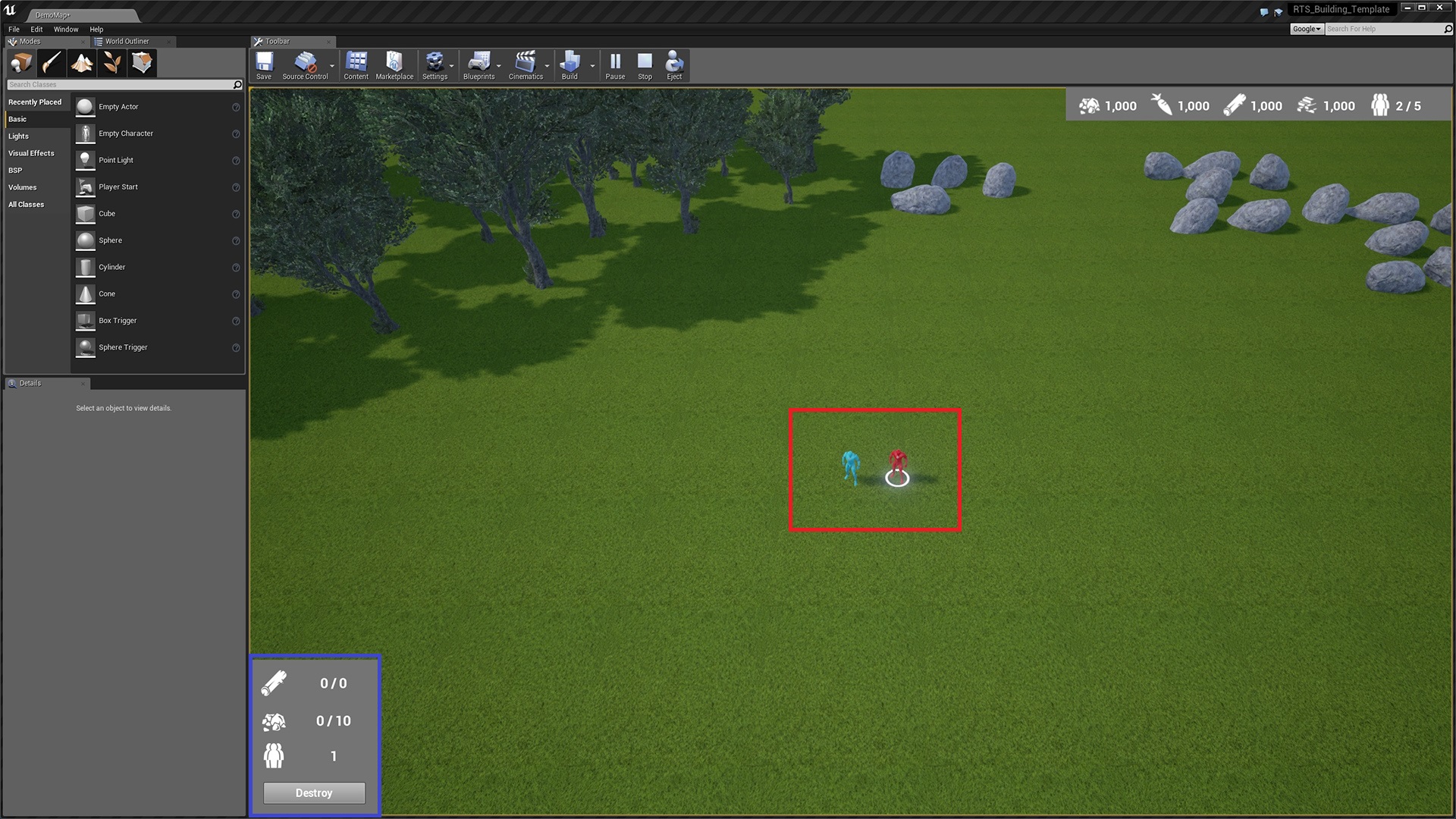
In the image above highlighted in blue is the selected unit bar it shows the maximum amount a unit or a group of selected unit can carry of a resource and how many units are selected. The destroy button will destroy all of the selected units.
 Defuse Studios