Make a backup of your project before following this guide.
Go to the S_BuildPartInfo and copy the video below.
Next go to the BP_MasterBuildPart then go to the OnSpawned collapsed node and copy the images below.

Note – If your using UE4 you will also need to include the nodes in the image (here)
Next go to the BuildPreview and then go to the SetBuildType collapsed node and copy the image below.

Add the highlighted nodes shown in the image below, location at the top of the image.
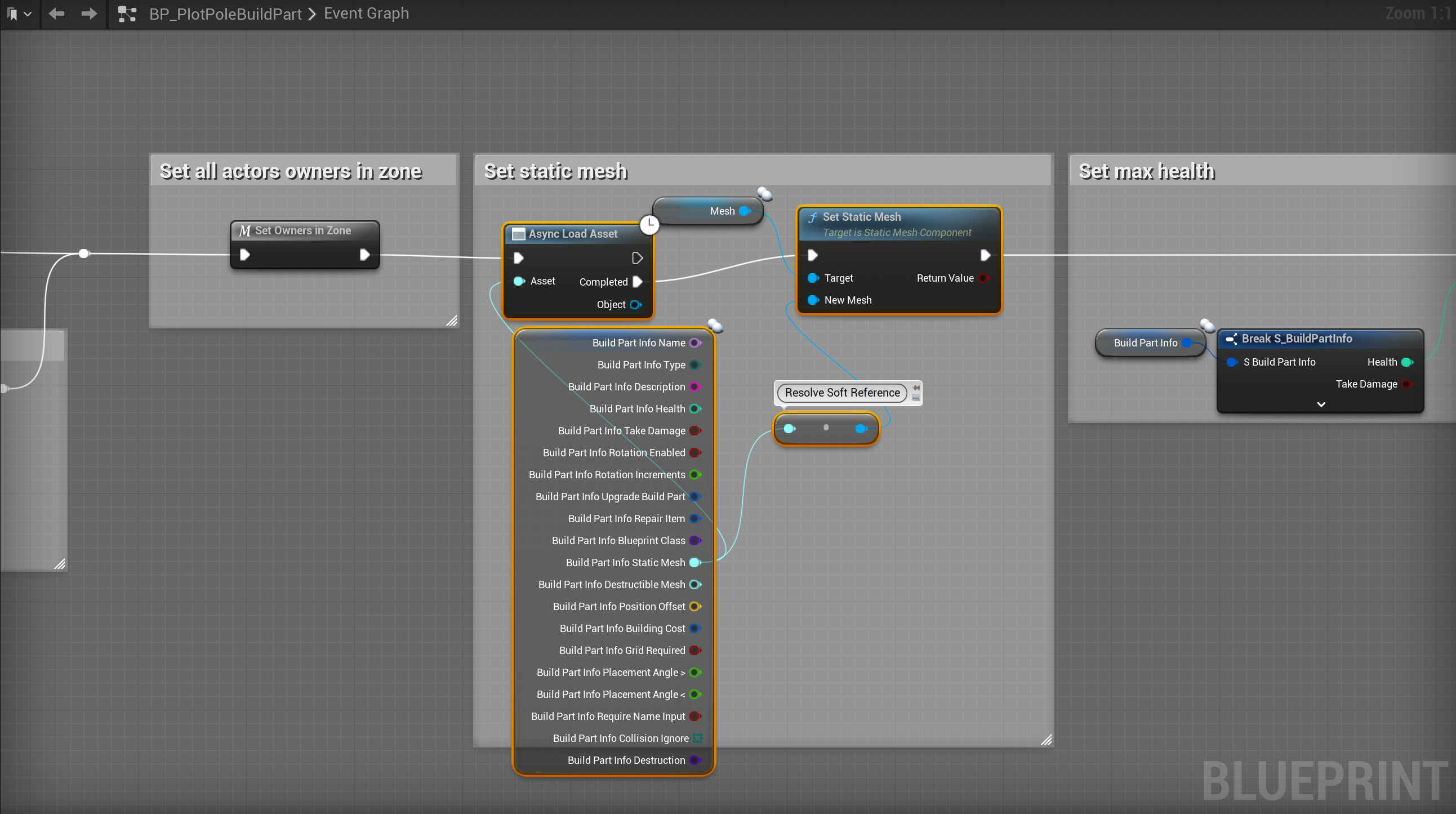
If you are using UE5 this is the end of the guide you do not need to follow the images below, these are only for projects using UE4!
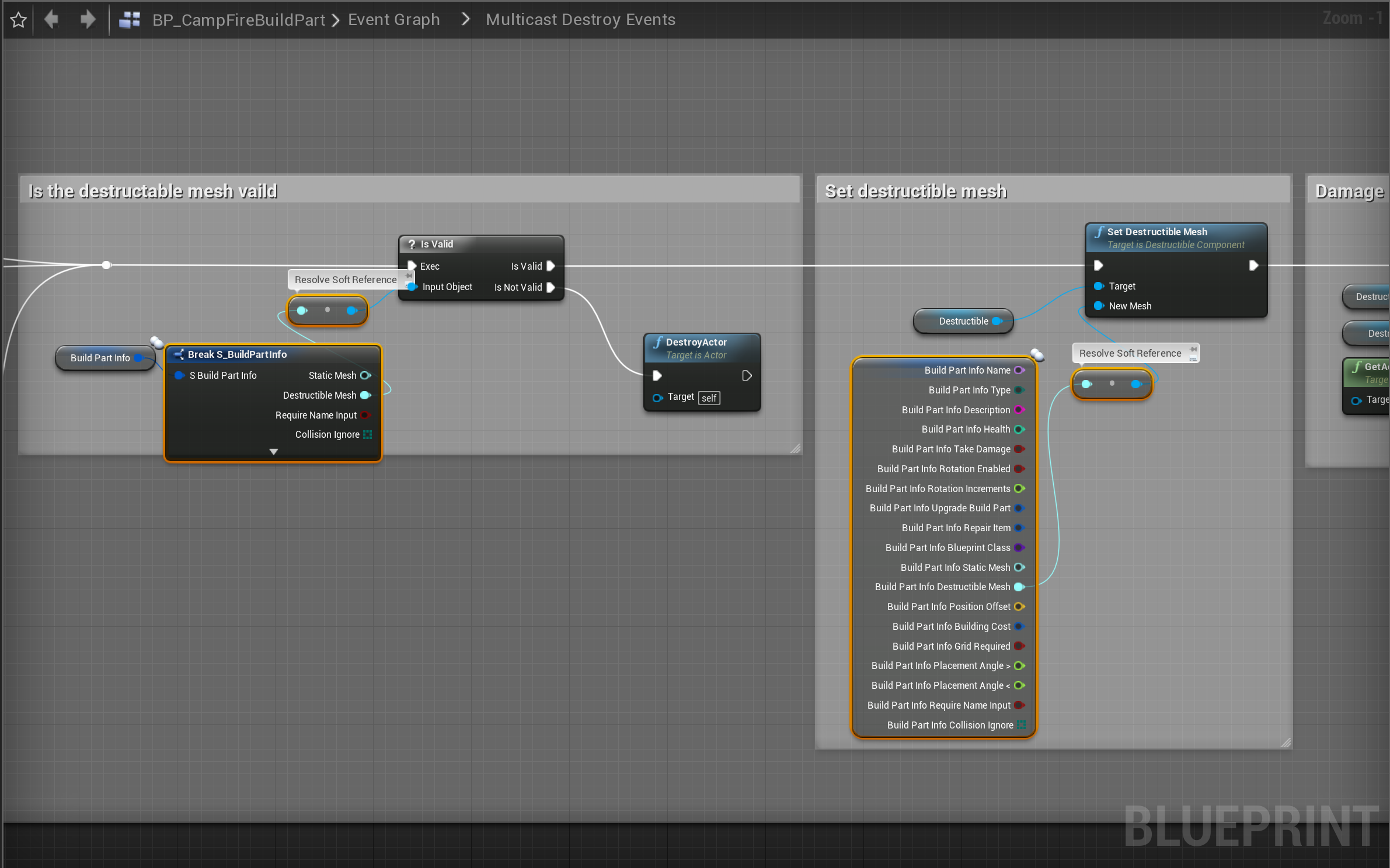
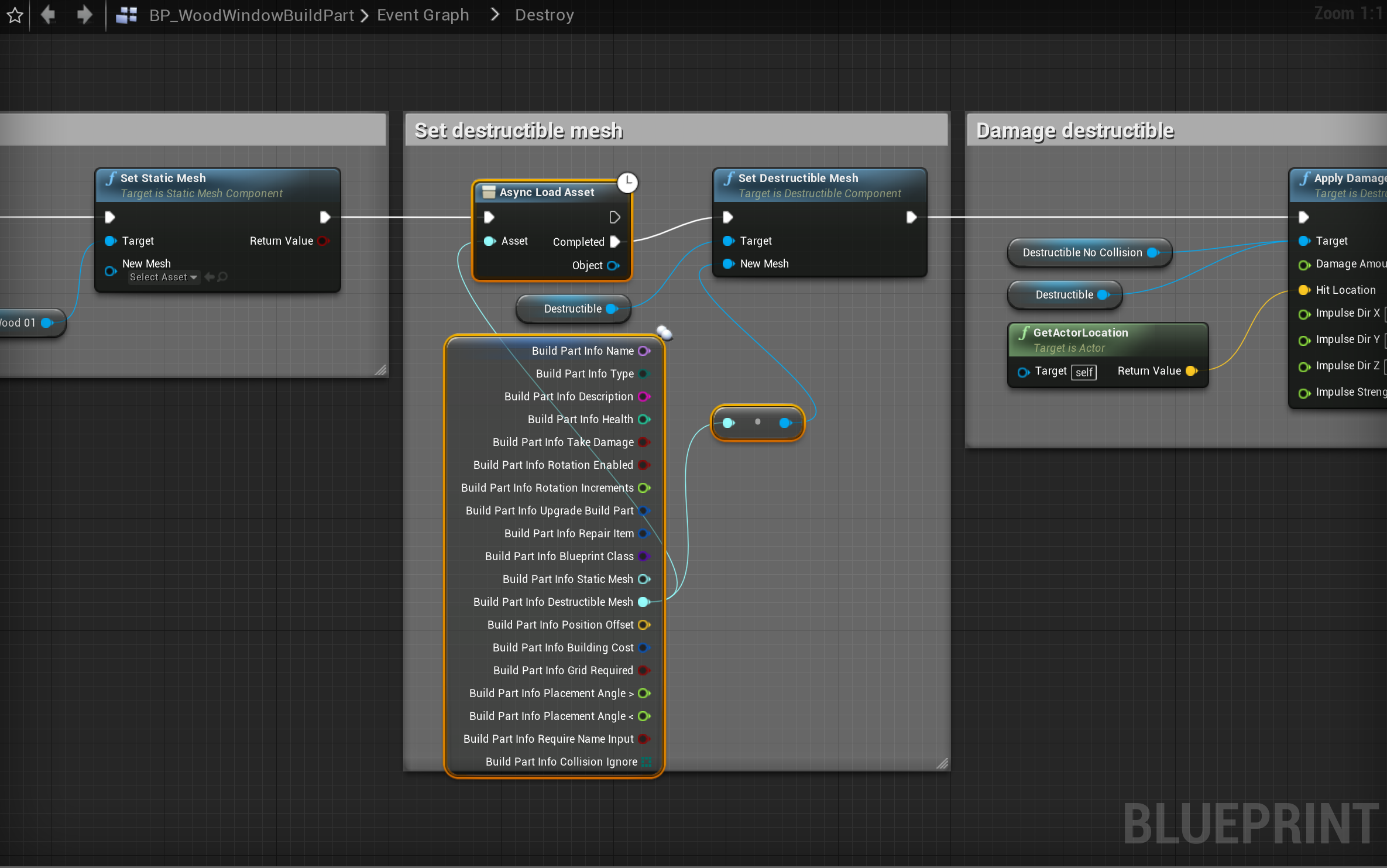
Add the highlighted nodes shown in the image below, location at the top of the image.


 Defuse Studios