Open the ABP_BaseHoldableAnimLayer blueprint and create a new variable called AimOffsetMinClamp, set its type to Float and tick on Instance Editable, then set the category to ThirdPerson|Aim Offset and compile, then set the Default value to -90.
Then duplicate that new variable and call the new one AimOffsetMaxClamp and compile and set its Default Value to 90.
Then open the UpdateAimOffset function and add the highlighted nodes shown in the images below.

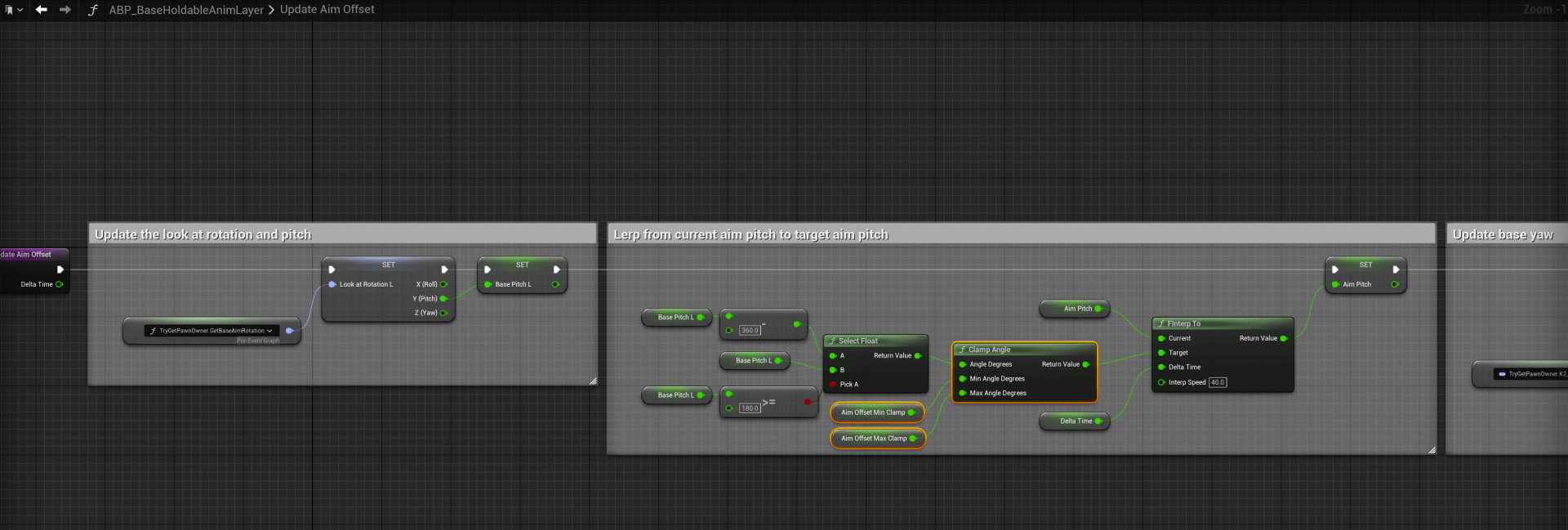
You can now set the Min and Max aim offset values in your holdables or unarmed animation layer blueprints class defaults, this limits how far up and down the character can look while looking forward toward the camera location.
 Defuse Studios