Go to the E_CharacterState and click Add Enumerator and name the new entry Aim Walk. The click Add Enumerator again and set the new entry name to Aim Crouch Walk.
Then go to the BP_PlayerInventory then go to the Movement collapsed node and copy the images below.

Next play in editor to compile the effected blueprints and once the character loads exit play in editor.
Then go to the BP_PlayerInventory Class Defaults and search for Movement speeds here you can set the new speed values for these movement modes, to add the new modes click the + button and set the type and speed you want like the image below.
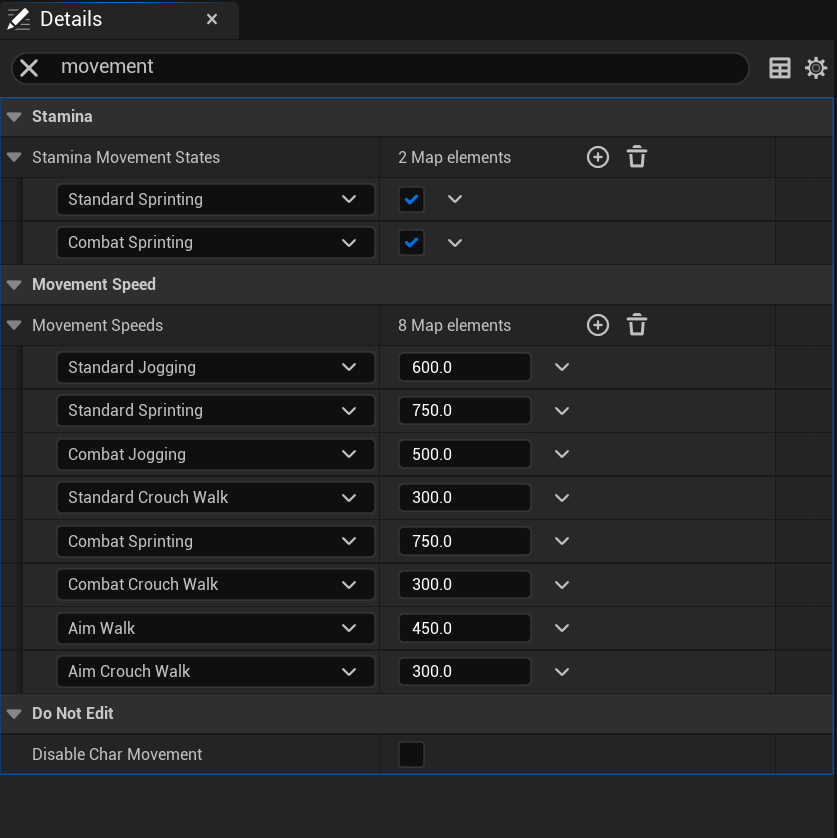
Then in the Class Defaults search for Stamina Recharge, this setting controls how much stamina is regained when the character is in a state. Add the Aim Walk and Aim Crouch Walk to this by clicking the + button and setting the type and the value like the image below.

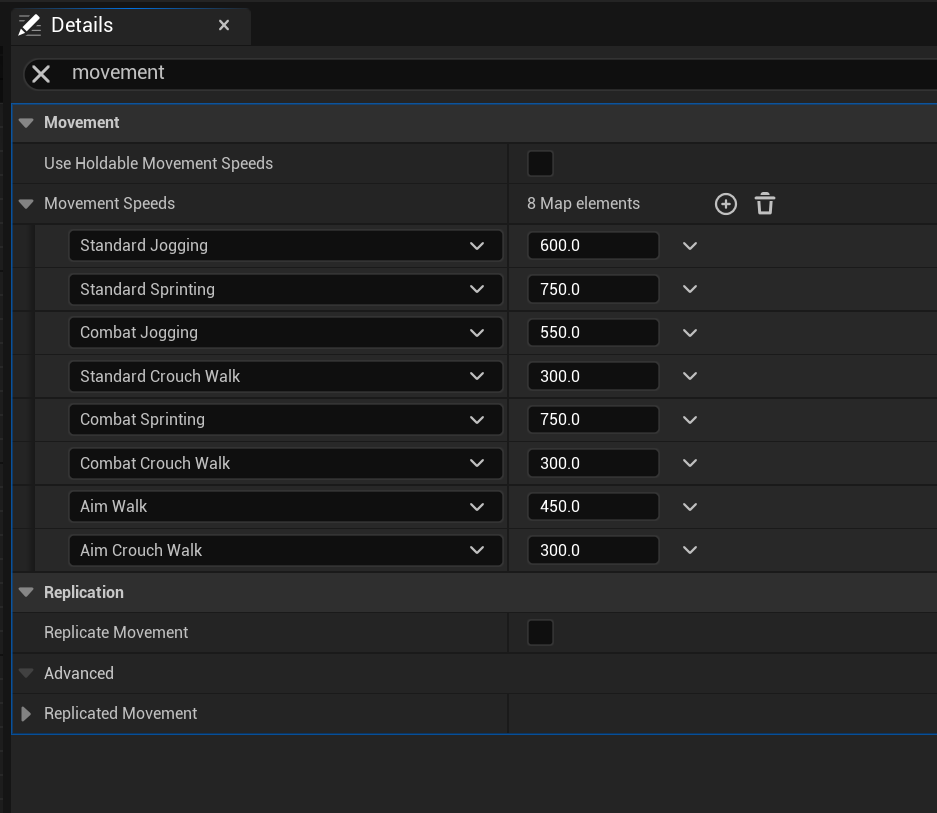
Next go to the BP_MasterHoldable and in the Class Default search for Movement Speeds, here add the new movement types by click the + button and set the Aim Walk and Aim Crouch Walk movement speeds.
Then repeat this step for each range weapon holdable like BP_M4A4, BP_P1911 and the BP_M1982 some of these may already have the Aim Walk and Aim Crouch Walk if they do you can skip them, if you have your own range weapons you’ll need to set these speed values in their holdable blueprints as well.
 Defuse Studios