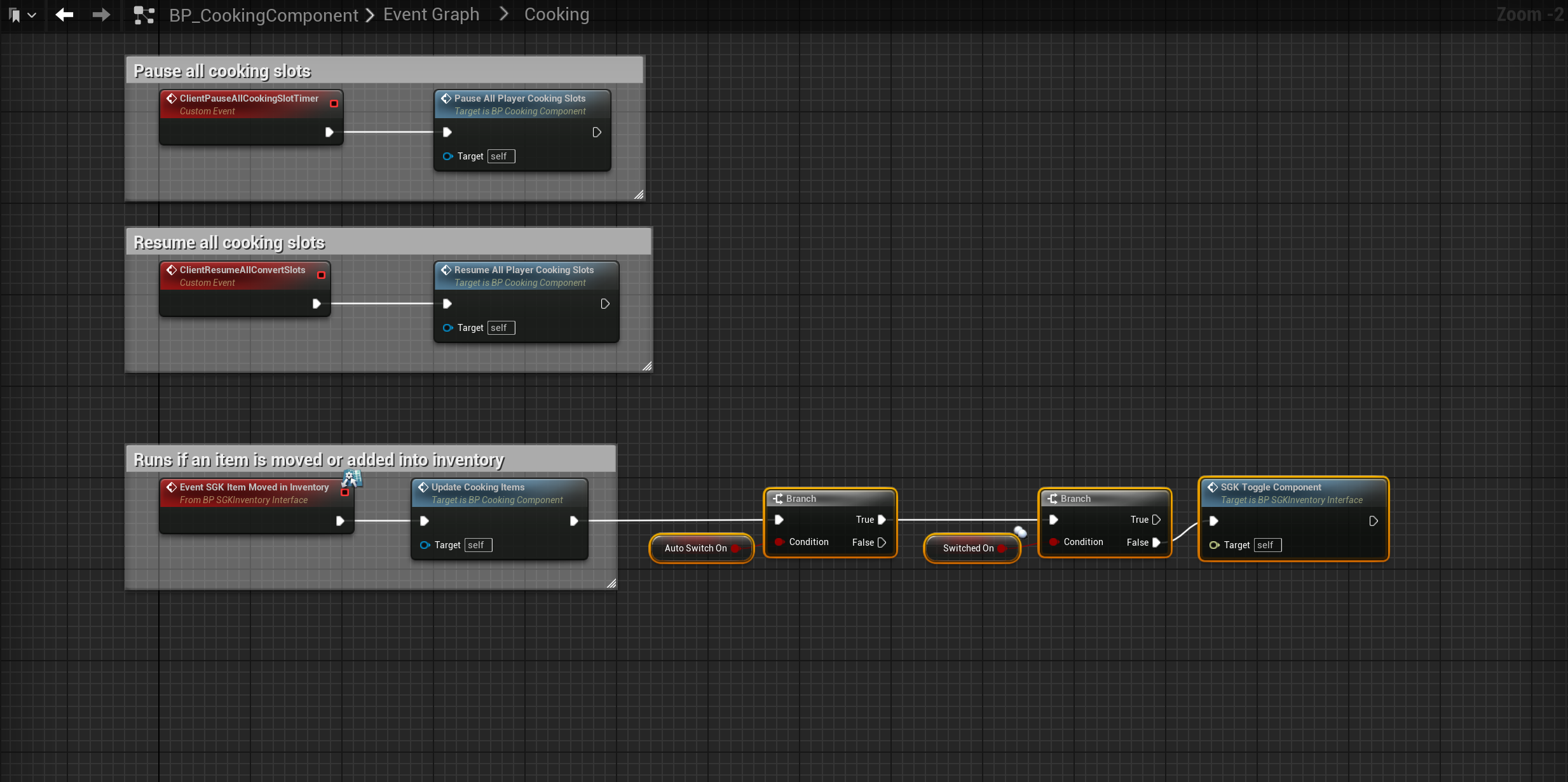
Open the BP_CookingComponent blueprint and create a new variable called AutoSwitchOn set its type to Boolean and tick on Instance Editable. Then open the Cooking collapsed node and add the highlighted nodes shown in the image below.
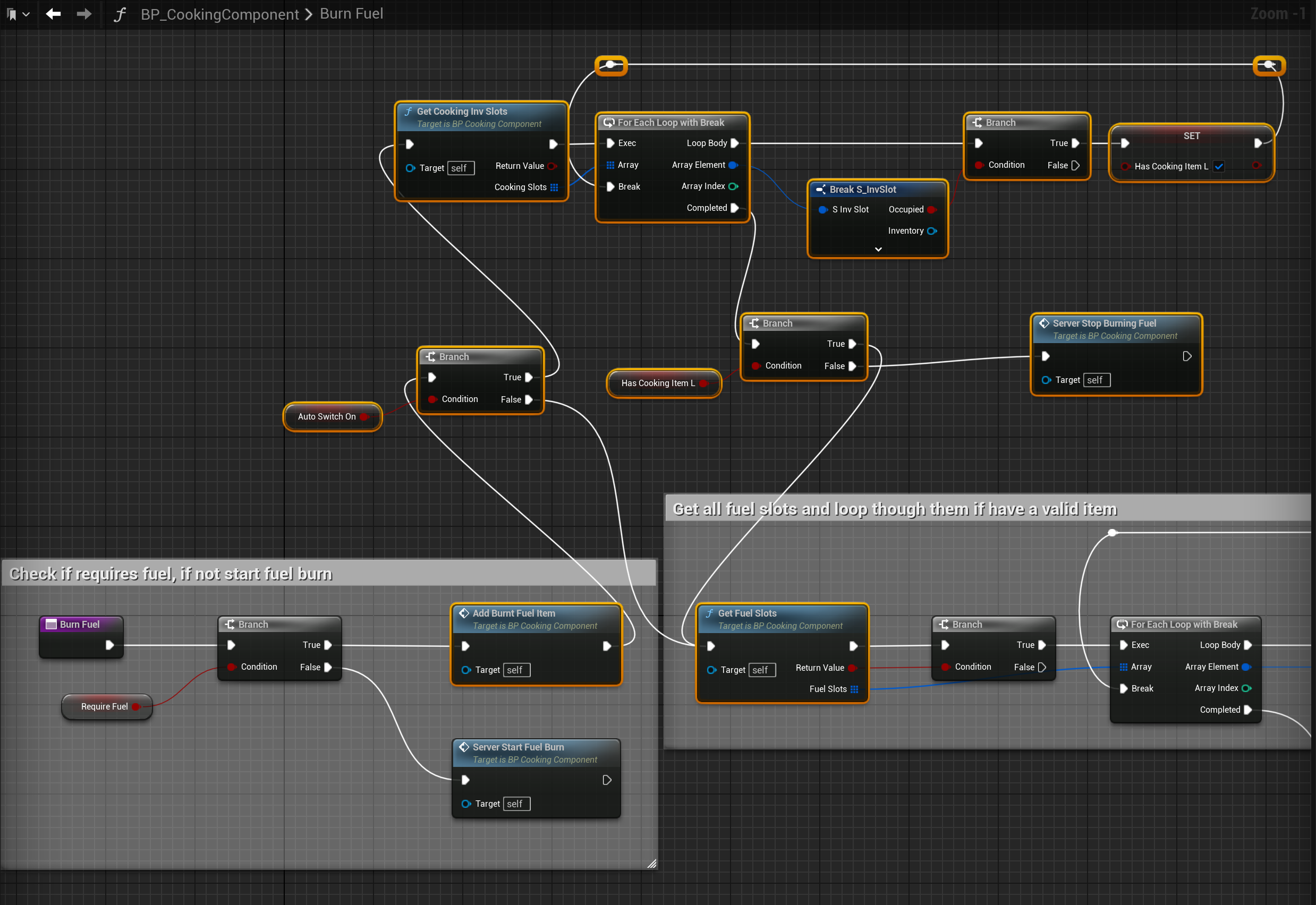
Then open the BurnFuel function and create a new local variable called HasCookingItemL and set its type to Boolean, then add the highlighted nodes shown in the image below.
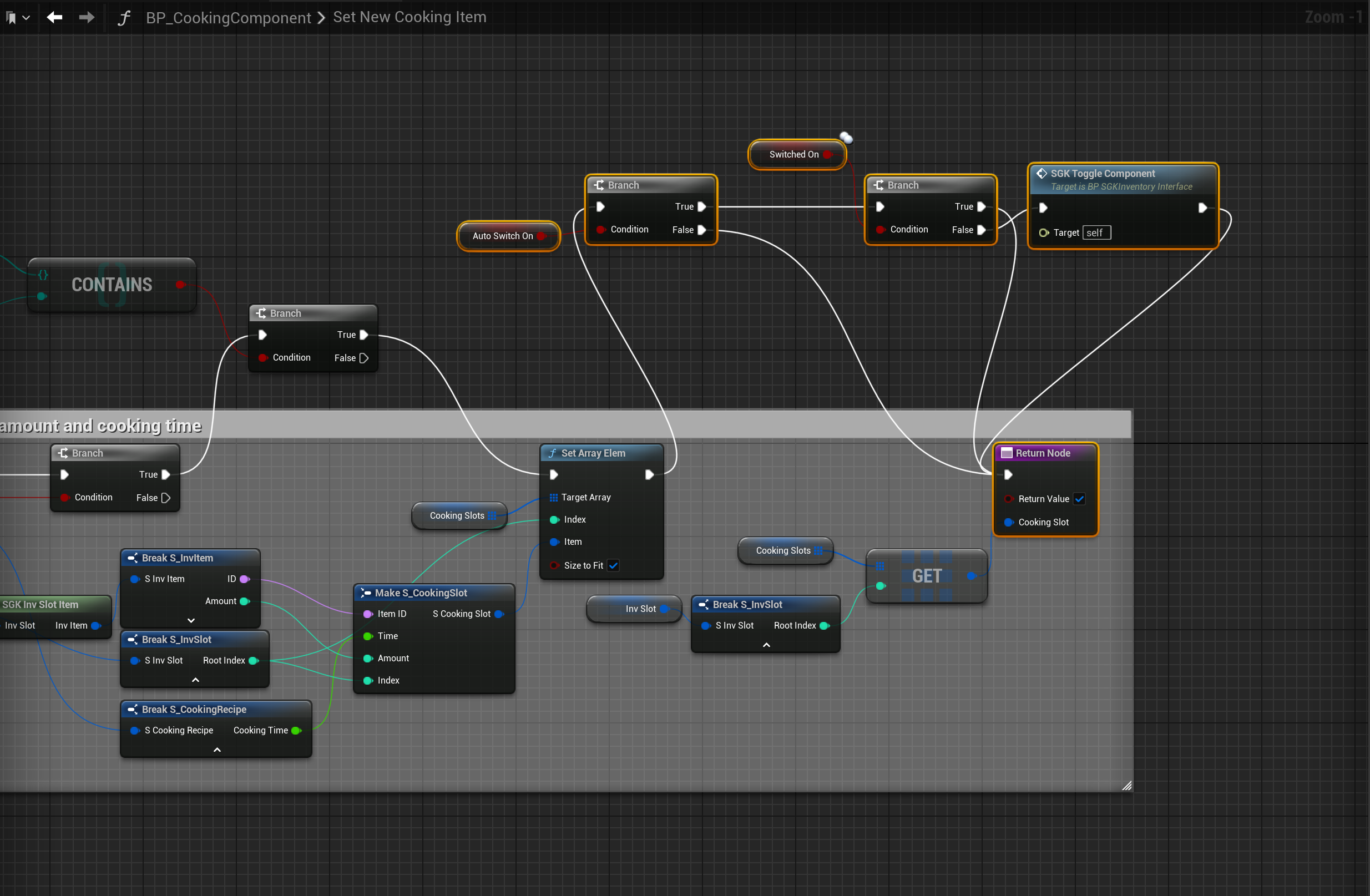
Next open the SetNewCookingItem function and add the highlighted nodes shown in the image below.
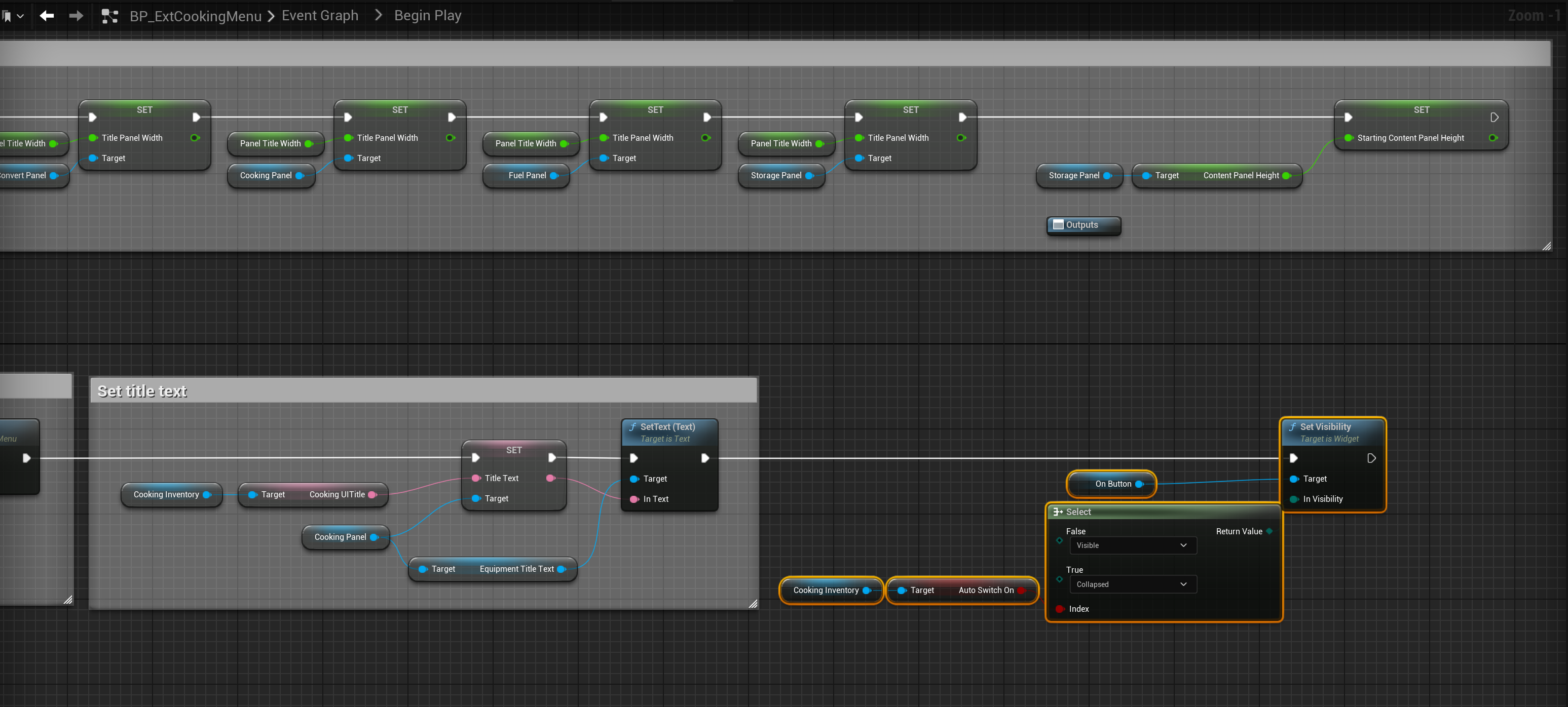
Then open the BP_ExtCookingMenu then go to the Graph mode and open the Begin Play collapsed node and add the highlighted nodes shown in the image below.
You can now select the BP_CookingComponent in the Components panel of your cooking build parts and in the Details panel search for AutoSwitchOn, if enabled the On/Off button will be hidden and the cooking component will turn on automaticly when it has fuel and an item it can cook in a cooking slot.
 Defuse Studios