Make a backup of your project before following this guide!
Open the S_BuildPartDetails struct and copy the steps in the video below.
Next open the BP_PlayerBuildingComponent and add a new variable called DebugPlacementAngle set its type to Boolean. Then tick on Instance Editable and set its Category to Debug
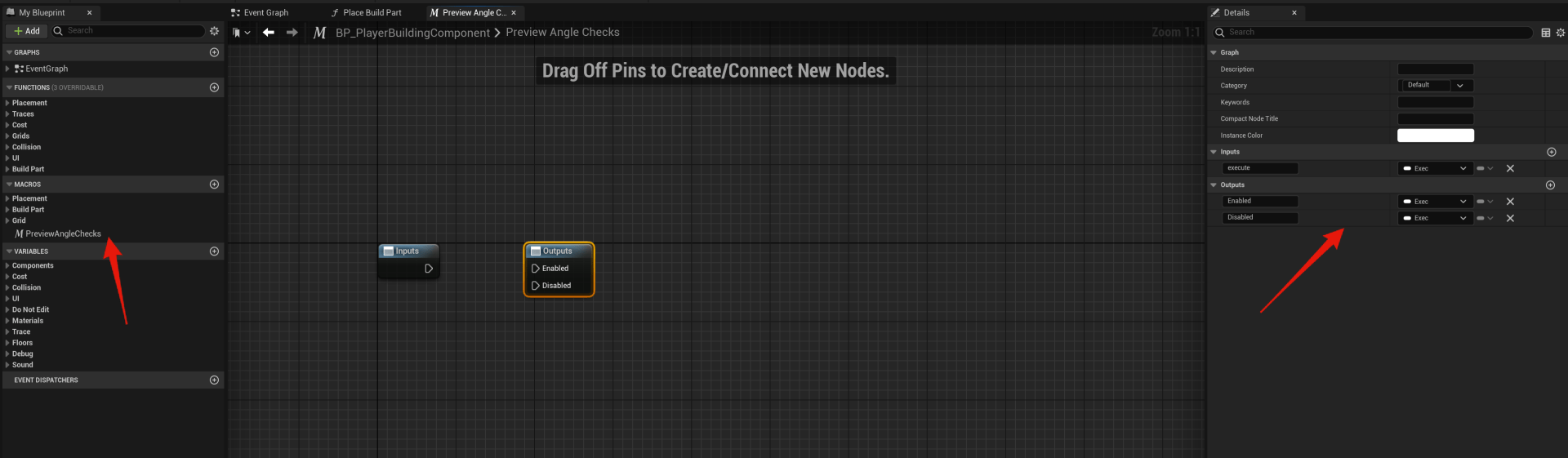
Then create a new Macro called PreviewAngleChecks and add the inputs and outputs shown in the image below.
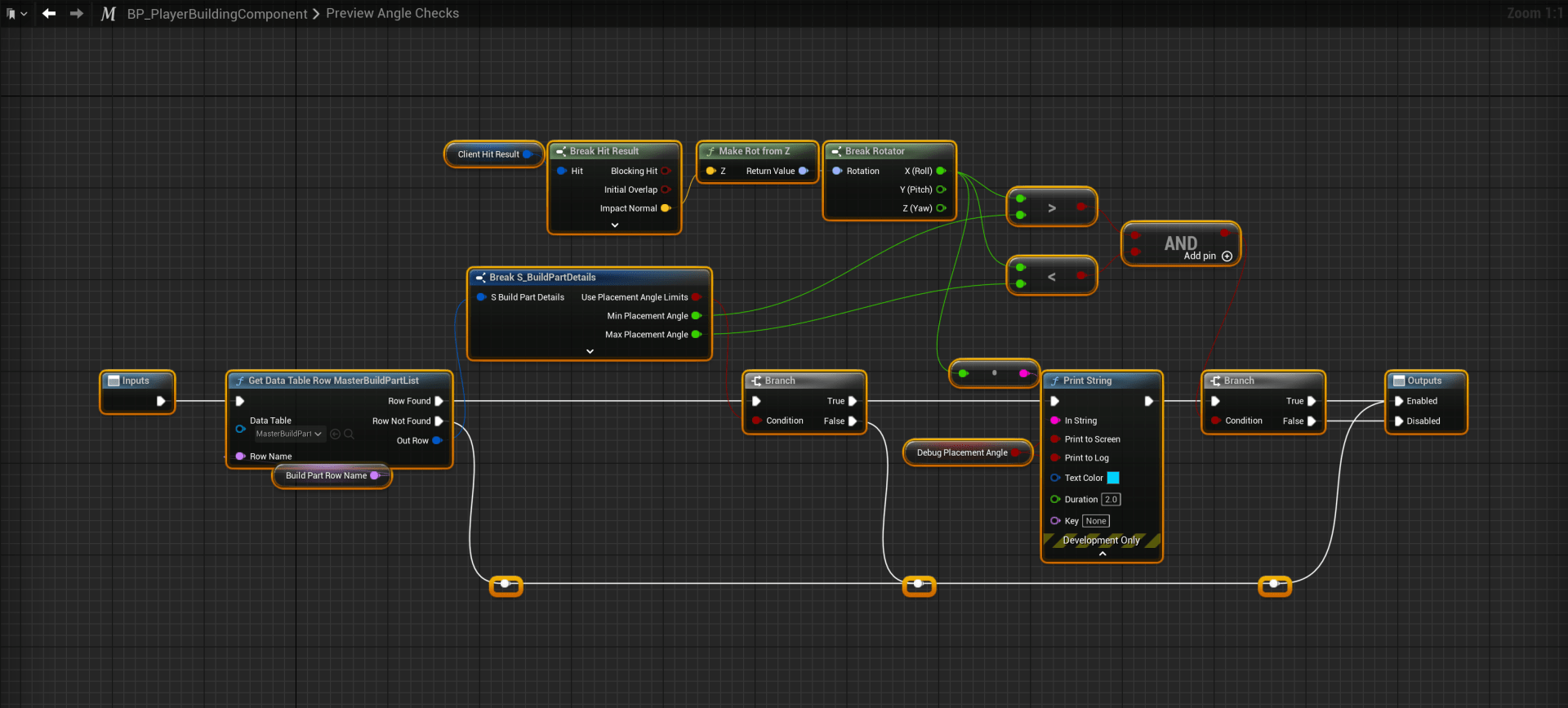
Then add the nodes shown in the image below to the marco.
Then open the PreviewLocation function and add the highlighted nodes shown in the video below.
These changes now allow you to enable angle checks on build parts in the BuildPartList, when UsePlacementAngleLimits is enabled the build part will only be placable on angles within its min and max PlacementAngle settings values.
The default for these values is -45 and 45 this will allow placement on horizontal surfaces upto an angle of 45 degrees.
For build parts you only want placeable on verticle surfaces you can use values like -135 for the MinPlacementAngle and -45 for the MaxPlacementAngle. This will block placement on surfaces that are above a 45 degree angle, which can be used to limit thing to only be placeable on walls for example.
 Defuse Studios