This guide overwrites the included range weapon skeletons, if you’ve added or moved any of the sockets in those skeletons you will need to redo those changes after following this guide.
This guide is for UE5 version of Survival Game Kit V2 only!
Make a backup of your project before following this guide
Start by closing the engine and download the file linked below, then unzip the folder and copy the Content folder, then navigate to your projects main folder and paste the content folder there, this will ask you to replace some files click accept.
Now open your project and copy the video below in the BP_MasterRangeWeapon.
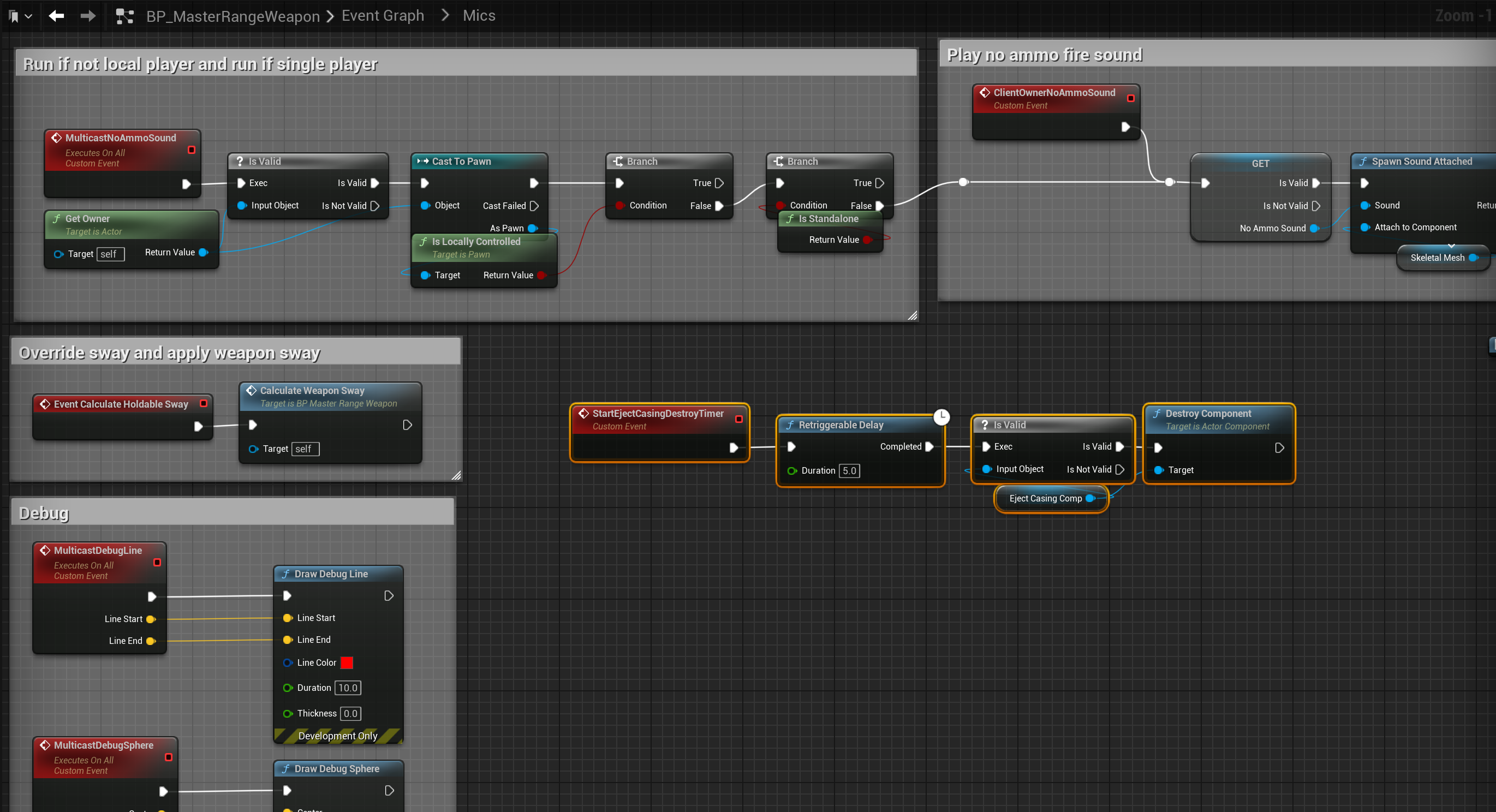
Next open the Mics collapsed node in the BP_MasterRangeWeapon, create a new custom event called StartEjectCasingDestroyTimer and copy the image below.
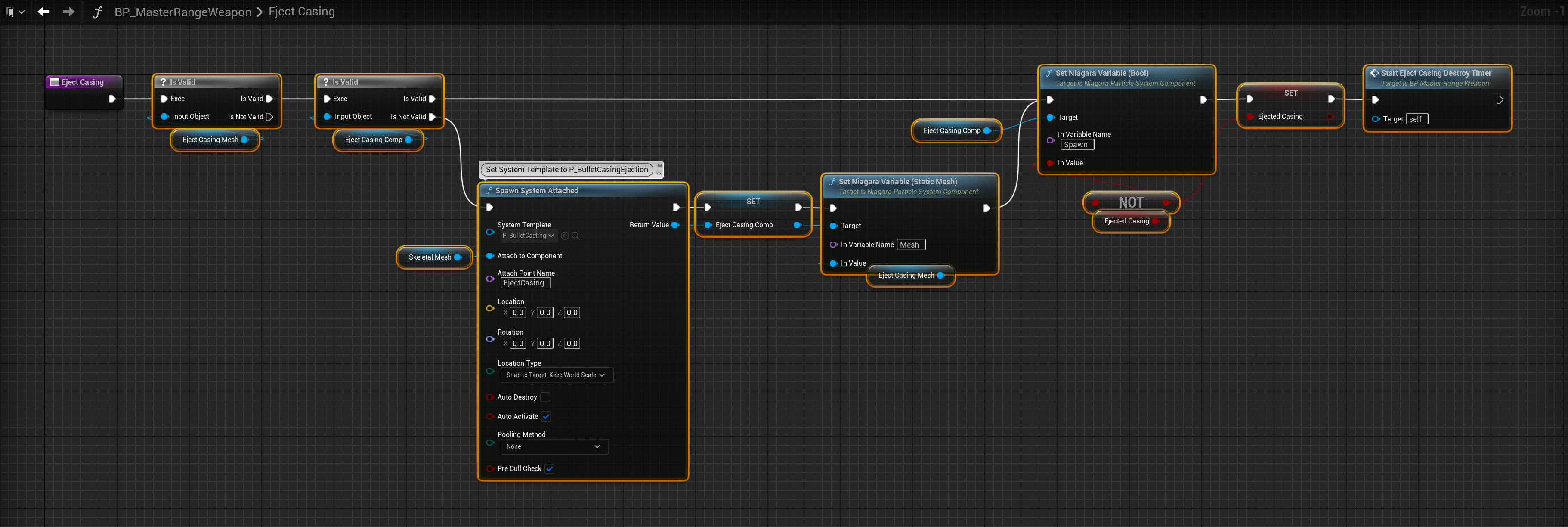
Then add the nodes shown below to the EjectCasing function you created earlier.
Then add the nodes shown below in the PlayFireEffects function.

Next copy the video below.
Then in the content browser go to Animations/Notifies and open the BP_EjectBulletCasing, if you have an error complie the blueprint this should fix the problem, if it doesnt fix the error delete the errored node, drag out from the Cast to BP_MasterRangeWeapon nodes blue output pin and recreate the EjectCasing node and connect it up like it was before you deleted it.
 Defuse Studios