Go to the BP_SGKMasterCharacter and then go to the Inputs collapsed node and copy the video below.
Next create a new variable called CameraCrouchSpeed and tick on Instance Editable in its settings, then compile and set its default value to 0.1
Next add the highlighted nodes in the images below.
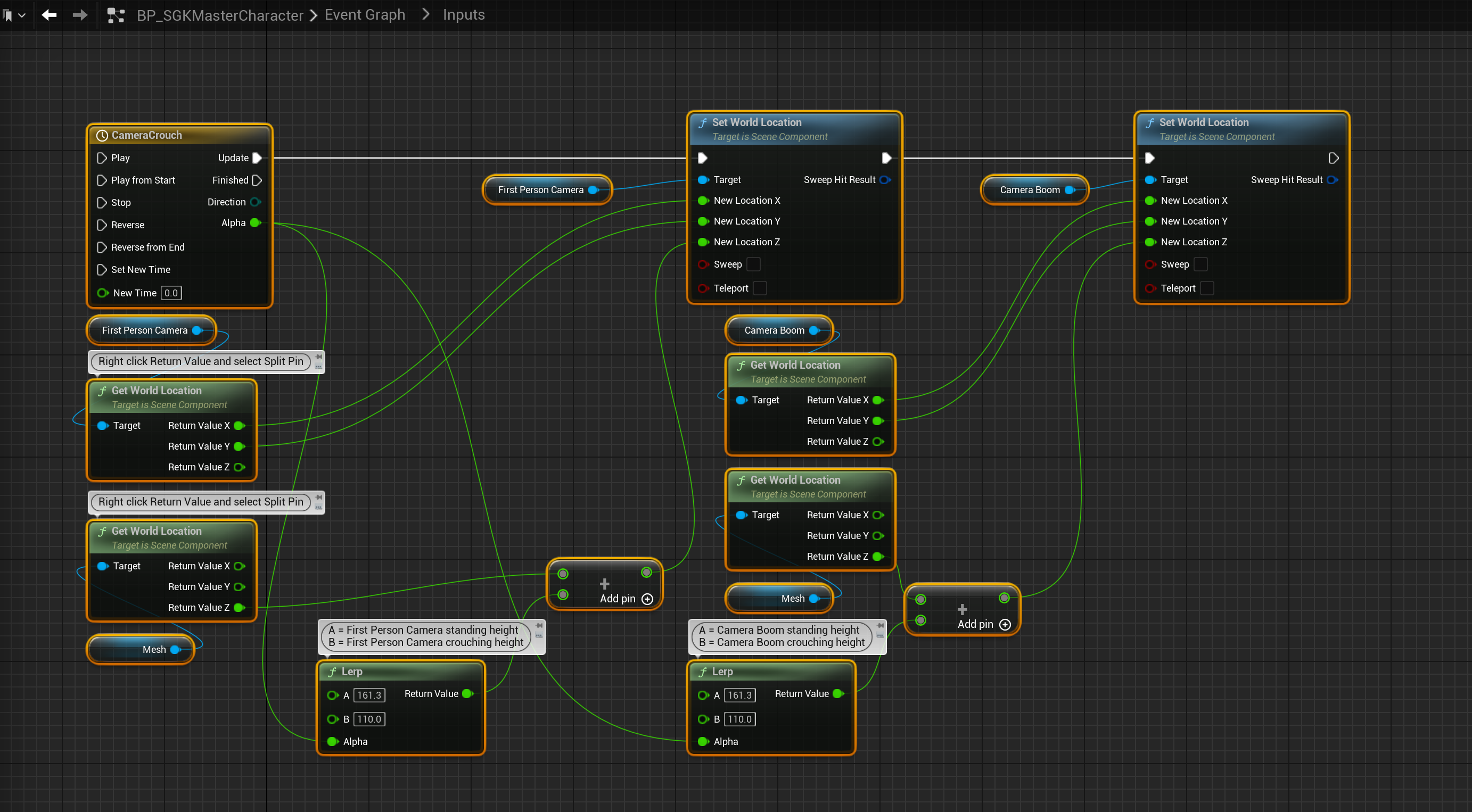

Then go to the Leaning collapsed node in the BP_SGKMasterCharacter Event Graph and add the highlighted nodes in the images below.
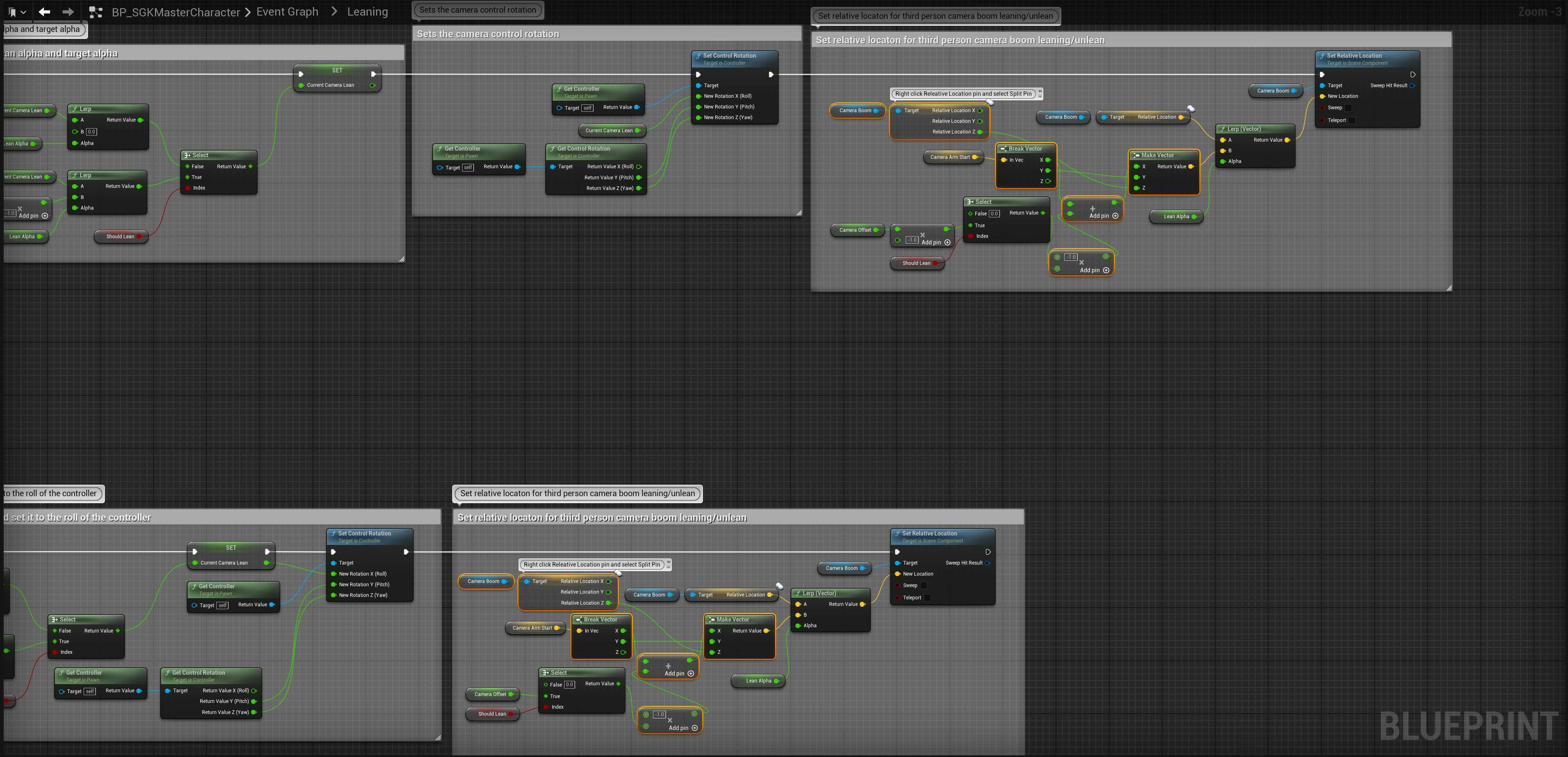
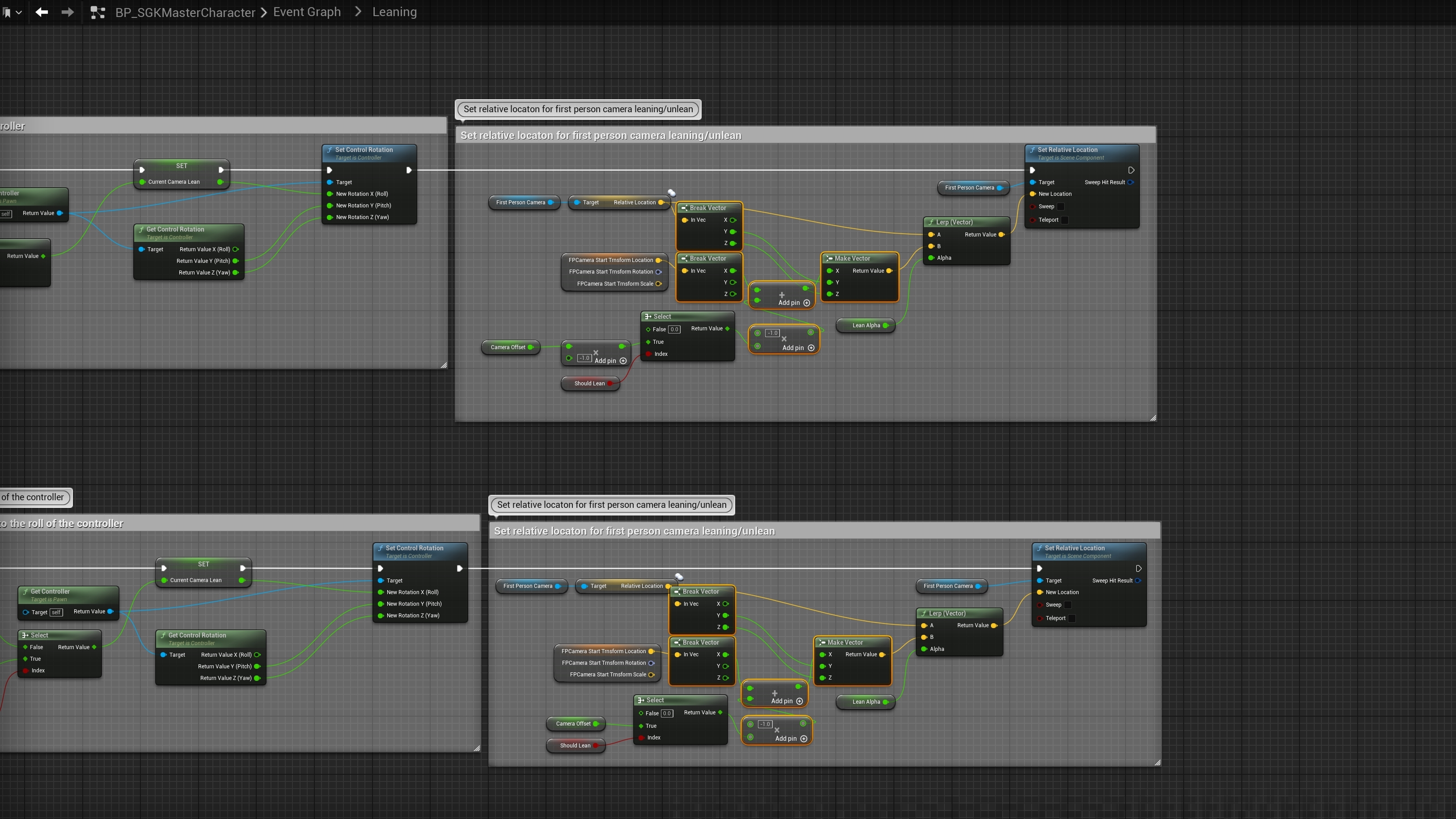
You can control the crouch camera transition speed by changing the Default Value of the CameraCrouchSpeed variable, higher values will be slower.
 Defuse Studios