Go to the BP_MasterMeleeWeapon and duplicate the MeleeAttackAnimations variable in the My Blueprint panel and call the new duplicated variable CrouchMeleeAttackAnimations.
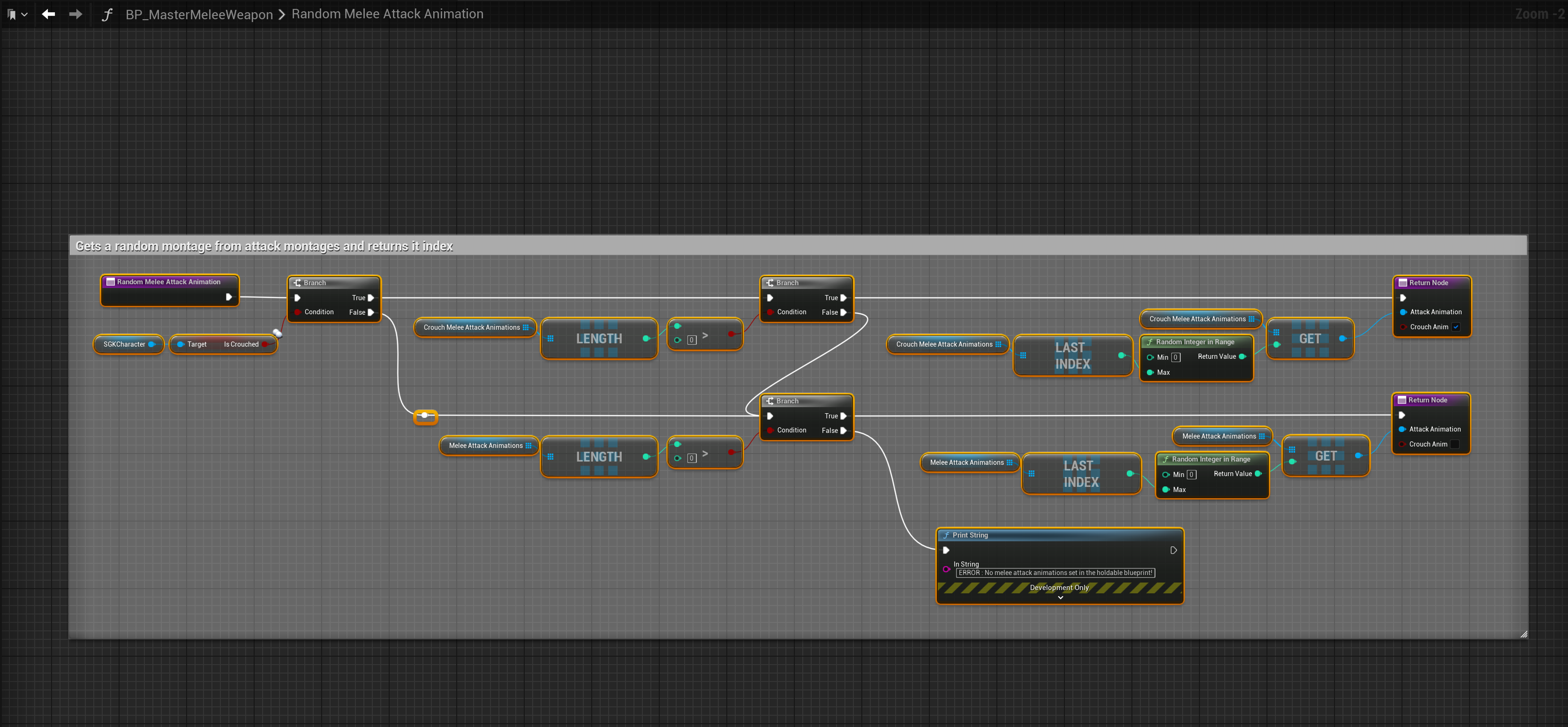
Then go to the RandomMeleeAttackAnimation function and select the Return Node and in the Details panel add a new Output called CrouchAnim and set its type to Boolean.
Then make the changes shown in the image below.
Next go to the Event Graph then go to the Animation collapsed node and select the MulticastMeleeAttackMontage node, in the Details panel add a new Input called CrouchAnim and set its type to Boolean.
Then copy the image below.

Then go to the Event Graph and then to the Actions collapsed node and copy the nodes shown in the image below.
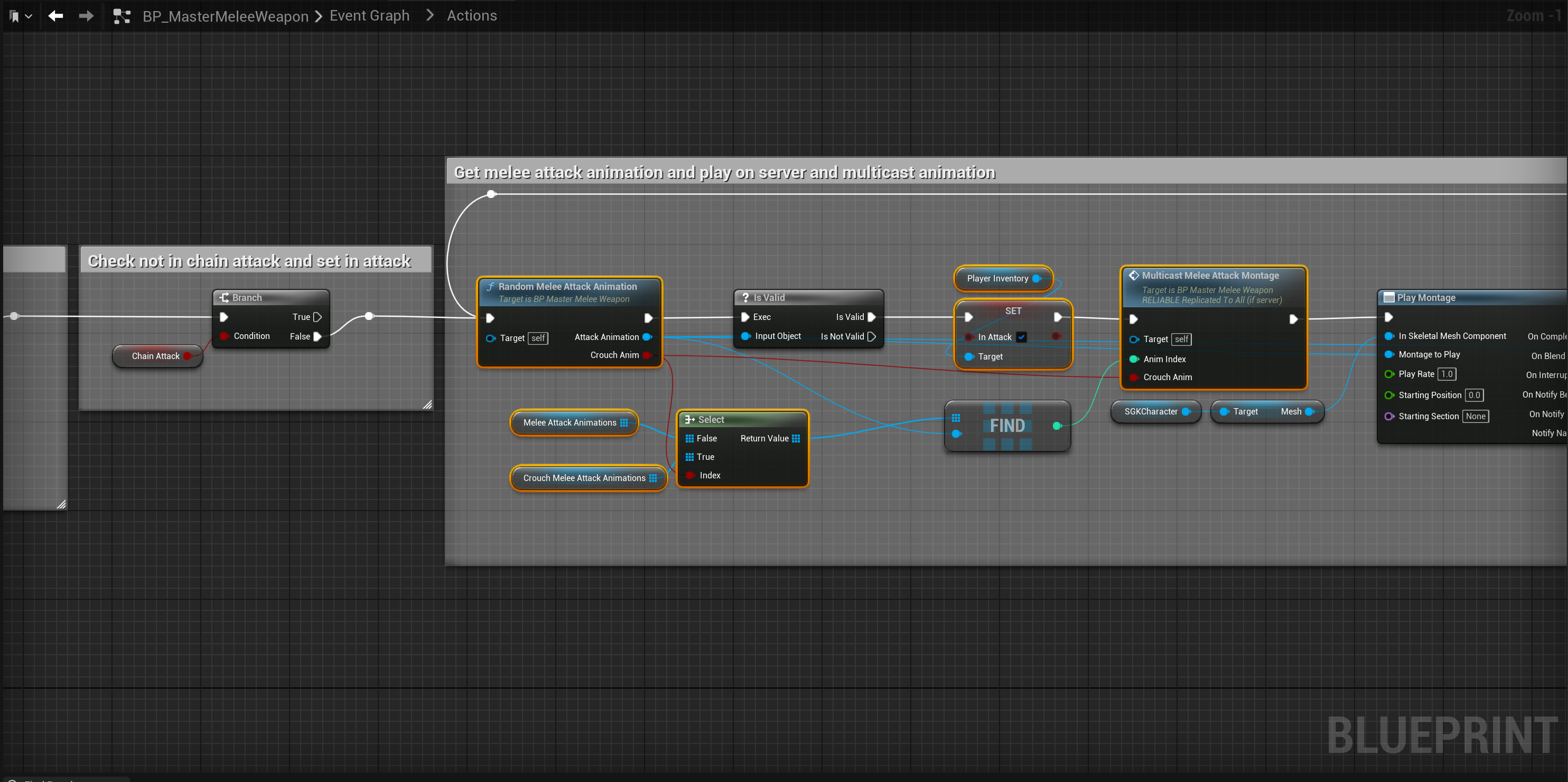
You can now set crouch melee attack montages in any melee weapons holdable blueprint Class Defaults. If no crouch melee attack montages are set the montages in the Melee Attack Animations setting will be used instead.
 Defuse Studios