Open the BP_InventoryItemIcon widget and the BP_QuickSlot widget from the content browser and copy the video below.
In the BP_QuickSlot widget go to the Graph mode and create a new variable called DisplayItemAmount and set its type to Boolean, then compile and set the variables Default Value to ticked on.
Next go to the UpdateItemIcon function in the BP_QuickSlot and add the nodes shown in the image below.
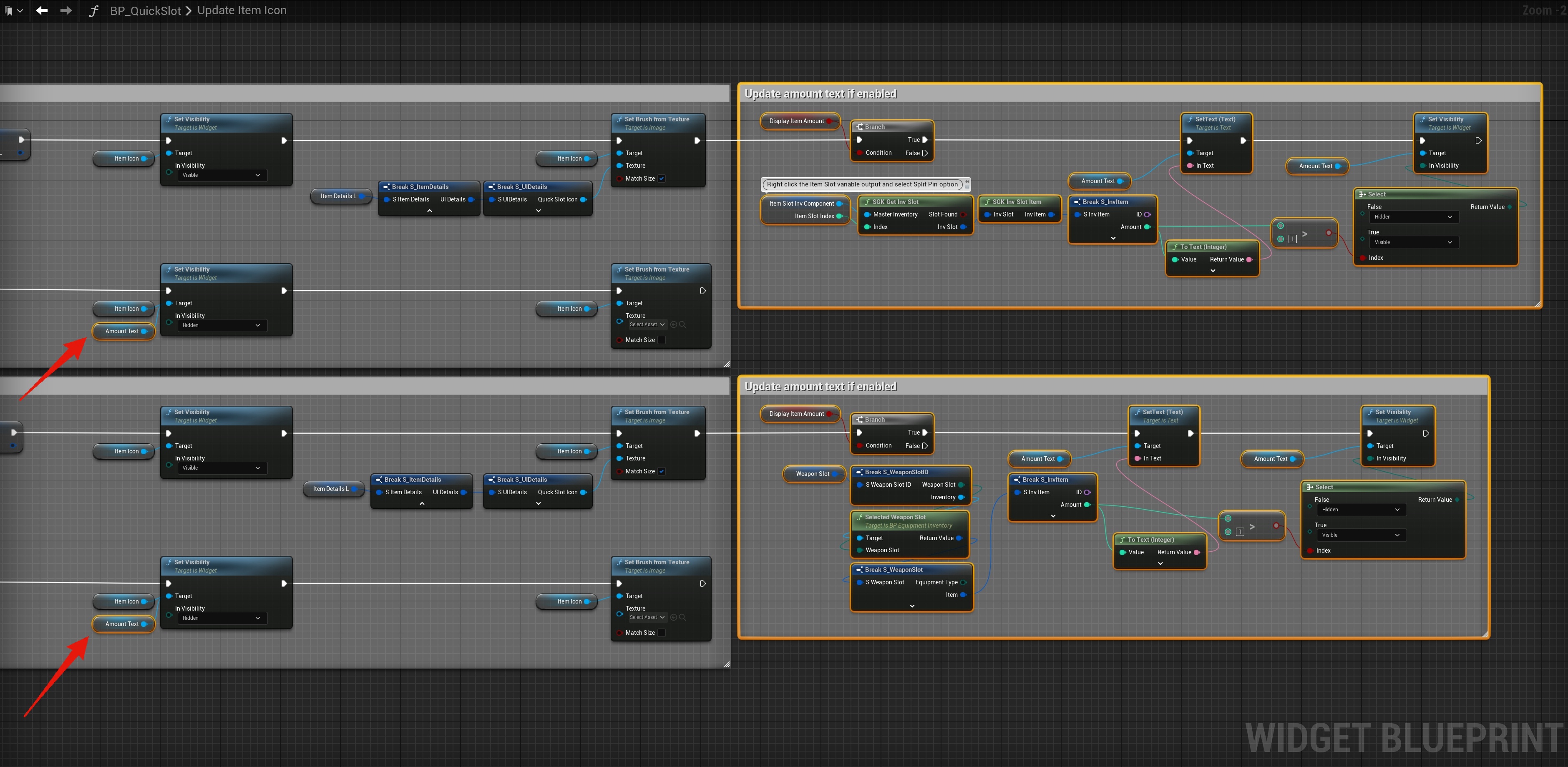
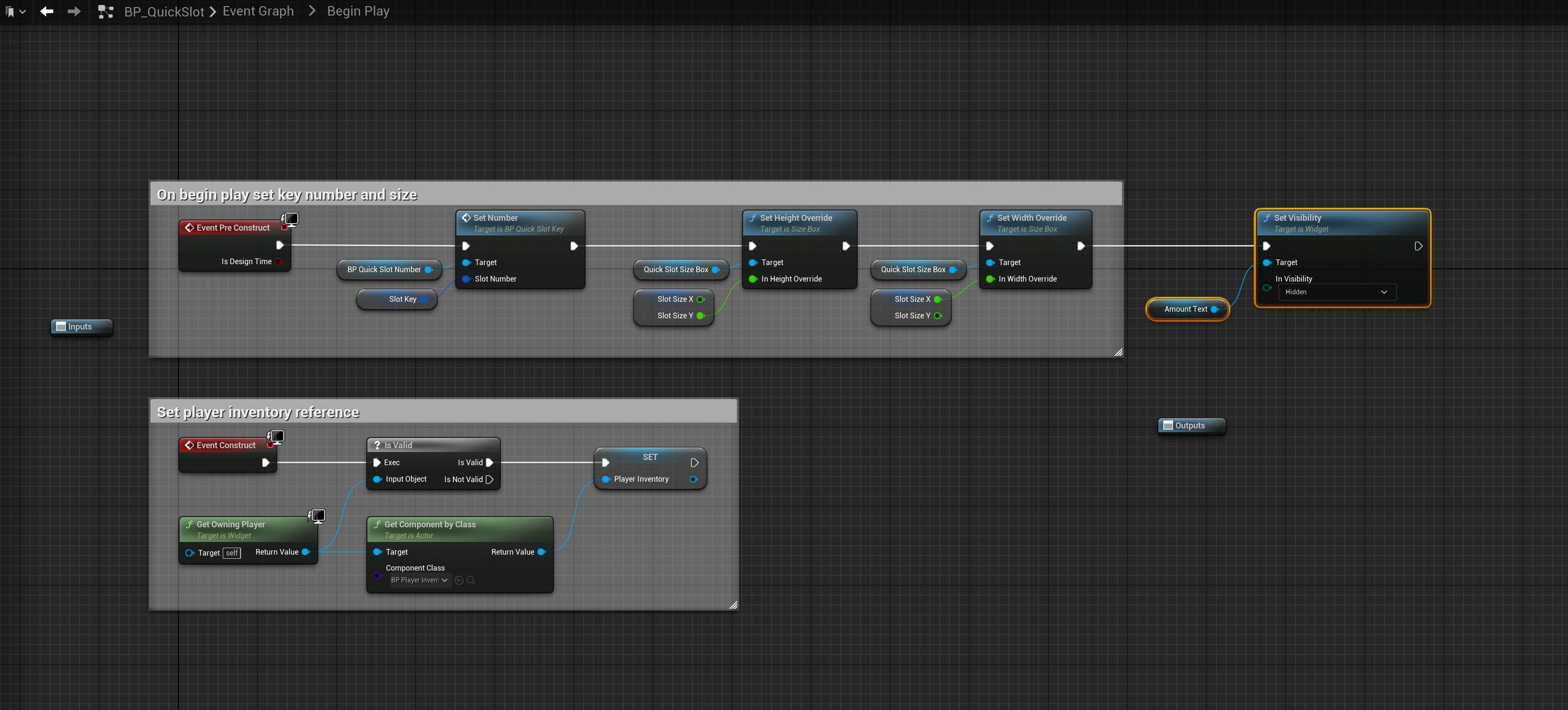
Then go to the BP_QuickSlot widgets event graph then open the BeginPlay collapsed node and add the code shown below.
Items in the quick slots will not display their amount if the items amount is greater then 1, if the item amount is 1 then the amount text wont be visible.
 Defuse Studios