Go to the BP_CharacterComponent and create a new variable called IsJumpOnCooldown and set its type to Boolean and set its Replication to Replicated, make sure the Default Value is unticked.
Create another variable called JumpCooldown and set its type to Float and compile, then set its Default Value to 0.25 and tick on Instance Editable.
Create a new function called EndJumpCooldown and copy the image below.

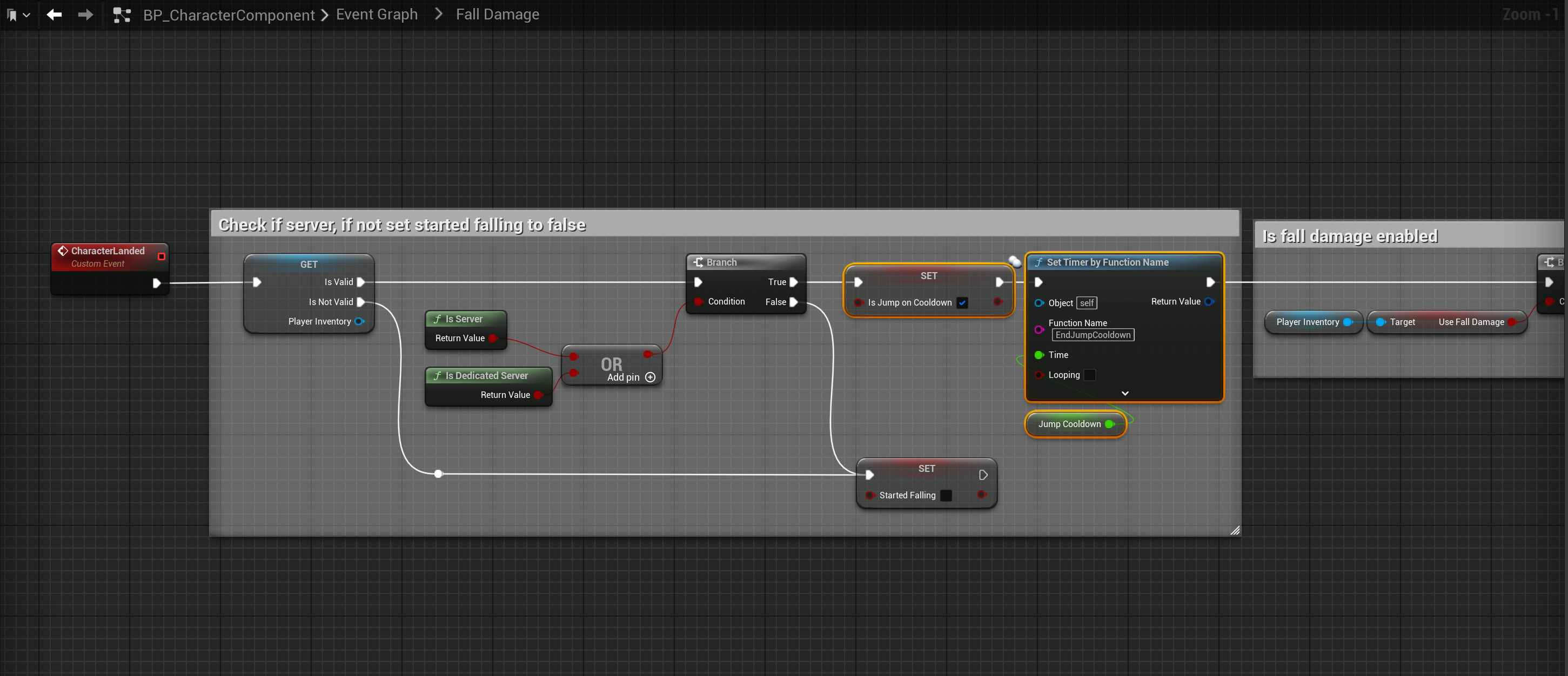
Next go to the Fall Damage collapsed node and copy the image below.
Next go to the BP_SGKMasterCharacter and create a new macro, add a new input called exec and set its type to Exec. Then add a new output called True and set its type to Exec, then add another output called False and set its type to Exec.
Then copy the images below.


You can now control the jump cool down using the JumpCooldown setting in the BP_CharacterComponent, this value is in seconds.
 Defuse Studios