Make a backup of your project before following this guide!
Copy the steps in the videos below.
After clicking Save All I recommend closing and reopening the project before following the next videos.
Next copy the images below, locations at the tops of the screenshots.


Next go to the BP_PlayerInventory and create a new Boolean variable called ReplaceOldestRespawnPoint and tick on Instance Editable.
Then create an Integer variable called MaxRespawnPoints and tick on Instance Editable, then compile and set the Default Value to 5 (This is the max number of respawn points the player can have set at the same time, you can change this value to something else if you like as long as its above 0)
Then copy the nodes in the images below, locations at the tops of the screenshots.
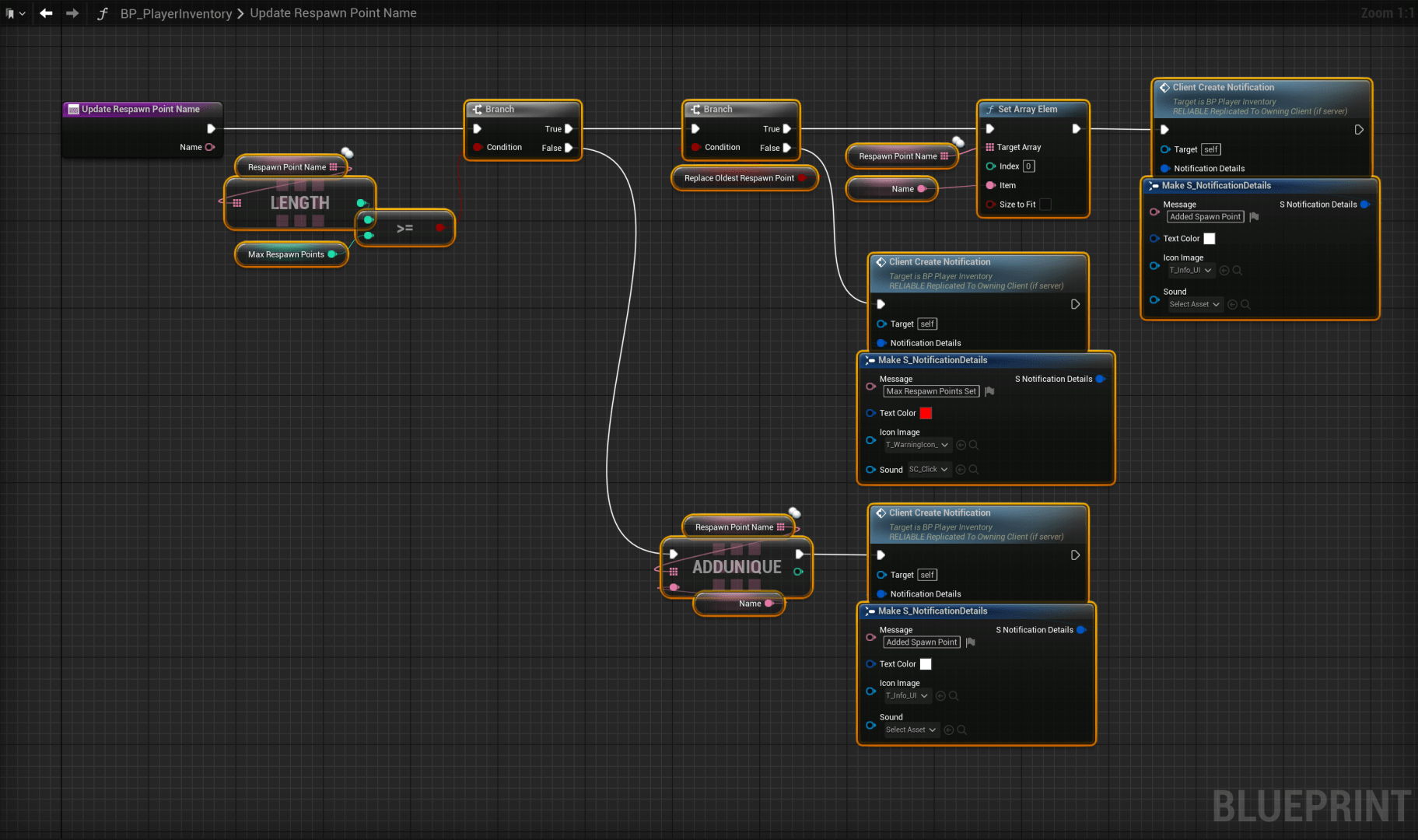
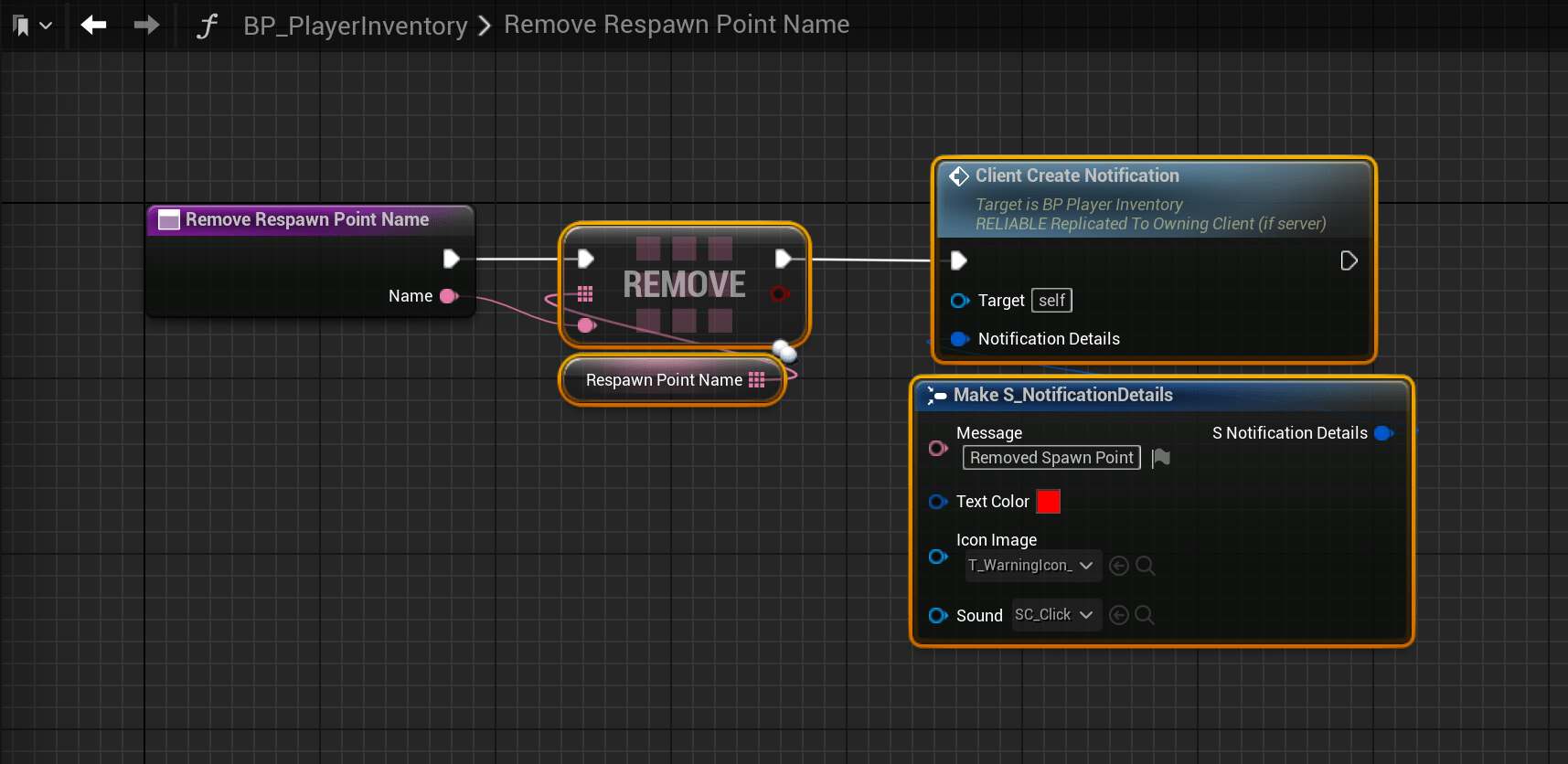
Now play in editor and once the character loads exit play in editor and click Save All in the Content Browser then close the project and download the file below, and put it in your projects Content/SurvivalGameKitV2/Blueprints/Widgets folder in windows file explorer then reopen your project.
Next open the BP_DeathScreen and copy the video below.
Next add the nodes shown in the images below, locations at the tops of the screenshots.


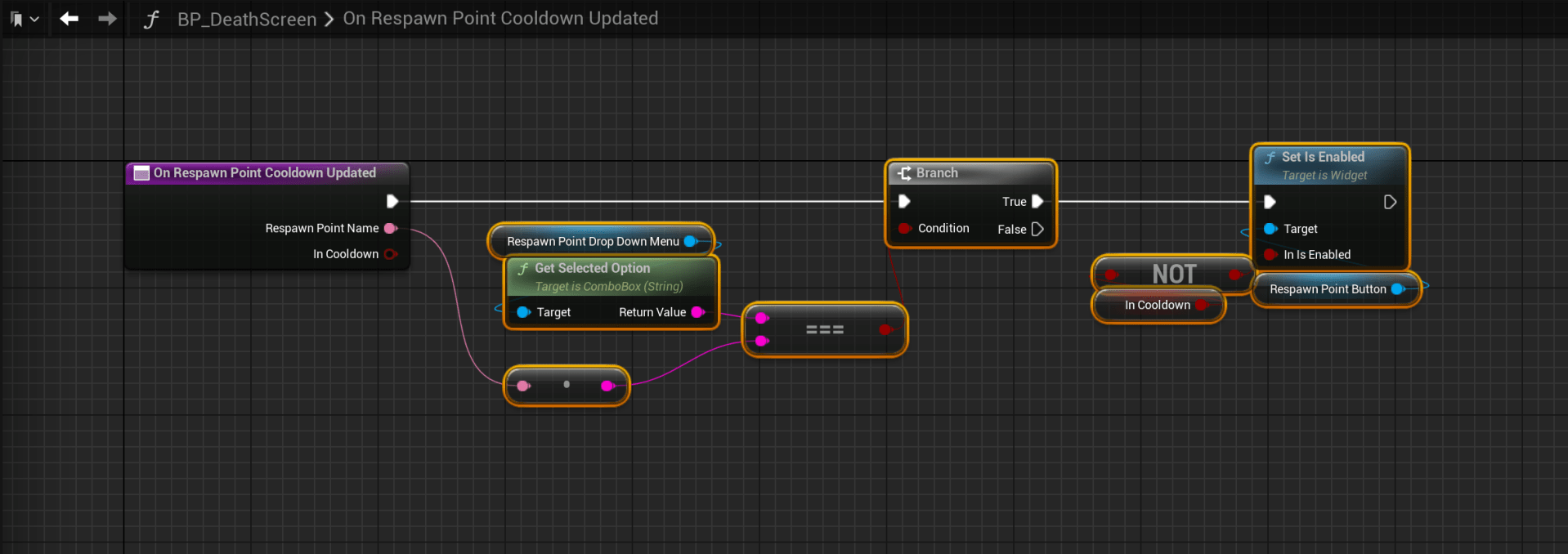

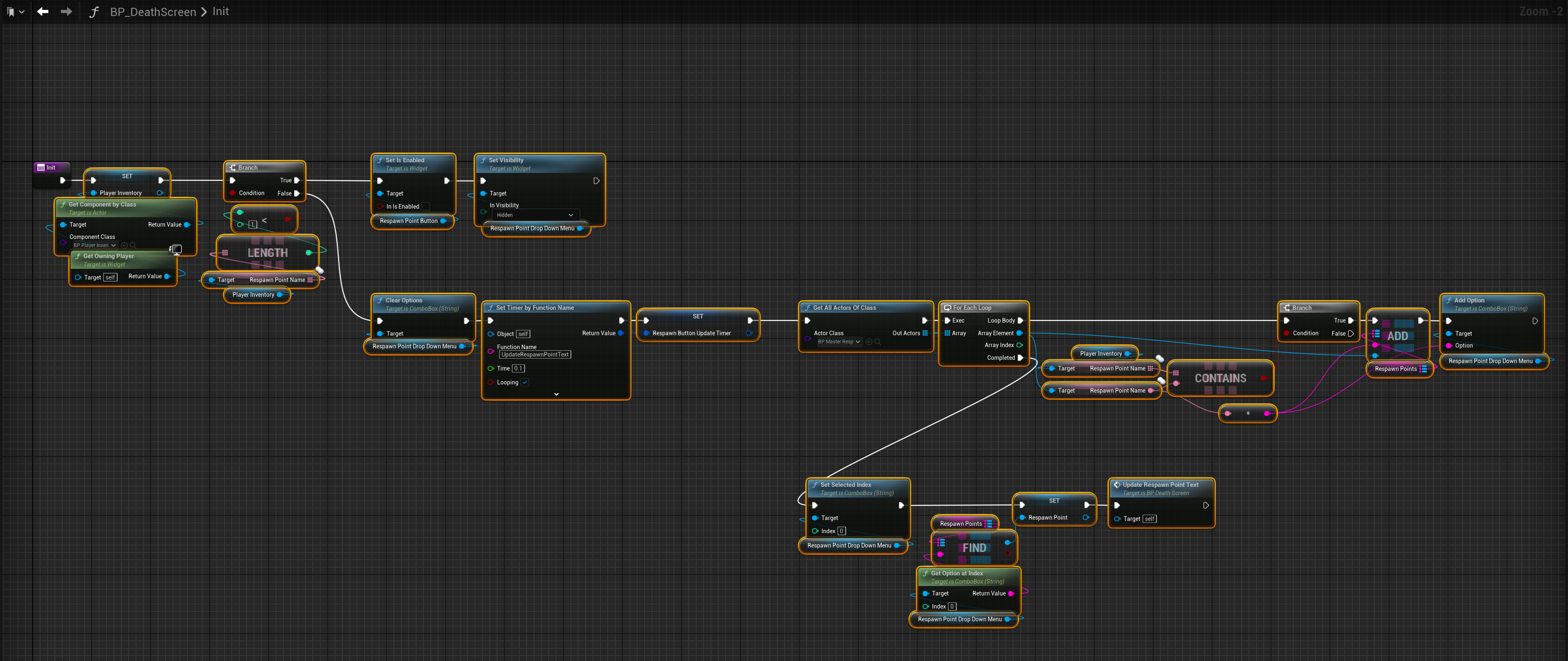

Next go to the BP_MasterBuildPart and in the My Blueprint panel select the PendingDestroy variable and in the Details panel set its Replication to Replicates.
If you using UE5 then next open the BP_Bed select the GeometryCollision component in the Components panel then in the Details panel search Enable Clustering and untick that setting.
Optional Steps
The next step is optional, these add a character limit to how long spawn point names can be and when placing a spawn point the text edit window is automaticly selected so the player doesnt have to click the text box to name the build part.
Open the BP_BuildPartName widget and copy the video below.
 Defuse Studios