This system allows item spawners to only spawn items when a player is in proximity of the spawner, there is also an optinoal setting to destroy the item if the players leave the proximity of the spawner.
Start by coping the video below.
Then go to the BP_CharacterComponent and copy the video below.
Next create a new function called ItemProximityActivation then copy the image below.

Then create a new variable called ItemSpawnerTimer and set its type to TimerHandle.
Then go to the BeginPlay collapsed node and copy the image below.

Next go to the BP_MasterItemSpawner and copy the video below.
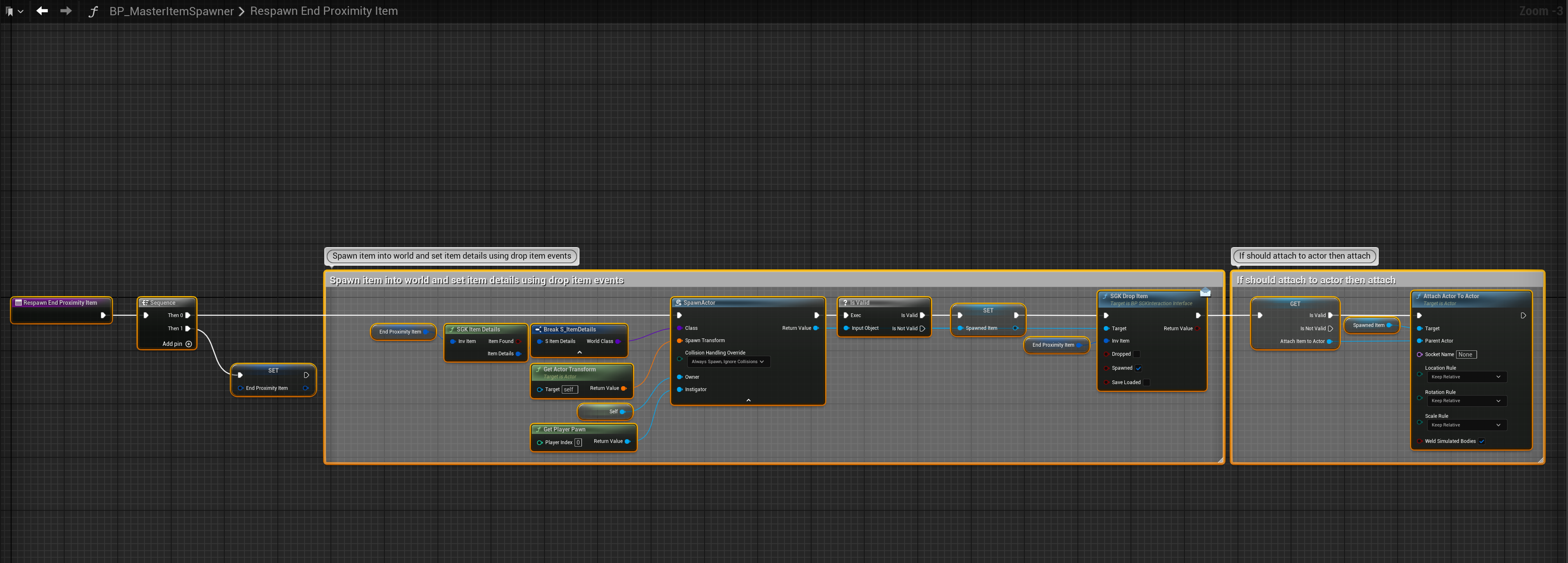
Next create a new function called RespawnEndProximityItem then copy the image below.
Next select the SpawnNewItem function in the My Blueprint panel then in the Details panel add a new Input called SpawnPendingItem and set its type to Boolean. Then open the SpawnNewItem function.
Then add the highlighted nodes shown in the images below.

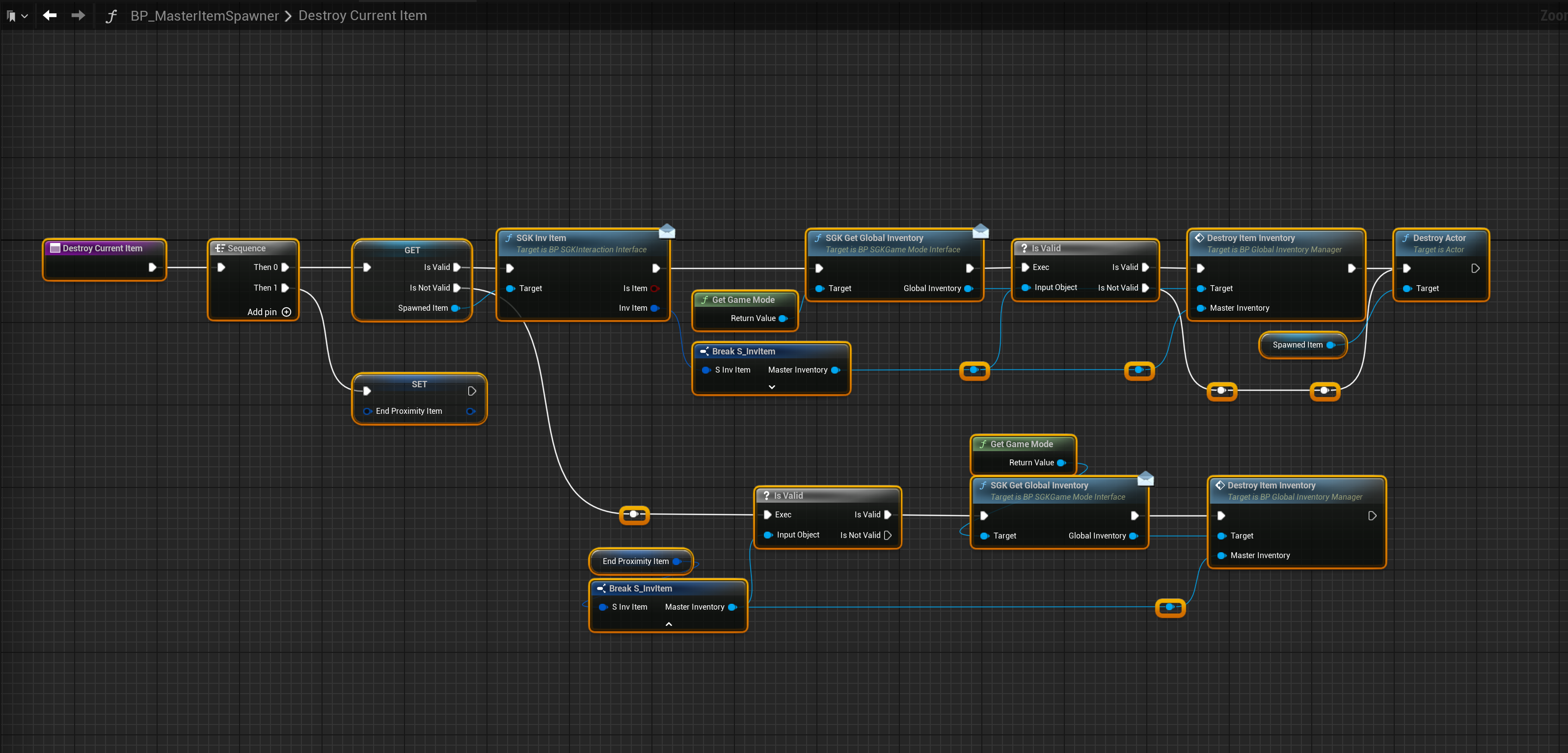
Next create a new function called DestroyCurrentItem, then copy the image below.
Then go back to the SpawnNewItem function and copy the video below.
Then go to the Event Graph and copy the video below, then add the nodes shown in the image below.

Next open the BeginPlay collapsed node and copy the videos below.
Settings
You can now use the UsePlayerProximitySpawning setting in the BP_MasterItemSpawner to enable item spawn to only spawn items when a player is near by, then if UseEndProximityDestroyItem is enabled when no players are near by the spawners item will be destroyed.
If your item spawners have their UsePlayerProximitySpawning setting enabled you must also enable the UseProximityItemSpawning settings in the BP_CharacterComponent Class Defaults.
Here you can control also control the distance at which item spawner spawn their items using the ProximityItemSpawningRadius setting, this setting is in CM so for example 4000 is 40 meters.
 Defuse Studios