Make a backup of your project before following this guide!
Open the E_ResourceDepletedEffect then add a new entry called Depleted Mesh then play in editor and once the character loads in exit play in editor.
Next open the BP_MasterResource and copy the video below.
Then create a new function called SetDepletedMesh then copy the image below.
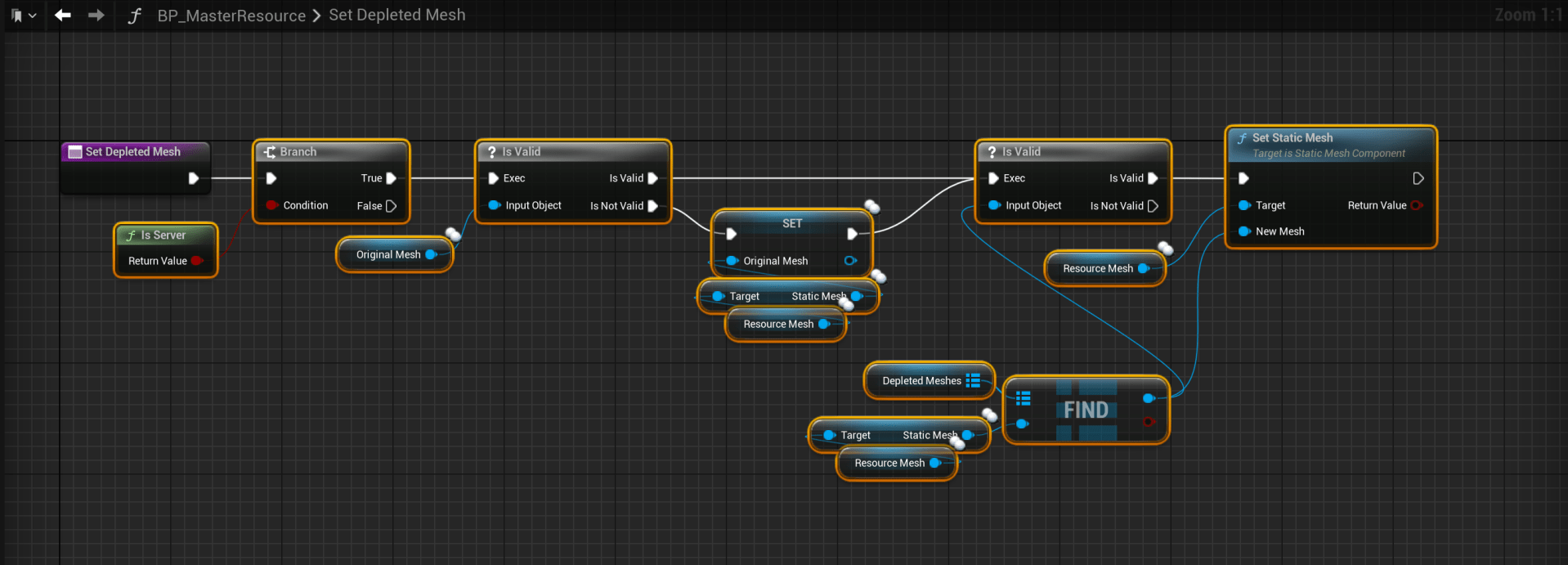
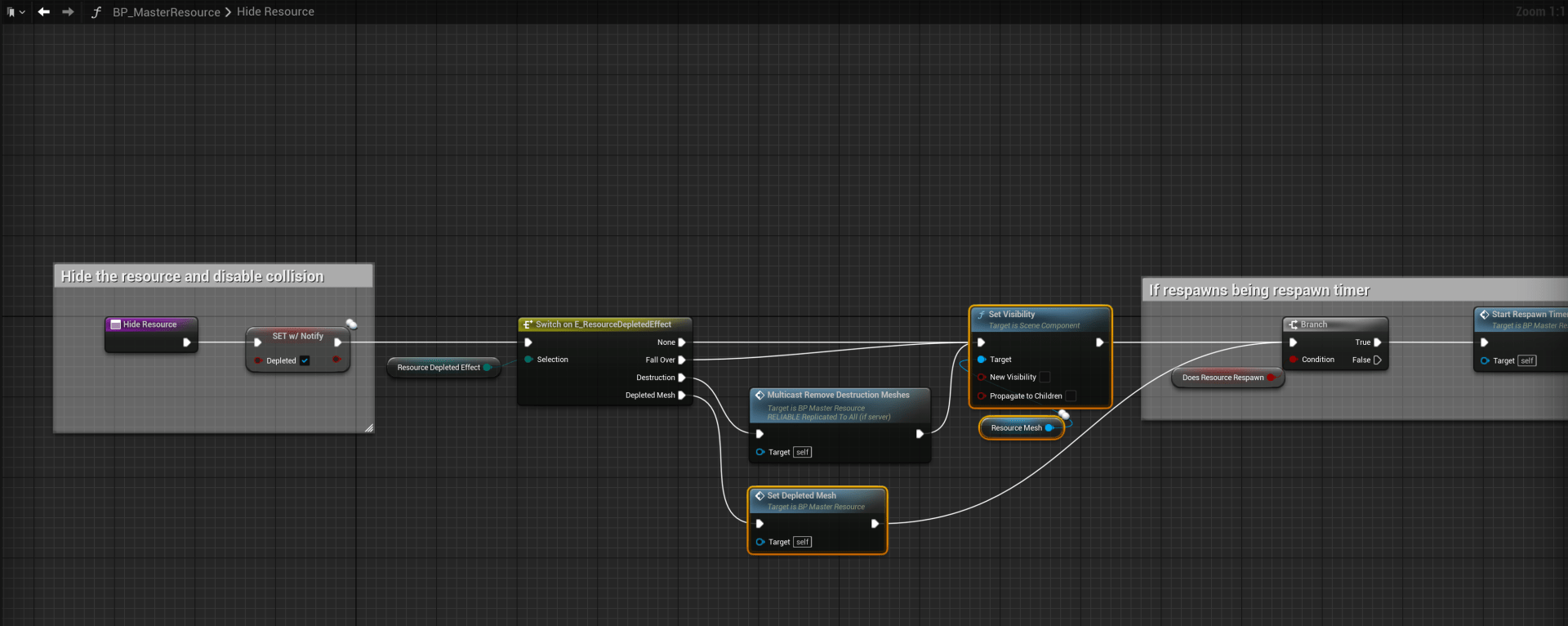
Then open the HideResource function and copy the image below.
If your using a UE4 version of SGKv2 copy the image here instead.
Then open the ShowResource function and copy the image below.
If your using a UE4 version of SGKv2 copy the image here instead.

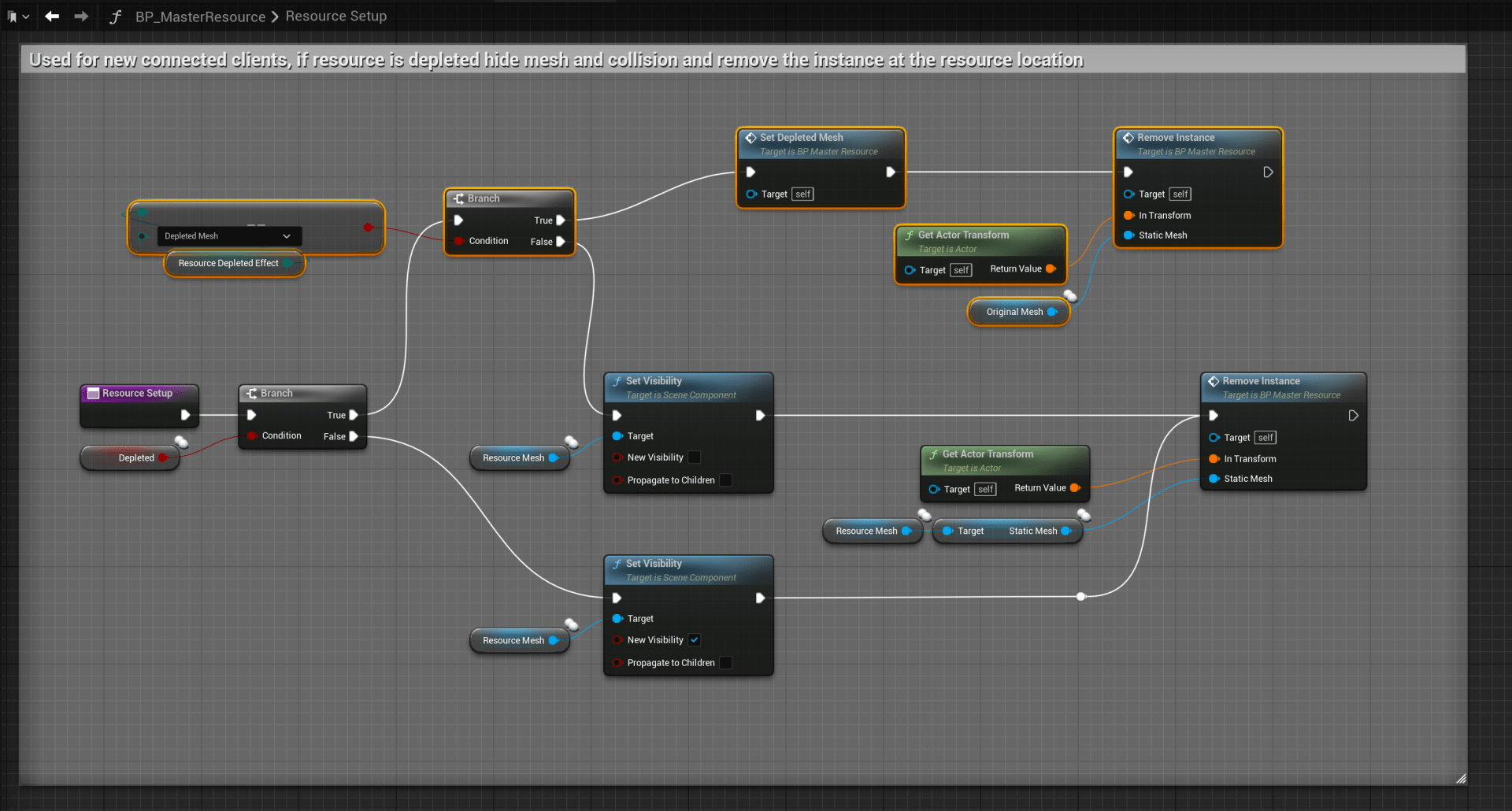
Then open the ResourceSetup function and copy the image below.
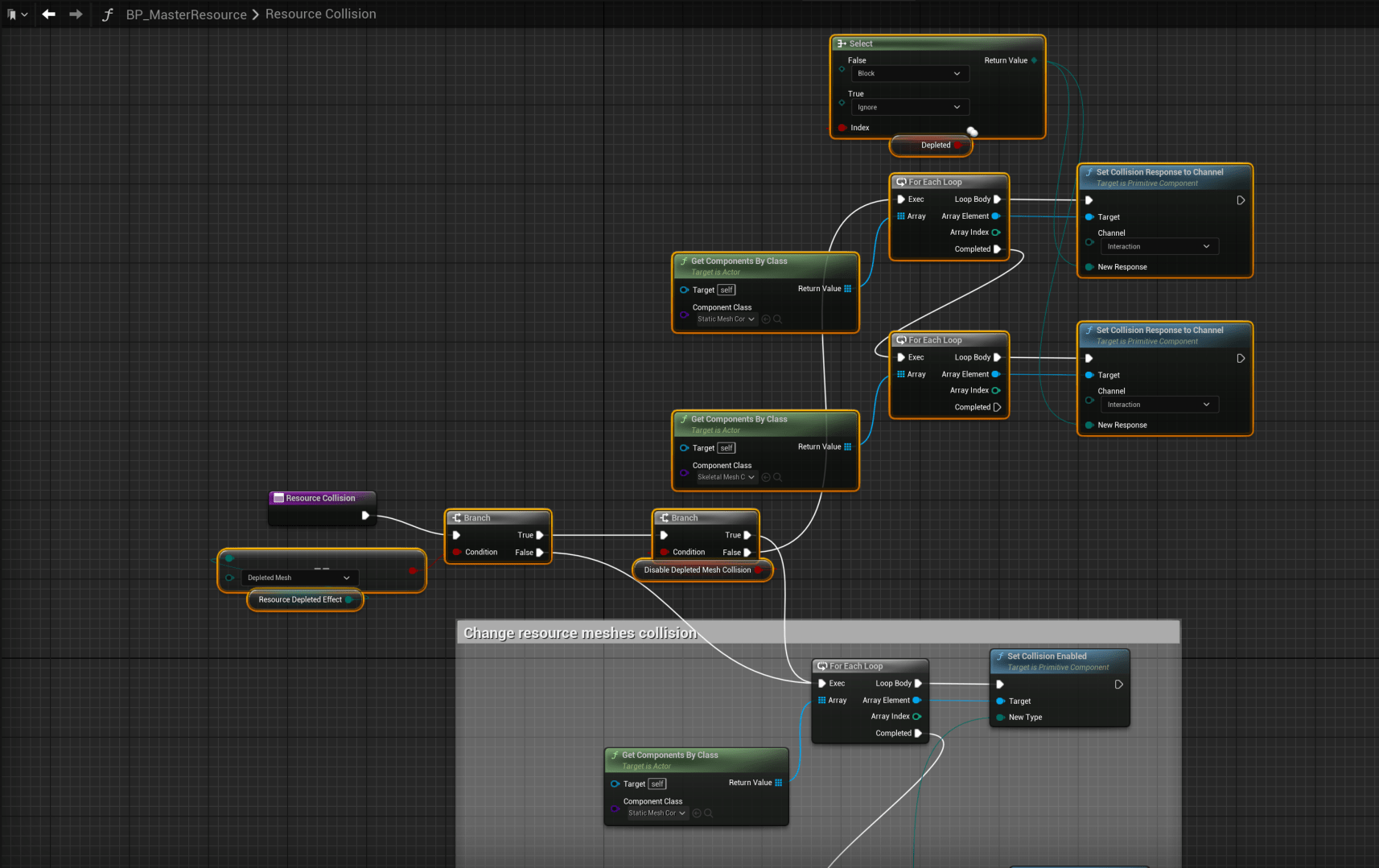
Then open the ResourceCollision function and copy the image below.
If your using a UE4 version of SGKv2 go to the OnRep_Depleted function instead and add the nodes shown in the image below.
Then open the Effects collapsed node in the Event Graph and connect the Depleted Mesh pin on node shown below to the Hide Resource function.

Next open the BP_ResourceManager then open the LoadResourcesSaves function and copy the video below.
In your resource blueprints you can now set the Resource Depleted Effect setting to Depleted Mesh, you can then set the Depleted Meshes to change your resources mesh when all its resources have been collected, theres a quick example of how to do this in the video below.
 Defuse Studios