This guide can only be followed if you have the range weapon changes included in version 2.4.12 you can find these changes in the guide below below.
Go to the BP_MasterRangeWeapon and create a new variable called ShootCameraShake set its Type to CameraShakeBase and tick on Instance Editable. Then copy the code in the image below.

You can now set a ShootCameraShake effect in any range weapon blueprints class defaults, you can copy the video and image below to create the included shoot camera shake effect you can then set that as the ShootCameraShake in the range weapon blueprints.
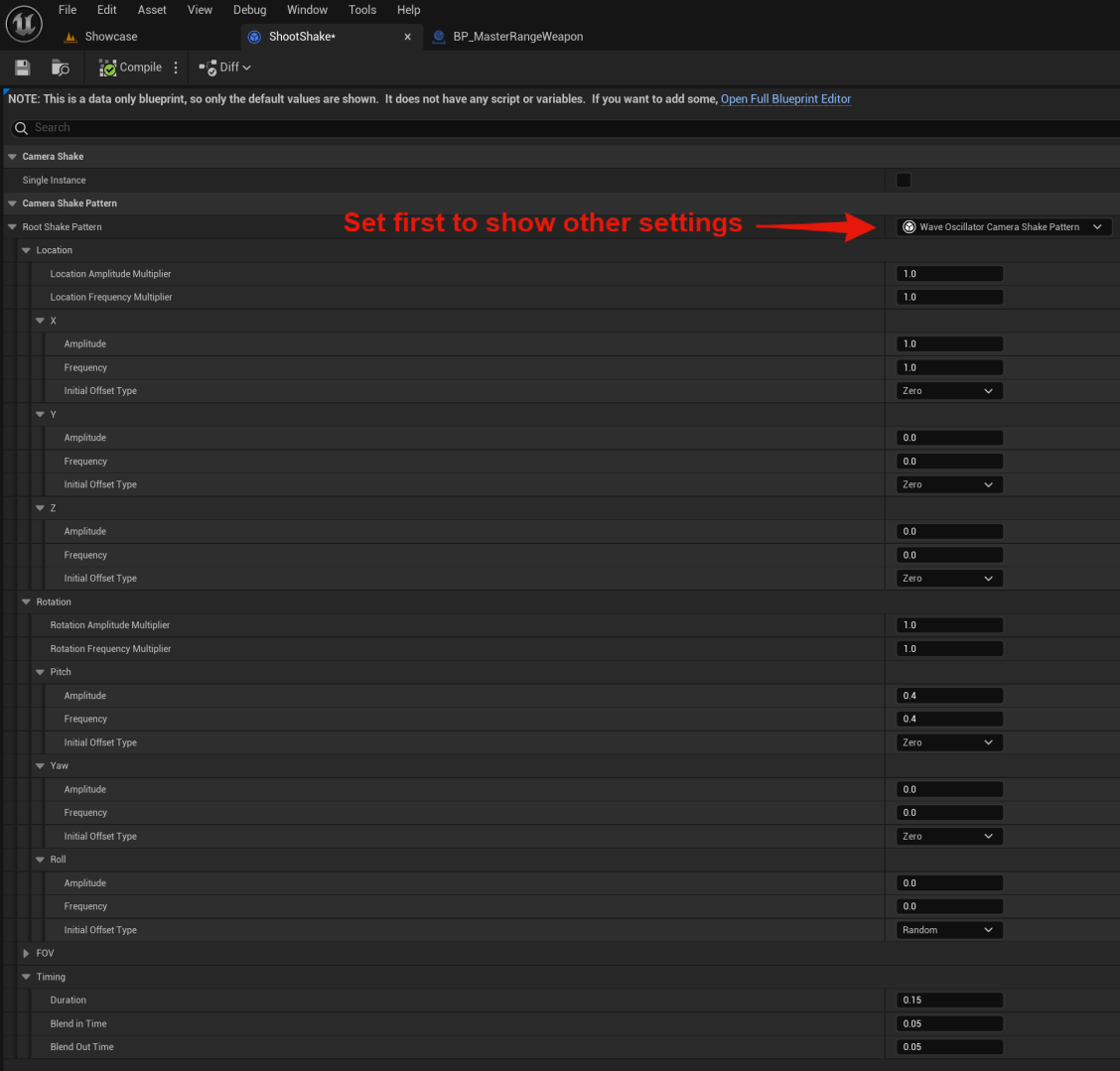
You can cusimize the shake values in the ShootShake blueprint to change the effect, Epics documentation for camera shake is linked below if you need more info about these settings.
https://dev.epicgames.com/documentation/en-us/unreal-engine/camera-shakes-in-unreal-engine
 Defuse Studios