Open the BP_GameSettings struct in here you can add the new variable you want to have set in the game settings like the example below.

After adding this variable play in editor, once the character loads you can exit play in editor.
Next open the BP_GameSettings widget and copy the video below to add a new check box option for the new setting.
You should now be able to play in editor and in the game setting menu see you new setting, it should also save the state of that setting if you exit the game and reopen it.
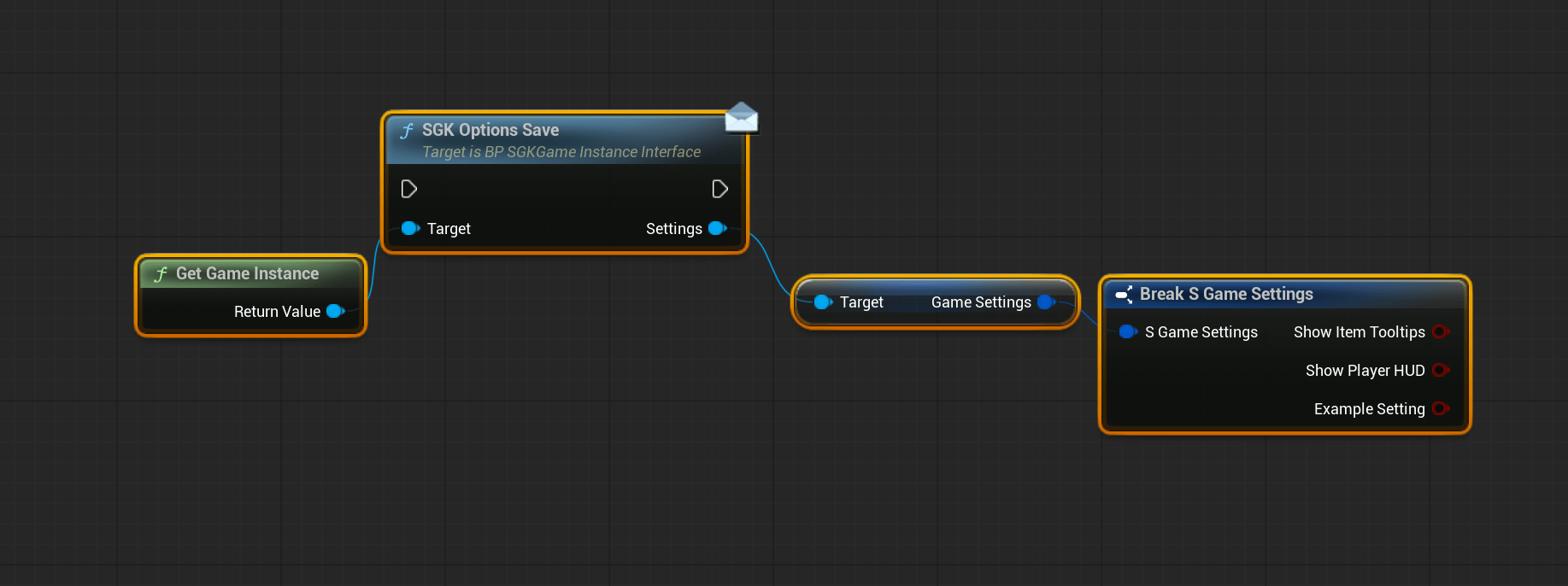
To access your setting in blueprint you can use the nodes below, keep in mind that these settings are client side so these nodes should only be used on client side code.
 Defuse Studios