Go to the BP_OverlayKey widget and create a new function called FindActionKeys, add a new output and call it ActionKeys, set its type to Enhanced Action Key Mapping and set it to an Array.
Next create a new variable called Mapping and set its type to Input Mapping Context then compile.
Then set the Mapping variables default value to SGKCharacterInputs. (Don’t miss this!)
Next create a new variable called Action and set its type to Input Action and tick on Instance Editable.
Now create a new local variable in the FindActionKeys function you just created called Action Keys L and set its type to Enhanced Action Key Mapping then set it to an array.
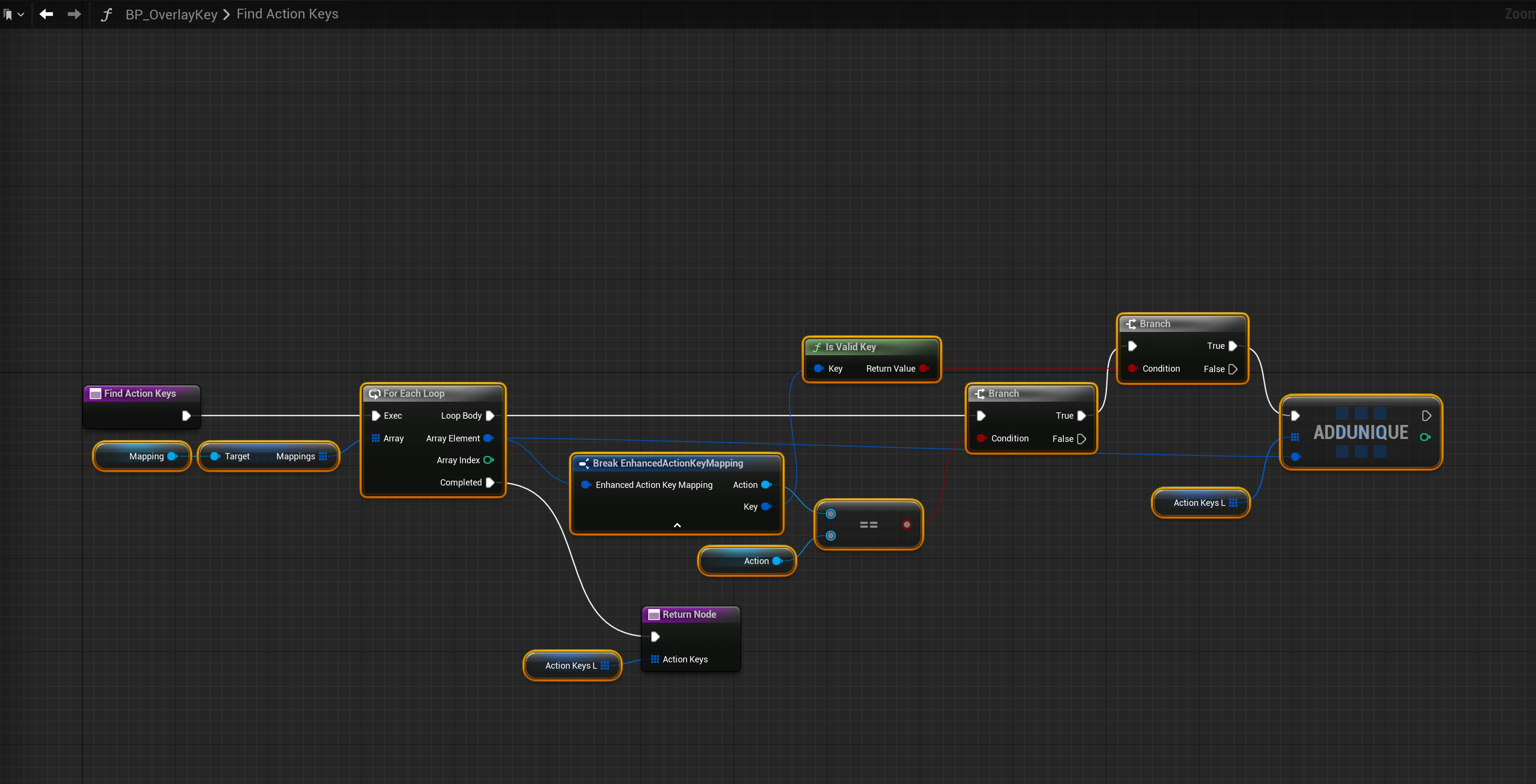
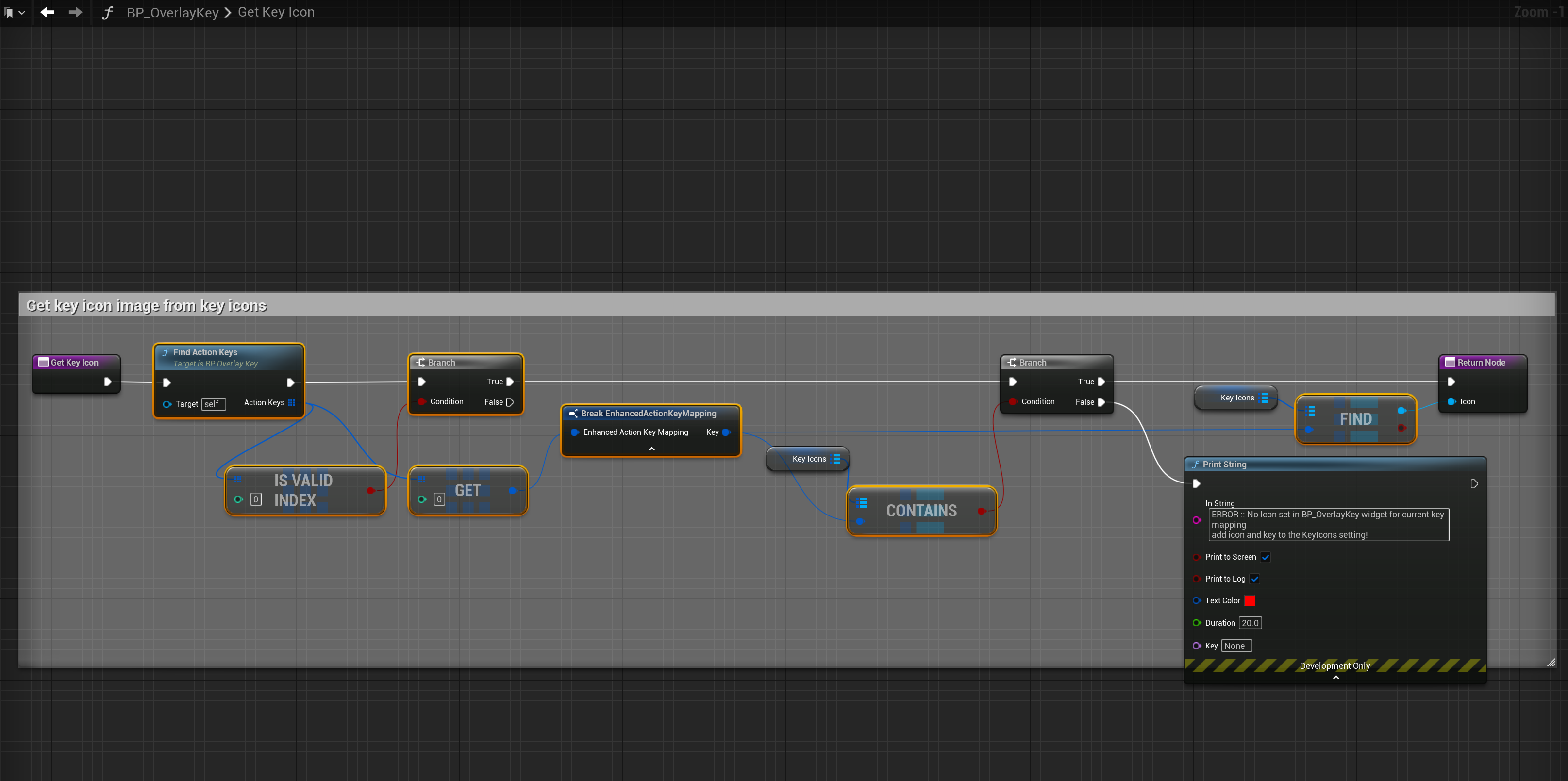
Next copy the video below in the BP_BuildMenuOverlay widget.
Next copy the video in the BP_HammerOverlay widget.
 Defuse Studios