Go to the location shown below and make the changes shown in the image below.

Remove the highlighted nodes shown below. Location at the top of the screenshot.

In Unreal Engine 5 add the highlighted nodes shown in the image below, location at the top of the image.

In Unreal Engine 4 the nodes will be added like in the image below.

Delete the highlighted nodes shown below. Location at the top of the screenshot.
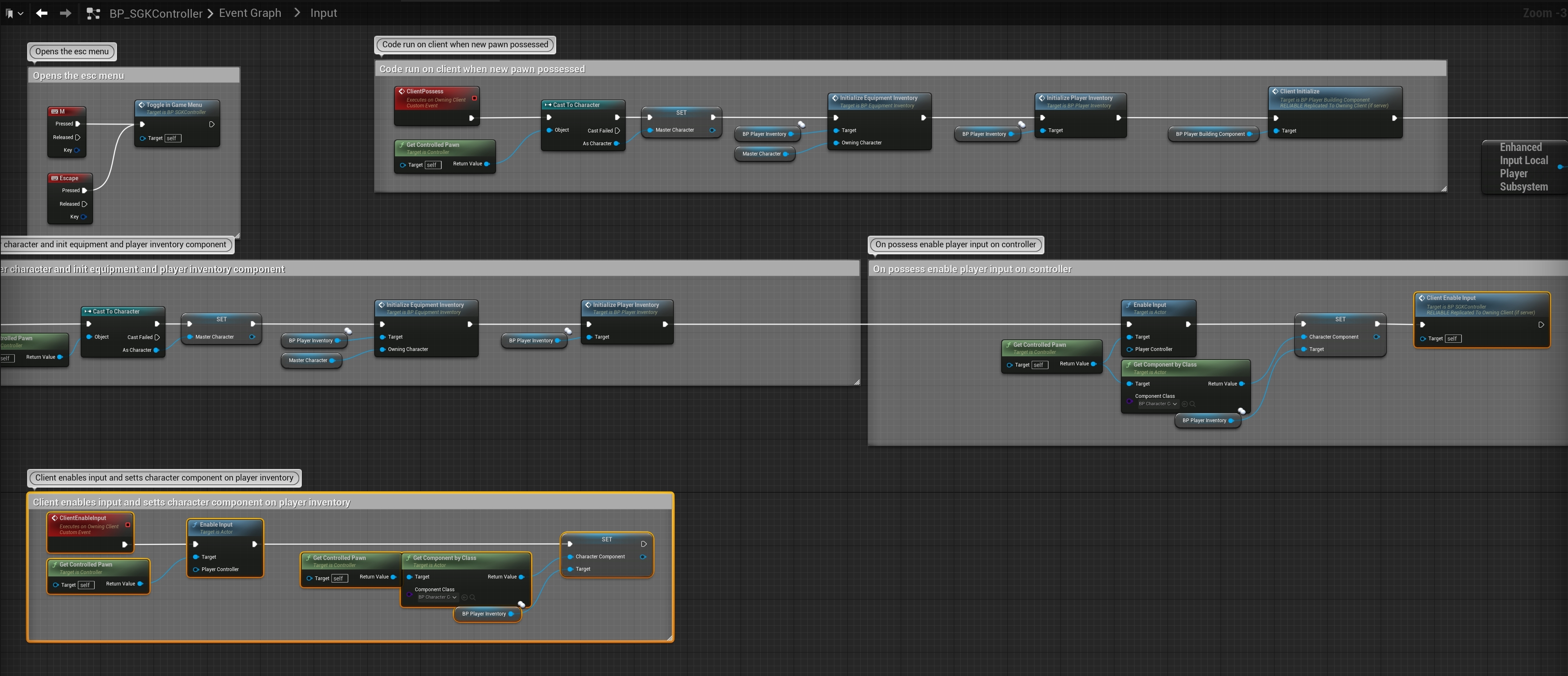
In Unreal Engine 5 add the highlighted nodes shown in the image below, location at the top of the image.
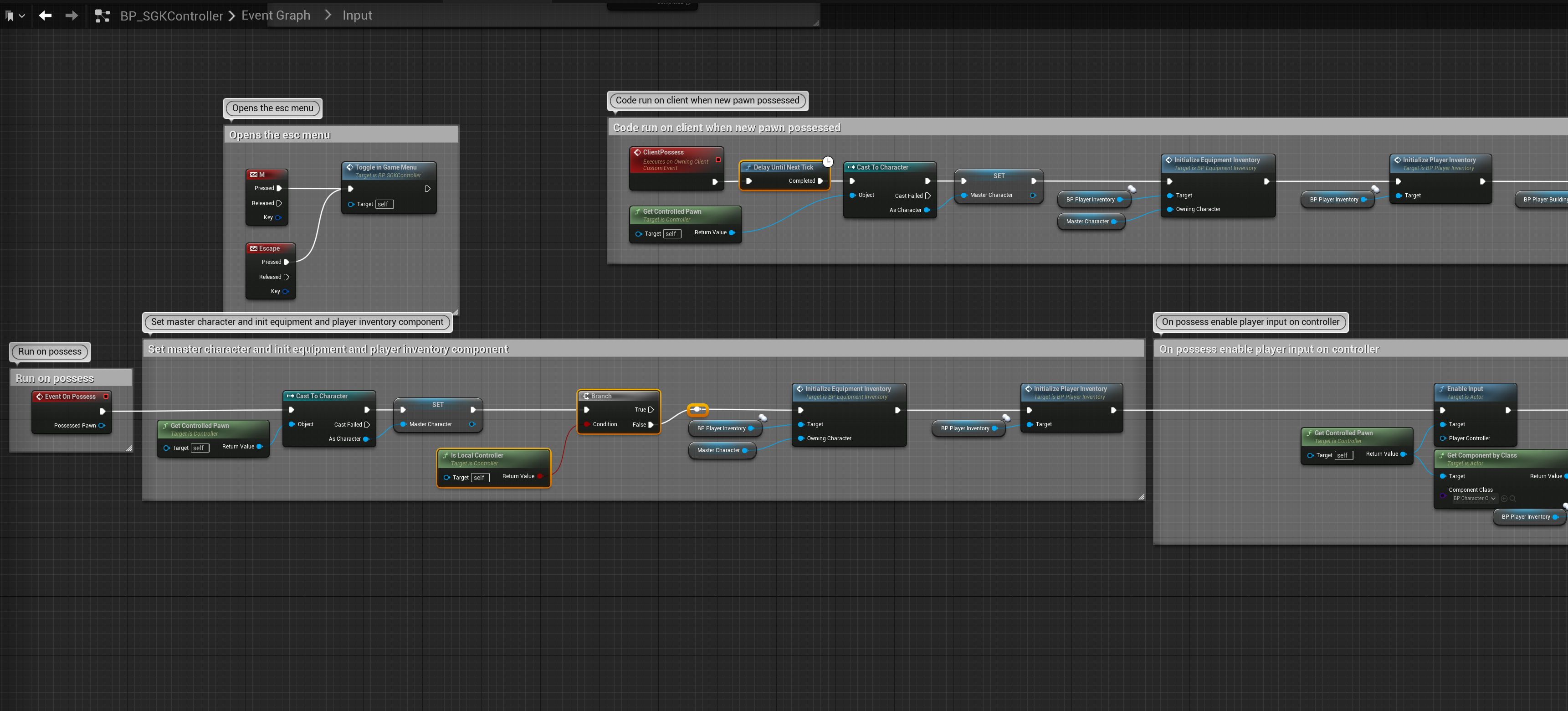
In Unreal Engine 4 the nodes will be added like in the image below.
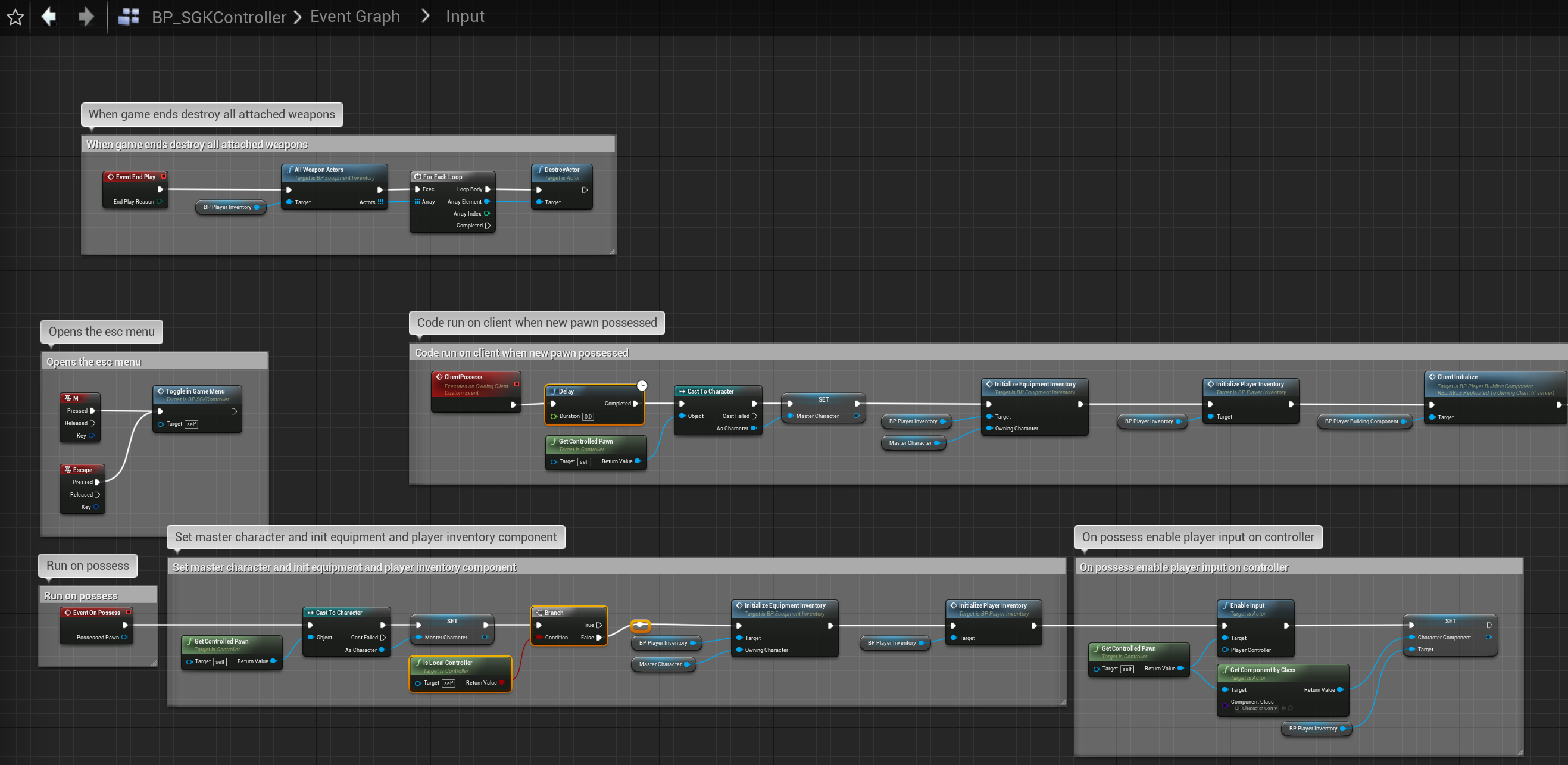
In Unreal Engine 5 once your finished the code should look like the images below.


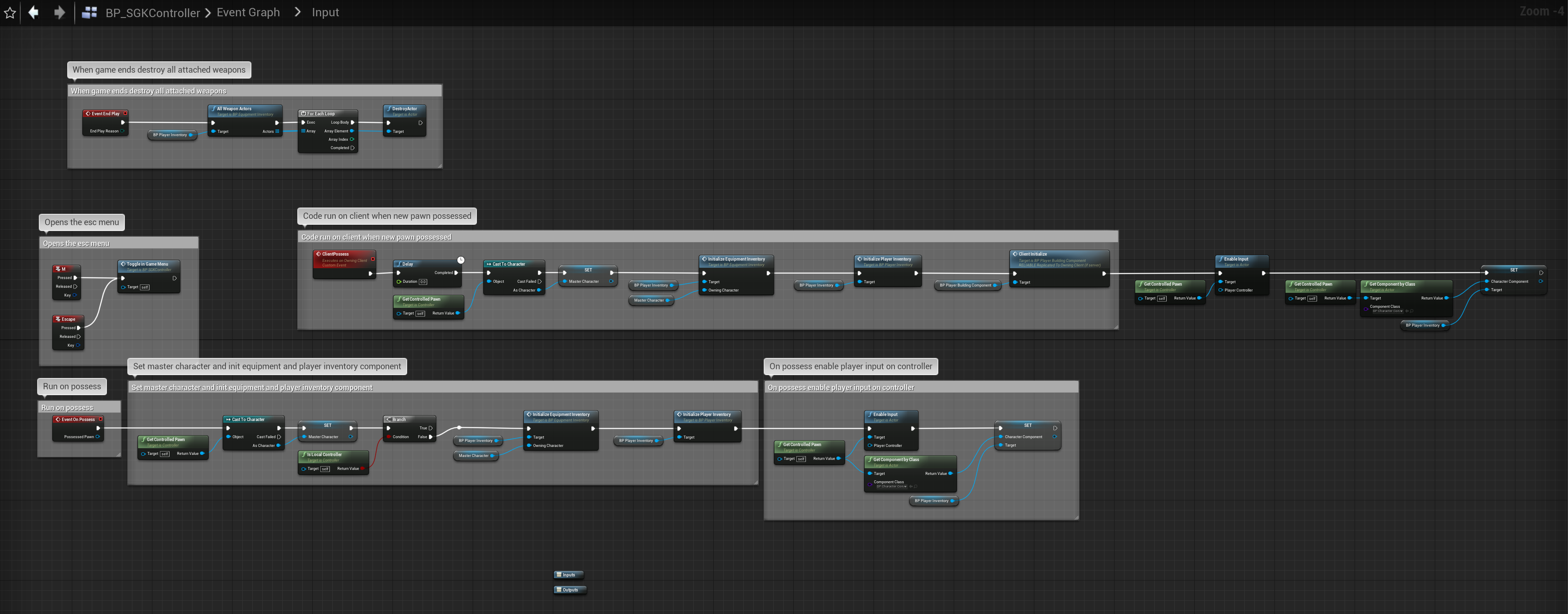
In Unreal Engine 4 once your finished the code should look like the image below.
 Defuse Studios