After migrating SGK V2 to another project the collision settings can be changed if your project has other collision settings in a different order to the clean SGK V2 project. These are the places to check after migrating if you are having issue with placing build parts, interaction or weapons not dealing damage.
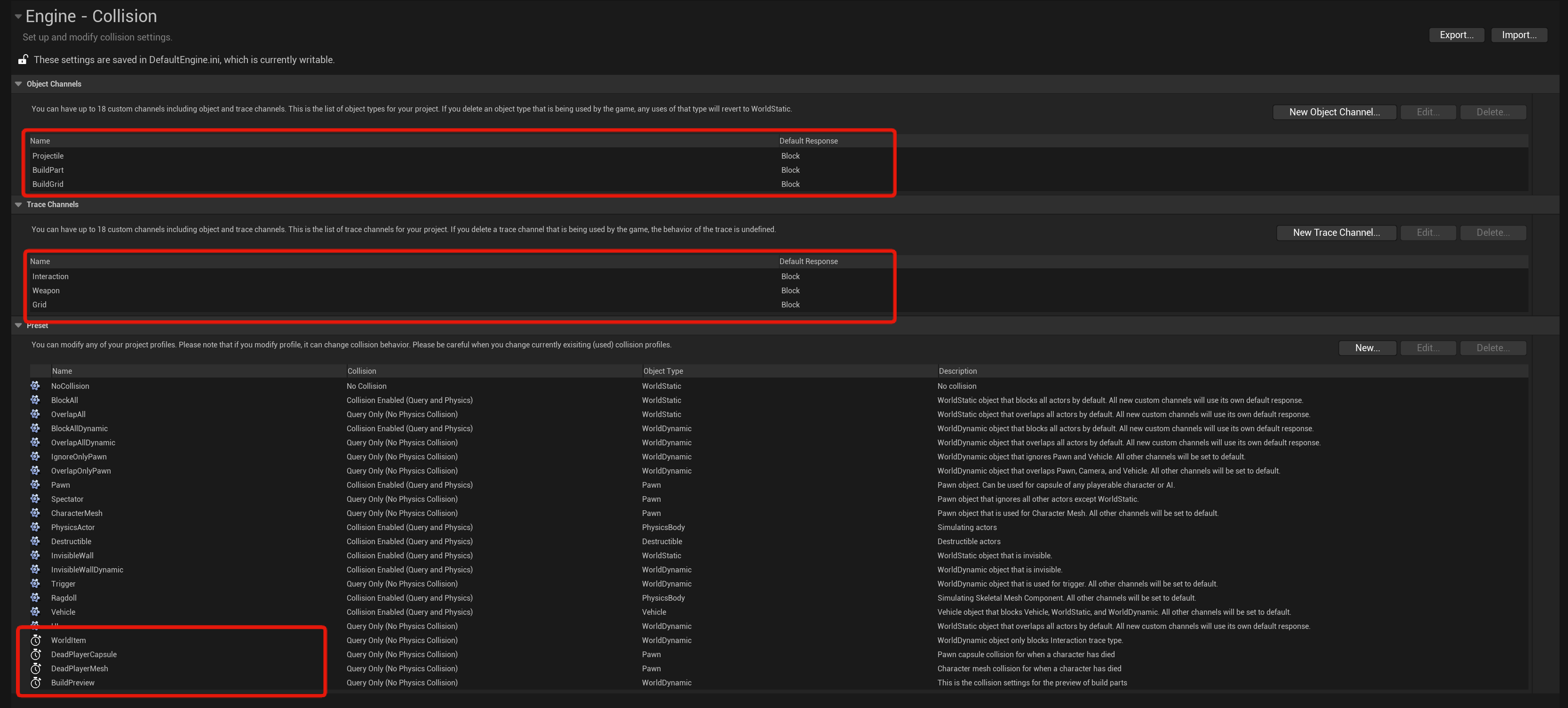
If you followed the migration video you should have these collision settings in your project setting but if you dont you must add them.
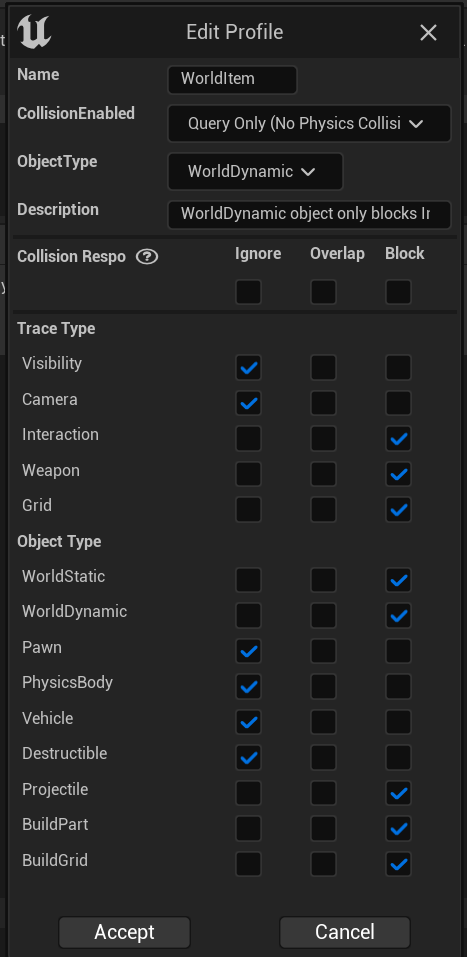
Below are images of the collision presets.


Next in the Class Defaults of the BP_PlayerInventory find the setting below and set it to Interaction.

Below images are the setting your BP_PlayerBuildingComponent should have in its Class Defaults.

Then go to the BP_MasterRangeWeapon and set the settings shown below to the Weapon option.

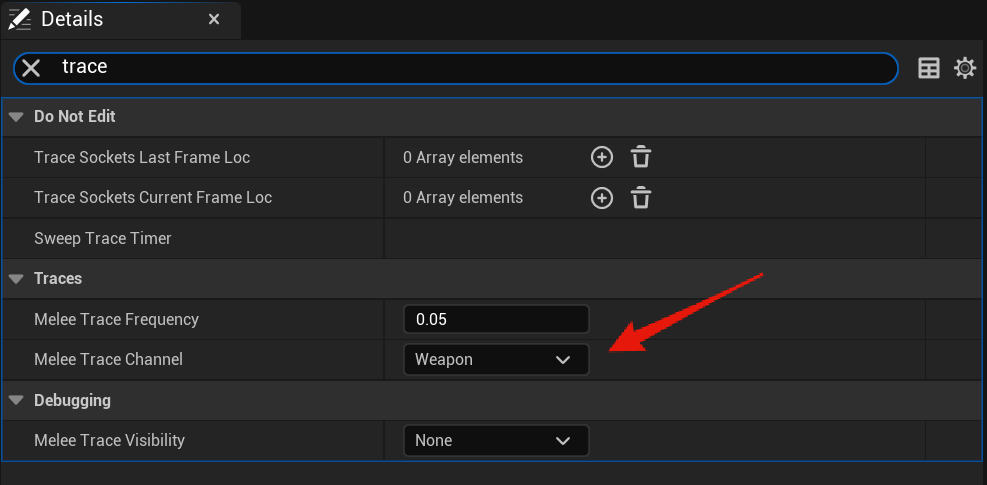
Then go to the BP_MasterMeleeWeapon and set the settings shown below to the Weapon option.
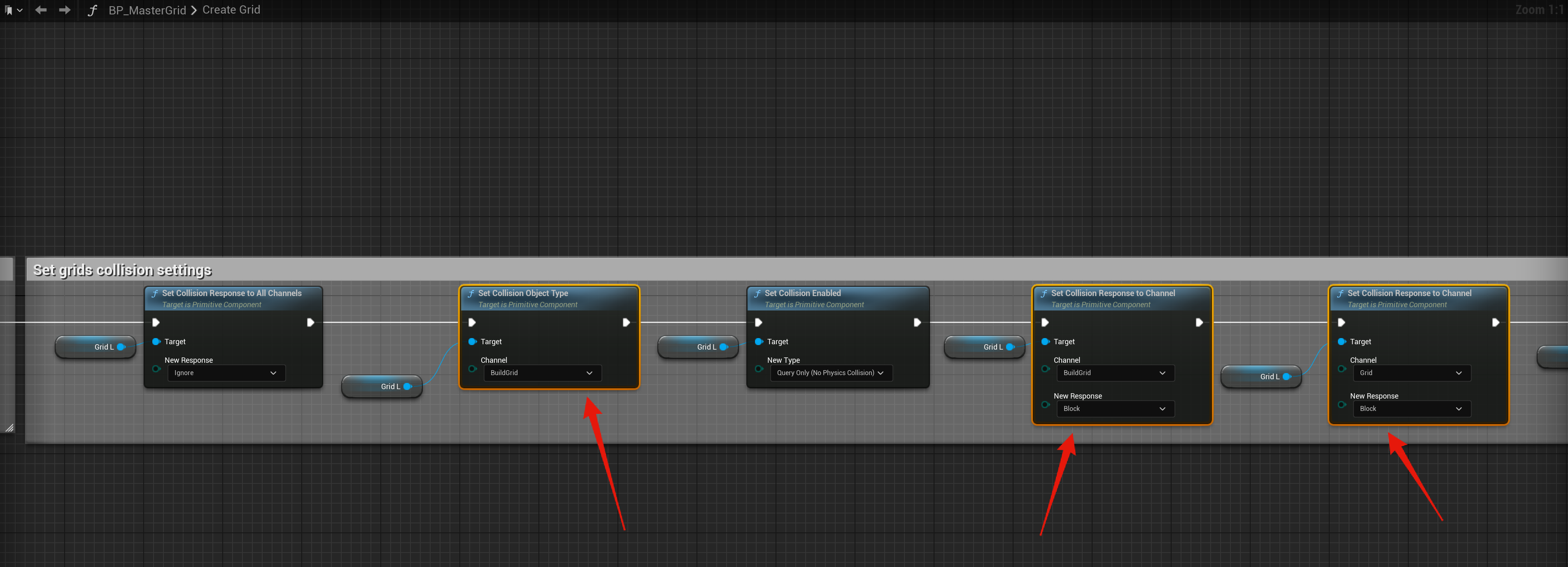
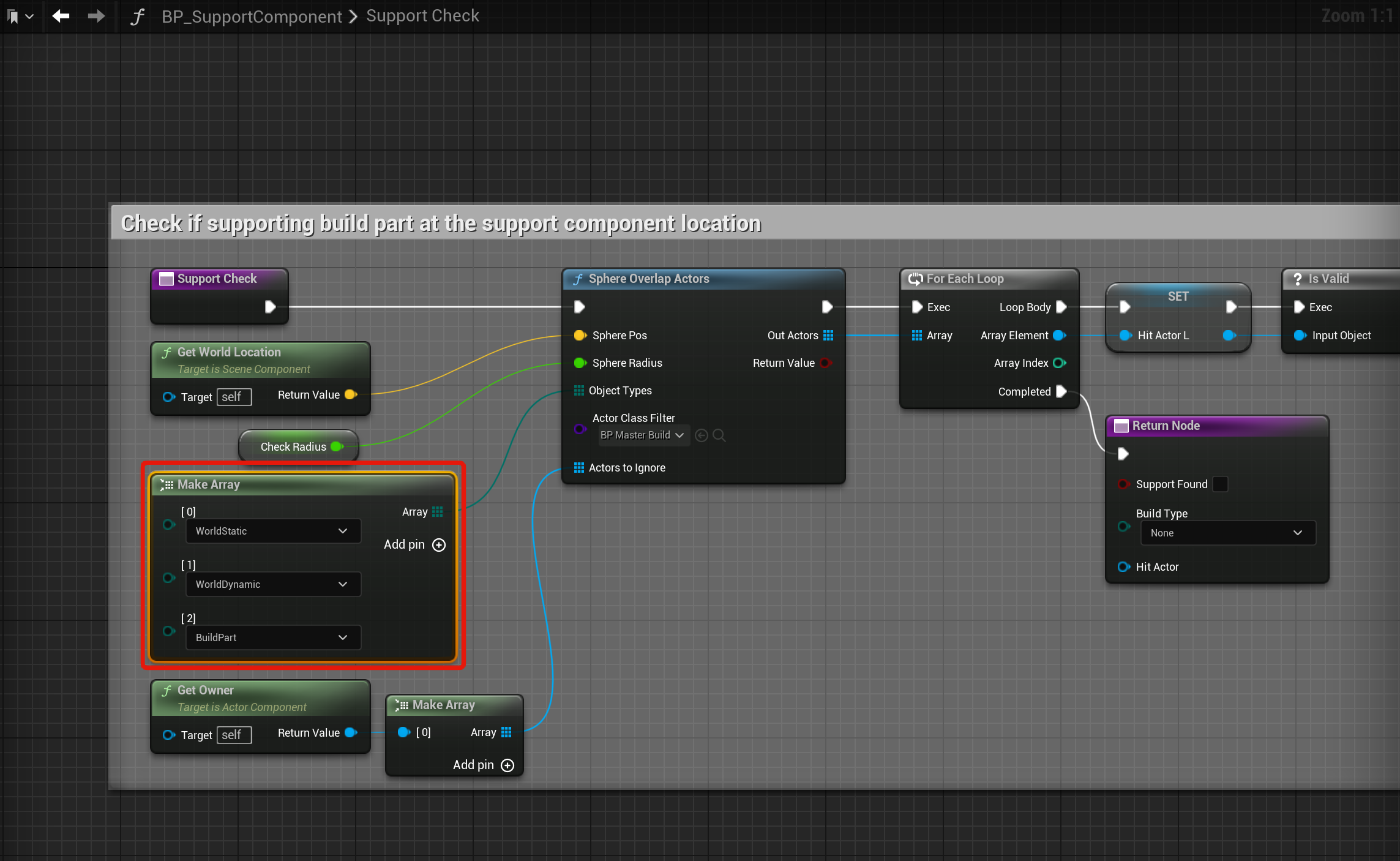
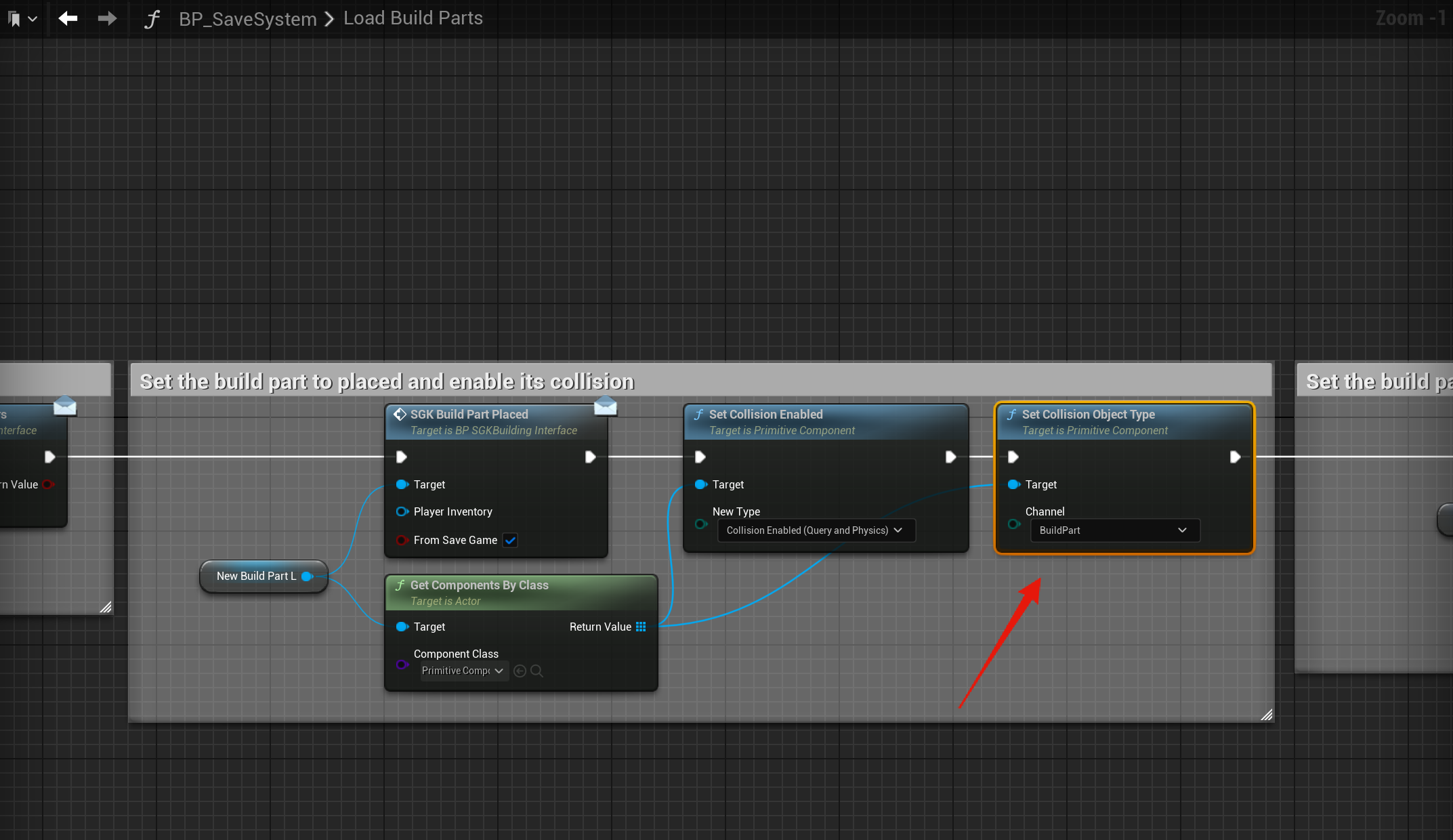
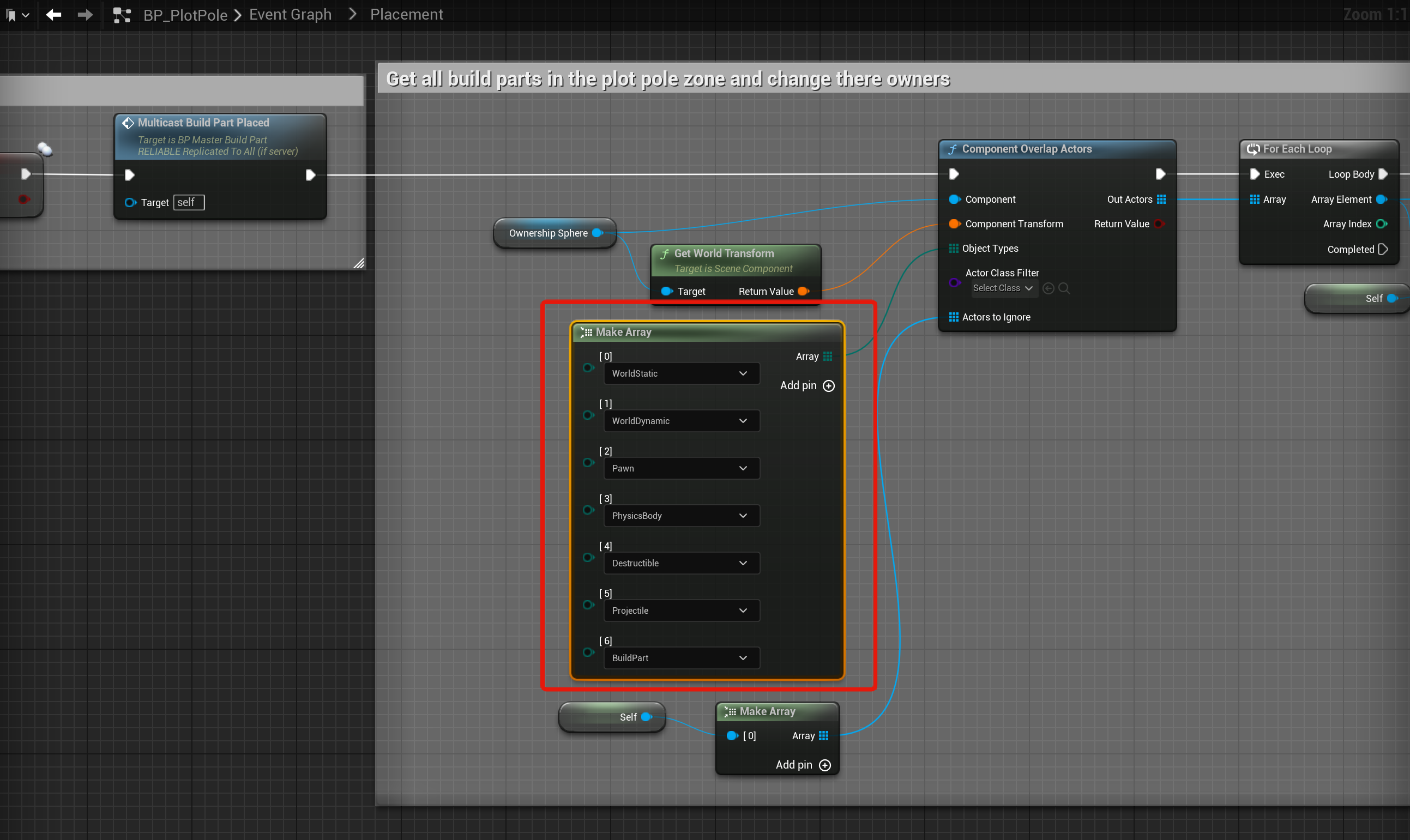
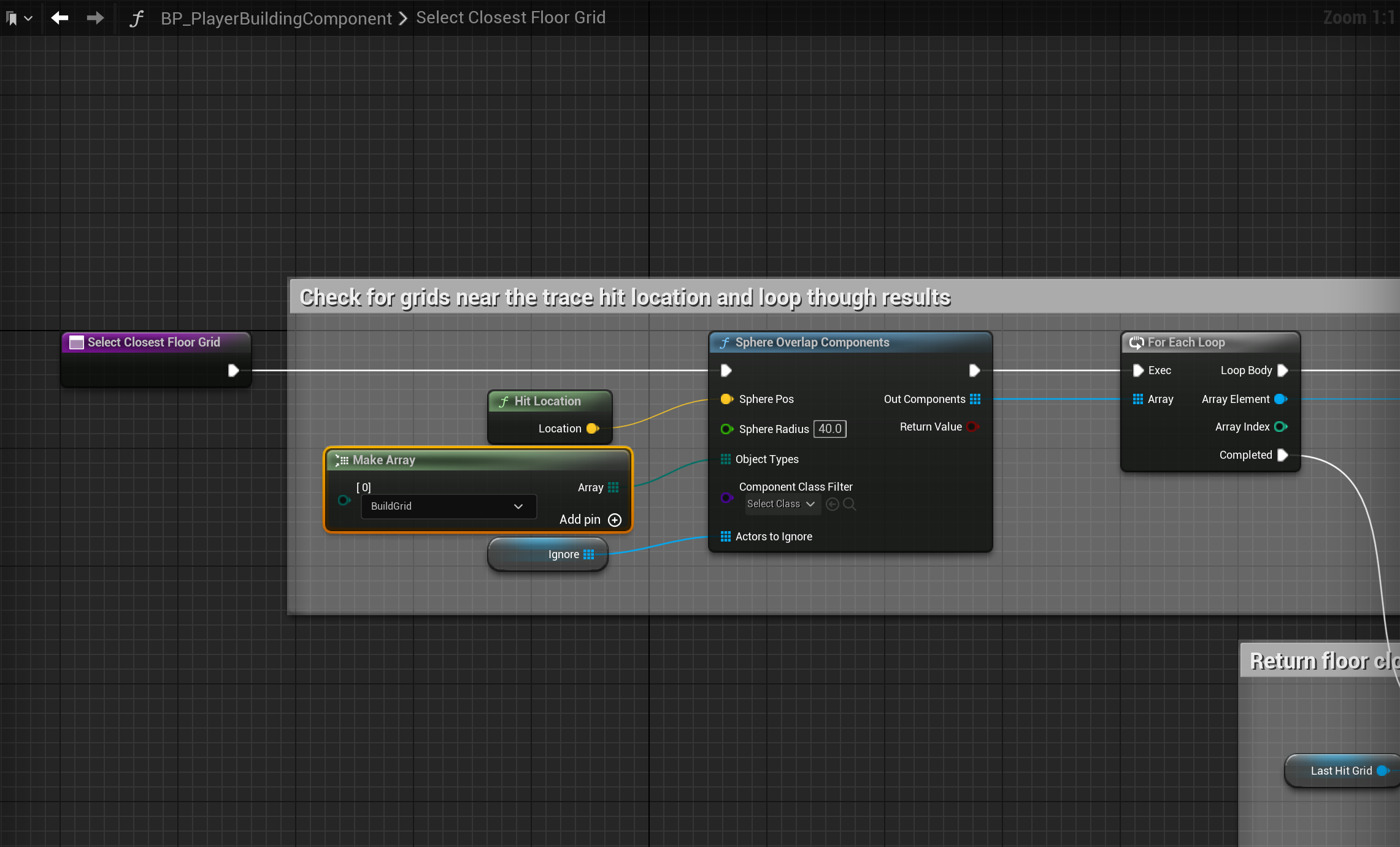
Below are nodes and settings you should check are set like the images, locations at the tops of the screenshots.





 Defuse Studios