This is an example of how to edit an existing custom grid, depending on the number of slots you add and widget you modify the values you use may be different in this example I am adding a new row of slots to the BP_InventoryGrid_13. I recommend duplicating this widget just in case something gets broken while your modifying it.
Start by going to the custom grid you want to add slots to, in this example I am using the BP_InventoryGrid_13 then copy the videos below, make sure to follow the carefully.
Next you will need to go though each new slot and the slots that come after them to update their index values. Copy the values set to each slot shown in the video below.
If you are doing this in a different widget each slot will need their own index value and the value should increase from left to right like I do in the videos below, the value you start with will depend on the previous slot’s index value.
You will now need to repeat this process for the inventory cell widgets like shown in the video below.
Next got to the InventoryGridLayout data table and change the cell count for the custom grid your editing.
If you creating a new custom grid widget you will need to add a new row to this data table, name the Row name the Grid name like the existing ones like for example Grid_15. Then you would need to set its values in the row editor panel like its Grid Widget, cell count and columns.

Next you will need to edit the values for the Manuel Slot Indexes copy the image below making sure the values are the same in yours, you will need to add new entries to the Manuel Slot Indexes, to do this just click the small down arrow next to the last entry and select duplicate to add more. This is shown in the video below.
Below are images of the values you will need to change and add to the Manuel Slot Indexes.
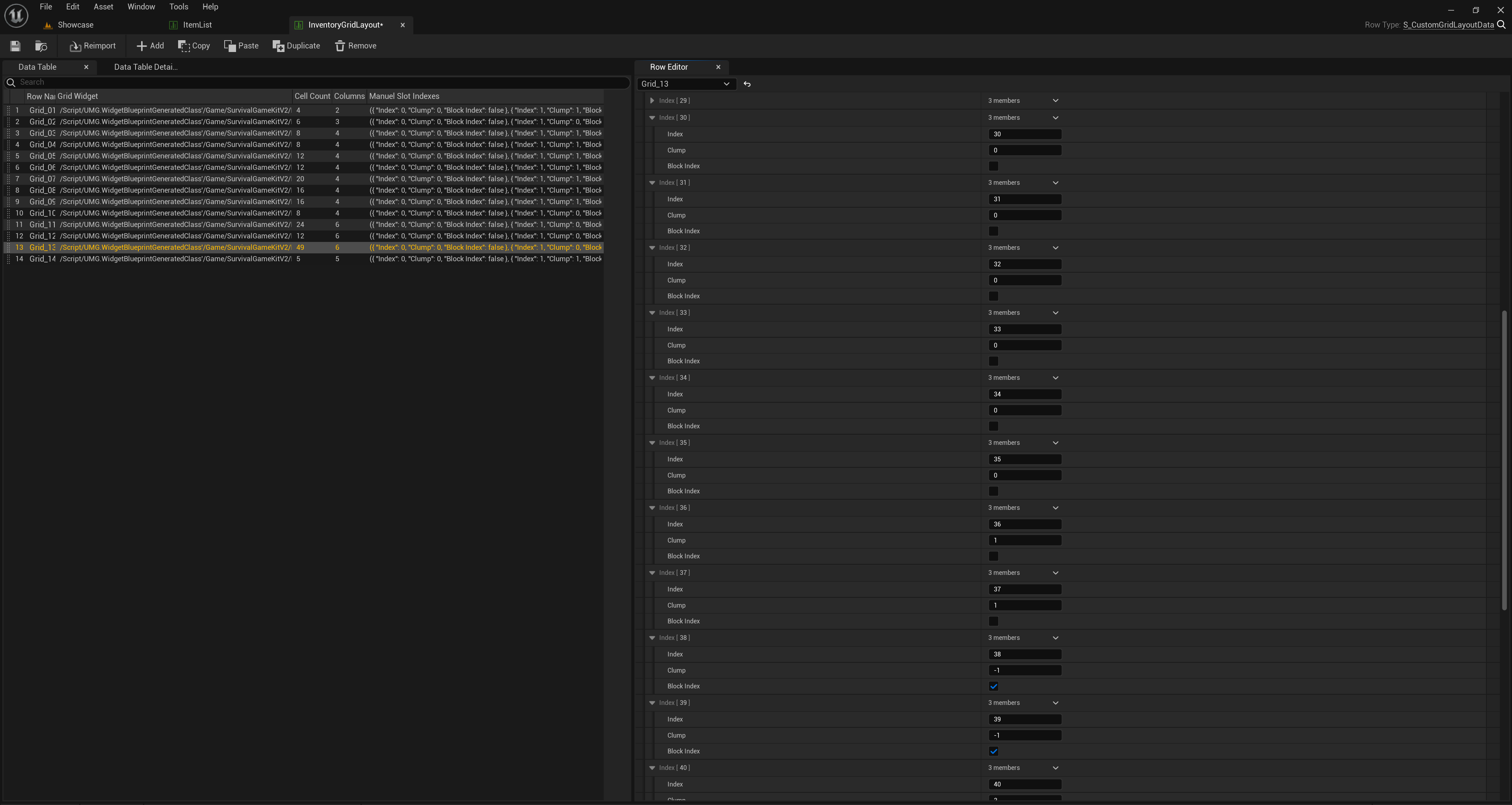
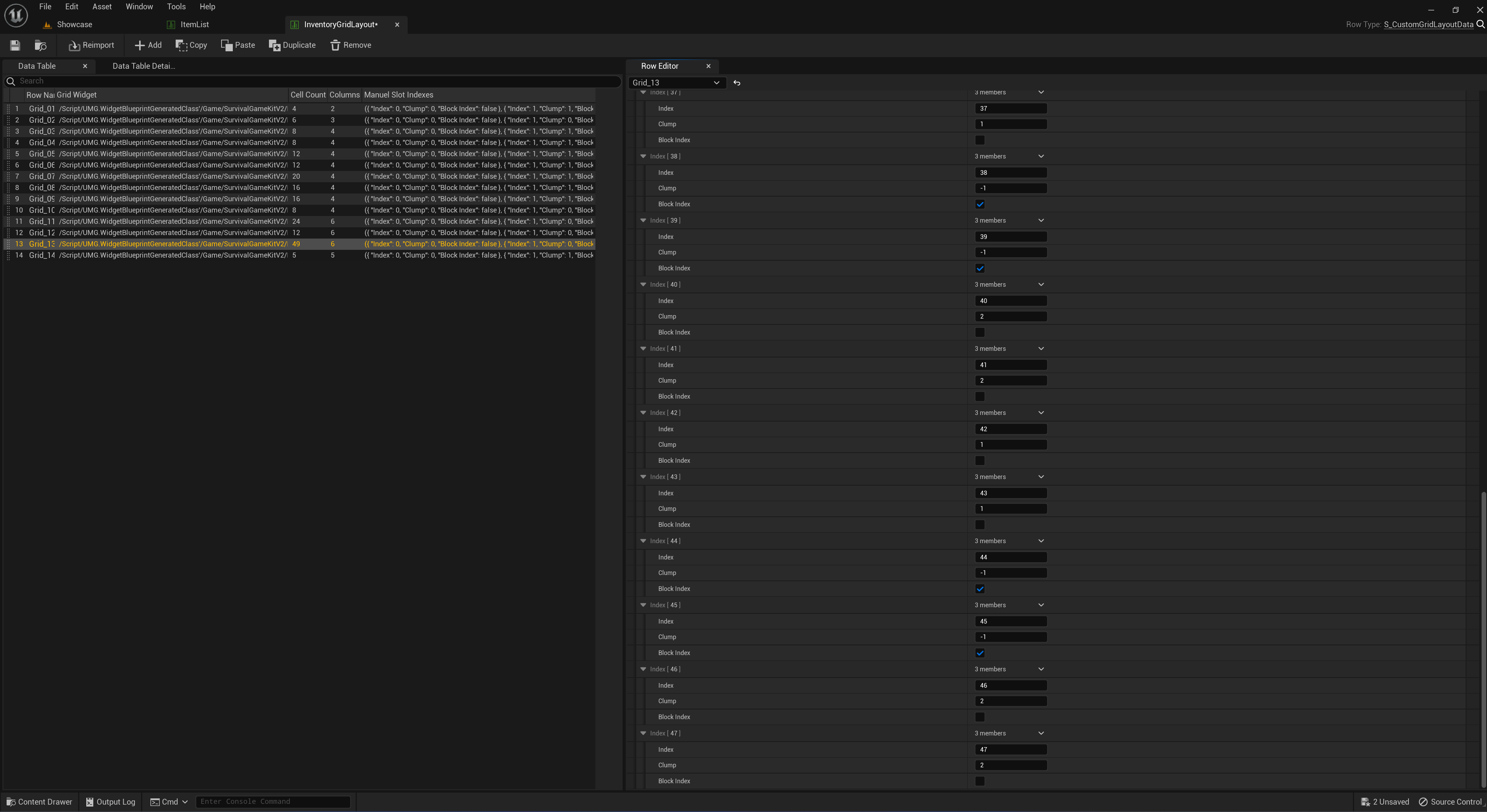
You can now test it out in game, if the highlighted slots when dragging in an item to the new slots is misaligned this means that either the Indexes or chunk values in for the slot or inventory icon widgets in your widget are incorrect or the values in the InventoryGridLayout have been set incorrectly and you will need to find those values and correct them.
 Defuse Studios