Go to the BP_PlayerInventory then the AddAttachmentFromSlot function and copy the image below.
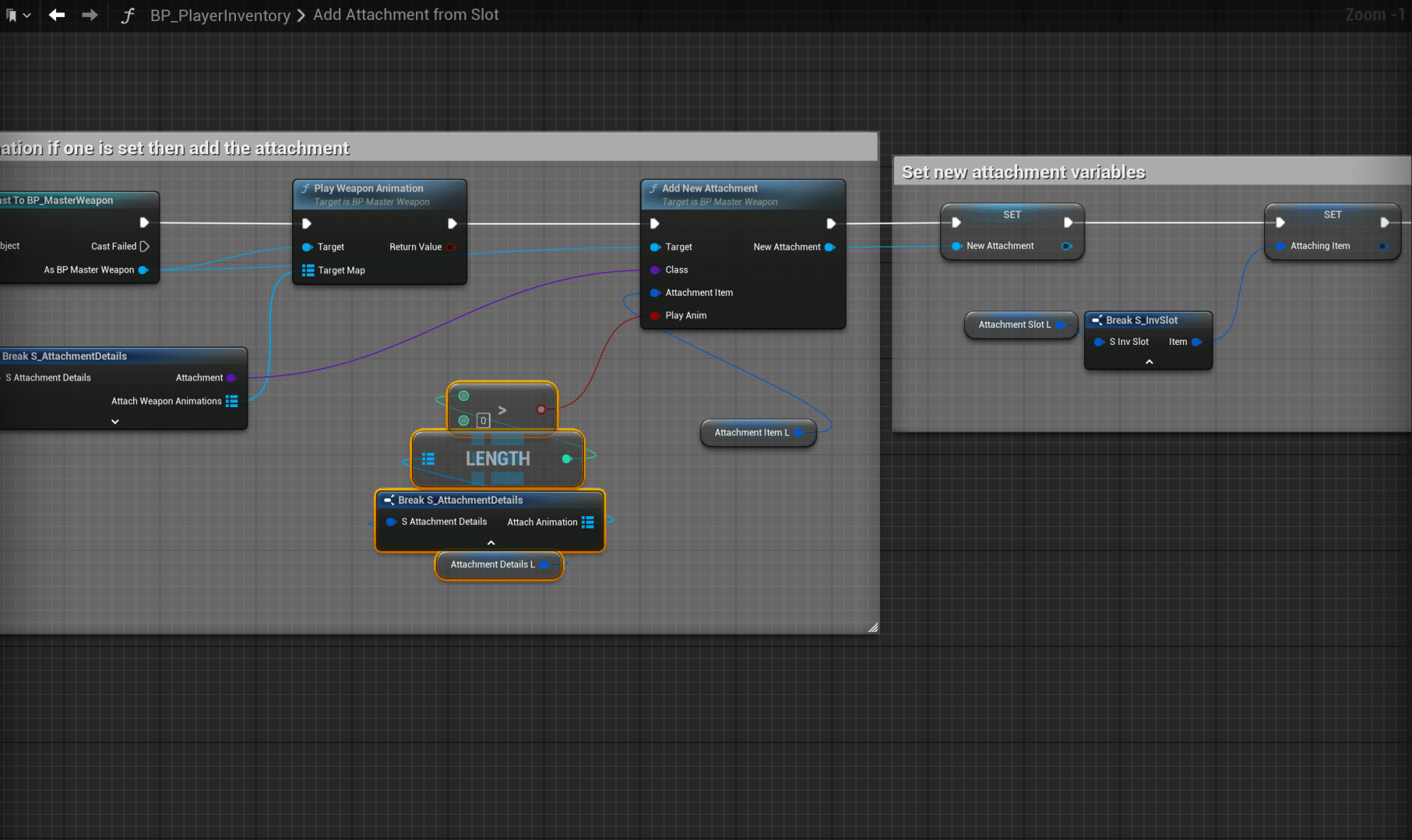
Then go to the Attachments collapsed node and create a new custom event called ClientRemoveAttachment set its Replication to Run On Owning Client and tick on Reliable then add a new input called Attachment and set its type to BP_MasterAttachment then copy the image below.

Next go to the BP_MasterRangeWeapon and copy the video below.
Next go to the BP_MasterAttachment then open the BeginPlay collapsed node and add the highlighted nodes in the image below.
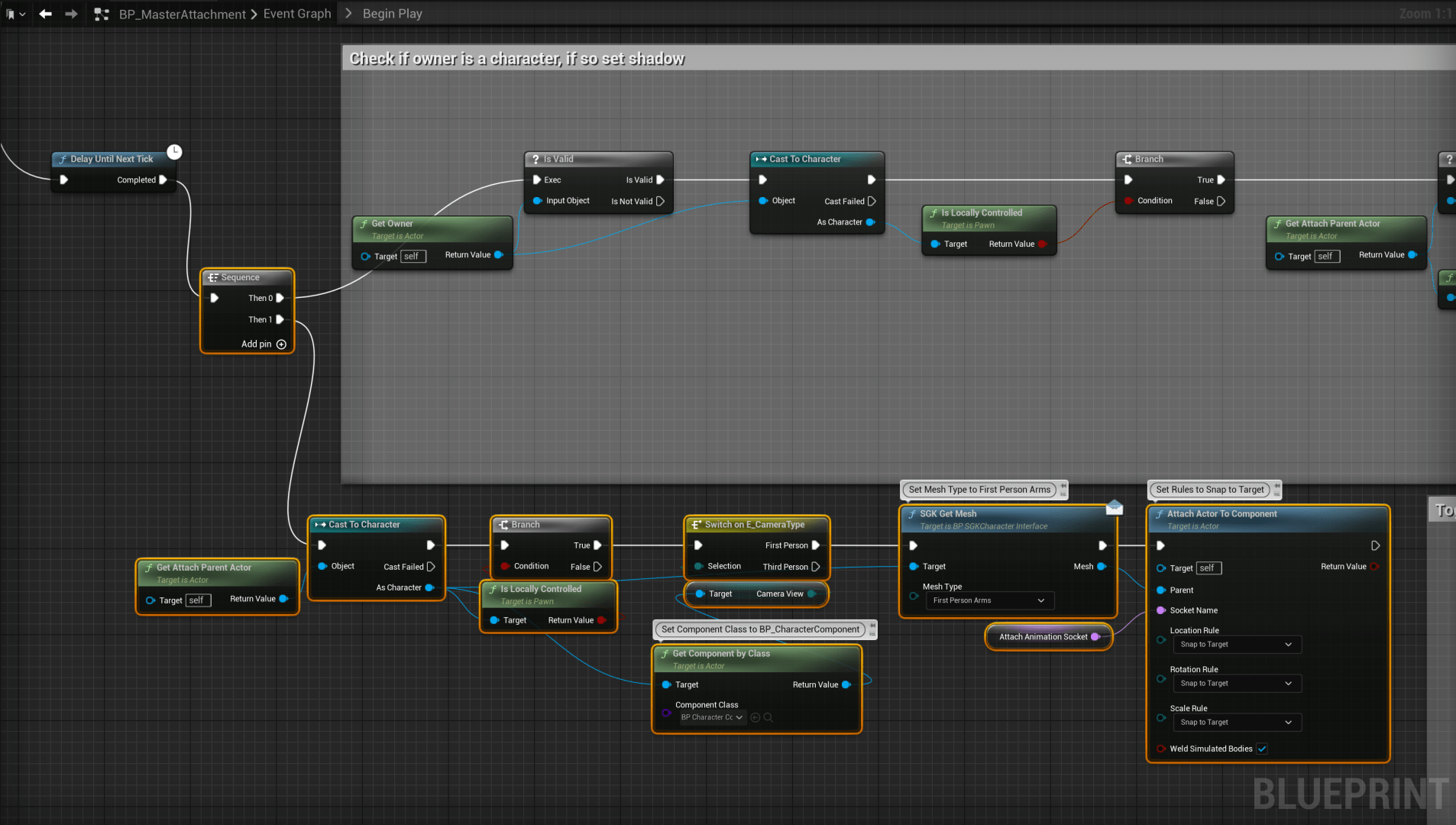
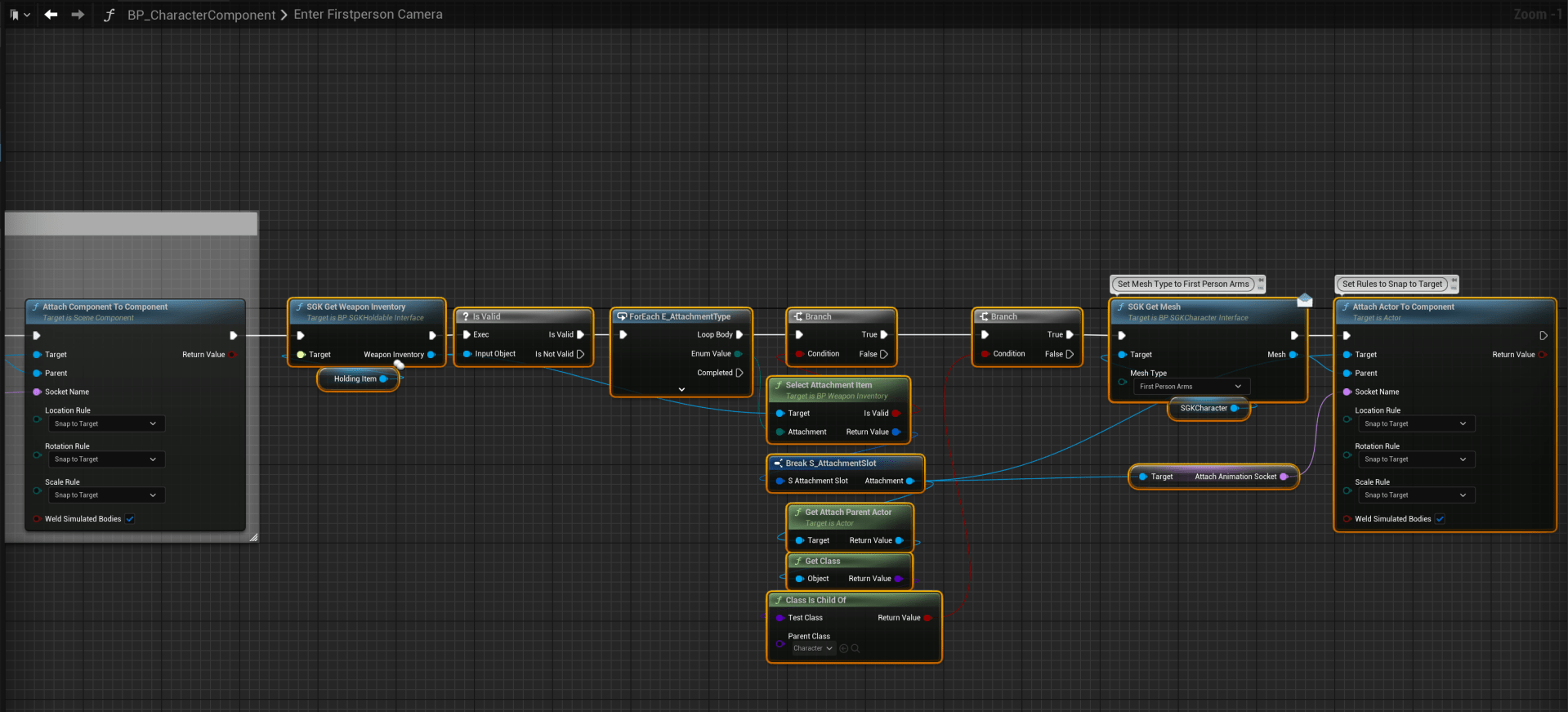
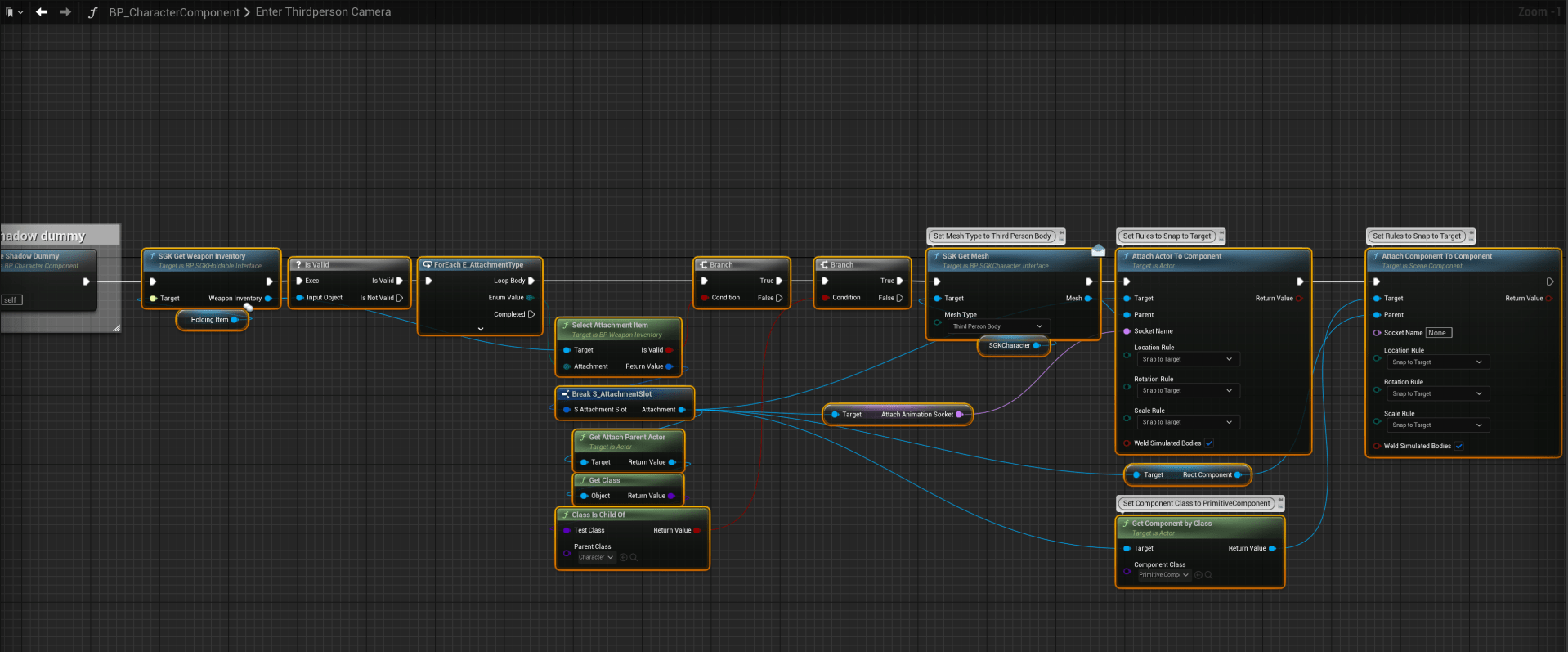
Then go to the BP_CharacterComponent and copy the images below in the EnterFirstPersonCamera and EnterThirdPersonCamera functions.
 Defuse Studios