Before following this guide make sure you have the changes from the guide linked below.
In this guide you will find GetComponentByClass node array outputs plugged directly into node targets such as the Set Hidden in Scene Capture nodes. But dragging out from the GetComponentByClass out and searching for these nodes won’t work.
To create the nodes directly connected to the GetComponentByClass output first drag out from the GetComponentByClass array output and create a Get node, then drag out from the Get nodes output and search for the node you need and create it, then delete the Get node and plug the array output from the GetComponentByClass into the target of the node you created like for example the Set Hidden in Scene Capture node
I recommend making a backup of your project before following this guide.
Go to the BP_ShadowDummy then to the SpawnMeshes function and select the Add Static Mesh Component node then in the details copy the settings shown below.
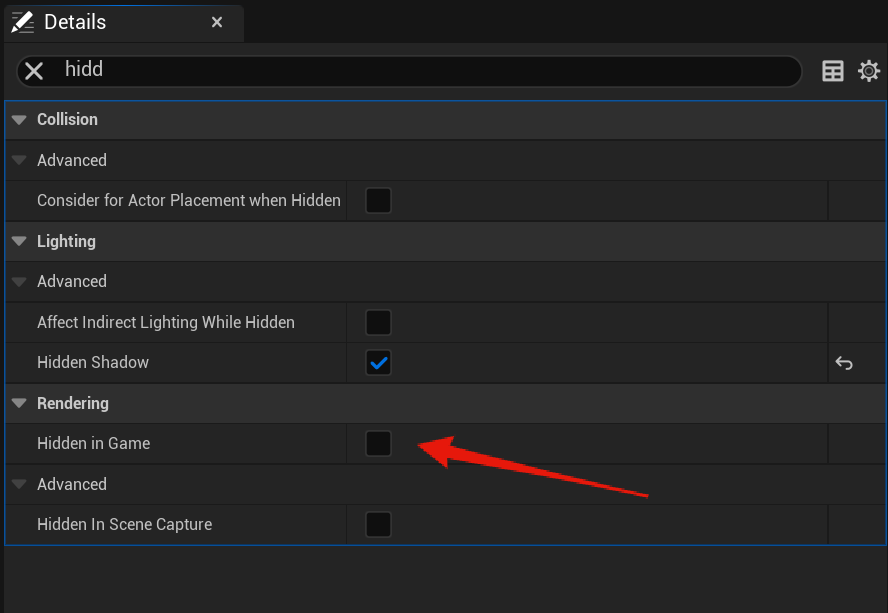
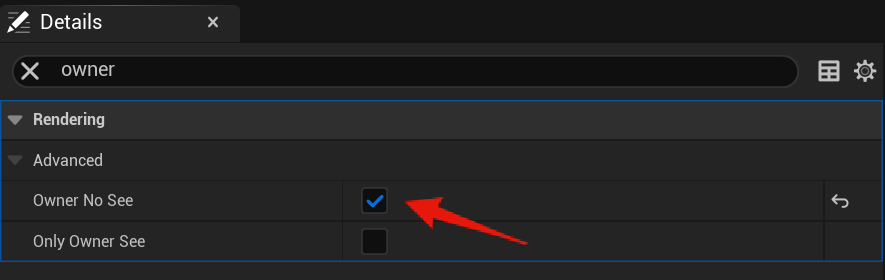
Next select the Add Skeletal Mesh Component node and set copy the same settings from the images above.
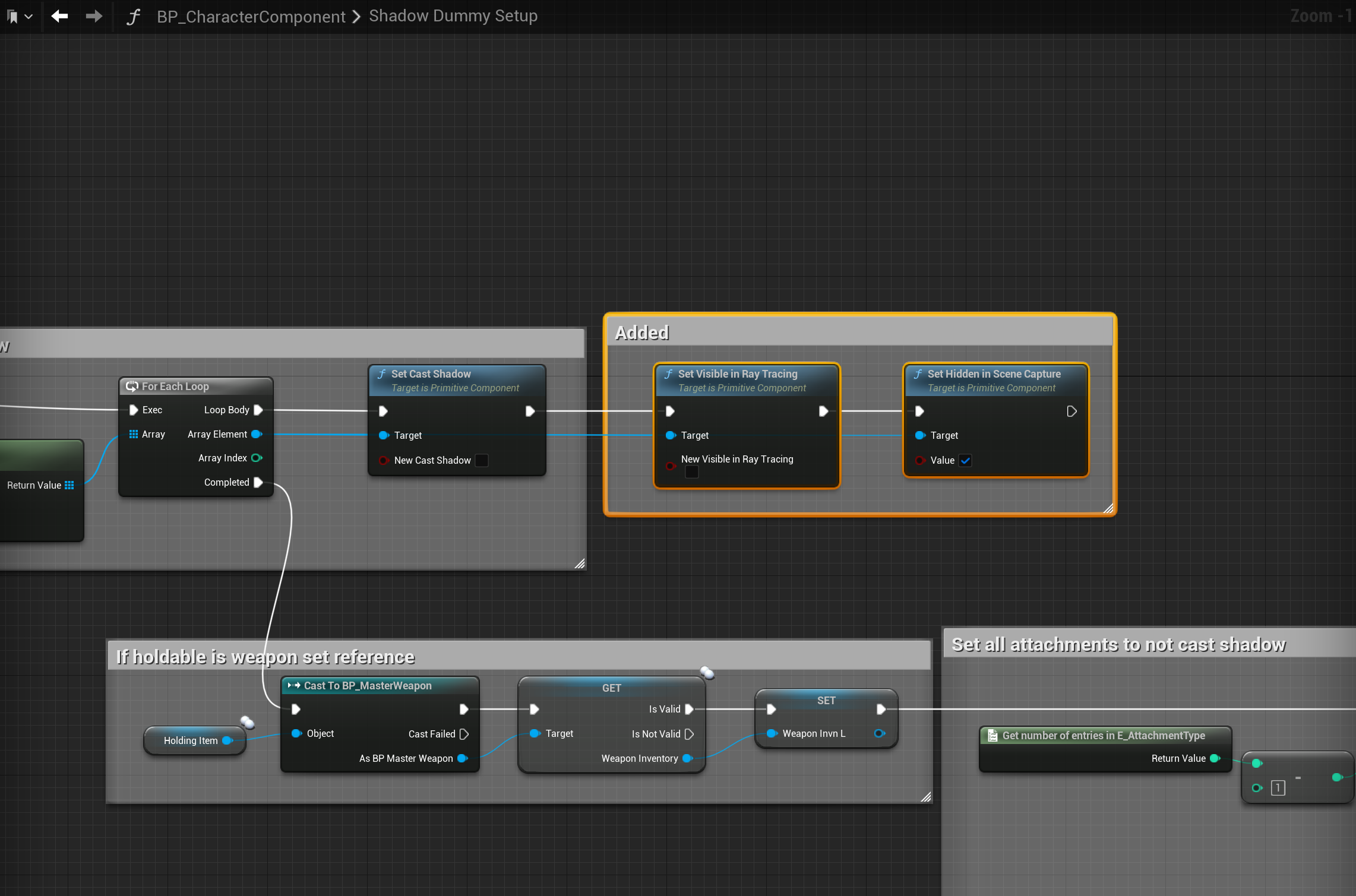
Add the highlighted nodes shown in the image below, locations at the top of the images.
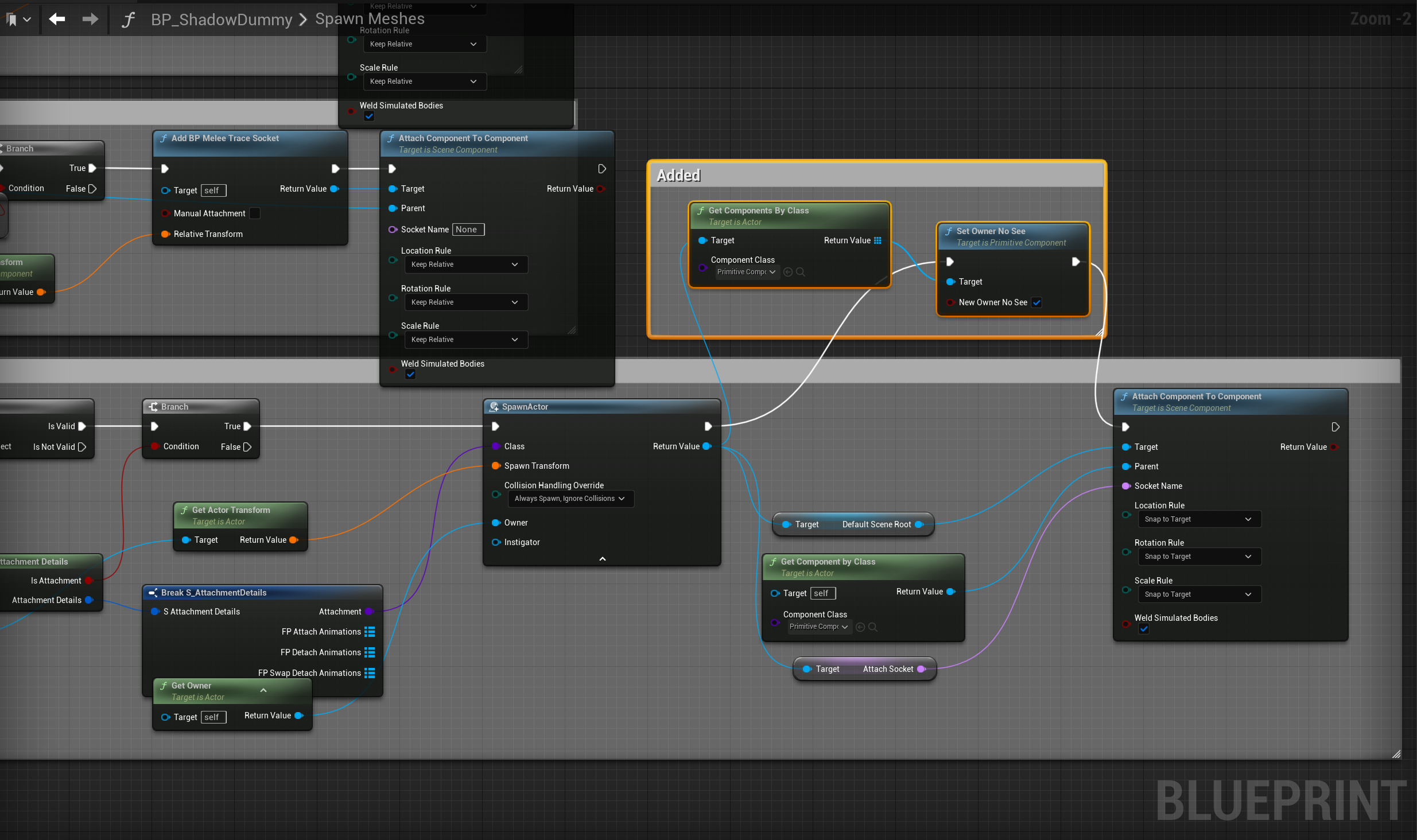
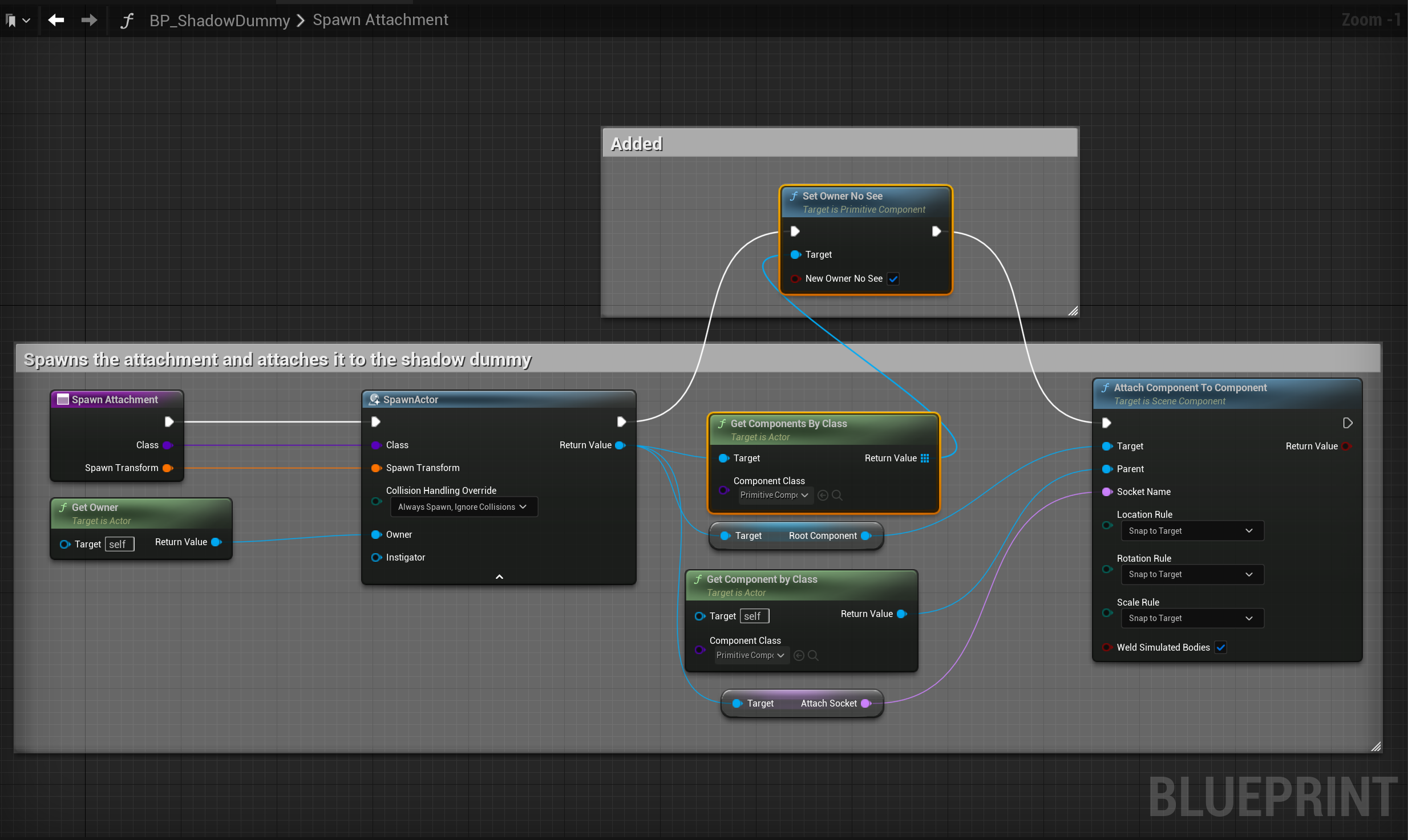
Next go to the BP_PlayerInventory then to the Holdable collapsed node in the Event Graph, then make the changes shown in the image below.

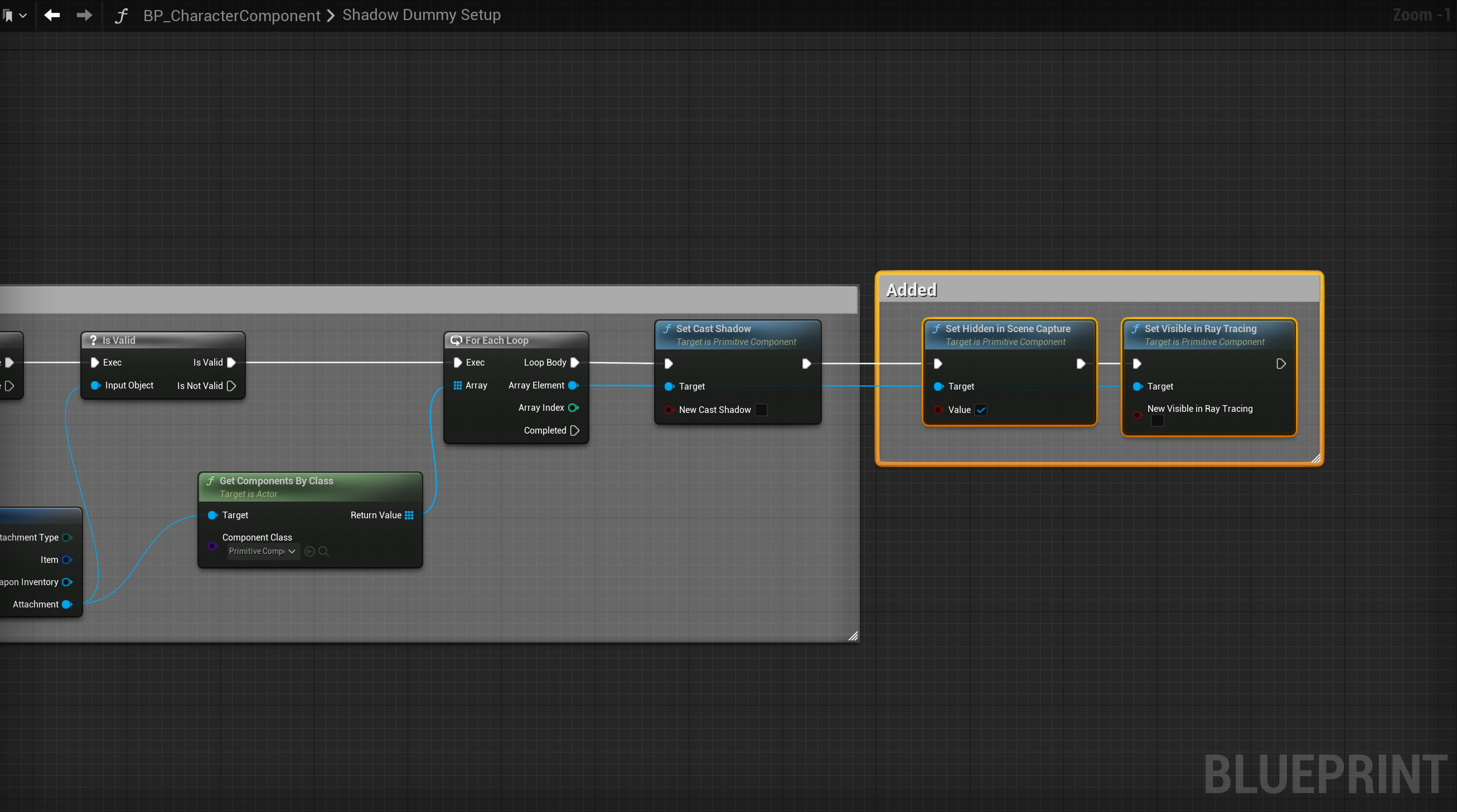
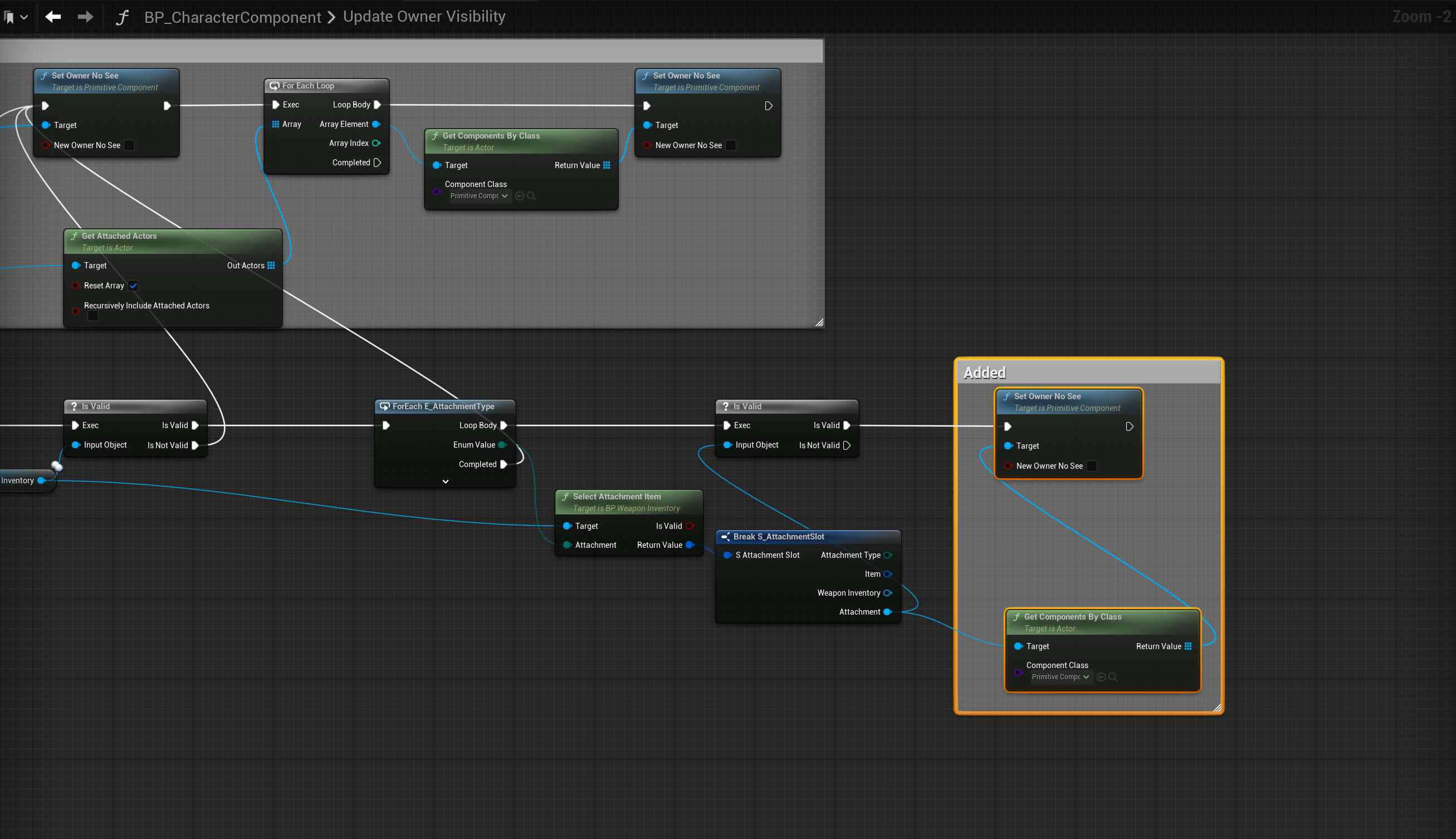
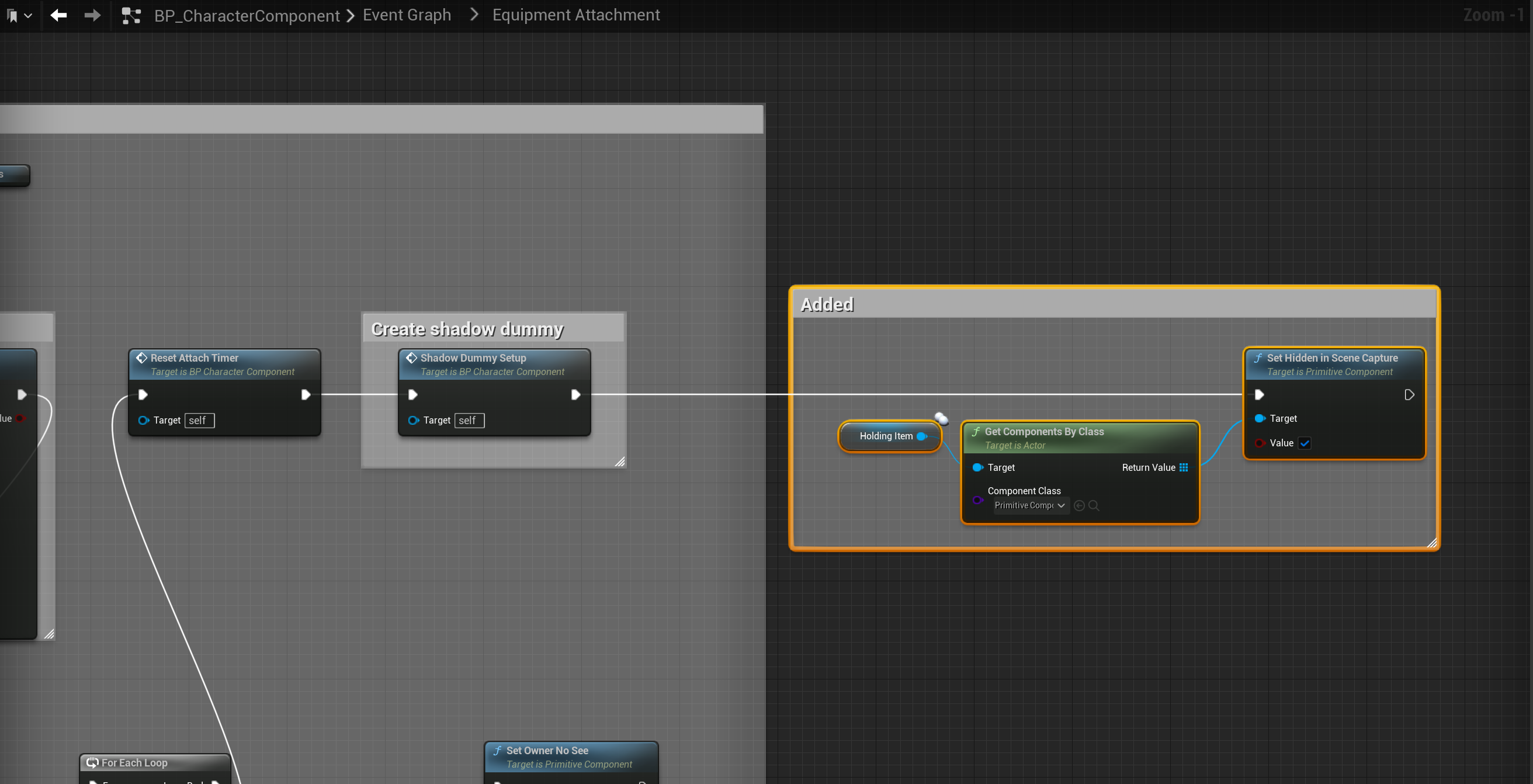
Next go to the BP_CharacterComponent and add the nodes shown below, locations at the tops of the images. Make sure you set the input variables on the nodes to the values shown in the images.


Next go to the BP_MasterAttachment and in the Begin Play collapsed node copy the video below.
Add the highlighted nodes shown in the image below, location at the top of the image.

Next go to the BP_SGKMasterCharacter and select the FirstPersonArms in the Components panel, then in the details panel copy the settings shown below.


Then select the FirstPersonBody component and copy the settings shown in the images above.
You should now be finished
Troubleshooting
if at any point you get errors similar to this when following the guide. Go to the BP_MasterInventory and Compile it, then go to the BP_CharacterComponent and compile it, then go to the blueprint that has the errors and compile it. This should resolve the errors.

 Defuse Studios