Open the BP_MasterItemSpawner and create a new variable called TotalWeight and set its type to Float.
Create another variable called NoItemSpawnedChance and set its type to Float and tick on Instance Editable and set its Default Value to 0.5 then set its Category to Spawning.
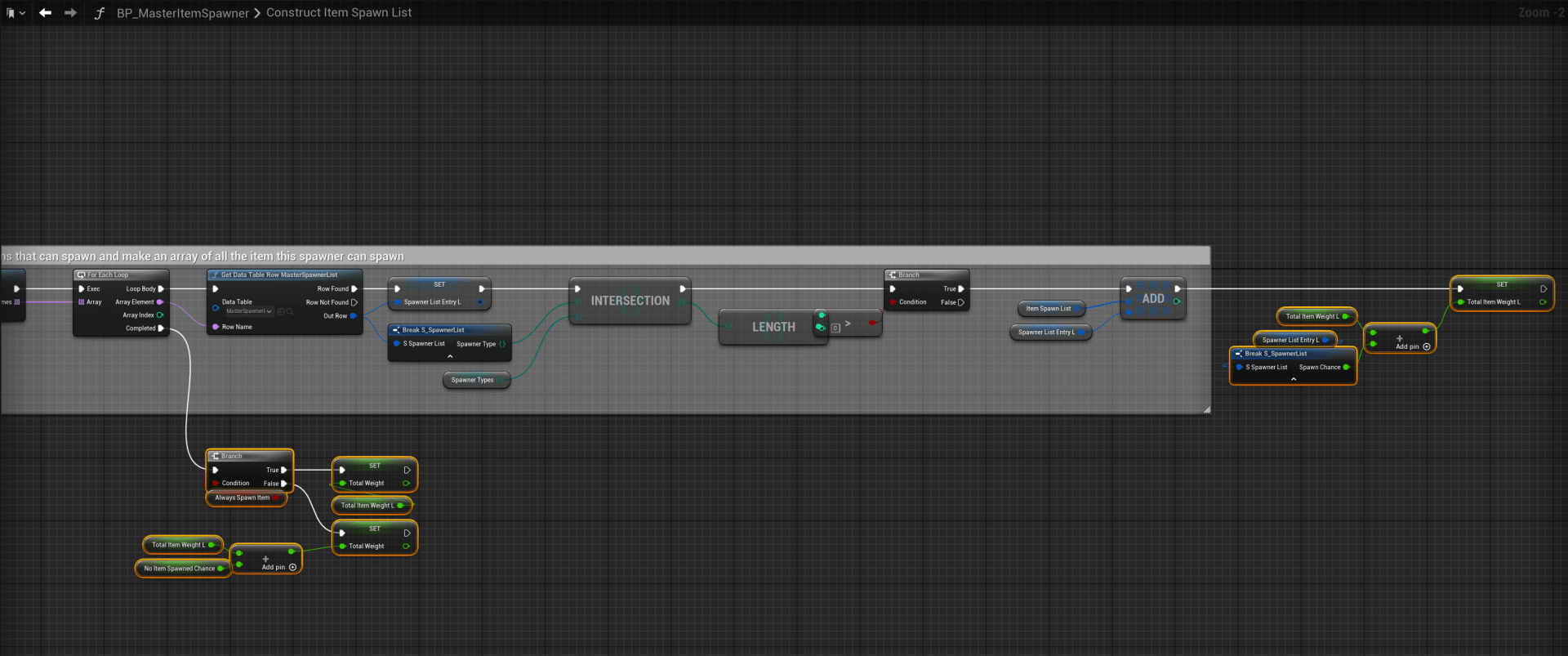
Open the ConstructItemSpawnList function and create a new local variable called TotalItemWeightL and set its type to Float then add the highlighted nodes shown in the image below.
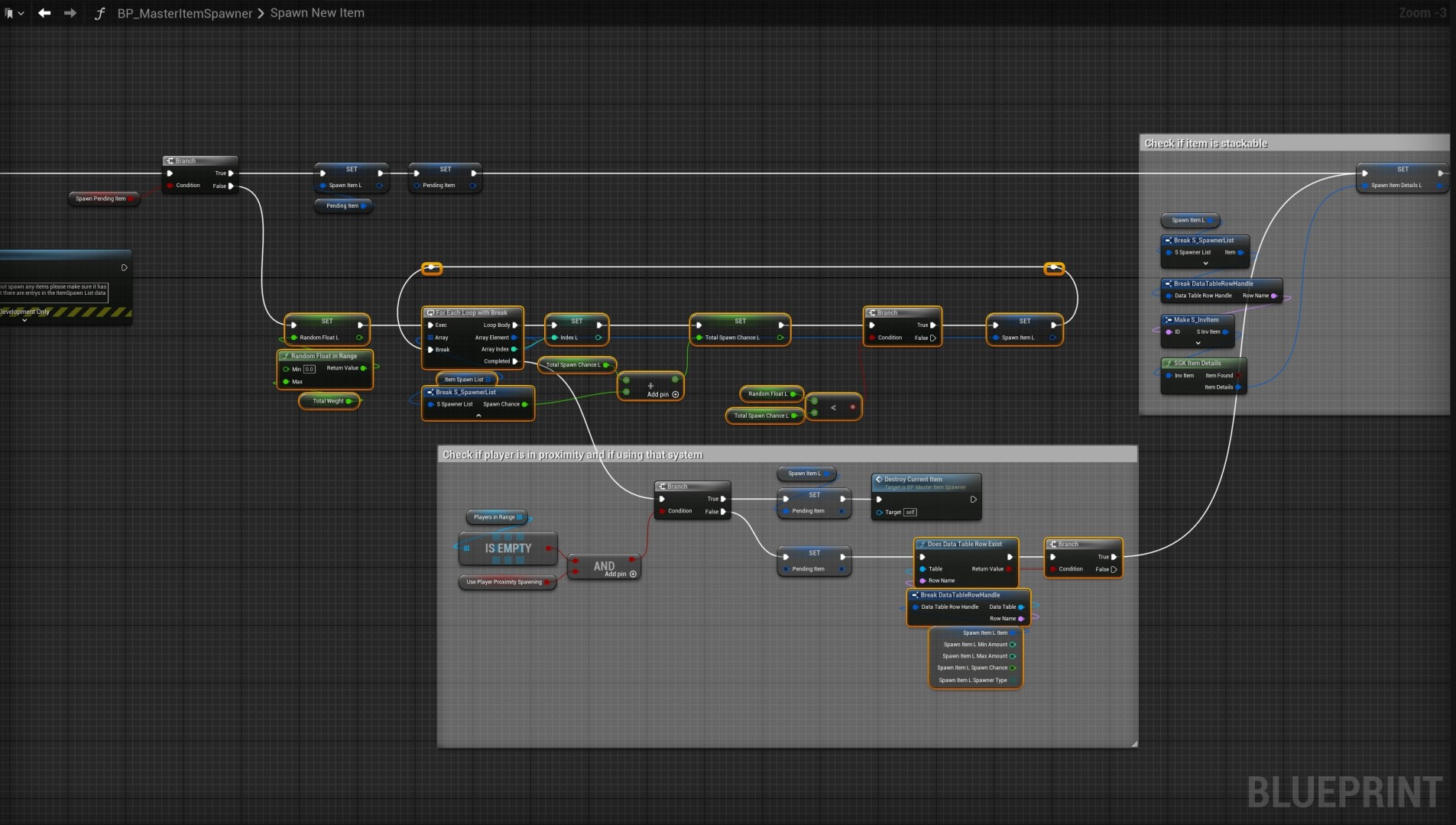
Next open the SpawnNewItem function and create a new local variable called TotalSpawnChanceL and set its type to Float.
Then create another local variable called IndexL and set its type to Integer. Then create another local variable called RandomFloatL and set its type to Float.
Then copy the video below.
Once finished your code should look like the image below.
Next in the My Blueprint panel delete the MaxAlwaysSpawnAttempts and AlwaysSpawnNumOfChecks variables.
Next create a new variable called RefreshItemProbabilities and set its type to Boolean, tick on Instance Editable and then set the Category to Debug.
Then create another variable called ItemProbabilities (ReadOnly) set its type to String and set it to an Array and tick on Instance Editable, then set the Category to Debug.
Then create 2 new variables one called ShowCategoryNames and another called HideCategoryNamesInGame set both variable types to Boolean and set their Category to Debug and tick on Instance Editable for both. Then tick on the Default Value for ShowCategoryName.
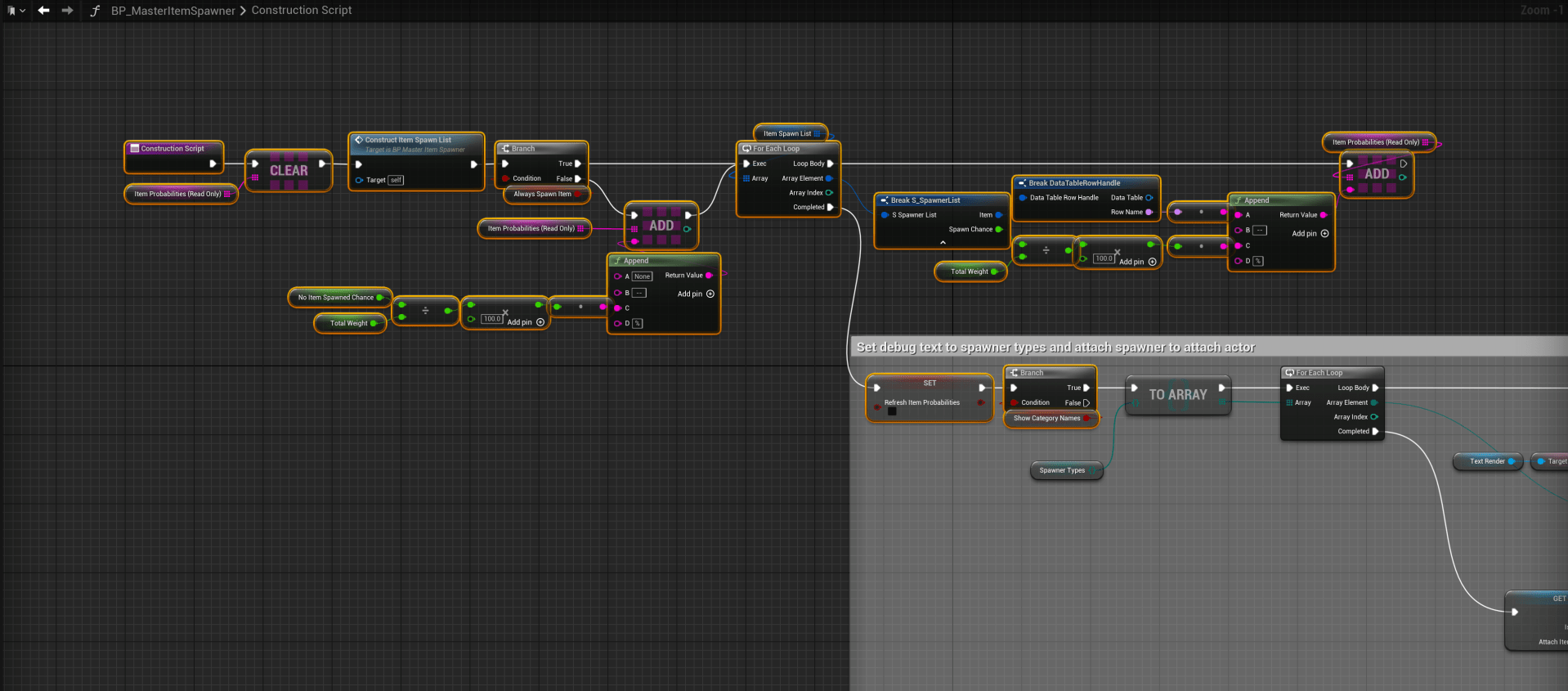
Next open the Construction Script and add the highlighted nodes shown in the image below.
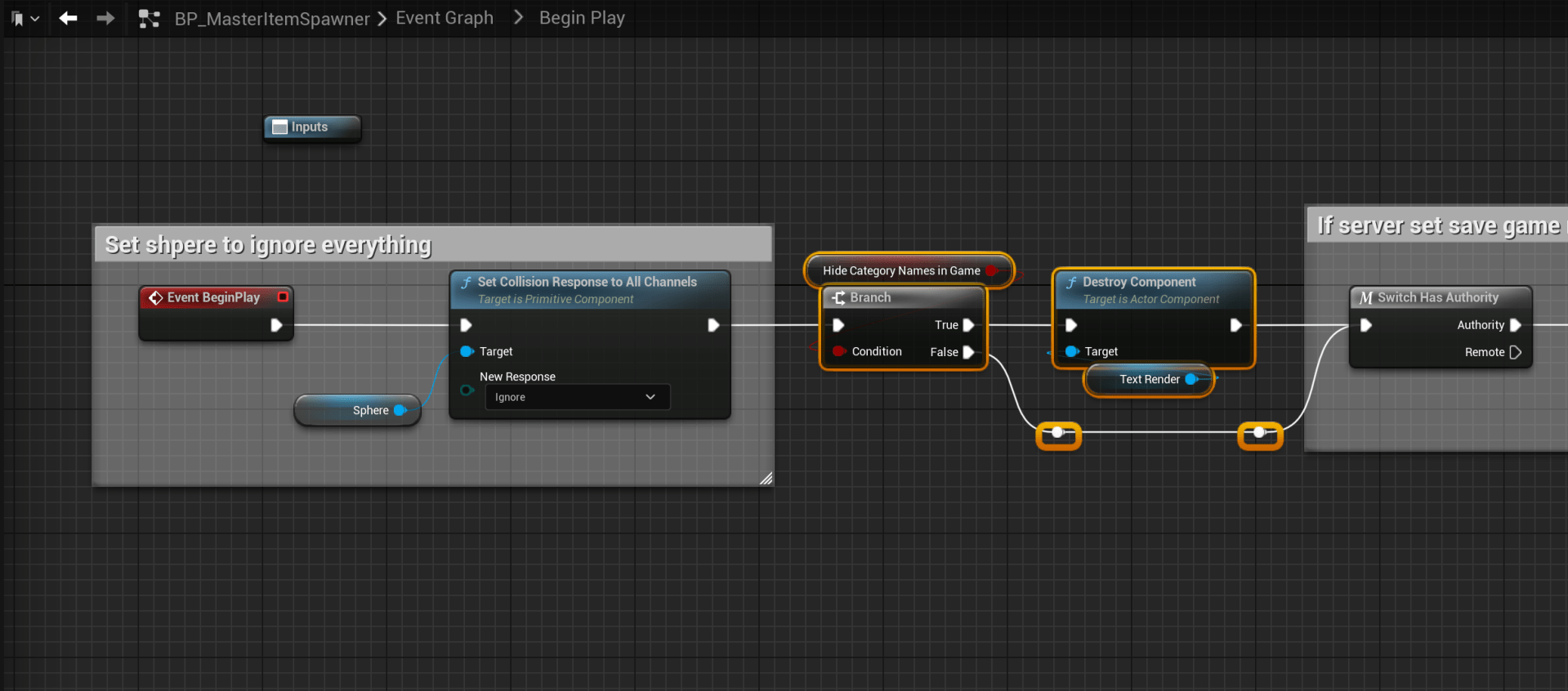
Then go to the Begin Play collapsed node in the Event Graph and add the highlighted nodes shown in the image below.
 Defuse Studios