You can select the BP_SaveSystem actor in your level to change the save system settings.
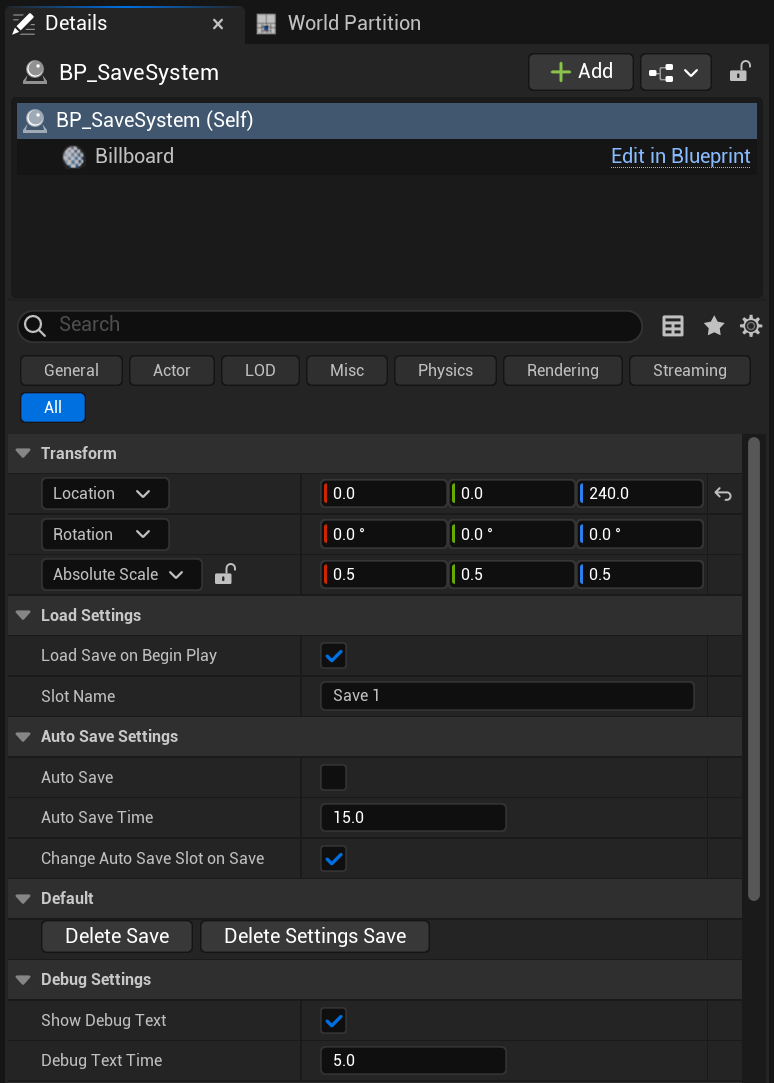
Load Save on Begin Play – If true the save system will attempt to load the Slot Name save if it exists when the game starts in that level. When loading a save from the main menu or in game menu this settings is overridden.
Slot Name – This is the save game file the save system will try to load, this is also the save name it will give to auto saves if auto save is enabled.
Auto Save – If enabled the save system will save automaticly.
Auto Save Time – This is how often the auto save will save the game in seconds.
Change Auto Save Slot on Save – If true when the player does a manual save future auto save will auto save to that save game file instead of the default Slot Name save.
The Delete Save button will delete the Slot Name save file.
The Delete Settings Save button will delete the settings save file, this stores info like sound volume settings.
 Defuse Studios