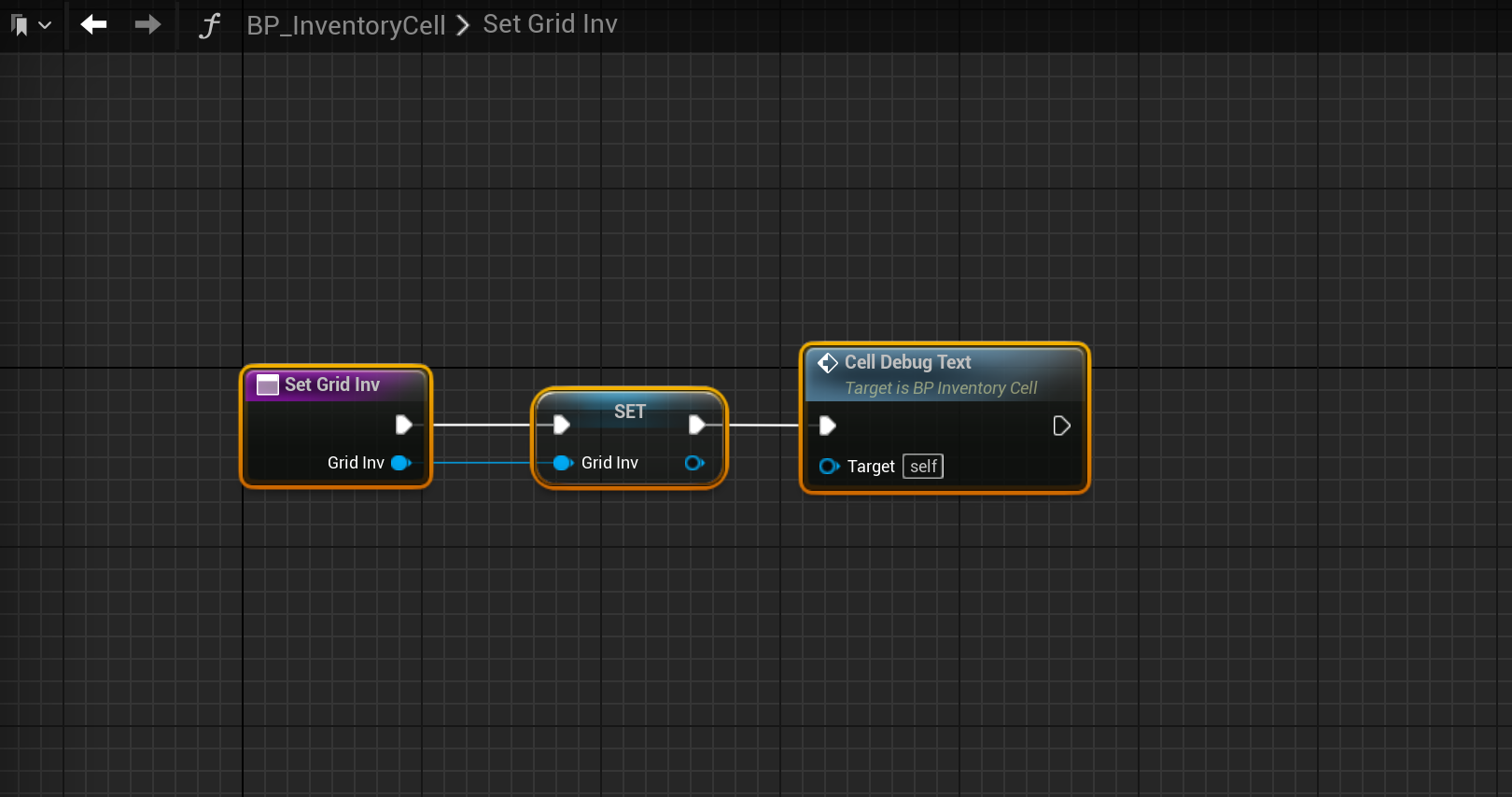
Go to the BP_InventoryCell and create a new function called SetGridInv and add a new input called GridInv then set its type to BP_MasterInventory then copy the image below.
Next go to the BeginPlay collapsed node and remove the CellDebugText function from there so it looks like the image below.

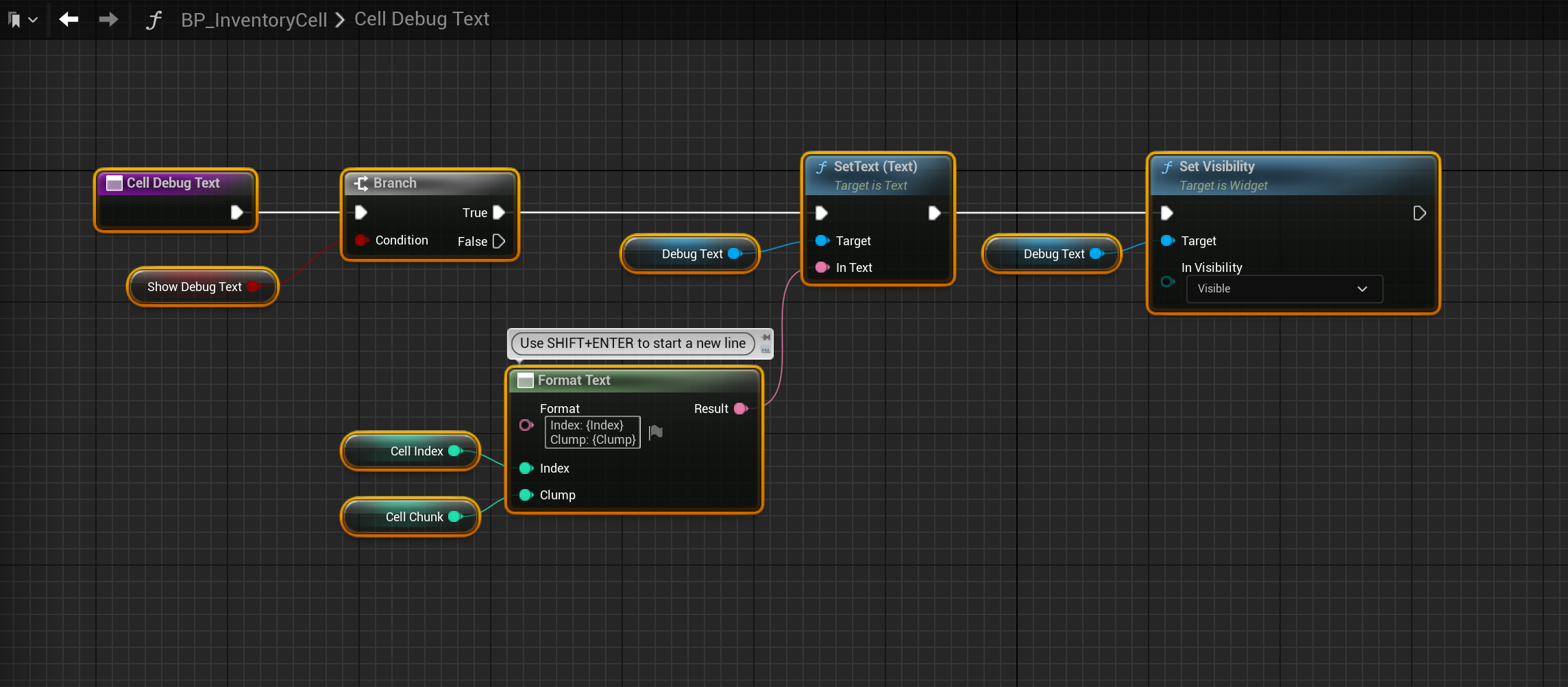
Next go to the CellDebugText and copy the image below.
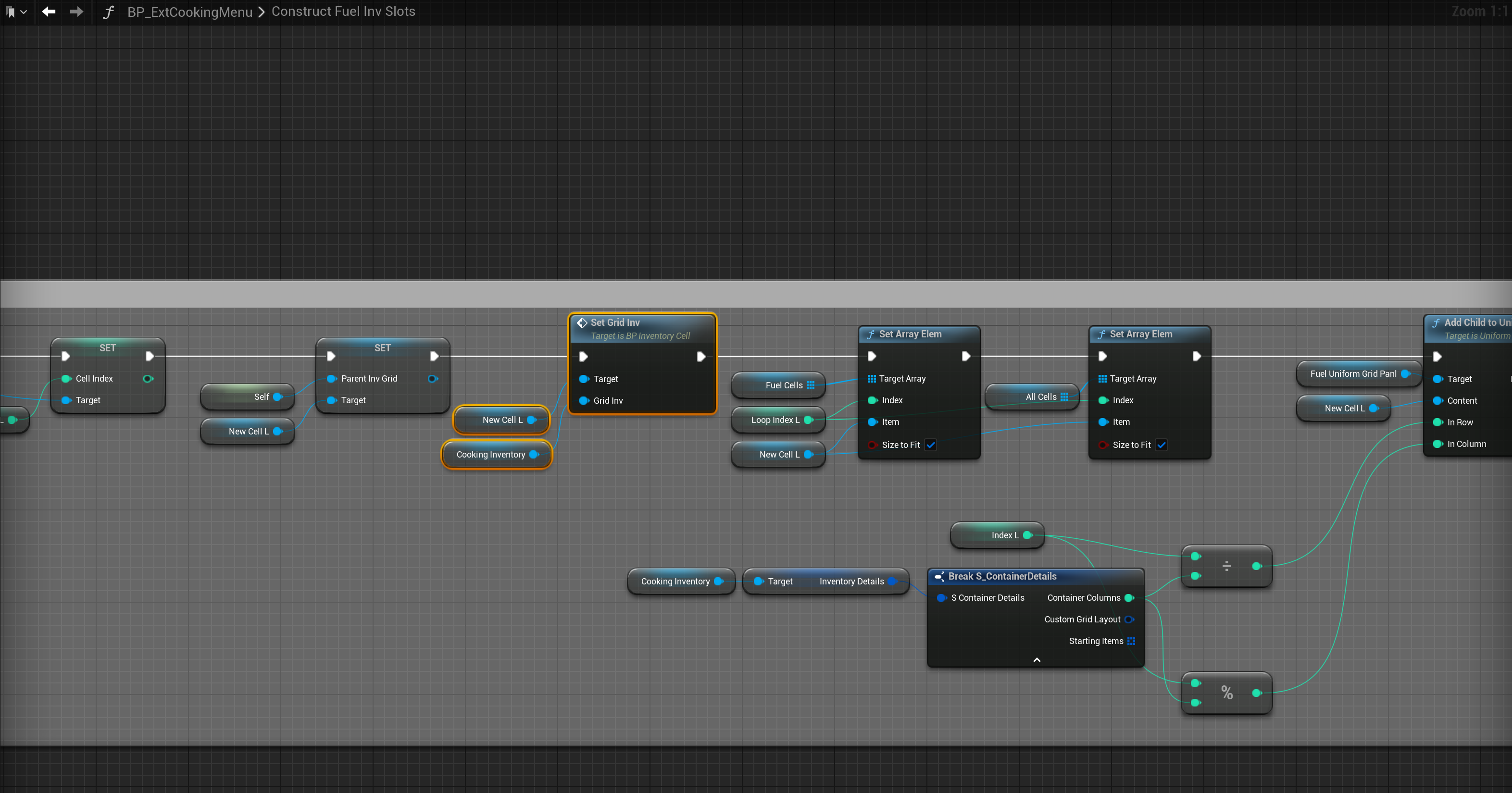
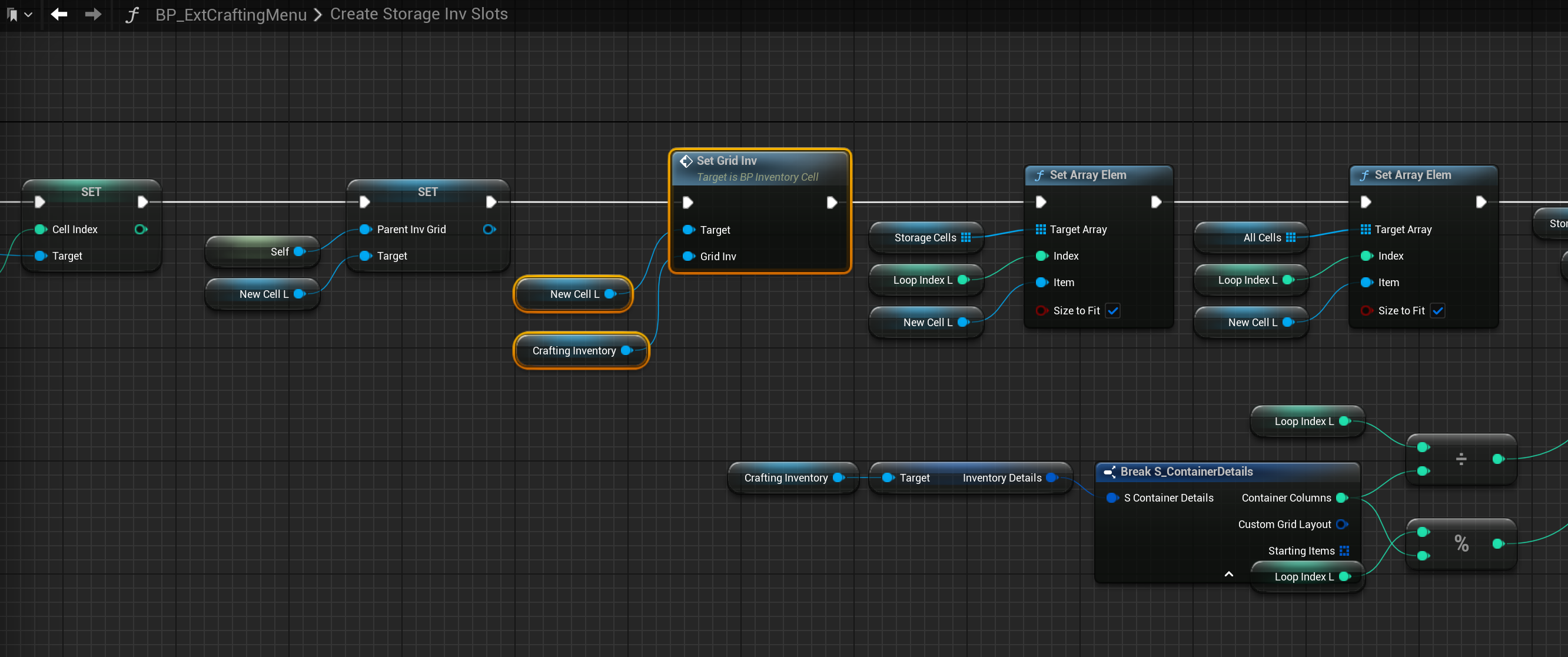
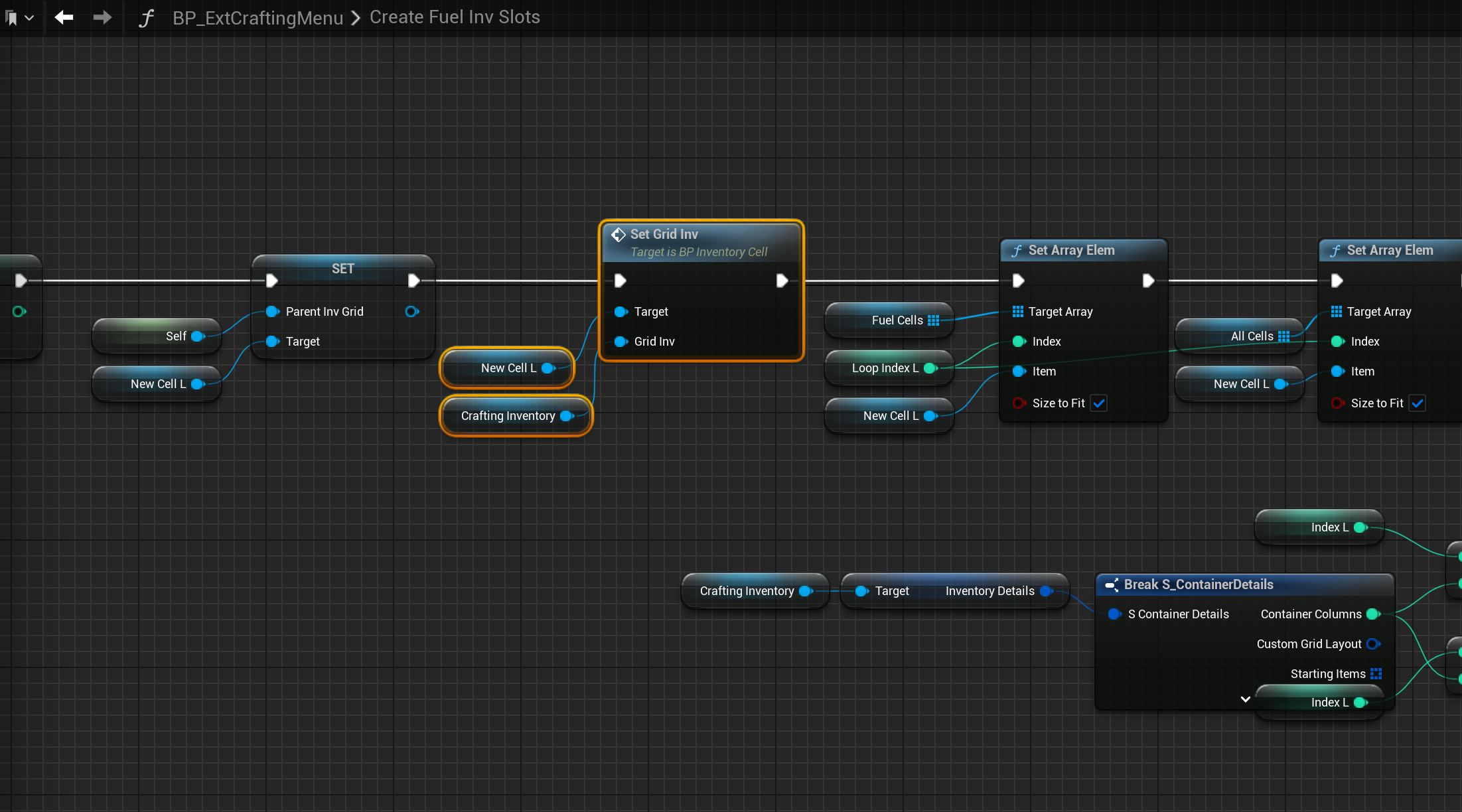
Then go to the locations shown in the images below and replace the Set InvGrid nodes with the SetInvGrid function, locations at the tops of the screenshots.


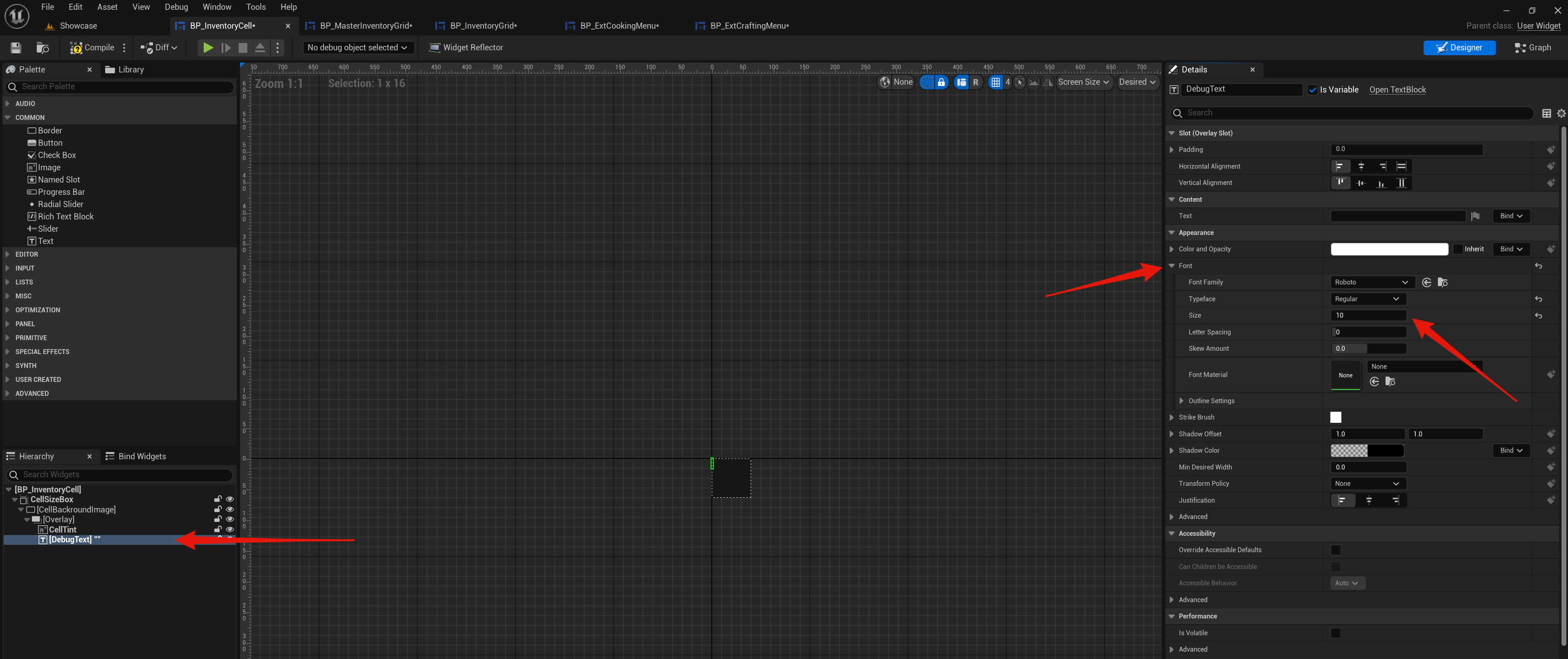
Then in the BP_InventoryCell Designer view select the Debug Text and in the Details panel change the font size to 10 like the image below.
 Defuse Studios