Go to the BP_MasterInteractionPoint and copy the video below.
Next open the BTT_Interact in the content browser and add the highlighted nodes shown in the image below.
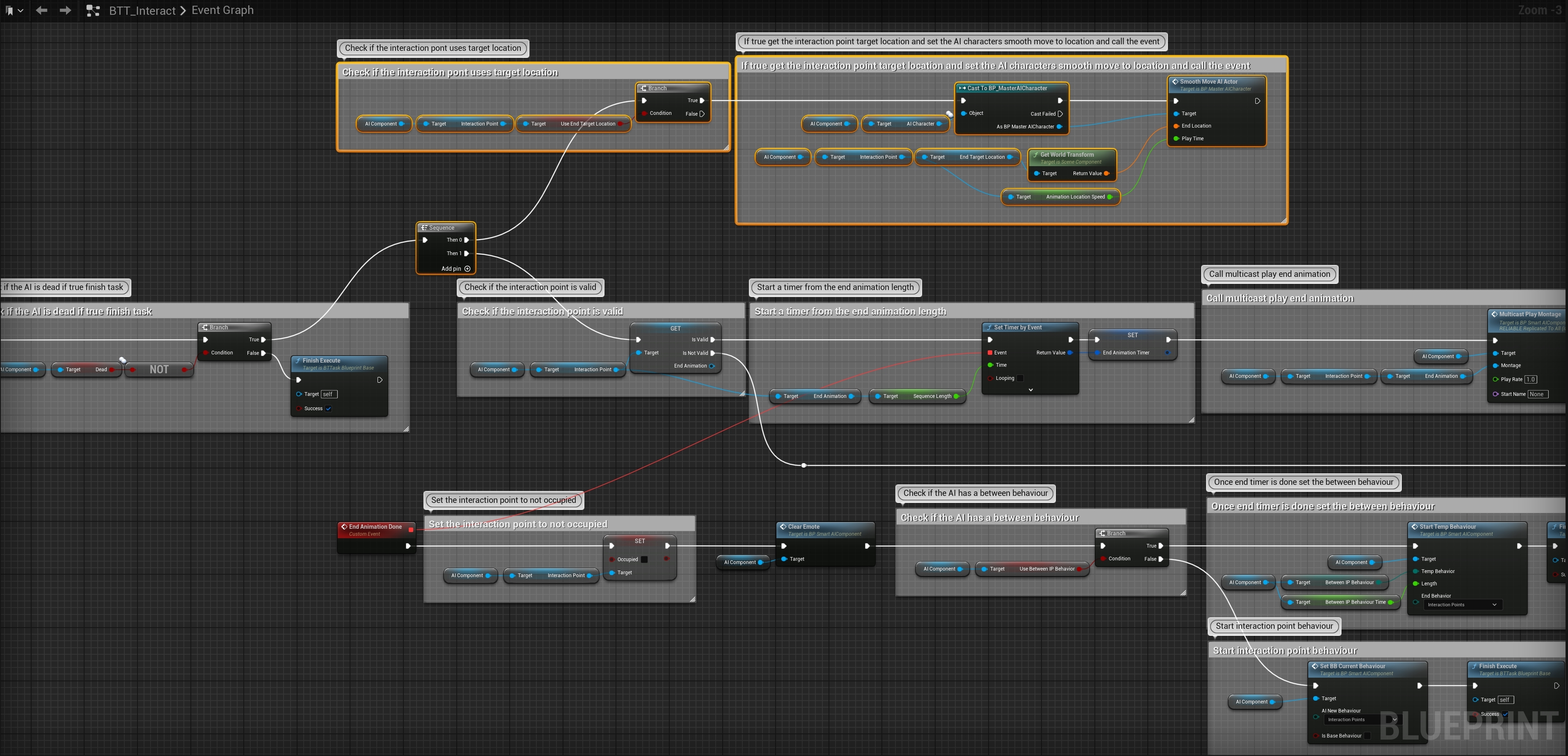
You can now enable Use End Target Location and when the AI stops using the Interaction Point it will be moved to the End Target Location component’s location.
 Defuse Studios