Go to the BP_SmartAIComponent and create a new variable called RangeAttackCone and set its type to Float then tick on Instance Editable and set its Default Value to 0.65
Next create a new function called RangeAttackDirectionCheck and add a new input to the function called AttackTarget and set its type to Actor.
Then add an output called ValidDirection and set its type to Boolean. Then copy the code in the image below.

Next open the RangeAttack function and copy the video below.
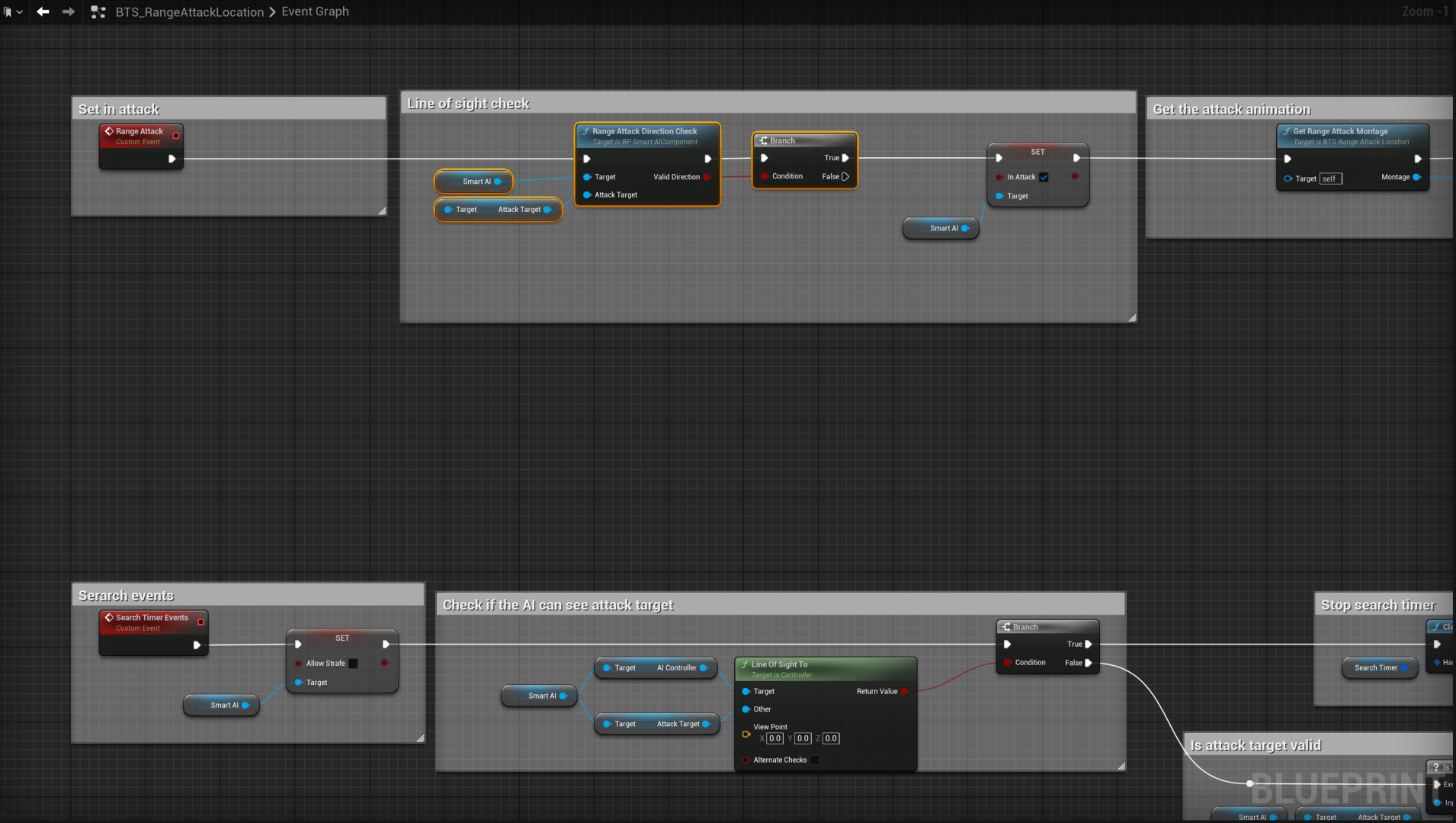
Next go open the BTS_RangeAttackLocation and add the highlighted nodes shown in the image below.
 Defuse Studios