Smart AI uses the engines built in damage events, like the Apply Damage node. The BP_SmartAIComponent then binds an event to when this Apply Damage node is called on the AI character, this then runs the AI Take Damage function this then reduces the AI’s health and triggers the AI’s damage reaction.
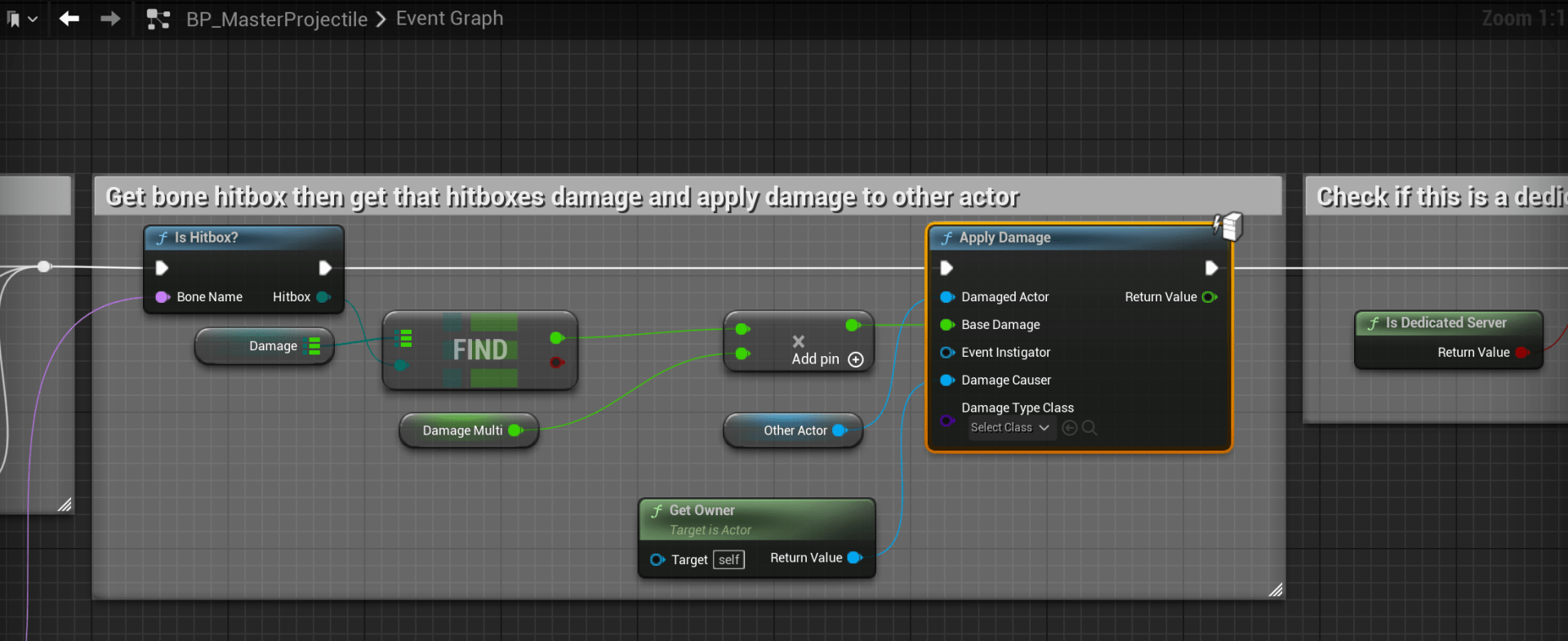
When calling the Apply Damage node you must provide a Damage Causer, this will normally need to be the character that delt the damage, the AI then uses this to react to that character. In the included BP_MasterProjectile the Damage Causer uses the Get Owner node, this works because when this projectile is spawned via the Spawn Actor node its owner input is set to the character that fired the weapon.
Reciving Damage from AI
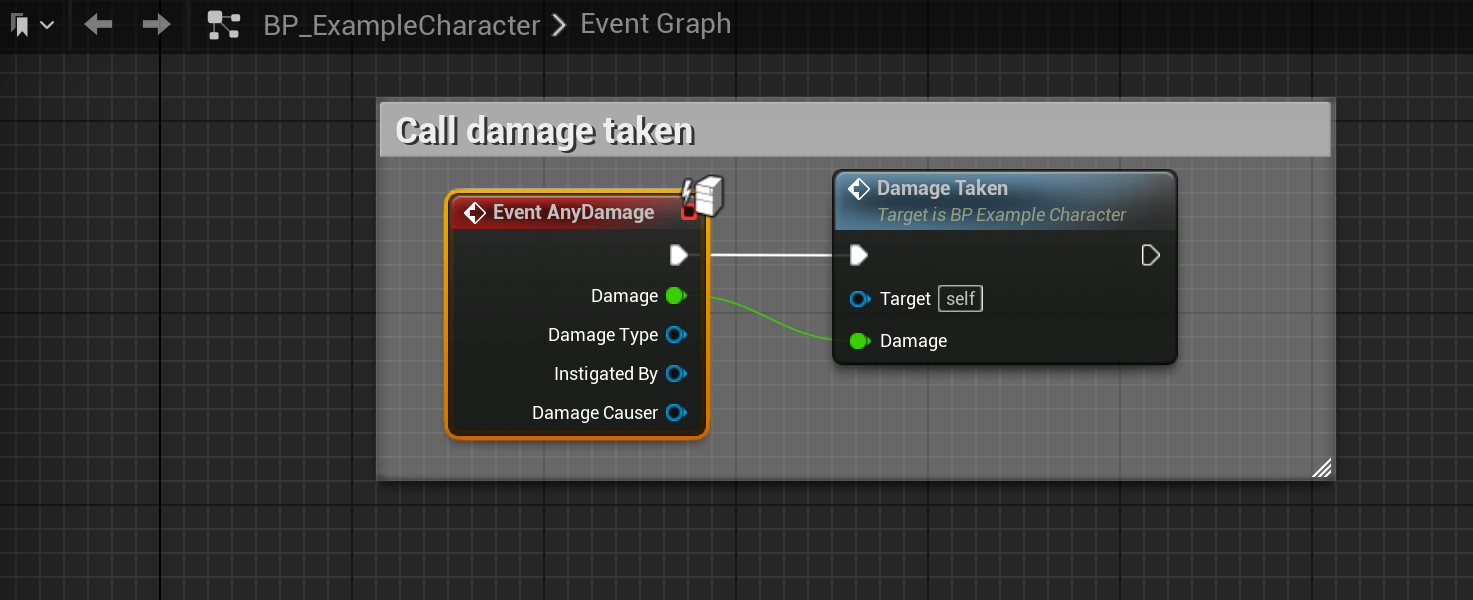
The AI also deals damage using the Apply Damage node the example below is from the BP_ExampleCharacter which is the included player character. This then calls the code to reduce the player health.
Custom Damage Events
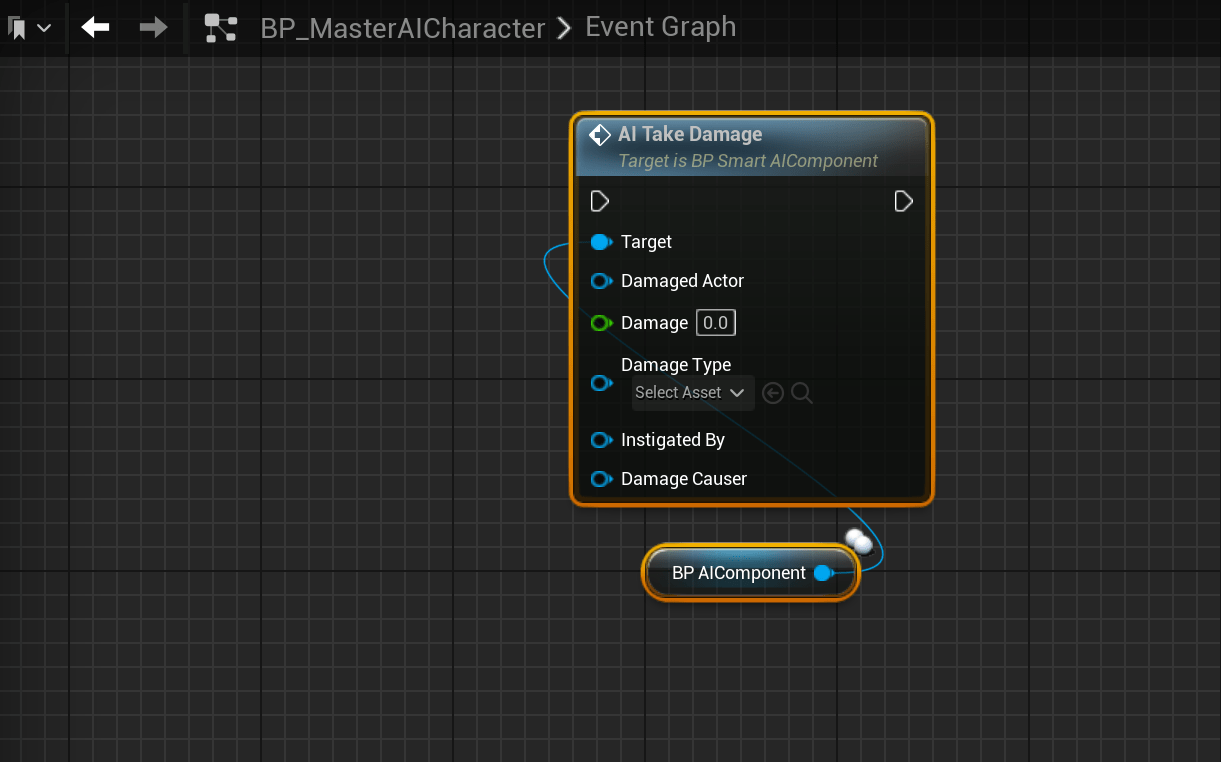
If your using custom damage events instead of the engines built in damage events, you will need to modify the BP_MasterAICharacter to have this event and then call the AI Take Damage function from the BP_AIComponent.
Your custom event must provide a damage causer, like the Damage Causer on the engines damage events this must provide a reference to the character that delt the damage as well as the damage amount.
You would then need to replace the Apply Damage nodes used by the AI blueprints to use your own damage event. You can find these places by right clicking any Apply Damage node, then select Find References, then in the Find Results window click the banocullars button. This will show a list of all the Apply Damage node in the project, you can then go though this list and replace those nodes with your own damage events.
 Defuse Studios