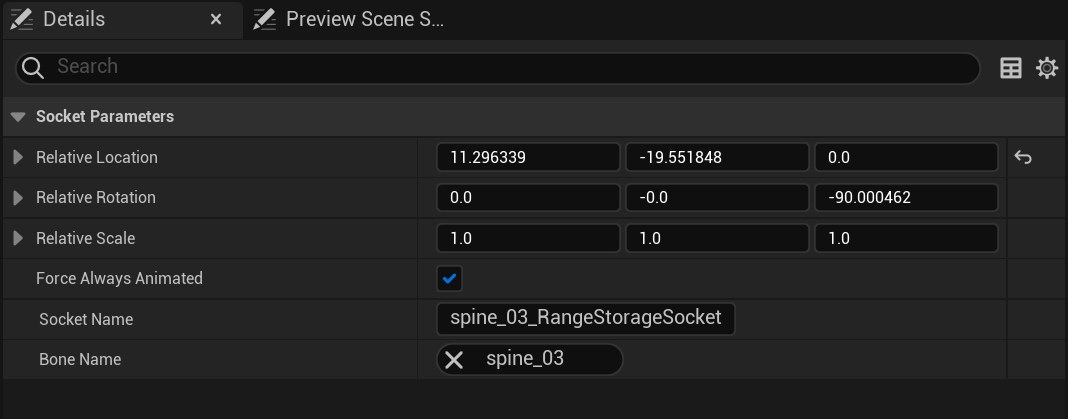
Go to the SK_Mannequin skeleton in the Content Browser then in the Skeleton Tree panel right click the spine_03 bone and select Add Socket and name the new socket “spine_03_RangeStorageSocket”
Then select the socket and copy the location and rotation settings from the image below, if you wish to have a different position you can set your own values.
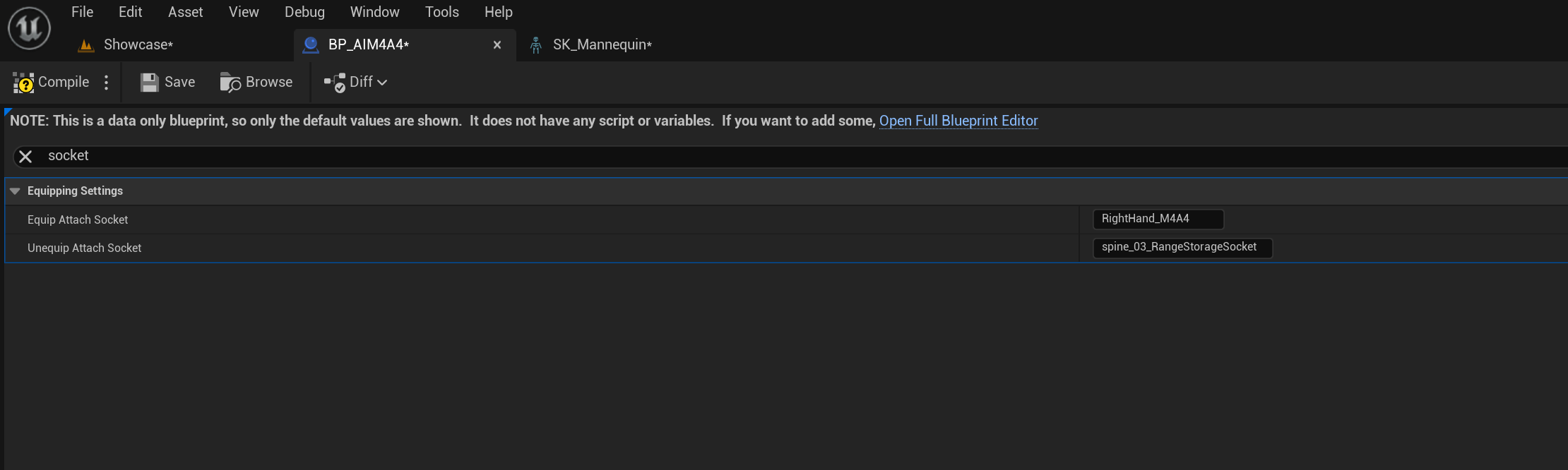
Next go to the BP_AIM4A4 and change the Unequip Attach Socket setting to spine_03_RangeStorageSocket like the image below.
 Defuse Studios