Add the highlighted nodes shown in the image below, location at the top of the image.

Add the highlighted nodes shown in the image below, location at the top of the image.
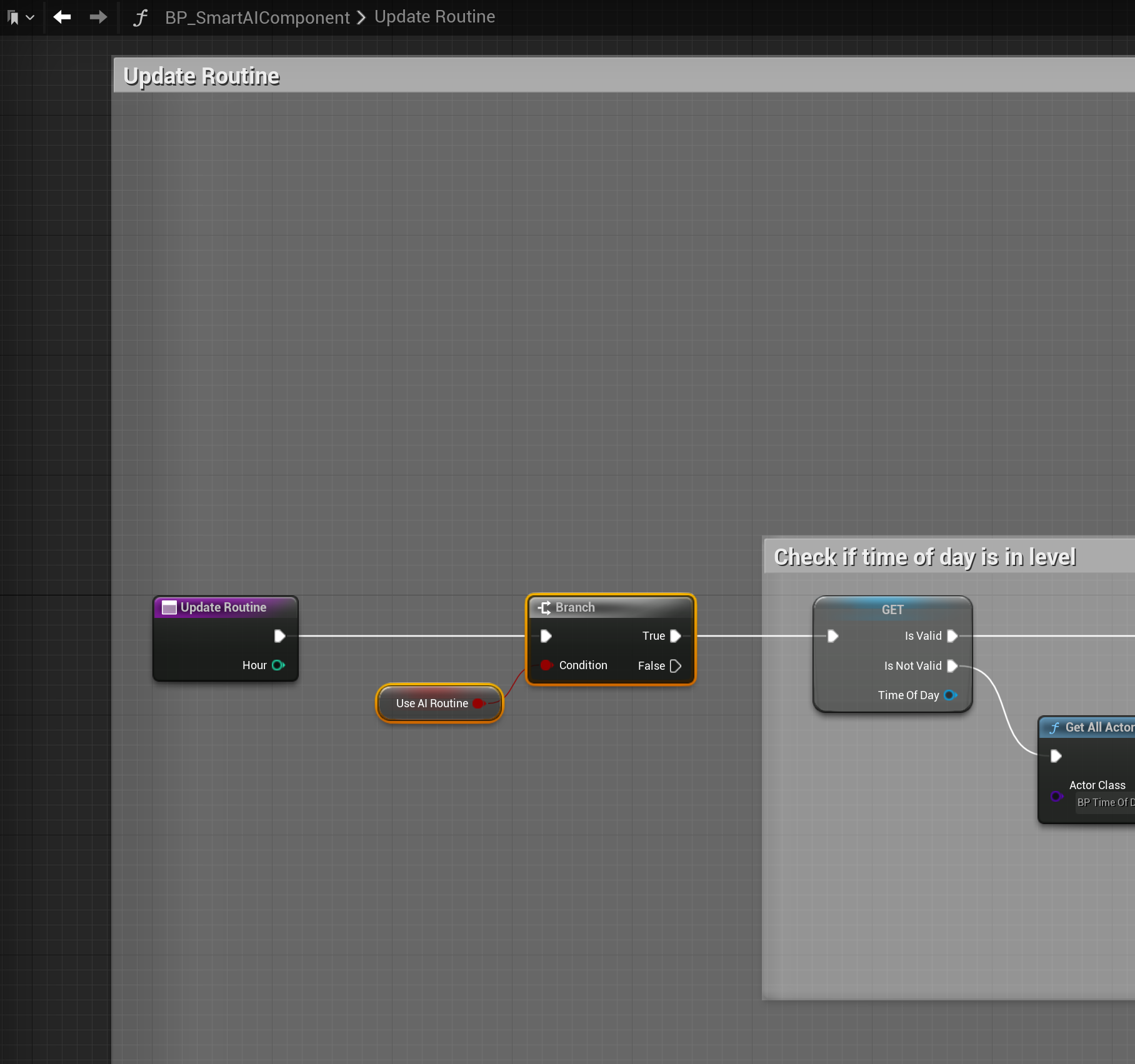
Copy the video below in the Start Timers collapsed node in the BP_SmartAIComponent
In the Class Defaults search for the AI Interact Between Behaviour and set it to Roam.
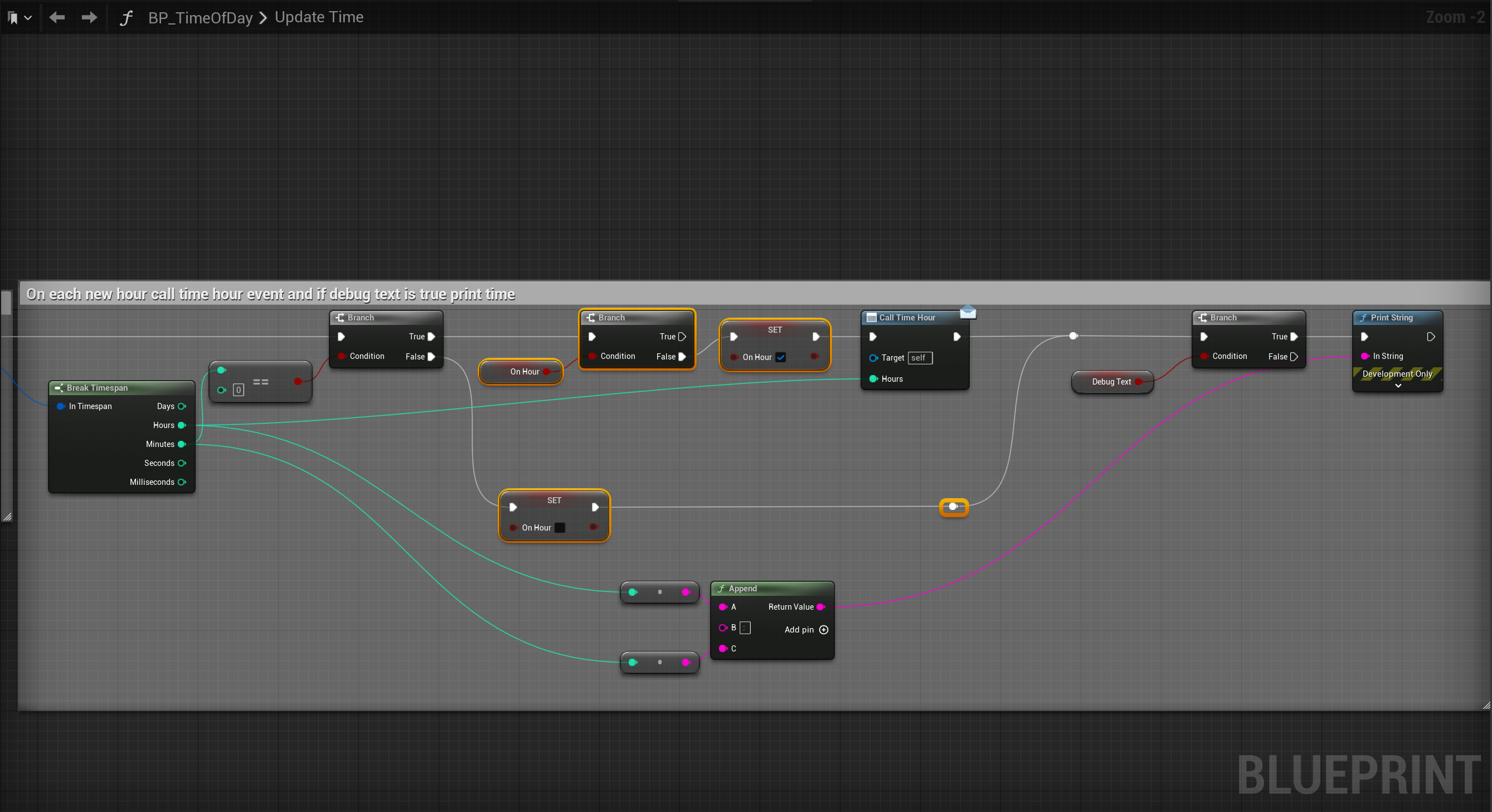
Go to the BP_TimeOfDay then to the UpdateTime function and add the highlighted variables shown below. You will need to create a new variable called OnHour and set it to a Boolean, make sure its Default Value is unticked.
 Defuse Studios