The Flee Alert settings allow the AI to alert other AI that they are fleeing. To find these settings go to the AI chaaracter’s blueprint like for example the BP_AICivilian then select the BP_AIComponent in the Component panel, then in the Detail panel search for Alert.
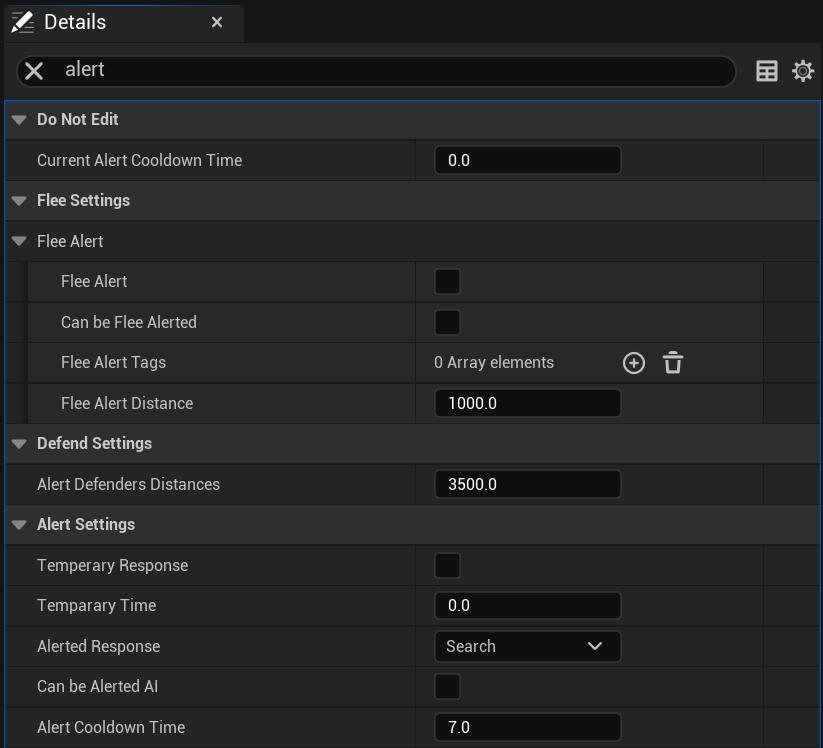
To have the AI alert other AI that its fleeing tick on Flee Alert. To allow this AI to be alerted of other AI fleeing tick on Can be Flee Alerted.
Next you need to provide Flee Alert Tags, this AI can only be alerted if another AI with one of these tags sends out an alert, if the AI sending out the alert doesnt have any of these tags this AI will ignore the alert.
Then you can set the Alert Defenders Distance, this controls how close other AI must be to get the alert, this value is in CM.
Alert Response controls how the AI will behave when it gets alerted you can either set flee to make it flee or you can set search, this will have the AI search around the area of the AI that alerted it.
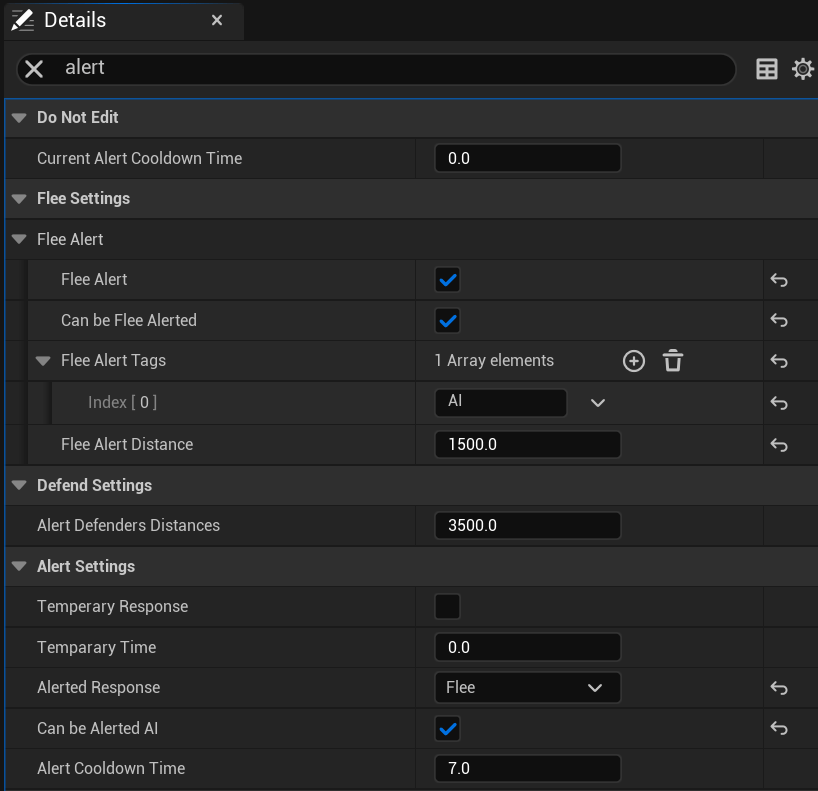
Lasty you must tick on Can be Alerted AI in the Alert Settings. Below is an example of alert settings that will have the AI flee when any other AI starts fleeing within 15 meters if that other AI has Flee Alert enabled.
 Defuse Studios