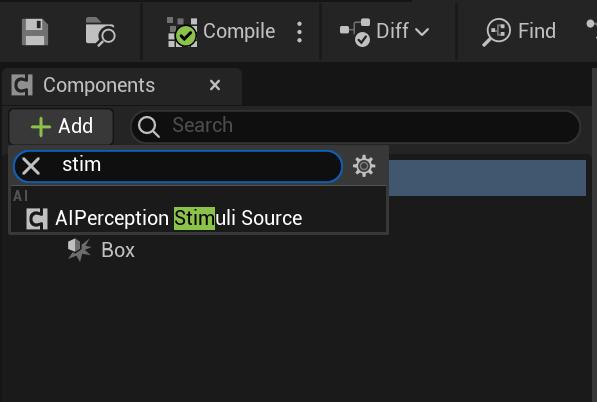
To have the AI react to non character actors some extra steps are required. First open the actor you want the AI to react to and in its Components panel click the Add Component button and add the AIPerceptionStimuli Source component.
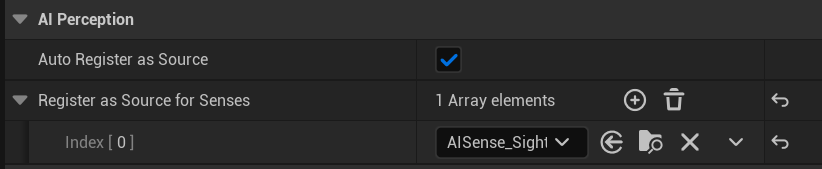
Then select the AIPerceptionStimuli Source in the component panels and in the details panel tick on the Auto Register as Source setting. Then click the + button next to the Register as Source for Senses setting and set the Index 0 drop down to AISense_Sight.
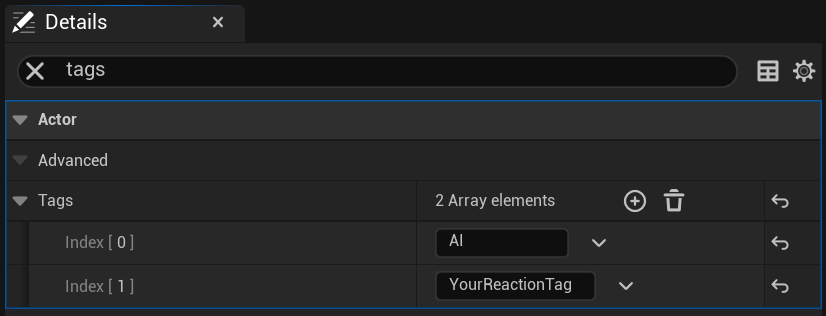
Next in the blueprints class defaults search for Tags and add a new entires to the Tags setting and set it to AI (Make sure the setting name is Tags and not Component Tags) then add another entry and set it to the reaction tag you want to use for that blueprint. Theres more info about how reaction tags work in the reaction system video below.
Once you’ve finished these steps you blueprint is now setup so the AI can react to it, to find out more about how the AI reactions work you can check out the video below.
 Defuse Studios