Smart AI has several sound settings you can use to have your AI play sounds at different times, to adjust your AI’s sounds go to the AI’s character blueprint and select the BP_AIComponent in the Components panel, then in the Details panel you can find the sound settings.
Reaction Sounds
You can set sounds to play when an AI has a reaction trigged, you can use the Sound setting in the reaction to have that sound play when that reaction is trigged. You can set multiple sounds in a transition and one will be played at random

Transition Sounds
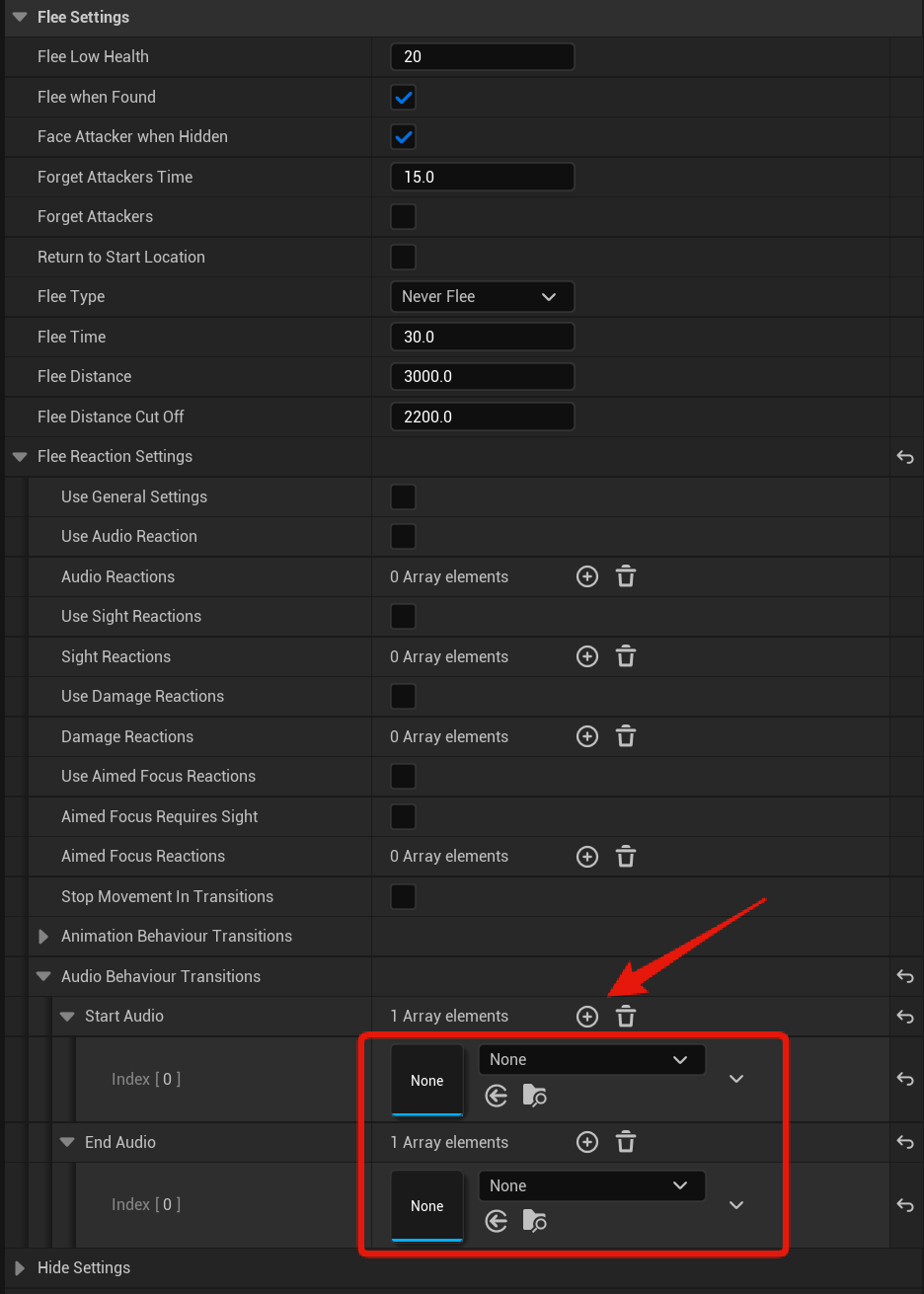
Transition sounds can be played when an AI ends or starts a new behaviour, you can set multiple sounds in a transition and one will be played at random, like shown in the image below.
For more info on behaviour transitions you can check out the guide linked below.
Death Sound
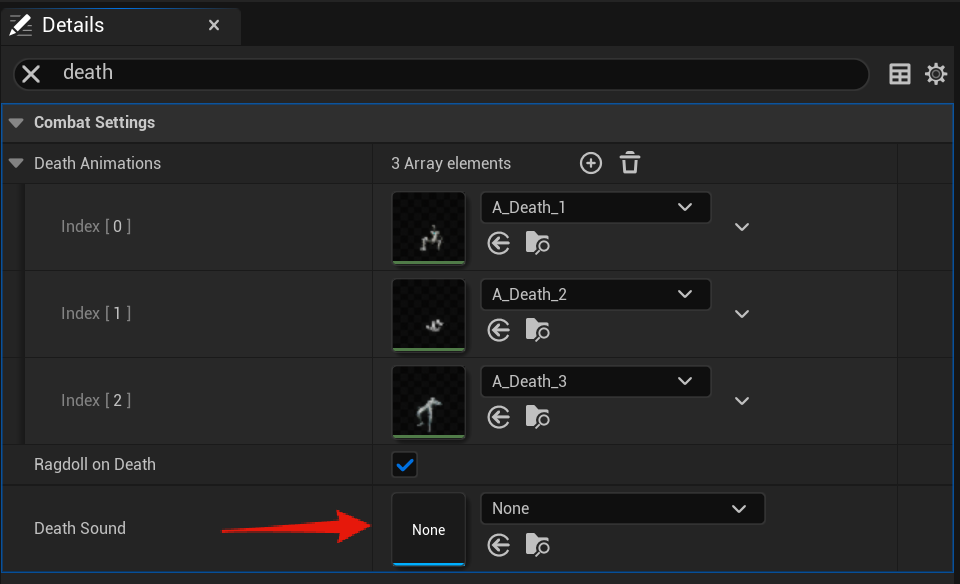
You can set the AI’s death sound in the AI’s character blueprint then select the BP_AIComponent and search for death to find the Death Sound setting.
Weapon Sounds
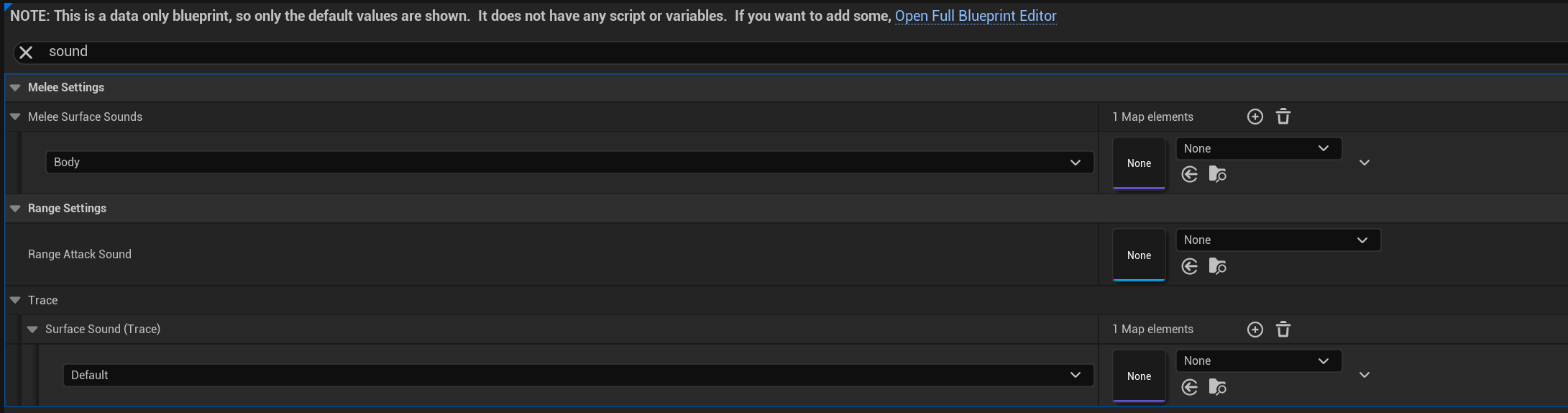
Sounds can also be set in the AI weapon blueprints, these sounds will be used when the AI is holding the weapon, these settings are in the Class Defaults of the weapon blueprint then search for sound.
Animation Notifies
You can also have sounds be played by your animations and you can specify the exact time that sounds is played using animation notifies. There is an example below on how you can add sound notifies to an animation.
If you dont want the sound to play every time the animation runs you can adjust the Notify Trigger Chance setting, 1 means every time the animation plays the sound will be played, 0.5 would mean the sound has a 50% chance of playing when the animation plays.
For more information on animation notifies you can take a look at Epics documentation on the feature linked below.
 Defuse Studios